

What is 404? When someone opens a URL that doesn't exist on your site, WordPress shows your theme's default 404 page. Most themes keep it plain: a "Nothing found" line and maybe a search box. The 404 template in the Master Addons Theme Builder lets you replace that…
When someone opens a URL that doesn’t exist on your site, WordPress shows your theme’s default 404 page. Most themes keep it plain: a “Nothing found” line and maybe a search box. The 404 template in the Master Addons Theme Builder lets you replace that screen with a page you design in Elementor, so a visitor who follows a dead link can search your site or get back to the homepage in one click.
What the 404 template does #
A 404 template is an Elementor template that Master Addons loads on every “page not found” request. Your theme’s header and footer stay in place (or your Master Addons Header and Footer templates, if you use them), and the template replaces the content area in between.
The page still returns a real 404 status code, so search engines handle broken URLs the same way they did before. The template applies site-wide, and the condition is set to 404 Page for you, so there are no pages to pick. If you turn the template off, WordPress goes back to your theme’s own 404 page.
Before you start #
- Install and activate Elementor and Master Addons.
- The 404 template type is part of Master Addons Pro. In the free version it shows as “Error 404 (Pro)” in the Template Type list.
- Have a rough idea of what the page should include: at minimum a short message, a search bar and a link back to the homepage.
Step 1: Open the Theme Builder #
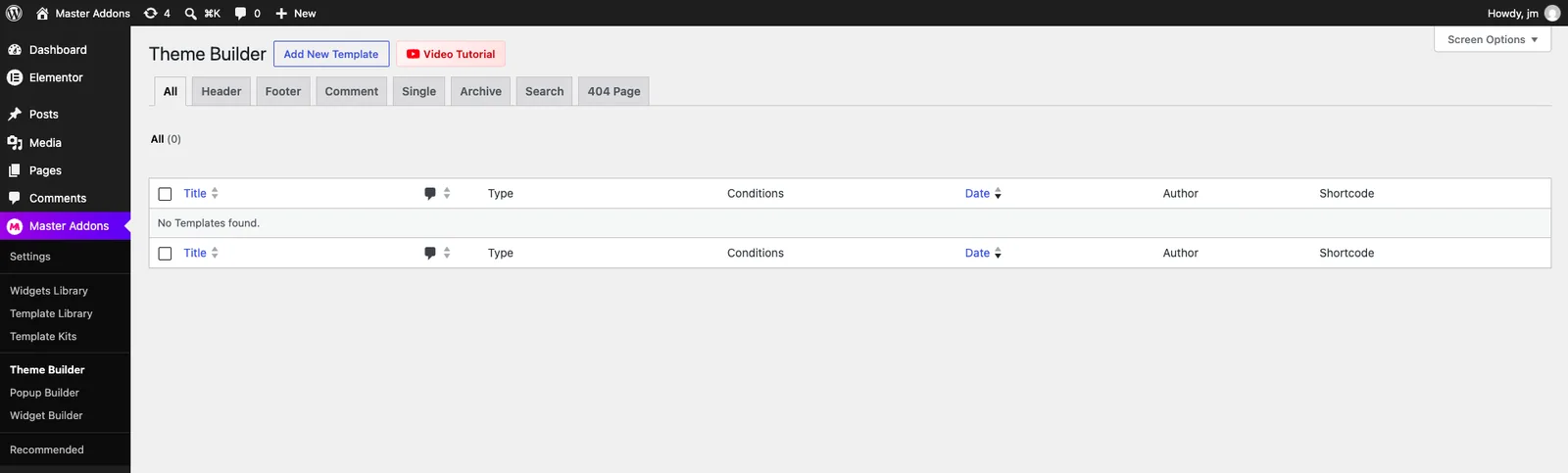
In your WordPress dashboard, go to Master Addons > Theme Builder. The page lists all your theme templates, with tabs to filter by type: Header, Footer, Comment, Single, Archive, Search and 404 Page.
Click Add New Template next to the page title.
Step 2: Set the title, type and activation #
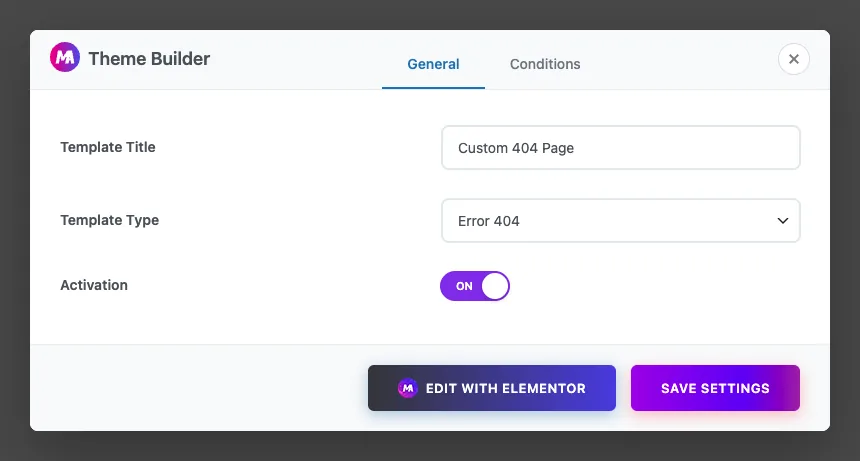
The Theme Builder dialog opens on the General tab. Fill in three fields:
- Template Title: any name you’ll recognize later, such as “Custom 404 Page”. Visitors never see it.
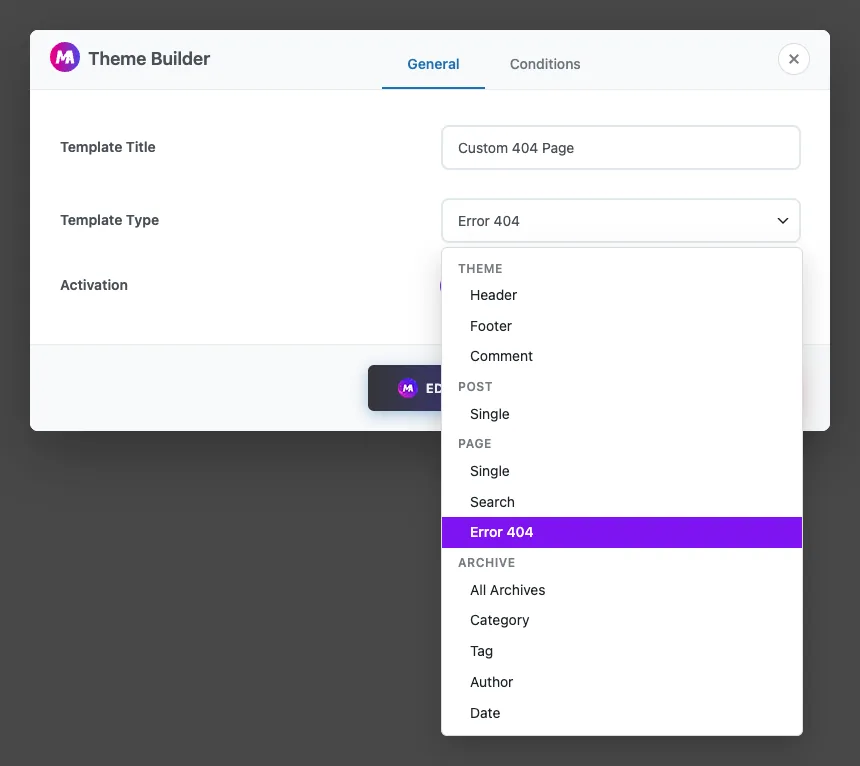
- Template Type: open the list and pick Error 404. It sits under the Page group, next to Single and Search.
- Activation: switch it to ON. An inactive template is saved but never shown.
Step 3: Check the condition #
Click the Conditions tab. For a 404 template the condition is filled in automatically as Include > 404 Page, which means the template shows on every page-not-found request. You don’t need to change anything here.
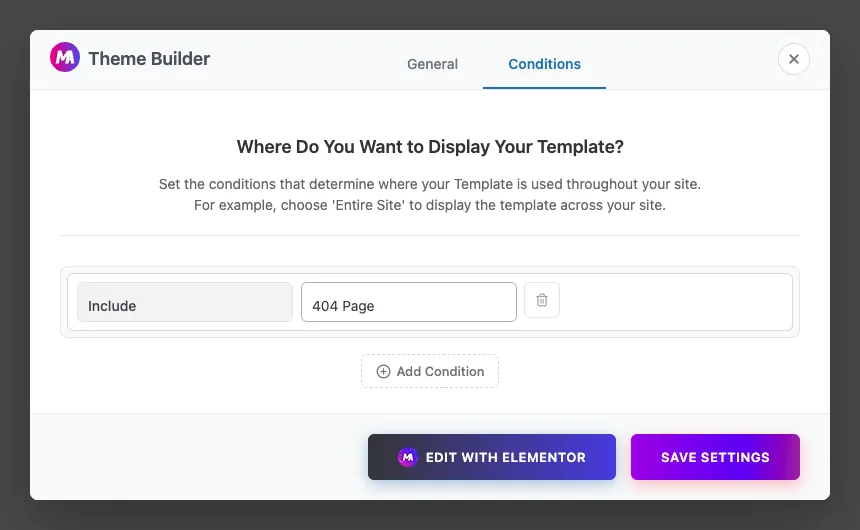
Click Save Settings to create the template, or Edit with Elementor to open it in the editor.
Step 4: Design the page in Elementor #
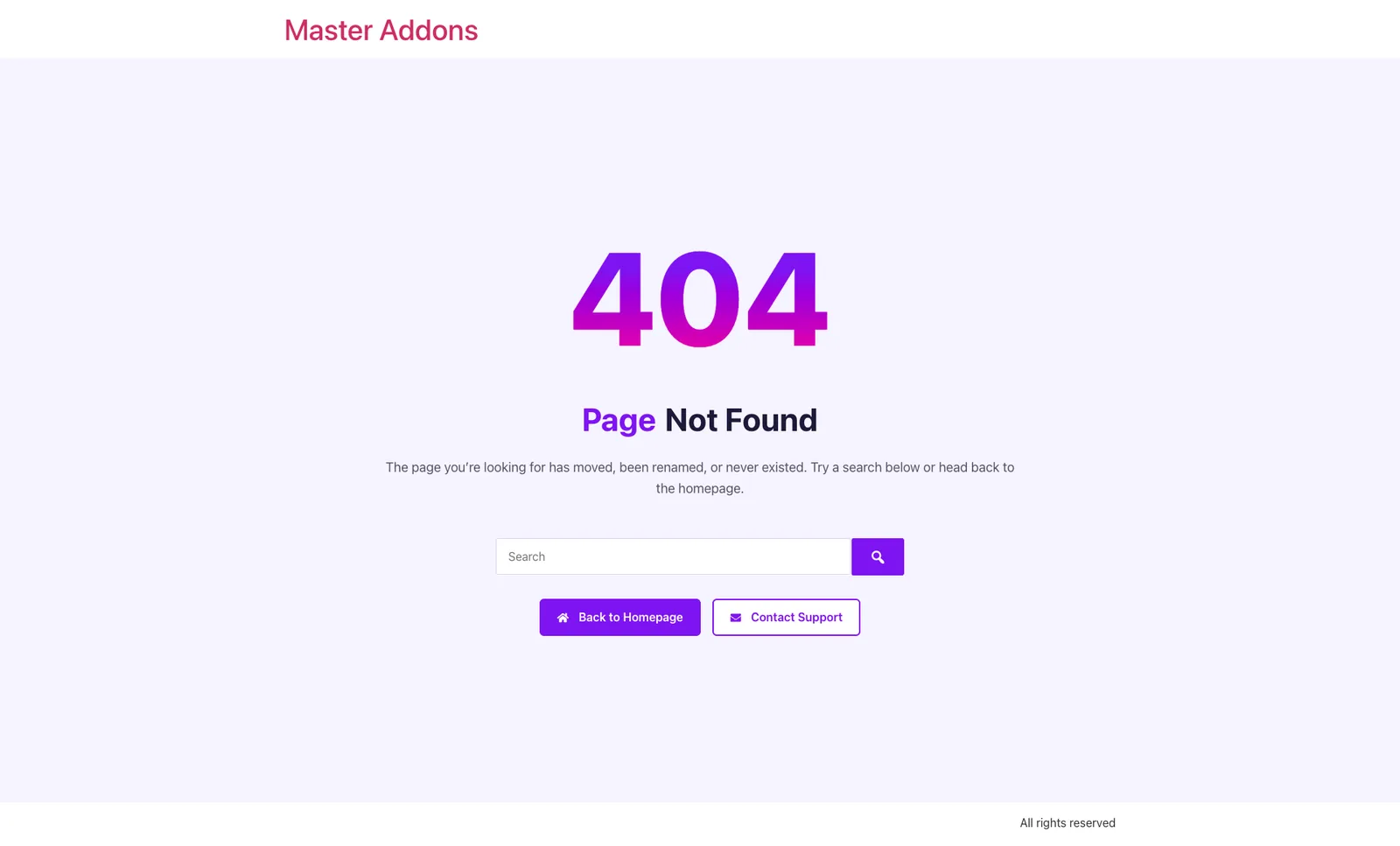
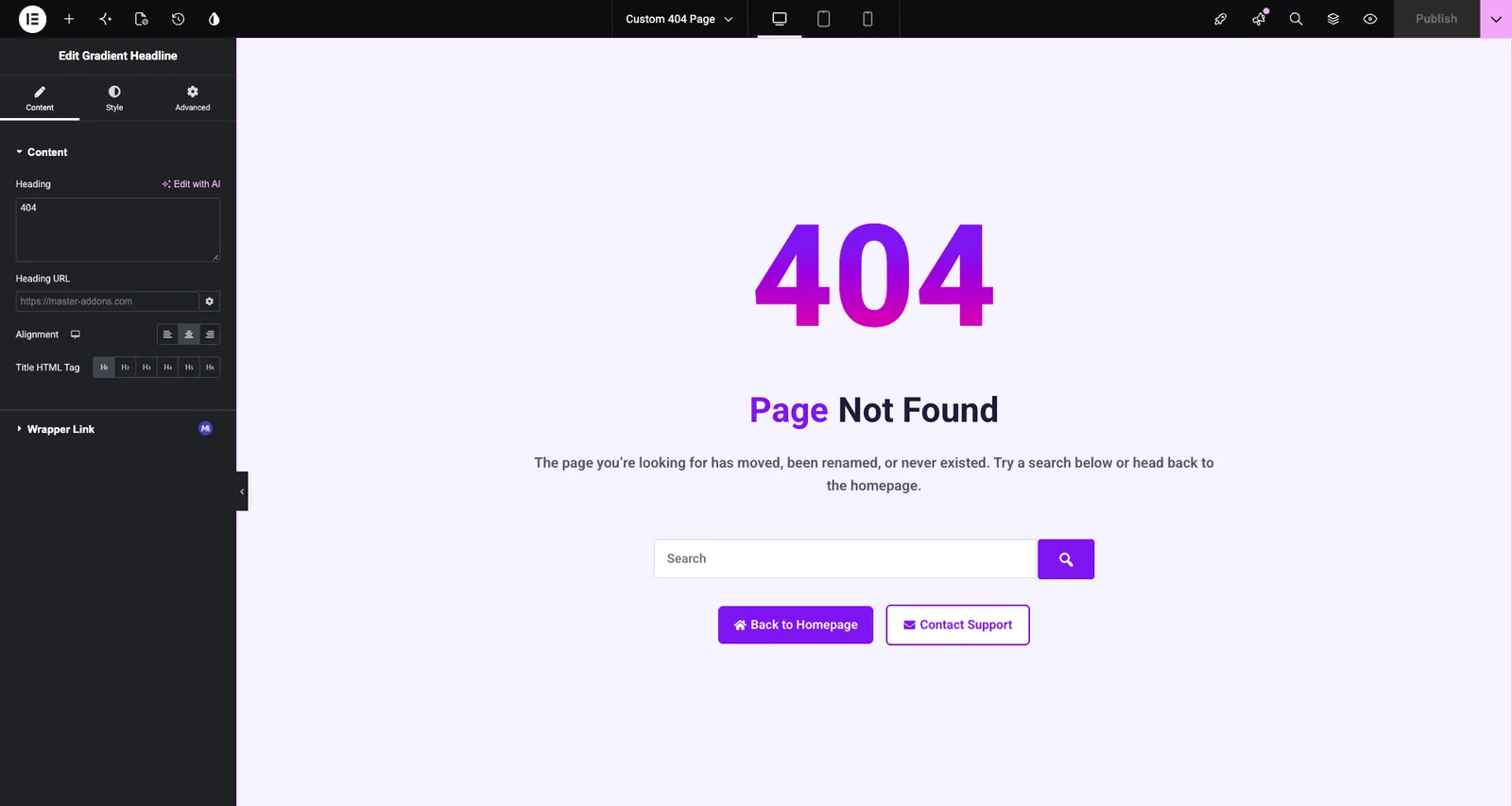
The template opens in Elementor on a blank canvas. A 404 page doesn’t pull in post content, so you build everything on it yourself. This is the layout used in the screenshots, built with four Master Addons widgets inside one centered container:
- Gradient Headline for the large “404”, set to H1 at 180px with a purple-to-pink gradient.
- Dual Heading for “Page Not Found” plus a one-line explanation in its description field.
- Search in Form mode, widened to 560px so it stands out.
- Two Creative Buttons: “Back to Homepage” linking to
/and “Contact Support” linking to your contact page.
You can add more if it suits your site:
- A short list of recent or popular posts with the Blog Posts widget, so readers have something to click besides the homepage.
- Links to your main categories, product pages or docs.
- An illustration or photo that matches your brand, kept small so the page still loads fast.
Keep the message short and don’t blame the visitor. “This page has moved or no longer exists” reads better than “You typed the wrong address.”
When the design is ready, click Publish.
Step 5: Confirm the template is active #
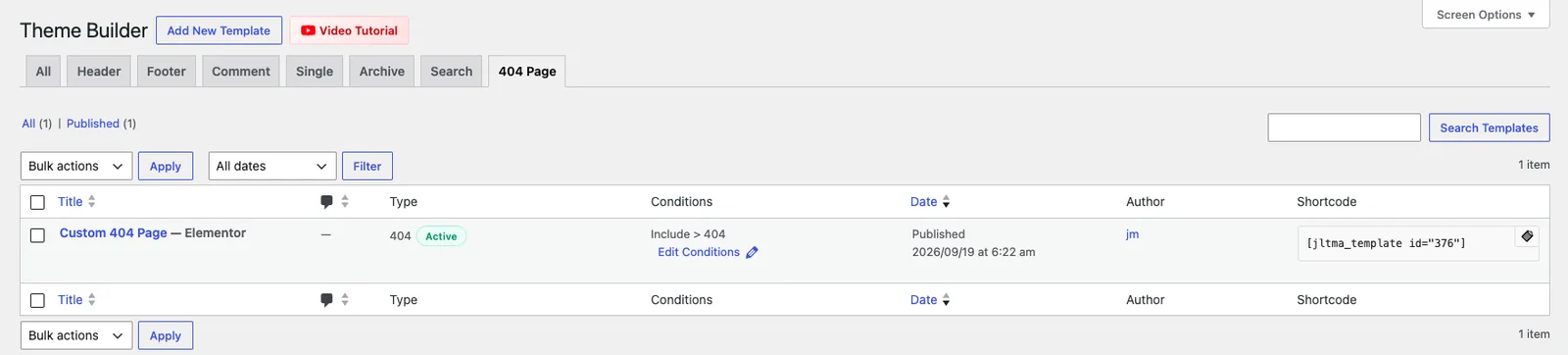
Go back to Master Addons > Theme Builder and click the 404 Page tab. Your template should show type 404 with a green Active badge and the condition Include > 404. Use Edit Conditions to reopen the dialog, or the row actions to edit the design again.
Step 6: Test it on the front end #
Open a URL on your site that doesn’t exist, for example yoursite.com/this-page-does-not-exist/. You should see your new design between the site header and footer.
If your permalinks are set to Plain (Settings > Permalinks), a made-up path loads the homepage instead. Test with yoursite.com/?p=99999999 in that case.
While you’re on the page, check that:
- The search bar returns results.
- Every button and link goes where it should.
- The layout holds up on tablet and mobile. Use Elementor’s responsive mode to adjust font sizes if the “404” headline is too big on small screens.
Tips #
- Keep only one 404 template active. If more than one is switched on, Master Addons uses the most recently created one.
- Don’t redirect every missing URL to the homepage. Google may treat those redirects as soft 404s, while a custom page that keeps the 404 status causes no trouble.
- Check the Pages report in Google Search Console now and then. It lists the URLs returning 404, and if an old URL still gets traffic, a 301 redirect to the page that replaced it is the better fix.
Frequently asked questions #
Is the 404 template free in Master Addons? #
No. The 404 template type is part of Master Addons Pro. The free version lists it as “Error 404 (Pro)”. The Header, Footer and Comment template types are available in the free version.
Does a custom 404 page hurt SEO? #
No. The page still sends a 404 status code, so search engines know the URL doesn’t exist. Visitors just see your design instead of the theme’s.
Why do I still see my theme’s old 404 page? #
Check that the template’s Activation switch is ON and its type is 404 in the Theme Builder list. Then clear any page cache from your caching plugin or host and test again in a private window.
Can I use my own header and footer on the 404 page? #
Yes. The 404 template only replaces the content area. If you’ve built Header and Footer templates with the Master Addons Theme Builder, they appear on the 404 page too.
How do I go back to the theme’s default 404 page? #
Switch the template’s Activation to OFF, or move the template to the trash. WordPress then falls back to your theme’s 404 page.
Wrapping up #
A 404 template takes a few minutes to set up: create it under Master Addons > Theme Builder, choose Error 404, switch it on and design the page in Elementor. For the rest of your site layout, see the Header, Footer and Search template guides, or read more about the Master Addons Theme Builder.


