
Free Elementor Current Date and Time Widget
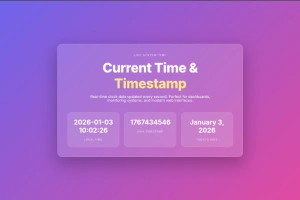
Current Time is a free Master Addons widget that prints the current date and time from your WordPress site timezone each time a page loads. Choose Custom for any PHP date format such as “F j, Y”, MySql for a 2026-09-15 10:35:43 style datetime, or TimeStamp for a Unix timestamp. It does not tick like a live clock while a visitor stays on the page, and cached pages show the time the cache was built. Use it for today’s date in a header, a footer copyright year or a “page viewed on” line.

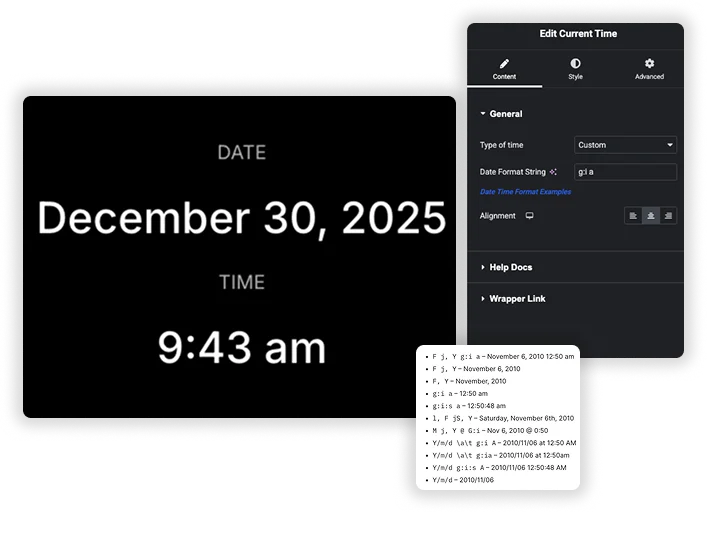
Time Format Flexibility
Set Type of time to Custom, MySql or TimeStamp. With Custom, type a format in Date Format String, which starts with your site’s date format. The Date Time Format Examples link opens the WordPress guide to format characters, so you can copy patterns like “l, F jS, Y” or “g:i a”.
- Three output types: Custom, MySql and TimeStamp.
- Standard PHP date characters, such as l for the weekday and F for the month.
- Month and day names follow your site language.
Advanced Typography & Text Styling
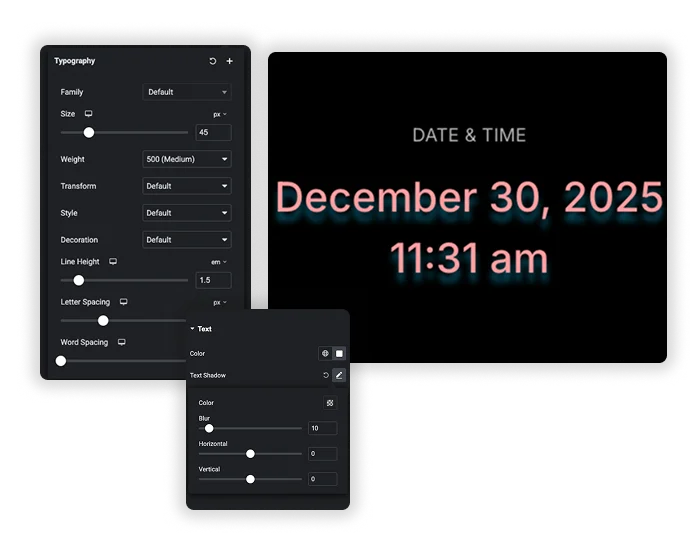
A timestamp shouldn’t just be informational – it can be beautiful. Take full design control over the dynamic text. Use the comprehensive Typography panel to choose the perfect font Family, Size, and Weight. Make it bold and large for emphasis, or small and subtle for footer copyrights. Adjust Letter Spacing and Line Height for premium readability. Then, apply Text Color and add a Text Shadow to make it pop against any background. This turns a simple time display into a considered part of your page’s visual hierarchy.
- Professional Typography: Full control over Font Family, Size, Weight, and Style.
- Detailed Text Spacing: Fine-tune Letter Spacing and Word Spacing for a custom, polished look.
- Visual Effects: Apply Text Color and dynamic Text Shadow for depth and contrast.
Simple Alignment & Clean Integration
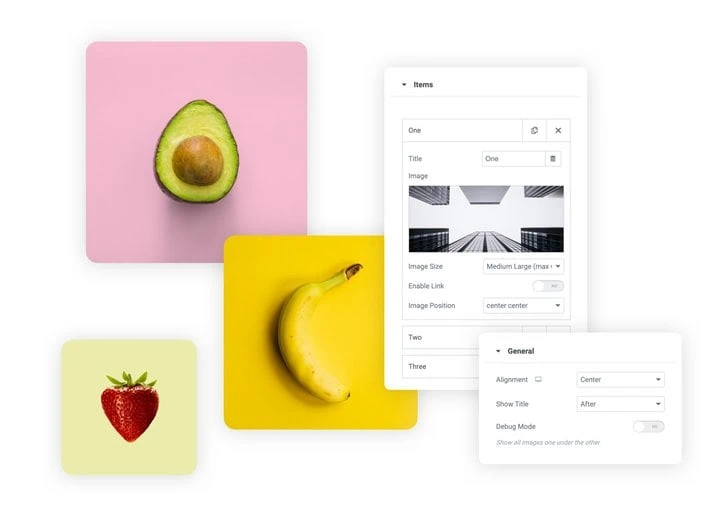
The final touch is placement. Use the simple Alignment controls (Left, Center, Right) to position your Current Time element exactly where it needs to go in its container – no extra CSS needed. This, combined with your typographic styling, allows the element to integrate cleanly into headers, footers, sidebars, or hero sections. It provides vital, auto-updating information while looking like it was always a native part of the design.
- One-Click Alignment: Instantly align your time text Left, Center, or Right within its widget area.
- Context-Aware Design: Style and align it to work perfectly in a bold page header or a discreet copyright line.
Frequently Asked Questions For Current Time
What time does this widget actually show?
It shows the time in your WordPress site timezone, set under Settings, General. Every visitor sees the same site time, not their own local time. For a visitor’s local time you would need a JavaScript clock.
How often does the displayed time update?
The time updates automatically each time a visitor loads or refreshes the page. It is a server-side dynamic shortcode/widget. It does not “tick” like a live clock in real-time on the page unless custom JavaScript is added. It’s perfect for “Page generated on…” timestamps or daily date displays.
Can I use this to show a time in the future or past?
No, this element is specifically designed to show the current date and time at the moment of page load. To display a fixed future or past date (like an event date), you would use a static Text widget or the Countdown Timer element for future dates.
What's the difference between the "Custom", "mySQL", and "Timestamp" types?
- Custom: Lets you input any WordPress/PHP-style format string (e.g., F j, Y).
- mySQL: Outputs the time in the standard MySQL datetime format (Y-m-d H:i:s – 2025-12-14 17:01:11).
- Timestamp: Displays the raw Unix timestamp (e.g., 1734202871), which is the number of seconds since January 1, 1970. Useful for technical or development contexts.
What's a good format for a copyright line in my footer?
A clean, professional format is \© Y Master Addons. This would output: © 2025 Master Addons. The \ escapes the copyright symbol, and Y shows the full current year. It will automatically update every January 1st.
Can I show the time in a different language?
The format codes (like F for month) output text in your site’s defined language from WordPress. If your site is translated (using a plugin like WPML or Polylang), the month and day names should appear in the chosen language. The format itself remains the same.
Where are the best places to use this element?
- Footer Copyright: Y for the auto-updating year.
- News/Blog Sidebar: “Today: l, F j, Y” to show the full date.
- “Last Updated” timestamp on documentation or policy pages.
- Event Pages: To show the current date relative to the event date.
- Dashboard/Admin Areas: Using the H:i format for a clean time display.
Some Format String Examples
Here are some examples of date format with the result output from WordPress Docs.
- F j, Y g:i a – November 6, 2010 12:50 am
- F j, Y – November 6, 2010
- F, Y – November, 2010
- g:i a – 12:50 am
- g:i:s a – 12:50:48 am
- l, F jS, Y – Saturday, November 6th, 2010
- M j, Y @ G:i – Nov 6, 2010 @ 0:50
- Y/m/d \a\t g:i A – 2010/11/06 at 12:50 AM
- Y/m/d \a\t g:ia – 2010/11/06 at 12:50am
- Y/m/d g:i:s A – 2010/11/06 12:50:48 AM
- Y/m/d – 2010/11/06
Trending Elementor Widgets & Extensions
Build sophisticated websites in less time.

Glassmorphism

Container Extras

Patterns
![Master Addons Post/Page Duplicator extension for Elementor: MA Duplicator row link in the WordPress Pages list creating a Landing Page - [Duplicated #128] draft](https://d1asvmc6qcowgk.cloudfront.net/wp-content/uploads/2026/09/15102930/post-page-duplicator-768x403.webp)
Post/Page Duplicator
