
Free Elementor Table Widget
Elementor has no table widget of its own, in the free or the Pro version. Dynamic Table is a free Master Addons widget that fills that gap: you add header cells and body cells in the Elementor panel, and it builds a real HTML table you can style without code. Cells can hold text, an icon or an image, merge across columns or rows, and pull values from dynamic tags. It is often used for schedules, spec sheets, price lists and directories. Think of it as a simple data table for rows you enter by hand. It does not sort, search or import files.

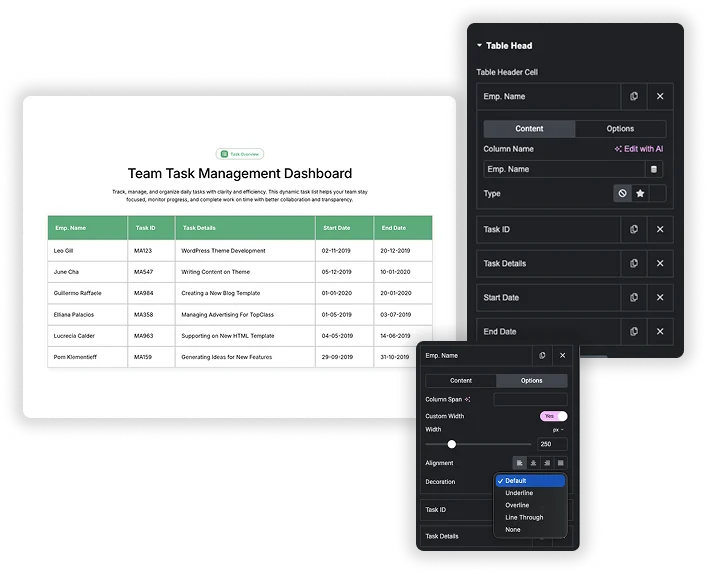
Build Rows and Columns in the Panel
The table comes from two repeaters. Table Header Cell holds one item per column, and Table Body Cell holds every cell in reading order, with a New Row? switch that starts the next row. You can drag items to reorder them, duplicate a cell, or hide the header row with the Table Head switch.
- Merged cells: Column Span on header and body cells, and Row Span on body cells.
- Column width: turn on Custom Width in a cell’s Options tab to set its width.
- Text options per cell: alignment (left, center, right or justify) and decoration (underline, overline or line through).
Header and Body Styling
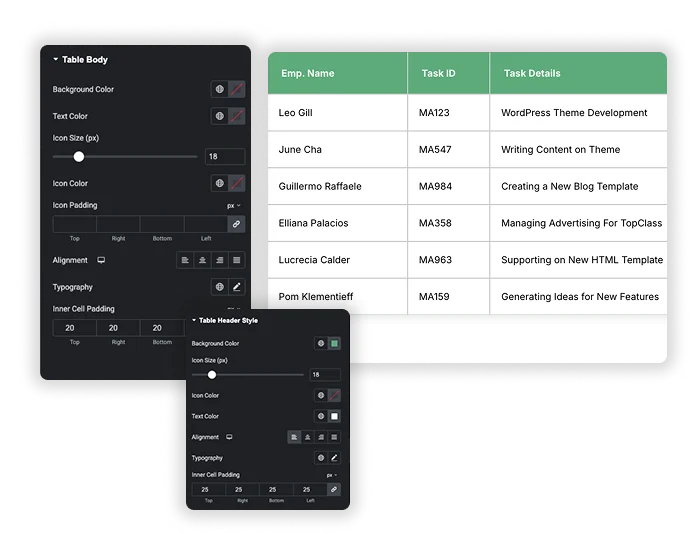
Table Header Style sets the header background (dark navy by default), text color, icon size and color, alignment, typography and inner cell padding. Table Body has the same controls for the data cells, plus padding around icons.
- Header: background, text and icon colors, icon size, alignment, typography and cell padding.
- Body: background, text and icon colors, icon size and padding, alignment, typography and cell padding.
- Alignment per device: header and body alignment can change on tablet and mobile.
Text, Icons, Images and Dynamic Tags in Cells
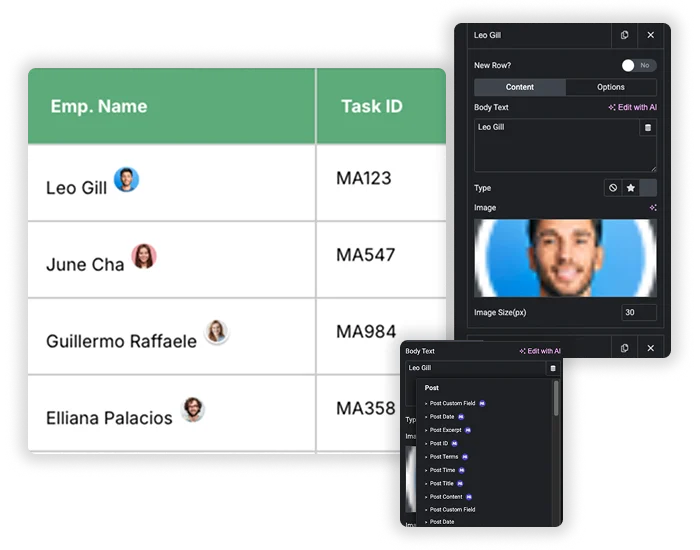
Every header and body cell has a Type option: None, Icon or Image. Icons come from the Elementor icon library, and images get an Image Size in pixels. The text fields accept dynamic tags, including the ones from the free Dynamic Tags extension, so a cell can show a post title, a custom field or author details. Each tag fills one cell. The widget does not loop through posts to build rows for you.
- Icons as checkmarks: use a tick or cross icon in plan or feature comparisons.
- Small images: add a photo or logo next to a name, sized in pixels.
- Dynamic tags: pull single values such as the post title or a custom field.
Global Style: Stripes, Borders and Corners
Global Style applies to the whole table. Striped Table? is on by default with a light grey (#eee) stripe color you can change. You also set a table Background Color, Inner Cell Padding, a border with type, width and color, and Border Radius for rounded corners.
- Zebra rows: keep striping on for long tables so rows are easy to follow.
- Borders: solid, dashed, dotted or double lines around the cells.
- Rounded corners: Border Radius softens the edge of the table.
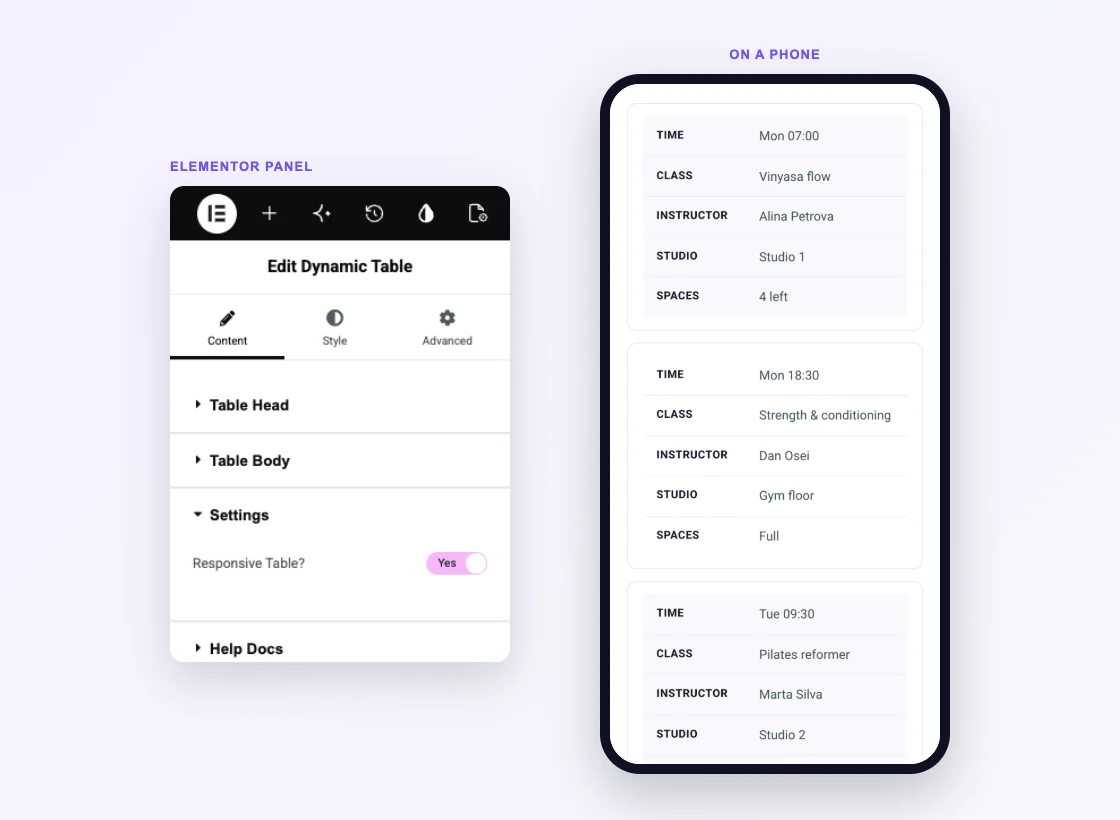
Responsive Table on Mobile
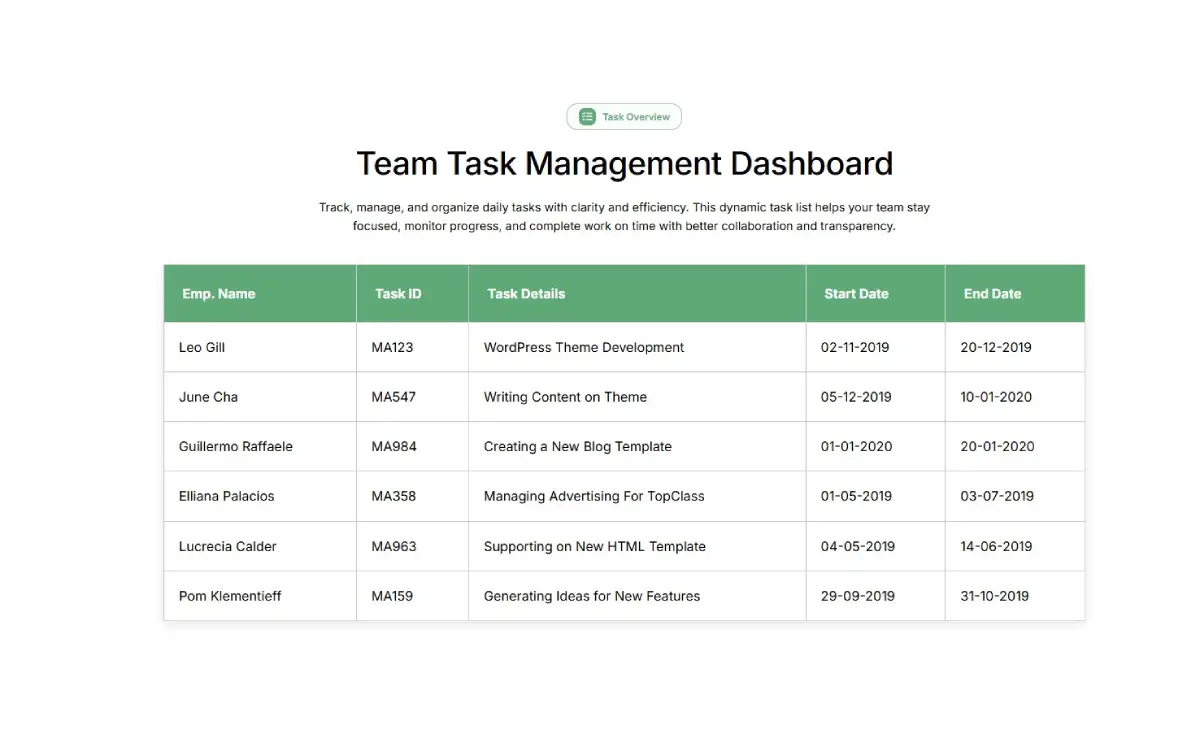
Responsive Table? sits in the Settings section and is on by default. On devices up to 768px wide the header row is hidden, each row becomes a card, and every cell shows its column name as a label. A five-column timetable turns into a list of cards you scroll down, so nobody has to scroll sideways.
- Stacked cards: one card per row, with the column name on the left and the value on the right.
- Alignment per device: header and body alignment have their own tablet and mobile values.
- Switch it off: the table keeps its grid on phones. Wide tables then run past the edge of the screen, so keep those to three or four columns.
HTML Table Code vs the Dynamic Table Widget
Without a table widget, the usual way to add a table in Elementor is to write the HTML yourself in an HTML widget. Here is how that compares with the widget.
| Feature | HTML widget with your own code | Master Addons Dynamic Table |
|---|---|---|
| Price | Free (Elementor core) | Free |
| Building rows and columns | Write table, tr and td tags | Repeater items in the panel |
| Styling | Your own CSS | Style tab controls |
| Merged cells | colspan and rowspan attributes | Column Span and Row Span fields |
| Icons and images in cells | Paste the markup | Icon library or media library |
| Dynamic tags | No | Yes, one value per cell |
| Phone layout | Your own media queries | Rows stack into cards |
| Sorting, search, CSV import | Needs a script or plugin | No |
If you need sorting, search, pagination or CSV import, a dedicated table plugin such as TablePress is the better choice. For a styled table you edit inside Elementor, the widget saves you writing HTML and CSS.
Related: Pricing Table (free), Comparison Table (Pro) and Dynamic Tags (free).
What This Elementor Data Table Widget Can and Cannot Do
Dynamic Table is a data table for rows you type in. Here is what it does and where it stops.
| Feature | Dynamic Table |
|---|---|
| Rows and columns entered in the panel | Yes |
| Merged cells (Column Span and Row Span) | Yes |
| Icons and images in cells | Yes |
| Dynamic tags | Yes, one value per cell |
| Striped rows | Yes |
| Custom column width | Yes |
| Mobile stacking | Yes, at 768px and below |
| Sorting | No |
| Search | No |
| Pagination | No |
| CSV or Excel import | No |
Which Table Tool Do You Need?
Table means several different things in Elementor searches. Pick the tool by what you are building.
| What you are building | Best tool |
|---|---|
| A simple table such as a schedule, spec sheet, price list or timetable | Dynamic Table |
| Large data that needs sorting, search, pagination or a CSV import | TablePress, placed with the Elementor Shortcode widget |
| Plans and prices side by side | Pricing Table |
| A feature comparison across plans or products | Comparison Table (Pro) |
| Opening hours | Business Hours |
Related: Advanced Accordion for long answers that would not fit in a cell, and Dynamic Tags for filling cells from post data.
Elementor Table Examples
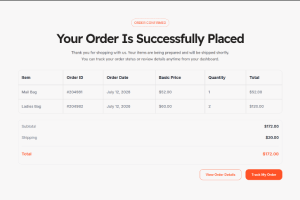
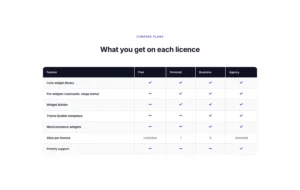
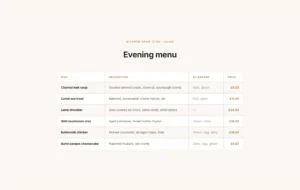
The three tables below are live Dynamic Table widgets, not screenshots. Open this page on a phone to see each one stack into cards. More layouts, including a restaurant menu and a plan comparison, are in the demo viewer under them.
Class timetable
A weekly schedule with five columns. On a phone each class becomes its own card.
| Time | Class | Instructor | Studio | Spaces |
|---|---|---|---|---|
| Mon 07:00 | Vinyasa flow | Alina Petrova | Studio 1 | 4 left |
| Mon 18:30 | Strength & conditioning | Dan Osei | Gym floor | Full |
| Tue 09:30 | Pilates reformer | Marta Silva | Studio 2 | 2 left |
| Wed 12:15 | Express HIIT | Dan Osei | Gym floor | 9 left |
| Thu 19:00 | Yin & restore | Alina Petrova | Studio 1 | 11 left |
| Sat 10:00 | Beginners barre | Yara Haddad | Studio 2 | 6 left |
System requirements
Three columns comparing minimum and recommended values, the usual shape of a spec sheet.
| Component | Minimum | Recommended |
|---|---|---|
| WordPress | 6.0 | 6.6 or newer |
| PHP | 7.4 | 8.2 |
| Elementor | 3.16 | 4.2 or newer |
| MySQL / MariaDB | 5.7 / 10.3 | 8.0 / 10.6 |
| PHP memory limit | 128 MB | 256 MB |
| max_input_vars | 1000 | 3000 |
| HTTPS | Optional | Required for licence checks |
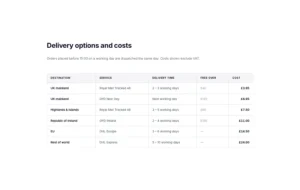
Shipping rates
A price list by destination and service, with striping turned off and a light header.
| Destination | Service | Delivery time | Free over | Cost |
|---|---|---|---|---|
| UK mainland | Royal Mail Tracked 48 | 2 – 3 working days | £40 | £3.95 |
| UK mainland | DPD Next Day | Next working day | £120 | £6.95 |
| Highlands & Islands | Royal Mail Tracked 48 | 3 – 5 working days | £60 | £7.50 |
| Republic of Ireland | DPD Ireland | 2 – 4 working days | £150 | £11.00 |
| EU | DHL Europe | 3 – 6 working days | — | £14.50 |
| Rest of world | DHL Express | 5 – 10 working days | — | £24.00 |




How to Make a Table in Elementor
In the Elementor panel the widget is called Dynamic Table.
- Install Master Addons for Elementor and check that Dynamic Table is switched on in the Master Addons widget settings.
- Edit your page with Elementor, search for Dynamic Table and drag it in. It starts with a sample four-column table.
- In Table Head, add one Table Header Cell per column and type each Column Name.
- In Table Body, add one item per cell from left to right. Turn on New Row? on the first cell of every row after the first.
- Use Column Span or Row Span in a cell’s Options tab to merge cells.
- Style the table in the Style tab and leave Responsive Table? on so rows stack on phones, then update the page.
Frequently Asked Questions For Dynamic Table
Is there a table widget in Elementor?
Not in Elementor itself, free or Pro. Master Addons adds one for free: the Dynamic Table widget builds the table from header and body cells in the panel.
Is the table responsive on mobile devices?
Yes, with Responsive Table? turned on, which is the default. On devices up to 768px wide each row stacks into a card and every cell shows its column name as a label. Turn it off to keep the normal table layout on phones.
Can I use dynamic data in the cells?
Yes, one value per cell. Header and body text accept dynamic tags, including the free Master Addons Dynamic Tags such as post title, custom field and author info. The widget does not create a row for each post, so every row is still built by hand.
Does Elementor Pro have a table widget?
No. Elementor Pro adds a Price Table widget for plans, but neither the core plugin nor Pro has a widget for rows and columns of data. You need an addon widget such as Dynamic Table, a table plugin, or your own HTML.
Can I make a table in Elementor without a plugin?
Yes. Paste table HTML into the HTML widget and style it with your own CSS, or lay out the rows with a Grid container. Both work for small tables, though every change means editing code or many separate widgets.
What happens if I add very long text in a cell?
The text wraps inside the cell. Turn on Custom Width in the cell’s Options tab to fix the column width, and raise Inner Cell Padding if rows feel cramped.
Can I highlight one column, like a popular plan?
Not with a single setting. Colors apply to the whole header or the whole body. For plan tables, the Pricing Table widget (free) has a Highlight option, and the Comparison Table widget (Pro) is built for plan comparisons.
Can I sort, search or import a CSV into the table?
No. The widget has no sorting, search, pagination or CSV import. For those, use a data table plugin such as TablePress and place its shortcode on the page.
Can I use TablePress inside Elementor?
Yes. Build the table in TablePress, copy its shortcode, for example [table id=1 /], and paste it into the Elementor Shortcode widget. That route suits long tables that need sorting, search or pagination.
Can I paste a table from Excel or Google Sheets?
No. Each cell is a separate item in the panel, so a pasted block lands in one cell. Enter the cells one at a time, or import the file into TablePress, which reads CSV and Excel files.
Trending Elementor Widgets & Extensions
Build sophisticated websites in less time.

Glassmorphism

Container Extras

Patterns
![Master Addons Post/Page Duplicator extension for Elementor: MA Duplicator row link in the WordPress Pages list creating a Landing Page - [Duplicated #128] draft](https://d1asvmc6qcowgk.cloudfront.net/wp-content/uploads/2026/09/15102930/post-page-duplicator-768x403.webp)
Post/Page Duplicator
