

A card with a button is fine. A card that is clickable everywhere converts better, because visitors click the image, the title, the padding, whatever is under the cursor. Elementor links buttons and headings, and a container can be switched to a link tag, but sections, columns and widgets have no link option of their own. The Wrapper Link extension in Master Addons for Elementor adds one: a Link field on any element that makes the whole thing clickable.
This page covers the settings. For an overview of what the extension does and how it compares with Elementor’s built-in container link, see the Elementor Wrapper Link extension page.
Paste a URL, tick new window or nofollow if you need them, and the full element becomes the click target. It even accepts Elementor dynamic tags, so the link can point at the current post, an author page, or any dynamic source.
What the Wrapper Link extension does #
Once enabled, elements in the Elementor editor get a Wrapper Link section with a single Link control. Whatever you put there turns the whole element into a link on the front end: the entire Info Box, column, or section, not just a word or button inside it.
Since one link covers the element, you skip the old workarounds, like the invisible button stretched over the card with CSS or a hand-written anchor in an HTML widget.
Before you start #
- WordPress with Elementor installed and active.
- Master Addons for Elementor installed and active. New to the plugin? Follow the installation guide first.
- Wrapper Link is a free extension, so no Pro license is required.
How to enable the Wrapper Link extension #
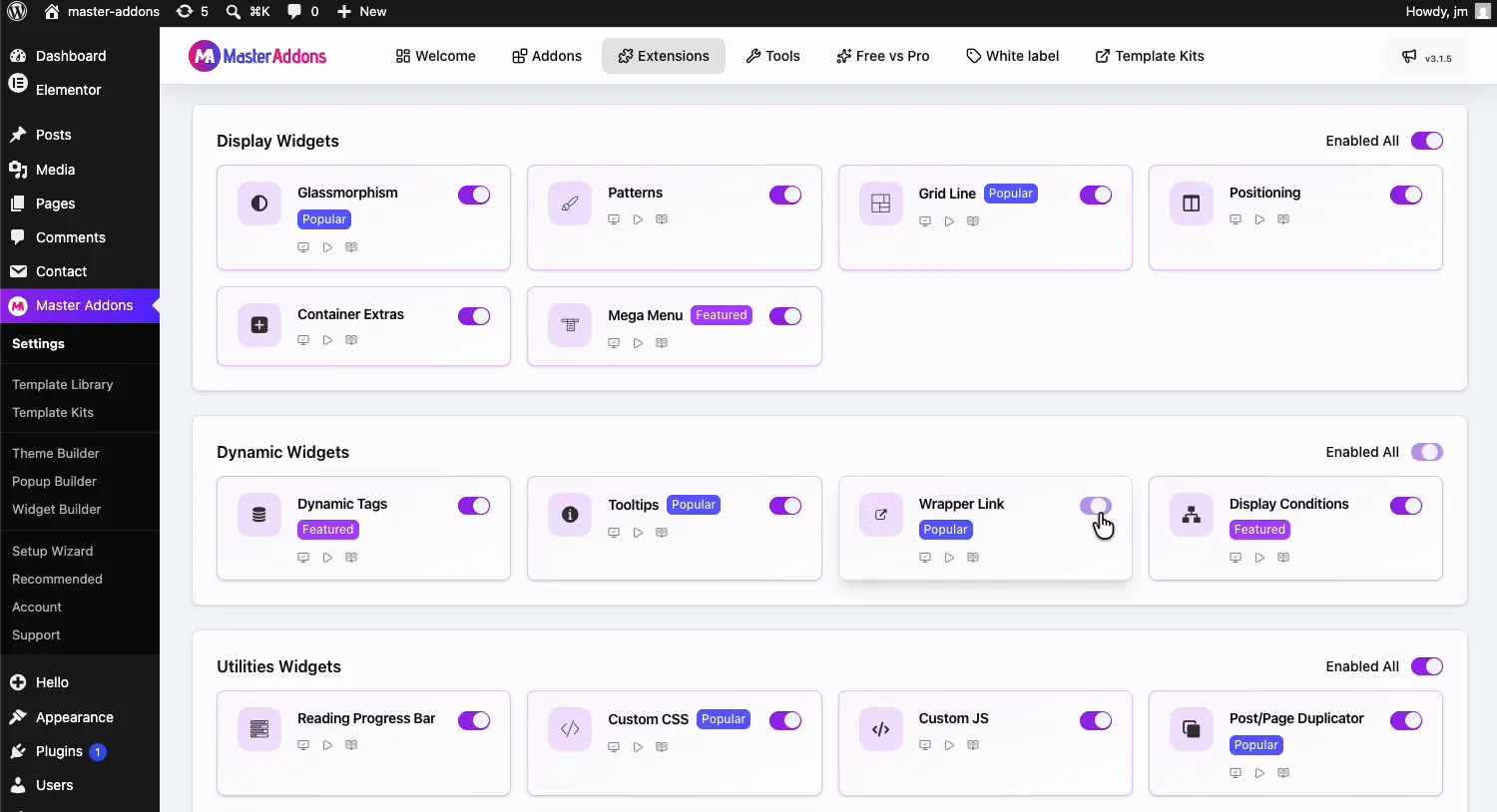
From your WordPress dashboard, go to Master Addons and open the Extensions tab. Wrapper Link sits in the Dynamic Widgets group, between Tooltips and Display Conditions. Click its toggle so it turns purple, then hit Save Changes at the top and wait for the green “Settings saved successfully” notice.
Add a wrapper link to an element #
Open your page with Elementor and select the element you want to make clickable. In the video example it is an Info Box card in a three-column feature row. A Wrapper Link section with the purple MA badge now sits in the panel, holding one field: Link.
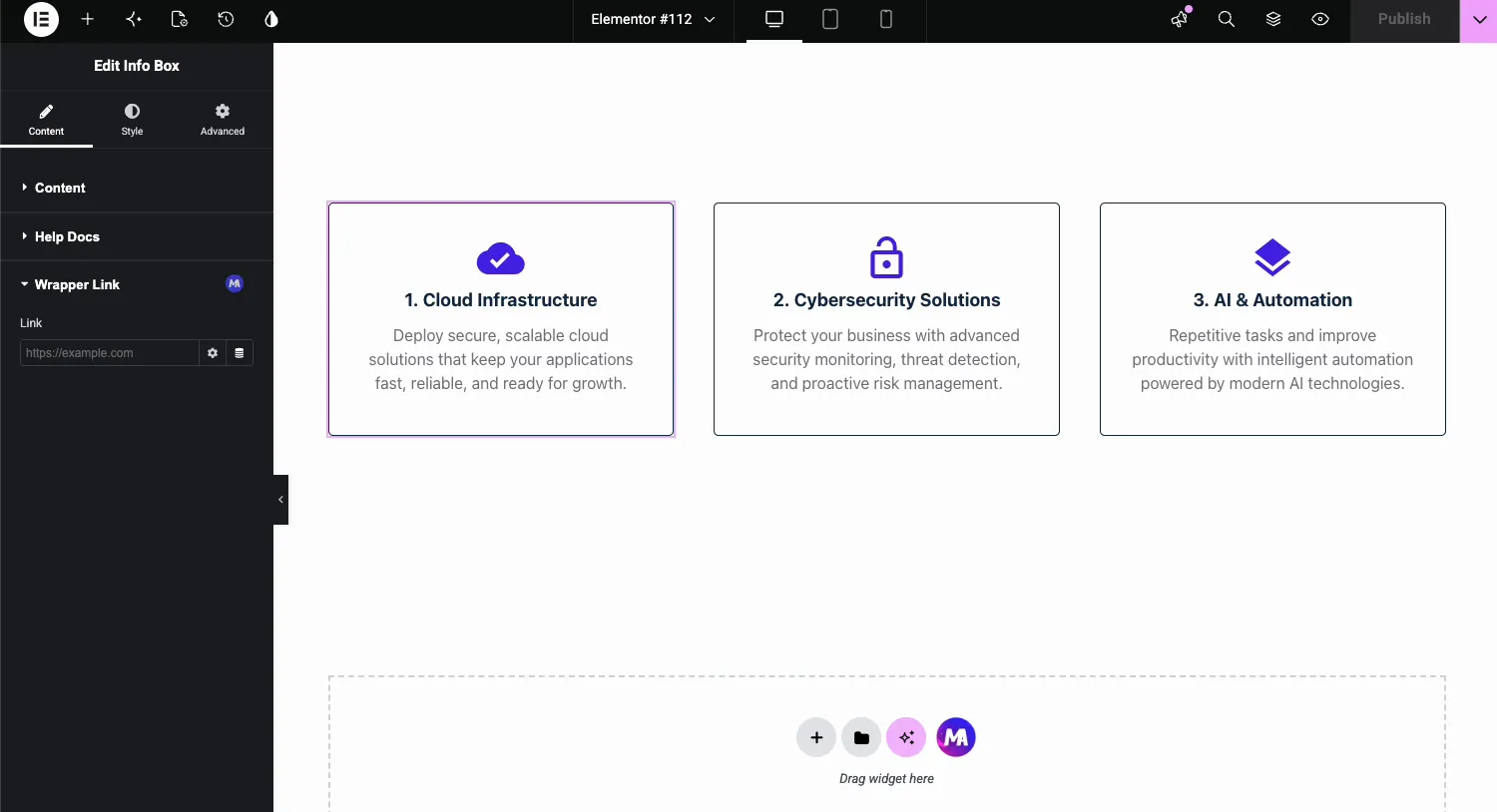
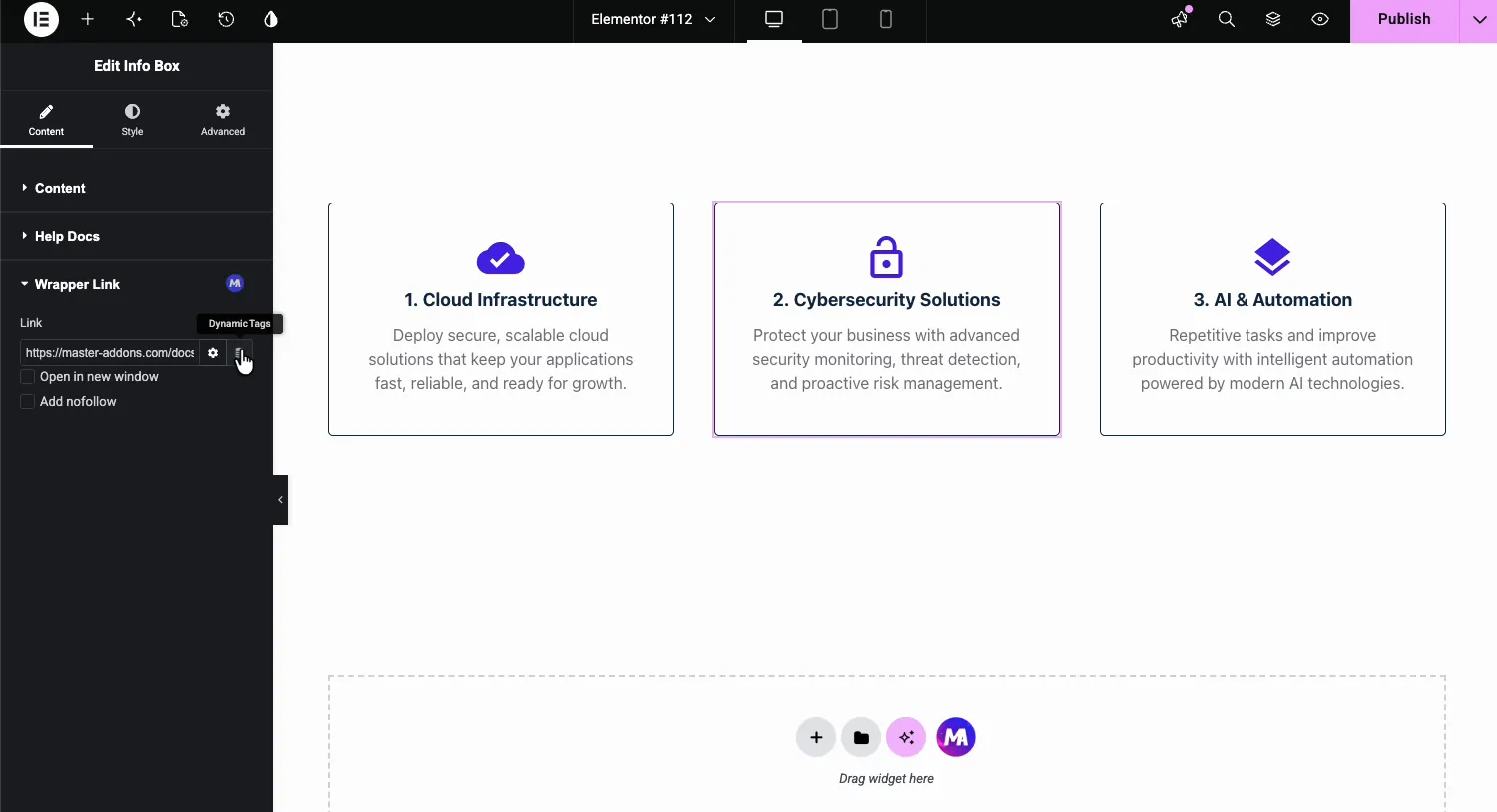
Paste the destination URL. Click the gear icon to open the link options:
- Open in new window: loads the destination in a new tab, the right call for external links.
- Add nofollow: when the link opens in a new window, the page opens without passing referrer data. Wrapper Link handles the click with a script, so search engines don’t treat it as a link and this setting has no SEO effect.
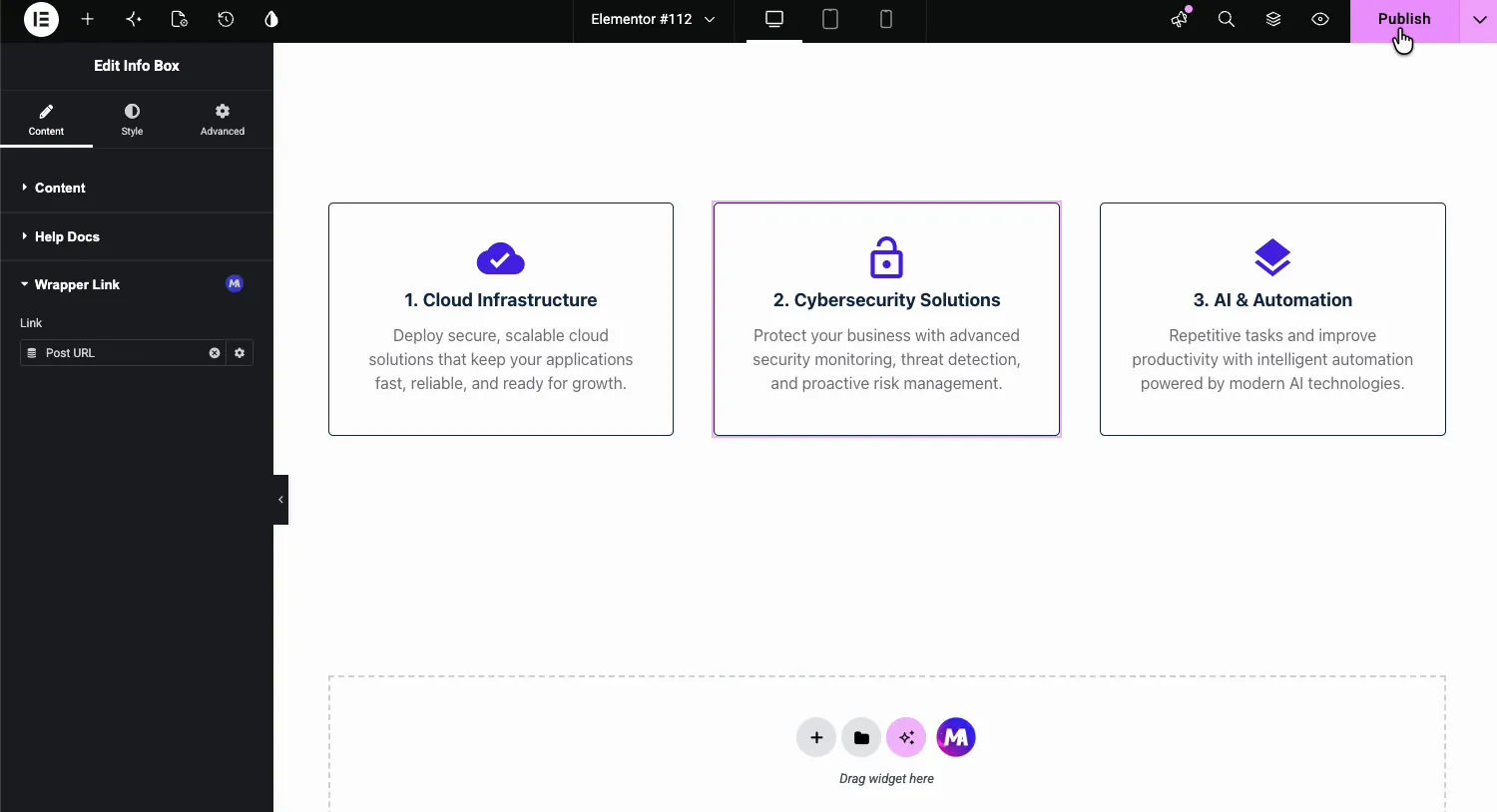
Save or publish, and the whole card is now one big link on the live page. Repeat for the other cards, each with its own destination.
Use a dynamic tag as the link #
The database icon next to the Link field opens Elementor’s Dynamic Tags. Instead of a fixed URL, the wrapper link can pull its destination from the content: Post URL, author page, site URL, or a custom field. In the demo the card uses Post URL, so wherever this template renders, the card links to its own post.
That combination matters in theme builder templates and loop items, where the destination must change per post. Pair it with the Dynamic Tags extension for more sources.
Where wrapper links help #
- Feature and service cards. The whole Info Box clicks through to the detail page, not just the title.
- Blog post cards in templates. Wrapper Link plus the Post URL dynamic tag makes every card in a loop link to its own article.
- Banner sections. A full-width promo section that clicks through to the campaign page.
- Team member cards. Click anywhere on the person to open their profile.
- Logo grids. Each client logo cell links out, with nofollow one checkbox away.
Video Tutorial #
Watch the whole flow, from enabling the extension to linking a card with a dynamic tag.
Frequently Asked Questions #
How do I make a whole section clickable in Elementor?
Enable the Wrapper Link extension in the Master Addons Extensions tab, select the section in the Elementor editor, and paste a URL into the Wrapper Link field. The entire section becomes the click target on the front end, with optional new window and nofollow settings.
Can the wrapper link open in a new tab or use nofollow?
Yes. Click the gear icon on the Link field and tick Open in new window or Add nofollow. Wrapper Link handles the click with a script, so search engines don’t follow it as a link whichever box you tick.
Does Wrapper Link work with dynamic tags?
Yes. The Dynamic Tags icon next to the Link field accepts sources like Post URL, author URL, or a custom field. In loop templates that means each card links to its own post automatically, without editing links one by one.
What happens to buttons or links inside a wrapped element?
A click anywhere inside the wrapped element, including on its own buttons, goes to the wrapper URL. Use Wrapper Link on cards where the whole surface should go to one destination, and link individual buttons instead when a layout needs several destinations.
Is the Wrapper Link extension free?
Yes. Wrapper Link ships with the free version of Master Addons for Elementor, in the Dynamic Widgets group of the Extensions tab. The pricing page lists what the Pro plans add beyond the free extensions.
Wrapping up #
The Wrapper Link extension closes one of Elementor’s oldest gaps: making a whole section, column, or widget clickable without CSS hacks. One field, two checkboxes, and dynamic tag support for templates. For use cases and a side-by-side look at Elementor’s own container link, visit the Wrapper Link extension page. Browse the rest of the Master Addons widgets and extensions for more editor upgrades, or grab a starting design from the template kits and wire up the links yourself.


