
Free Elementor Gradient Text Widget
Elementor’s Heading widget only takes a solid text color, so gradient text usually means writing CSS with background-clip: text. The Gradient Headline widget in the free Master Addons plugin does it from the panel. Type the heading, pick two colors, choose a linear or radial gradient, and the letters fill with it. You also get a separate hover gradient, 13 blend modes, a text shadow, a link and a choice of heading tag. It suits hero titles, section headings and sale banners.

How to Add Gradient Text in Elementor
You need Elementor and the free Master Addons plugin. No custom CSS and no Elementor Pro.
- Install and activate Master Addons from WordPress.org.
- Edit your page with Elementor, search the widgets panel for Gradient Headline and drag it in.
- Type your text in Heading, then set the Title HTML Tag and Alignment.
- In Style, Gradient Style, pick the first Color and Second Color and adjust their Location sliders.
- Choose Linear and set the Angle, or Radial and set the Position.
- Set the Typography, try a Blend Mode over your background, and add a Hover gradient if you like.
Screenshots of each step are in the gradient text guide.
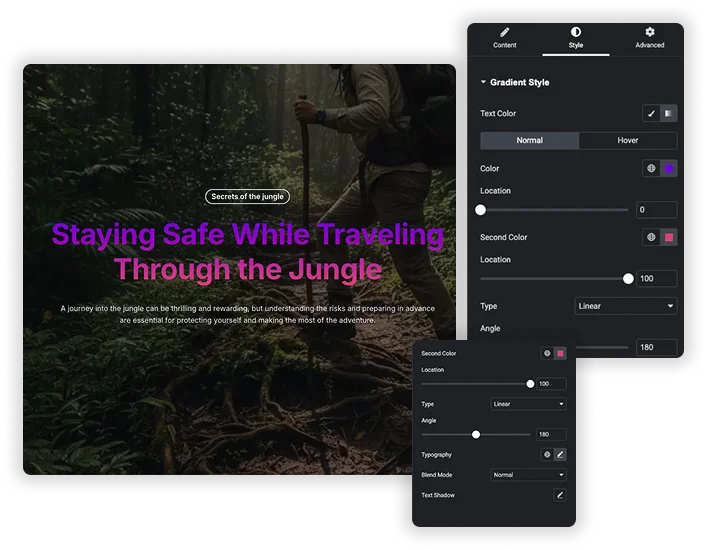
Two Color Linear or Radial Gradients
In Style, Gradient Style, set Text Color to Gradient (or Classic for a plain color). Pick the first Color and the Second Color, and move each Location slider to decide where one blends into the other. Type switches between Linear, with an Angle (180 degrees by default runs top to bottom), and Radial, with a Position such as Center Center. For a gradient that moves behind a whole section instead of text, see the Animated Gradient BG extension (Pro).
- Normal and Hover tabs: set a second gradient that appears when visitors hover the heading.
- Each gradient uses two color stops. For three or more colors you would need custom CSS.
- Defaults run from purple (#9929ea) to red (#FB083E), so change them to your brand colors first.
Elementor Heading with CSS vs Gradient Headline
You can make gradient text with Elementor’s own Heading widget if you are comfortable with CSS. Here is what each route involves.
| Feature | Elementor Heading + CSS | Master Addons Gradient Headline |
|---|---|---|
| Setup | Add CSS with background-clip: text in WordPress Additional CSS, Elementor Pro Custom CSS or the free Master Addons Custom CSS extension | Pick colors in the panel |
| Gradient types | Anything CSS allows, including three or more colors | Linear or radial, two color stops |
| Hover gradient | Extra CSS | Built-in Hover tab |
| Blend modes and shadow | Extra CSS | 13 blend modes and a text shadow control |
| Price | Free if you write the CSS yourself | Free with Master Addons |
Write CSS if you need more than two colors or an animated gradient. Use Gradient Headline when you want to set it up visually in a minute. Related free widgets: Dual Heading and Animated Headlines.
Typography, Blend Modes and Text Shadow
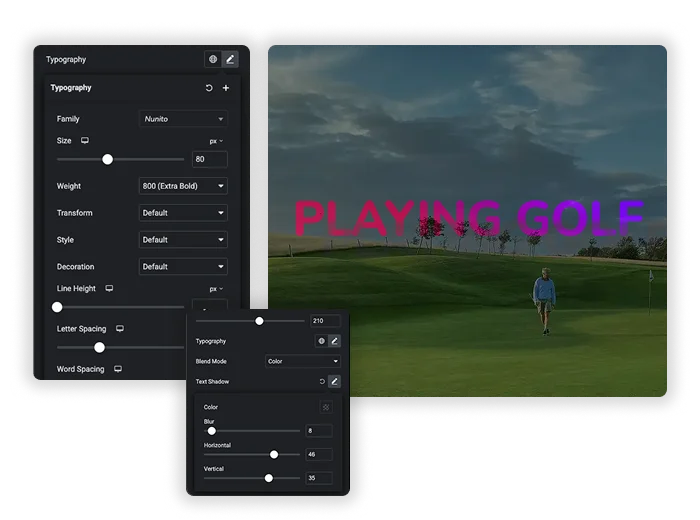
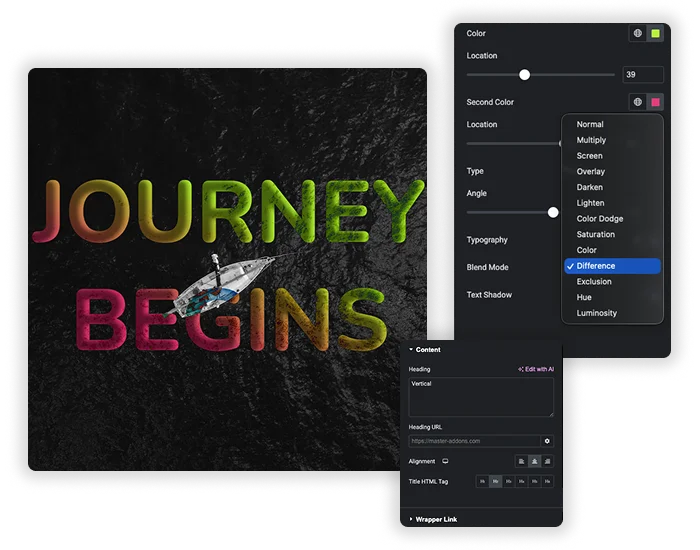
Each tab has its own Typography, so the font, size and weight can change on hover too. Blend Mode offers 13 options, from Normal, Multiply and Screen to Difference and Luminosity, which mix the gradient with an image or color behind the text. Text Shadow adds color, blur and offset for extra depth or readability over busy photos.
- Gradients are pure CSS, so there is no image to load.
- Blend modes react to whatever sits behind the heading, so preview them on the real background.
- Keep enough contrast between both colors and the background for readability.
Link, Heading Tag and Alignment
In the Content tab, add a Heading URL to make the whole heading a link. Choose the Title HTML Tag (H1 to H6, div, span or p) so the heading fits your page structure, and set Alignment to left, center or right.
- Use one H1 per page, usually the hero title, and H2 for section titles.
- A linked gradient heading works well for a sale banner that goes to the shop.
- The heading text supports inline editing in the Elementor preview.









Frequently Asked Questions For Gradient Headline
Is the Gradient Headline widget free?
Yes. It is part of the free Master Addons plugin and works with free Elementor, so you do not need Elementor Pro for gradient text.
Can I use more than two colors in the gradient?
No. Each gradient has two color stops, a first Color and a Second Color. Moving the Location sliders changes how sharp or soft the blend is. For three or more colors, add your own CSS to a regular heading.
Will gradient text slow down my website?
No. The gradient is plain CSS on the heading text, so there is no image file to load.
Can the gradient change on hover?
Yes. The Hover tab in Gradient Style has its own colors, locations, type, angle or position, typography, blend mode and text shadow, so the heading can switch to a different gradient when visitors hover it.
Trending Elementor Widgets & Extensions
Build sophisticated websites in less time.

Glassmorphism

Container Extras

Patterns
![Master Addons Post/Page Duplicator extension for Elementor: MA Duplicator row link in the WordPress Pages list creating a Landing Page - [Duplicated #128] draft](https://d1asvmc6qcowgk.cloudfront.net/wp-content/uploads/2026/09/15102930/post-page-duplicator-768x403.webp)
Post/Page Duplicator
