



Elementor Transforms Extension (Pro): Skew, Rotate, Scale and Flip
Transforms is a Pro extension in Master Addons that adds a second transform panel to widgets, containers, sections and columns. Under Advanced > Transforms you can translate, rotate, scale, skew and flip an element, with separate Normal and Hover values and a transition duration. Elementor’s free Transform panel covers most of the same ground, so the comparison further down shows where each one fits.

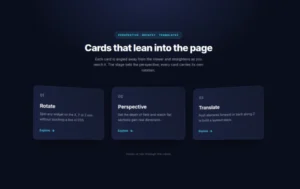
Skew and Rotate on X, Y and Z
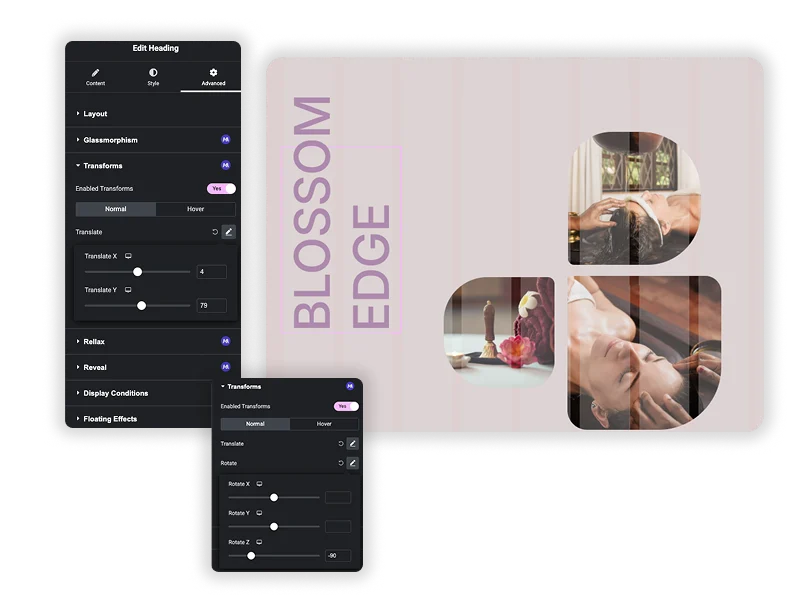
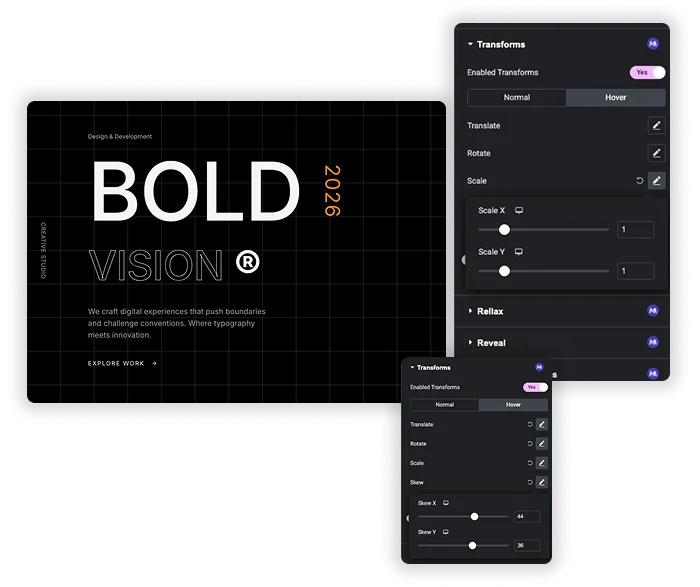
Rotate has separate Rotate X, Rotate Y and Rotate Z sliders from -180 to 180 degrees, and Skew has Skew X and Skew Y over the same range. Translate moves the element up to 1000px along X or Y. Each slider can take a different value on desktop, tablet and mobile.
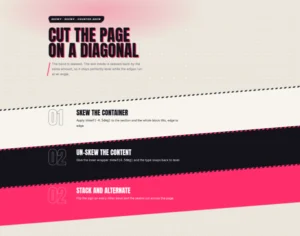
- Skew: slant a card, badge or button into a parallelogram.
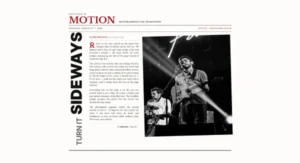
- Rotate Z: turn a heading or label on the page, like the vertical text in the demo.
- Rotate X and Y: tip an element away from the viewer. The extension has no perspective setting, so this looks flatter than a true 3D rotation.
Scale, Flip and Hover States
The Normal tab sets how an element looks at rest, and the Hover tab sets how it looks under the cursor. Scale X and Scale Y run from 0 to 5 with a default of 1, and Flip Horizontal and Flip Vertical mirror the element. Transition Duration (ms) goes from 0 to 3000, with 400 as the default, and controls how fast the hover change plays.
- Hover grow: set Scale X and Y to 1.05 in the Hover tab for a small lift on cards or buttons.
- Hover flip: turn on Flip Horizontal in the Hover tab to mirror an icon or image while the cursor is on it.
- Where it works: widgets, containers, sections and columns all get the Transforms section in the Advanced tab.

Elementor Transform vs Master Addons Transforms
Every Elementor widget has a free Transform section in its Advanced tab (checked on Elementor 4.2.4). It covers almost everything the extension does, plus a few settings the extension lacks.
| Feature | Elementor Transform | Master Addons Transforms |
|---|---|---|
| Price | Free (Elementor core) | Master Addons Pro |
| Normal and Hover tabs | Yes | Yes |
| Move | Offset X and Y in px, %, em, rem, vw or vh | Translate X and Y in px, -1000 to 1000 |
| Rotate | -360 to 360, with a 3D Rotate switch for X and Y | Rotate X, Y and Z, -180 to 180 |
| Perspective | Yes | No |
| Scale | 0 to 2, Keep Proportions switch | Scale X and Y, 0 to 5 |
| Skew | X and Y, -360 to 360 | X and Y, -180 to 180 |
| Flip | Horizontal and vertical | Horizontal and vertical |
| Hover transition | 0 to 10000 ms | 0 to 3000 ms, 400 default |
| Per-device values | Yes | Yes |
The extension’s one clear extra is the wider scale range, up to 5 times the original size instead of 2. For the rest, Elementor’s own Transform section does the same job or more, so Transforms makes most sense as part of a Master Addons Pro license you already use for other features.
Other motion extensions in Pro: Floating Effects, Reveal and Entrance Animation.


Frequently Asked Questions For Transforms
Is the Transforms extension free?
No. Transforms is part of Master Addons Pro. Elementor’s free Transform section in the Advanced tab offers the same basic effects without an addon.
How is it different from the Elementor Transform settings?
The controls are very close. Elementor adds perspective, percentage and viewport offsets, a wider rotate and skew range, and a longer transition. The extension allows scale up to 5 and gives Rotate X, Y and Z their own sliders without a 3D switch.
Do these effects work on mobile devices?
Yes. The transforms are plain CSS, and every slider can take a different value on tablet and mobile. Large translate values cover more of a small screen, so check each device before publishing.
How is this different from the Floating Effects extension?
Floating Effects (Pro) runs a looping animation on its own. Transforms sets a fixed position, angle or size plus a different state on hover, and it only animates during the hover transition.
Trending Elementor Widgets & Extensions
Build sophisticated websites in less time.

Glassmorphism

Container Extras

Patterns
![Master Addons Post/Page Duplicator extension for Elementor: MA Duplicator row link in the WordPress Pages list creating a Landing Page - [Duplicated #128] draft](https://d1asvmc6qcowgk.cloudfront.net/wp-content/uploads/2026/09/15102930/post-page-duplicator-768x403.webp)
Post/Page Duplicator



