
Elementor Gallery Slider with Thumbnails (Pro): Split-Layout Widget
Gallery Slider is a Master Addons Pro widget that shows one large preview image with a set of thumbnails beside, above or below it. Visitors click a thumbnail, or use the arrows, to change the preview. The thumbnails can sit in a grid of up to 12 columns or scroll in a horizontal or vertical carousel. It suits portfolios, product photos, real estate listings and event albums.

How to Add a Gallery Slider with Thumbnails in Elementor
The widget needs Master Addons Pro, and the images come from your Media Library.
- With Master Addons Pro active, check that Gallery Slider is switched on in the Master Addons widget settings.
- Edit your page with Elementor, search for Gallery Slider and drag it in.
- In Gallery, click Add Images and pick your photos. Add captions in the media window if you want them shown.
- In Thumbnails, choose Grid and a column count, or Carousel with a horizontal or vertical orientation.
- In Preview, set the effect, autoplay, arrows and whether the image opens a lightbox.
- In the Style tab, open Layout, pick the Preview Position and width, then update the page.
For a longer walkthrough, including the video gallery case, read our gallery slider guide.
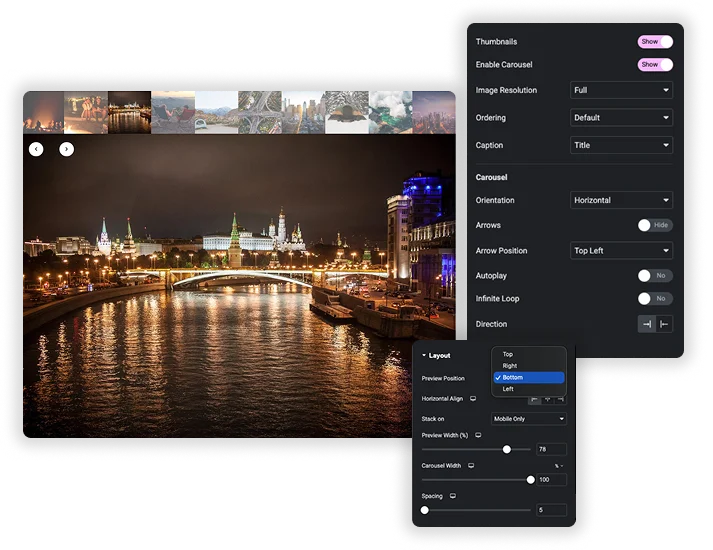
Split Layout: Preview on Any Side
In the Style tab, Layout sets the Preview Position to Top, Right, Bottom or Left, with Left as the default. With Left or Right you set Preview Width (%), 70 by default, and with Top or Bottom you set the carousel width and alignment. Stack on switches to a vertical layout on Tablet & Mobile or on Mobile Only.
- Thumbnail grid: 1 to 12 columns, with horizontal and vertical spacing.
- Thumbnail carousel: horizontal or vertical, 1 to 12 slides per view, with its own arrows, autoplay, loop and direction.
- Spacing: the gap between the preview and the thumbnails, 24 by default.
Styling the Preview and Thumbnails
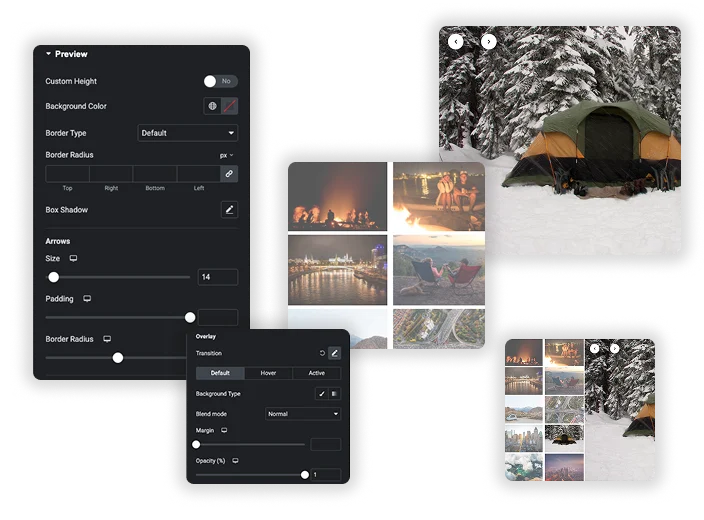
The Preview style section has Custom Height, Image Fit (cover or contain), background color, border, border radius and box shadow, plus arrow size, padding and Default, Hover and Disabled colors. Thumbnails Hover Effects styles each thumbnail in Default, Hover and Active states with background color, opacity (0.65 by default), scale and CSS filters, and adds an overlay layer.
- Active thumbnail: give the current image a border or full opacity so visitors see where they are.
- Captions: separate caption styling for the preview and the thumbnails, including vertical and horizontal position.
- Overlay: a color or gradient layer over thumbnails with a blend mode.
Slide Effects, Ken Burns and Caption Hover Effects
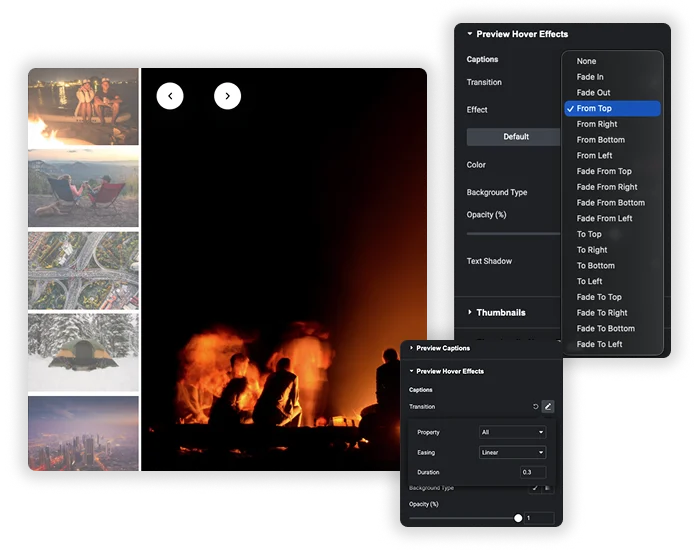
Effect sets how the preview moves to the next image: Slide, Fade, Cube, Flip or Coverflow, with Speed (ms) at 1000 by default. When the effect is Fade, a Ken Burns option adds a slow zoom with Scale, Transform Origin (default, random or a custom anchor point), Duration and Easing. Preview Hover Effects animates captions when visitors hover, with effects such as Fade In, From Top or From Left.
- Five effects: Slide, Fade, Cube, Flip and Coverflow.
- Ken Burns: only available with the Fade effect.
- Caption hover: fade the caption in or out, or slide it in from a side.
Autoplay, Arrows, Links and Lightbox
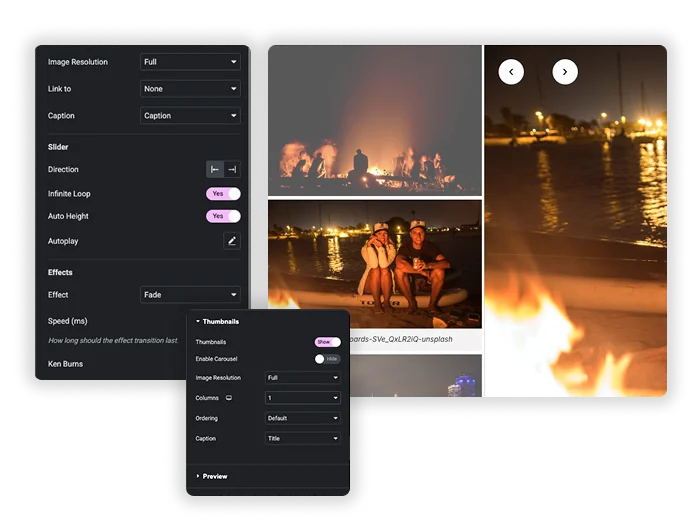
The preview has Autoplay (on by default, every 5000 ms), Pause on Hover, Disable on Interaction, Infinite Loop and Auto Height. Arrows can sit in seven positions. Link to opens the media file, with an optional lightbox, or a custom URL. Ordering can shuffle the images at random.
- Image Resolution: separate sizes for the preview (Full by default) and the thumbnails (Thumbnail by default).
- Captions: Title, Caption or Description from the media library, set separately for the preview and thumbnails.
Elementor Pro Media Carousel vs Master Addons Gallery Slider
Elementor Pro’s Media Carousel has a Slideshow skin with thumbnails (checked on Elementor 4.2.4 with Pro). The Image Carousel in free Elementor has no thumbnails.
| Feature | Elementor Pro Media Carousel | Master Addons Gallery Slider |
|---|---|---|
| Price | Elementor Pro | Master Addons Pro |
| Thumbnail position | Strip below the main slide | Top, right, bottom or left of the preview |
| Thumbnail layout | Carousel strip | Grid of 1 to 12 columns, or a horizontal or vertical carousel |
| Effects | Slide, Fade, Cube | Slide, Fade, Cube, Flip, Coverflow |
| Ken Burns | No | Yes, with Fade |
| Video slides | Yes | No, images only |
| Lightbox | Yes | Yes, when linking to the media file |
Choose Media Carousel if some slides are videos. For image galleries, Gallery Slider gives more layout choice: thumbnails on any side, a grid or a vertical strip, and more transition effects.
Other image widgets: Image Carousel (free) and Filterable Image Gallery (free).




Frequently Asked Questions For Gallery Slider
Is the Gallery Slider widget free?
No. Gallery Slider is part of Master Addons Pro. The free Image Carousel widget covers simple image sliders without a thumbnail panel.
Can I make the thumbnails display in a grid instead of a single row?
Yes. Set Carousel/Grid to Grid in the Thumbnails section and choose 1 to 12 columns. Switch to Carousel for a single scrolling row or a vertical strip.
Is the Ken Burns effect applied to all images?
It applies to the preview image, and only when Effect is set to Fade. Turn on Ken Burns, then set Scale, Transform Origin, Duration and Easing. The thumbnails are not affected.
How does this perform with many high-resolution images?
Serve smaller files where you can. Set the preview Image Resolution to Large instead of Full when the preview is narrower than 1024px, keep thumbnails at Thumbnail size, and compress images before uploading.
Can I use this for a product image gallery in an online store?
Yes, for images you pick by hand. The widget does not pull WooCommerce product images on its own, so add the photos to the gallery yourself.
What happens on mobile with the "Stack on" feature?
Stack on sets when the side-by-side layout turns vertical: on Tablet & Mobile, which is the default, or on Mobile Only. The preview and thumbnails then stack so both stay large enough to use on a touchscreen.
Trending Elementor Widgets & Extensions
Build sophisticated websites in less time.

Glassmorphism

Container Extras

Patterns
![Master Addons Post/Page Duplicator extension for Elementor: MA Duplicator row link in the WordPress Pages list creating a Landing Page - [Duplicated #128] draft](https://d1asvmc6qcowgk.cloudfront.net/wp-content/uploads/2026/09/15102930/post-page-duplicator-768x403.webp)
Post/Page Duplicator
