

Sometimes you don’t want a popup to load on its own. You want it to open only when someone clicks a button or link. The Master Addons Popup Builder does this with the On Click trigger and a CSS ID selector. You set the ID on the popup, then add the same ID to any Elementor element, and clicking that element opens the popup.
What Is an On-Click Popup in Elementor? #
An on-click popup in Elementor is a popup that stays hidden until a visitor clicks a specific element — a button, link, image, or icon — instead of appearing on its own when the page loads. The Master Addons Popup Builder builds one with the On Click trigger: you give the popup a CSS ID selector such as #sale-popup, then add that same ID (without the #) to any Elementor element’s CSS ID field. Because the match is made on the ID alone, one popup can be triggered from as many elements as you like — and it needs no Elementor Pro licence and no custom JavaScript, though the On Click trigger requires Master Addons Pro. On-click popups suit intent-driven content like pricing details, video demos, login forms, and coupon codes, where an automatic popup would interrupt rather than help. Browse the rest of the Master Addons widgets and extensions to see what else you can put inside one.
Before You Start #
Three things need to be in place before you set up an on-click popup: a popup already built in the Master Addons Popup Builder, Elementor installed and active, and Master Addons for Elementor installed and active. The whole setup then takes two fields and about a minute.
- A popup already built in the Master Addons Popup Builder (see the popup settings guide to create one)
- Elementor installed and active
- Master Addons for Elementor installed and active (installation guide)
Step 1: Set the Popup to Open On Click #
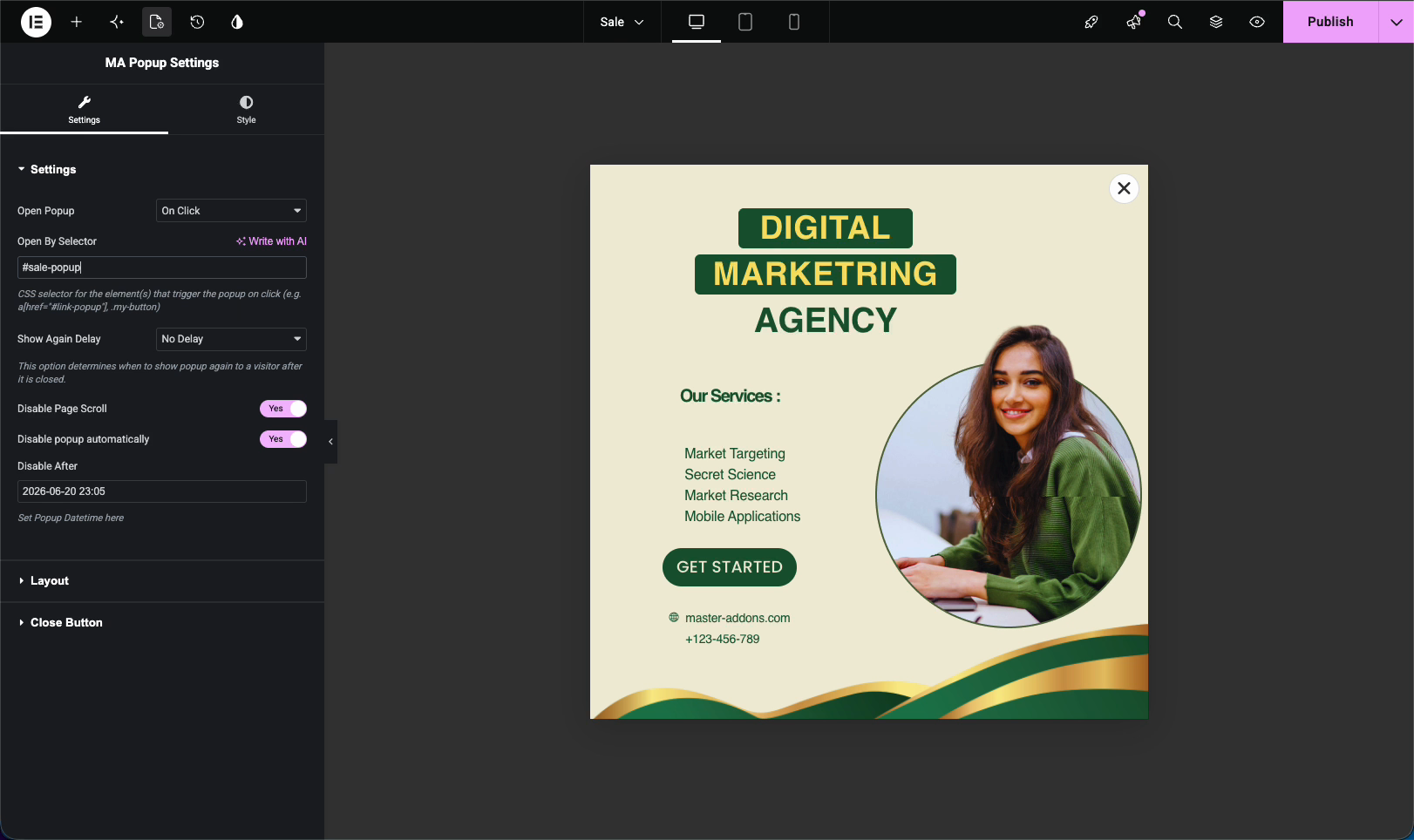
Open your popup in Elementor and go to the MA Popup Settings panel. Under Settings, change Open Popup to On Click. A new field shows up: Open By Selector.
In that field, type a CSS ID with the # sign, for example #sale-popup. That’s the selector that triggers the popup. Keep the name simple and unique so it’s easy to reuse.
Step 2: Add the CSS ID to an Elementor Element #
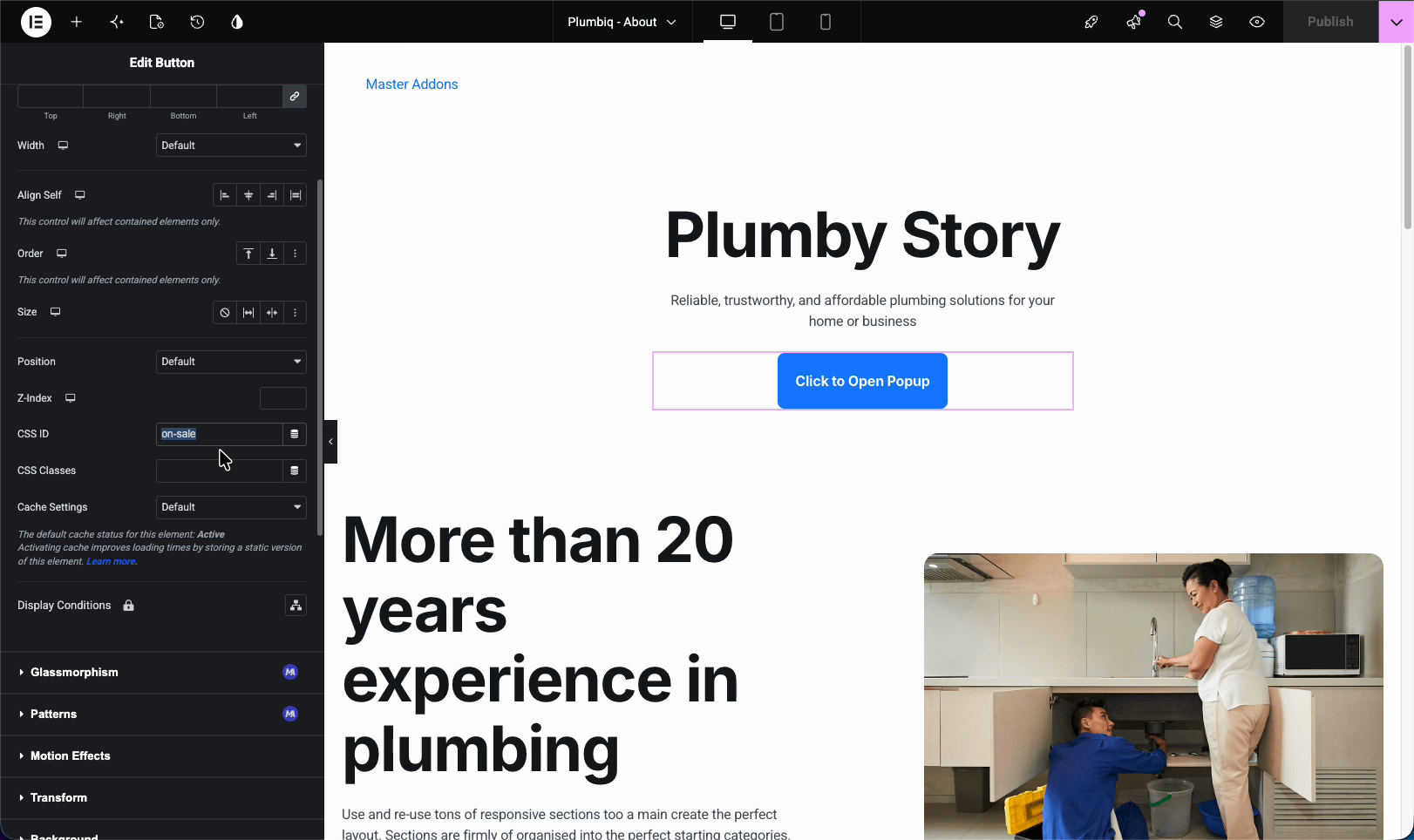
Now go to the page where you want the trigger and edit it in Elementor. Pick any element, a button works well, and open its Advanced tab. Find the CSS ID field and enter the same name, but without the # sign this time, so sale-popup.
That difference trips people up: the popup’s Open By Selector uses #sale-popup, while the element’s CSS ID uses sale-popup. The # is part of the selector syntax, not part of the ID.
Step 3: Preview and Click #
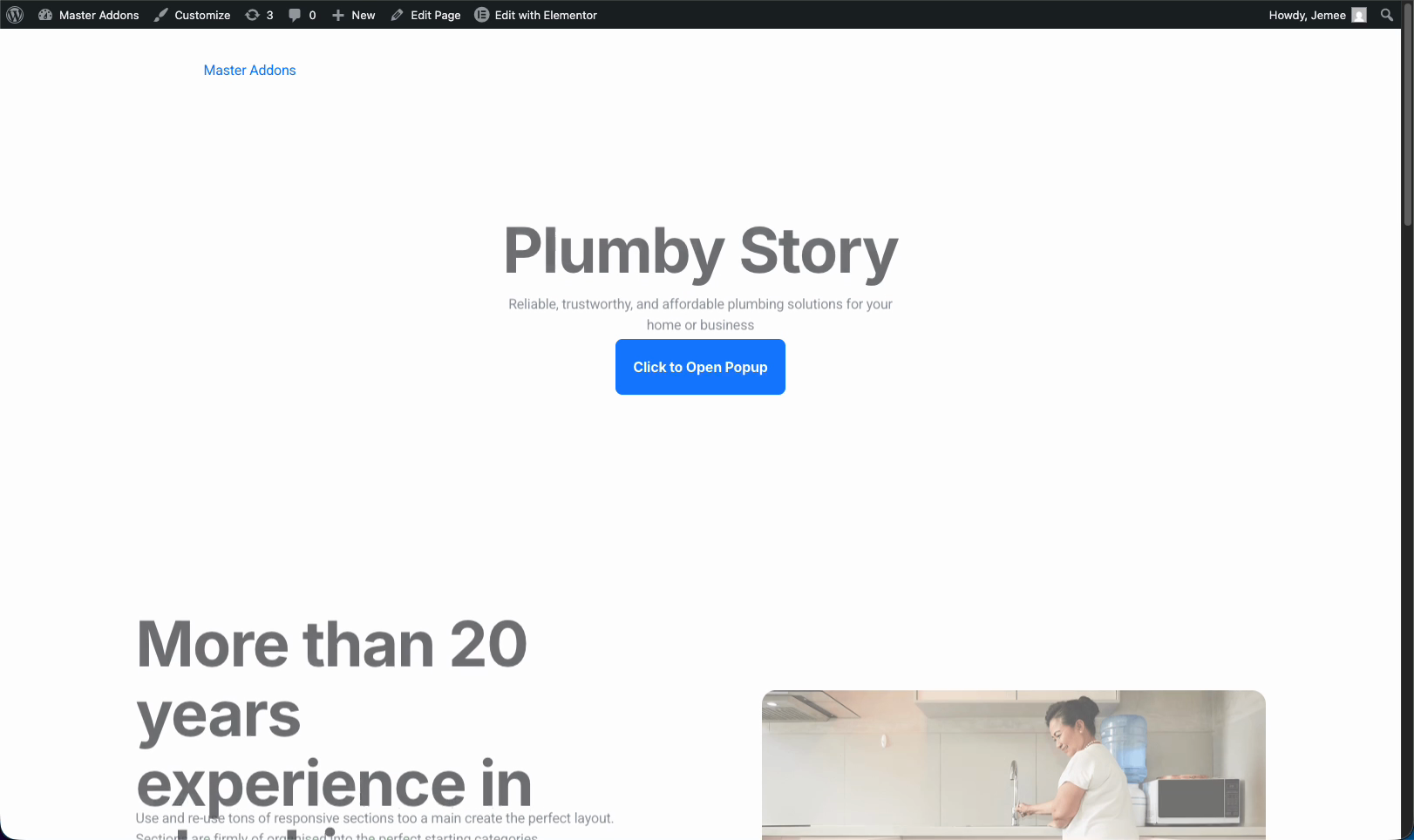
Update the page, then preview it on the front end. You’ll see your button (here it’s labeled “Click to Open Popup”) sitting in the layout, with no popup in sight yet.
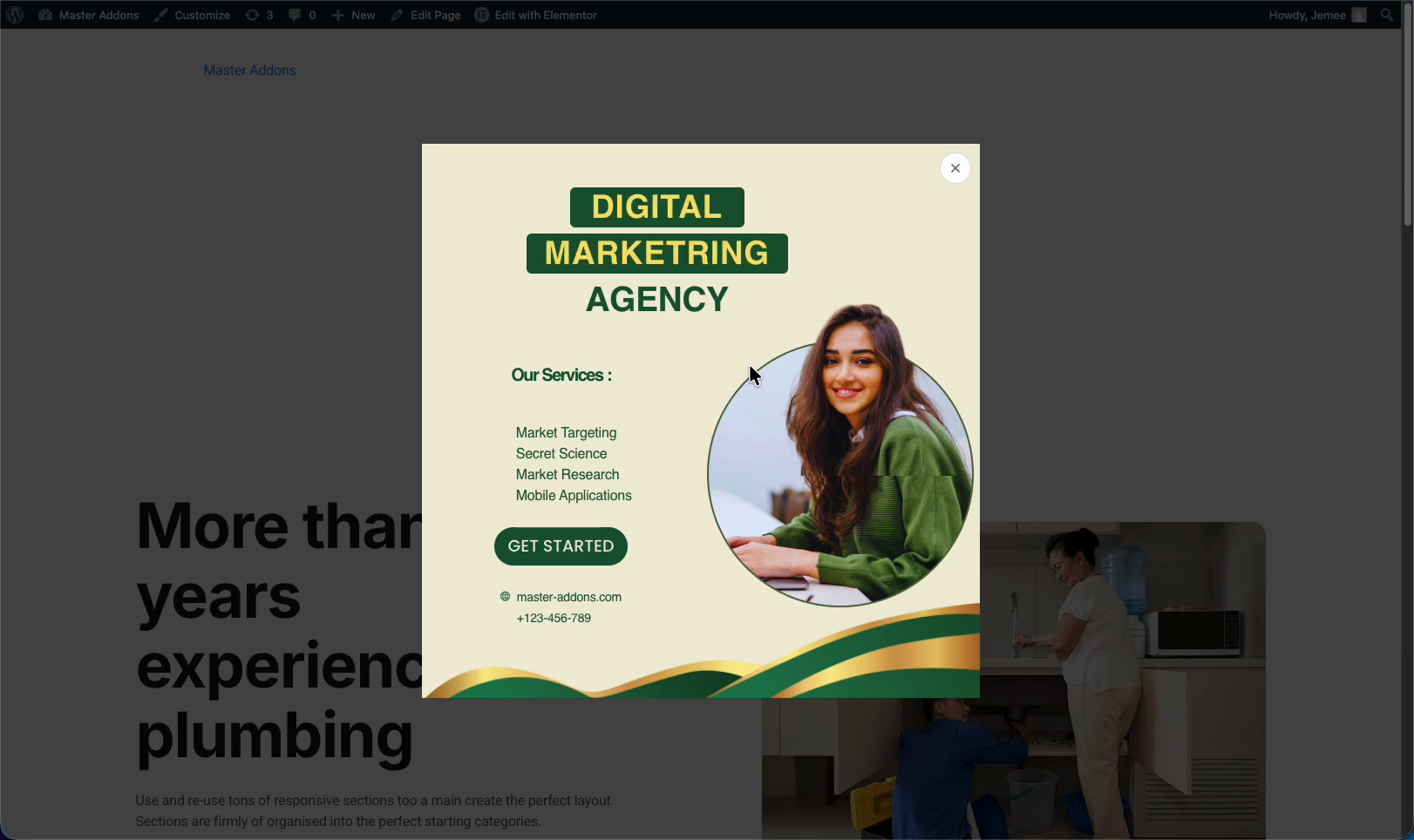
Click the button, and the popup opens right away. The same trigger works on as many elements as you want, just give each one the same CSS ID.
Troubleshooting #
- Nothing happens on click? Make sure the IDs match:
#sale-popupin the popup’s Open By Selector, andsale-popup(no #) in the element’s CSS ID. - Popup not active? Check that the popup’s Activation is on and its display conditions include the page with the button.
- Used the # in the CSS ID field? Remove it. The Elementor CSS ID takes the plain name only.
Frequently Asked Questions #
How do I open a Master Addons popup on click?
In the MA Popup Settings panel, set Open Popup to On Click and enter a CSS ID like #sale-popup in the Open By Selector field. Then add the same ID, without the #, to an element’s CSS ID field in Elementor’s Advanced tab.
Why do I add the # in one place but not the other?
The Open By Selector field expects a CSS selector, and # marks an ID selector. The Elementor CSS ID field expects just the ID name. So you use #sale-popup in the popup and sale-popup on the element.
Can I trigger the popup from more than one button?
Yes. Give every button or element the same CSS ID, then each one opens the same popup on click. You can mix buttons, links, and other elements.
Can I open a popup from a text link instead of a button?
Yes. Any element with the matching CSS ID works, including a link, an image, or an icon. Add the ID in that element’s Advanced tab and it becomes a trigger.
Do I need Elementor Pro for an on-click popup?
No. The Master Addons Popup Builder works with the free version of Elementor, so the On Click trigger and CSS ID method work without Elementor Pro. The On Click trigger itself needs Master Addons Pro, since the free plugin opens every popup on page load.


