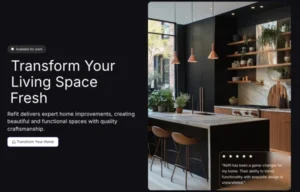
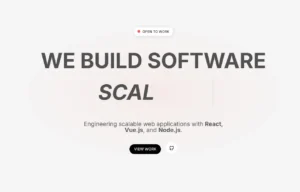
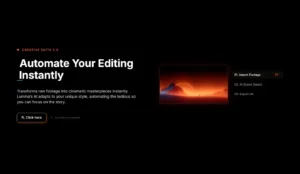
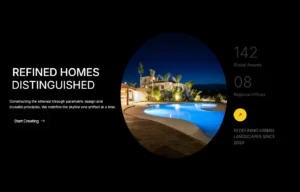

Animated Headlines

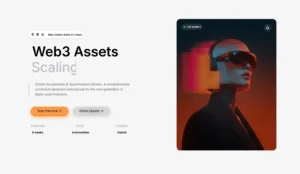
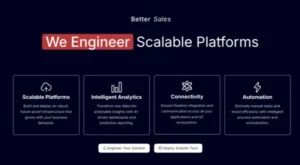
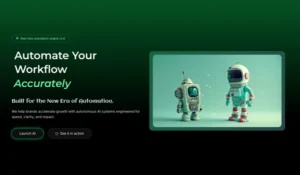
Enahnce your hero section with Master Addons enhanced Elementor Animated Headline widget. Access 10+ stunning animations, dynamic text rotation, and deep customization for captivating headers. Easily create engaging, moving headlines that grab attention and improve your site’s visual impact instantly.

Types of Animations

Master Addons Elementor Animated Headline widget offers a diverse library of dynamic effects to make your text stand out. Choose from multiple animation styles to perfectly match your site’s tone and capture visitor attention.

  • Rotate 1, 2 & 3: Smoothly cycle through multiple headlines with different rotation styles.
  • Typing: Simulates a typewriter for a classic, engaging reveal of your text.
  • Loading Bar: A growing bar animation that builds anticipation as text appears.
  • Slide: Text slides in or out from chosen direction with clean motion.
  • Clip: Reveals text through a clipping mask for a sharp, modern effect.
  • Zoom: Text dramatically zooms into focus for a bold statement.
  • Scale: It elegantly grows or shrinks to emphasize your message.
  • Push: New text pushes the old away in a smooth, transitioning motion.

Customization Settings

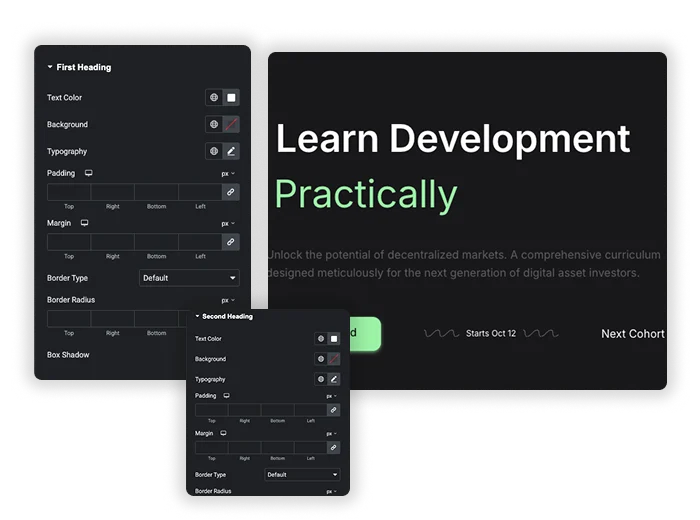
True customization is what transforms a basic animation into a seamless part of your brand narrative. Our extensive settings allow you to perfectly sync every headline’s style and motion with your site’s unique rhythm and identity.

  • Fonts and Colors: Choose from a wide selection of fonts and color schemes to match your branding.
  • Timing and Speed: Adjust the duration of animations and the speed of effects to synchronize with your overall design.
  • Delay: Set delays to sequence multiple animated headlines for a cohesive visual flow.
  • Alignment and Spacing: Fine-tune positioning for optimal visual balance.
Customization Settings
Template Viewer
Facebook
Twitter
WhatsApp
Copy Link
Buy Now
Clip Animation
Clip Animation
Rotation One + Two
Rotation One + Two
Rotation Three
Rotation Three
Slide Animation
Slide Animation
Typing Animation
Typing Animation
Loading Bar Animation
Zoom Animation
Zoom Animation
Push Animation
Push Animation
Scale Animation
Scale Animation

Frequently Asked Questions For Animated Headlines

Learn the most asked queries users have about Animated Headlines and find answers in one place.
What can I do with the Animated Headline element?

This element allows you to create eye-catching, dynamically rotating headlines for your website. You can display multiple phrases (like “Ultimate Addons,” “Unique Design”) in a single headline space with smooth animations, perfect for highlighting key features or messages.

In the Content tab, under First Heading, you can enter the main phrases or words you want to cycle through. You can add multiple items and control their order to create the desired animated sequence.

Yes. Under the Style tab, you will find Animation Settings where you can set the Animation Delay (in milliseconds). For example, a value of 2500 means each phrase will display for 2.5 seconds before transitioning to the next.

All typography and color settings are found in the Style tab. You can customize the Text Color, Background, Typography (font family, size, weight), and even add Box Shadow or Border Radius to make your headline stand out.

Can I adjust the spacing around the headline?

Absolutely. In the Style tab, you can use the Padding and Margin controls to add space inside or outside the headline container. You can set values individually for the Top, Right, Bottom, and Left sides.

Yes. In the Border Type section under Style, you can choose a border style (e.g., solid, dashed) and customize its width, color, and radius to frame your headline as needed.

Automatically track your income and expenses, helping you create personalized budgets and stay on top of your financial goals

You can choose the appropriate HTML tag (like H1, H2, H3, etc.) for your headline in the Content tab under HTML Tag. This helps with SEO and maintaining proper page structure.

Trending Elementor Widgets & Extensions

Build sophisticated websites in less time.

Glassmorphism element for Elementor by Master Addons

Glassmorphism

Home Glassmorphism is the design trend that gives your website a soft, translucent, modern look...
View Details
Extend Beyond the Max Width

Container Extras

Home Tired of your stunning designs being confined to rigid container limits? Container Extras by...
View Details
Pattern extension

Patterns

Home Transform flat, static containers into visually engaging design elements with the Master Addons Patterns...
View Details
Exact Replicas in a Single Action

Post/Page Duplicator

Home Streamline your workflow and eliminate repetitive setup with the Master Addons Post/Page Duplicator. This...
View Details
Reading progress bar extension

Reading Progress Bar

Home Ever start reading a long article and wonder how much is left? So do...
View Details


