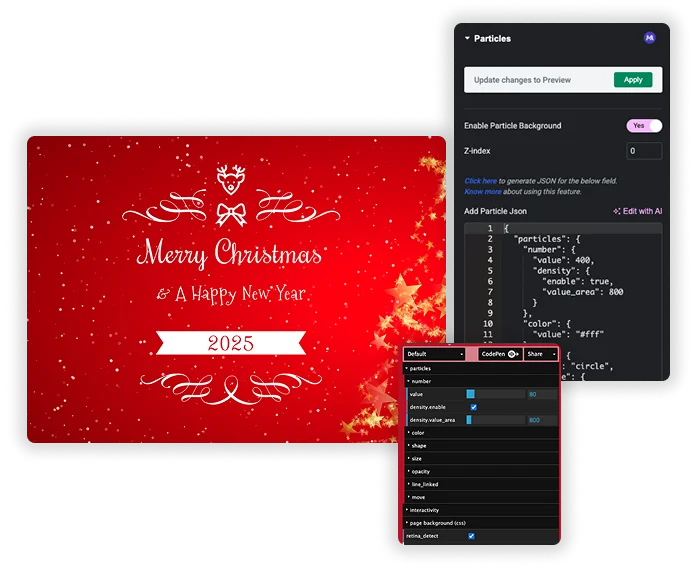












Particles
Imagine tiny dots, stars, or shapes floating, connecting, and reacting to your cursor right in your website’s background. That’s the power of the Particles extension. Using the famous particles.js library, you can turn any section into a living, breathing canvas. Generate a default starfield with one click, or paste custom JSON for a completely unique effect – like floating logos, abstract networks, or a swirling galaxy. It’s the ultimate tool for creating immersive hero sections, memorable landing pages, and futuristic portfolios that visitors won’t forget.

Lightweight & Layer-Friendly
Particles.js is a lean, efficient library. These backgrounds are far lighter than a video and create a similar “wow” factor. Use the Z-index setting to ensure your particles float behind your text and buttons, keeping your content perfectly readable while the magic happens in the background.
- Performance Optimized: Provides cinematic backgrounds without the heavy file size of video.
- Perfect Layering: Set the Z-index to -1 or 1 to layer particles behind your crucial content.
- Works Everywhere: Runs smoothly on modern desktop and mobile browsers.
Total Visual & Behavioral Control
You’re not just adding dots; you’re designing a micro-universe. Control the number of particles, their color, opacity, and size. Decide if they move and how fast. Make them connect with lines on hover, repel from the cursor, or bounce off the edges. You can even change the particle shape from circles to triangles, stars, or custom images.
- Density & Movement: Set the number and density of particles and control their speed and direction.
- Interactive Elements: Enable mouse hover effects to make particles connect, repel, or attract to the visitor’s cursor.
- Style to Match: Choose particle colors and shapes that perfectly complement your brand and page design.


Frequently Asked Questions For Particles
I'm not a developer. Is the JSON stuff too hard for me?
Not at all! You have two easy paths: 1) Just enable it for a great default look. 2) Use the visual generator website (the link in the settings). On that site, you adjust sliders and colors with your mouse – it’s like a visual editor. When you like it, you click “Download JSON” and paste that code. No need to write JSON manually.
Can I use my own image (like a logo) as a particle?
Yes, you can! On the particles.js configurator website, you can choose “image” as the particle shape and upload your own image file (like a tiny logo or icon). Then download that JSON and paste it into Master Addons. Your custom shapes will now float around.
Will this work on mobile phones?
Yes, it works on mobile! However, for performance, the interactivity (like particles following your finger) might be reduced or disabled by default on touch devices to save battery and keep things smooth. The particles will still animate and look beautiful.
Can I have different particle effects on different sections of the same page?
Absolutely! The Particles settings are applied per Container or Section in Elementor. You can have a starfield in your hero, a network of connecting dots in your features section, and a bubble effect in your footer – all on the same page, each with its own unique JSON config.
Trending Elementor Widgets & Extensions
Build sophisticated websites in less time.

Glassmorphism

Container Extras

Patterns

Post/Page Duplicator




