



70+ Free Elementor Background Patterns

Patterns is a free Master Addons extension that adds a ready-made CSS background pattern to any Elementor section, column, container or widget. Switch on Enable Pattern in the Style tab, pick one of 73 styles, from grids and dots to aurora glows, blueprint lines and wood grain, and set a Z-Index to layer it with your normal background. There are no images to load and nothing to configure beyond those three controls.

Patterns section in the Elementor Style tab with Enable Pattern, Pattern Style set to Purple Gradient Grid Left and Z-Index, beside two hero previews

How to Add a Background Pattern in Elementor

Patterns comes with the free Master Addons plugin. Make sure the extension is switched on in the Master Addons Extensions tab.

  1. Install and activate Master Addons from WordPress.org, and check that Patterns is enabled under Master Addons, Extensions.
  2. Edit your page with Elementor and select a section, column, container or widget.
  3. Open the Style tab and find the Patterns section.
  4. Turn on Enable Pattern.
  5. Pick a Pattern Style and watch the preview.
  6. Adjust Z-Index to put the pattern above or below the element background, then update the page.
Hero with a light purple gradient grid pattern, next to the open Pattern Style list showing grid and glow styles

73 Styles in 11 Groups

The Pattern Style list is grouped by look: decorative gradients, dark gradients, grid gradients, radial glows, aurora effects, basic patterns such as waves, stripes and dots, grids including hexagons and tartan, technical patterns like blueprint and circuit board, cultural patterns such as Moroccan and Japanese Seigaiha, textures like marble and paper, and artistic sketch styles.

  • Each style comes with its own colors, such as white to indigo or dark green circuit lines. There is no color or opacity control, so pick the style closest to your brand.
  • Some styles paint a full background color, others only draw thin lines over what is already there.
  • Works on sections, columns, containers and widgets, found in each element’s Style tab.

Elementor Background vs Patterns Extension

Elementor’s own background controls can fake some patterns with a small repeating image or a gradient. Here is how that compares with the extension.

FeatureElementor backgroundMaster Addons Patterns
SetupUpload a pattern image or build a gradient by handPick a style from a list
StylesAnything you design or download73 ready-made CSS styles
ColorsFull controlFixed per style
Page weightExtra image request for image patternsPure CSS, no image
LayeringOne background plus an overlaySeparate pattern layer with Z-Index
PriceFreeFree with Master Addons

Use your own background image when the pattern has to match exact brand colors. Use Patterns for a quick, lightweight texture. Related extensions: Background Slider (free) and Animated Gradient BG (Pro).

Layering with Z-Index

The pattern is drawn as a separate layer inside the element. Z-Index (from -10 to 10) decides whether it sits above or below the element’s own Elementor background, so you can place a grid over a background image or keep a solid gradient behind your content. Because patterns are pure CSS, they add no image requests to the page.

  • Styles with a solid base color can hide the element background, so try a lower Z-Index if your background image disappears.
  • Patterns scale with the element, and grid sizes stay the same on every device.
  • For a moving gradient instead of a static pattern, use Animated Gradient BG (Pro).
Template Viewer
Facebook
Twitter
WhatsApp
Copy Link
Buy Now
Patterns
Patterns

Frequently Asked Questions For Patterns

Learn the most asked queries users have about Patterns and find answers in one place.
Are the Elementor background patterns free?

Yes. Patterns is a free extension in the Master Addons plugin on WordPress.org, and all 73 styles are included.

No. Each pattern is a few lines of CSS gradients on a single layer, with no image files. Any slowdown would come from other background images on the same section, not the pattern.

Can I change the pattern color?

No. Each style has fixed colors, and the extension has no color or opacity control. Pick the style that fits your palette, or build your own gradient with Elementor’s background controls if you need exact colors.

Yes. The pattern is its own layer, so it works alongside the element’s background, background overlay and shape dividers. Use Z-Index to decide whether the pattern sits above or below the background.

Trending Elementor Widgets & Extensions

Build sophisticated websites in less time.

Master Addons Glassmorphism extension for Elementor: frosted glass cards with the Blur Value control set to 20px

Glassmorphism

Home Free Elementor Glassmorphism Extension: Frosted Glass Effect in One Toggle Glassmorphism is the frosted...
View Details

Master Addons Container Extras extension for Elementor: container capped at a 1400px Max Width, with Max Width, Max Height, Min Width and Min Height controls

Container Extras

Home Elementor Container Max Width and Max Height Controls Container Extras is a free Master...
View Details
Master Addons Post/Page Duplicator extension for Elementor: MA Duplicator row link in the WordPress Pages list creating a Landing Page - [Duplicated #128] draft

Post/Page Duplicator

Home Duplicate Elementor Pages and Posts in One Click Post/Page Duplicator is a free Master...
View Details

Master Addons Reading Progress Bar extension for Elementor: blue bar 42% filled across the top of a privacy policy page, with enable, position, height and fill color settings

Reading Progress Bar

Home Add a Reading Progress Bar in WordPress (Elementor) Reading Progress Bar is a free...
View Details
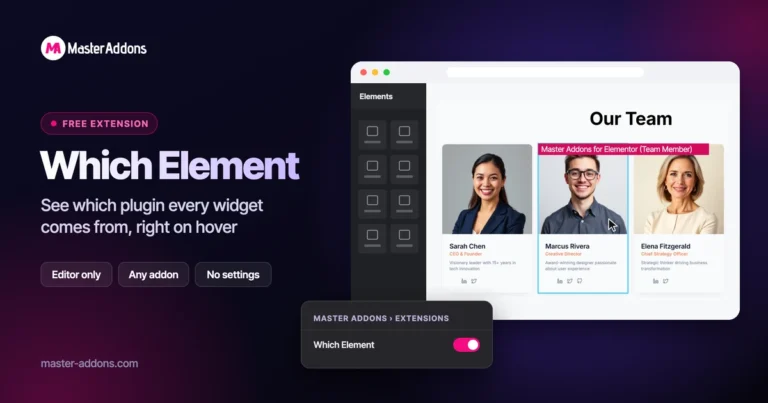
Master Addons Which Element extension for Elementor: hovered Team Member widget in the editor labelled Master Addons for Elementor (Team Member)

Which Element

Home Identify Any Elementor Widget on Hover Which Element is a free Master Addons extension...
View Details