

Free Elementor Glassmorphism Extension: Frosted Glass Effect in One Toggle

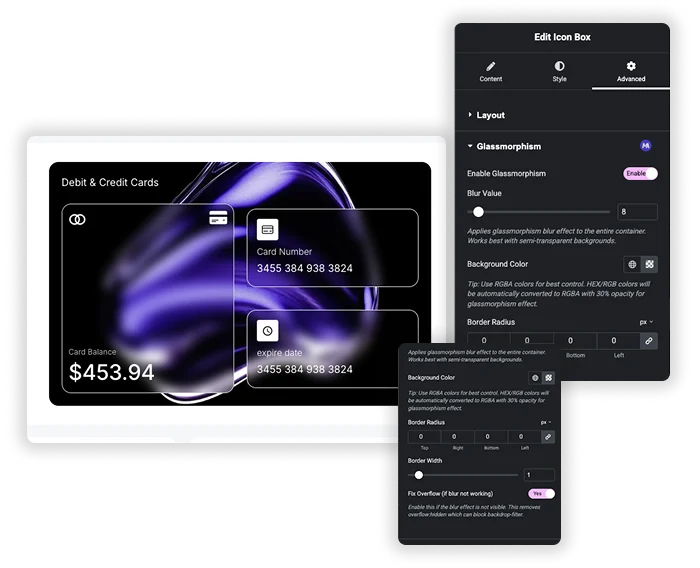
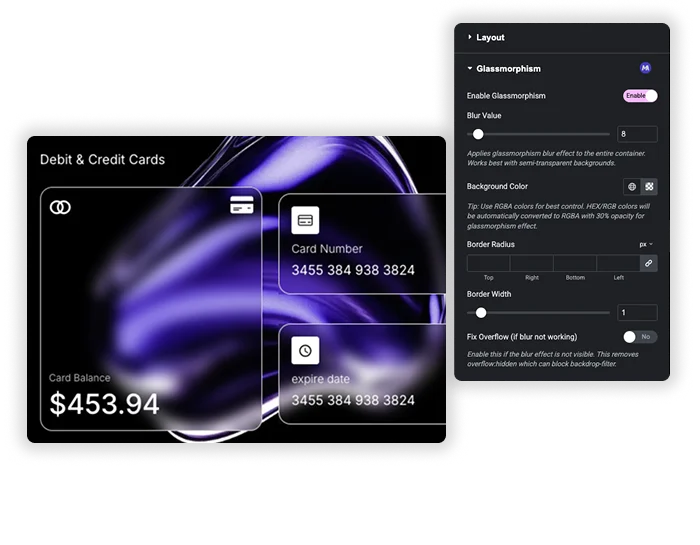
Glassmorphism is the frosted glass look: a semi-transparent panel that blurs whatever sits behind it. The free Glassmorphism extension in Master Addons adds it to the Advanced tab of any Elementor widget, column, section or container. Switch it on, set the blur and a see-through background color, round the corners, and the element becomes a glass card. It suits hero overlays, pricing cards, testimonials and sticky headers.

Elementor Glassmorphism extension
Easy Blur Control

Blur and glass tint controls

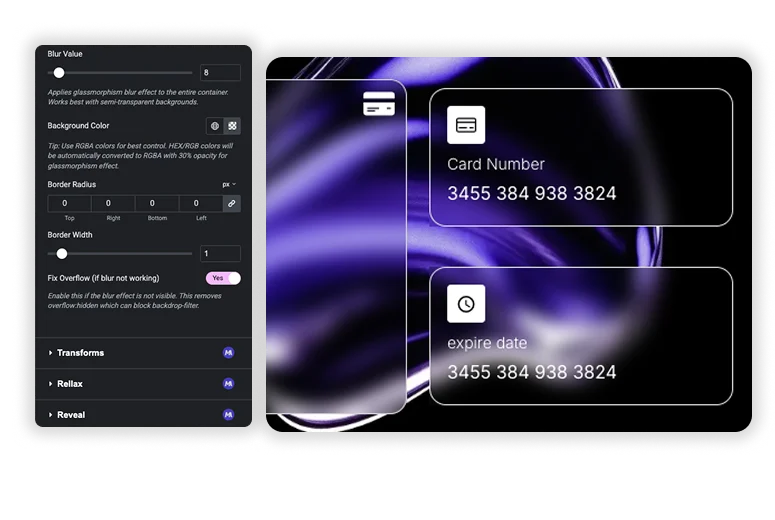
Blur Value runs from 0 to 100px and starts at 20px. Background Color sets the tint of the glass: pick an RGBA color and lower its opacity so the content behind still shows through. Border Radius rounds the corners in px, % or em, and Border Width adds a thin, semi-transparent white edge of up to 10px.

  • Blur Value from 0 to 100px, 20px by default.
  • RGBA background color for the tint. A HEX or RGB color is converted to 30% opacity for you.
  • Border Radius per corner, plus a 0 to 10px glass edge.

Fix Overflow when the blur doesn't show

The blur comes from the CSS backdrop-filter property, and overflow: hidden is the most common reason it goes missing. The Fix Overflow switch sets the element’s overflow to visible, so you can fix it without opening a stylesheet.

  • One switch in the Glassmorphism panel, no custom CSS.
  • Use it when the effect is on but nothing looks blurred.
  • Also check that the element sits over a photo, gradient or other busy background. Over plain white there is nothing to blur.
Fix Overflow Issues Instantly

Glassmorphism CSS vs the Glassmorphism extension

Elementor’s CSS Filters blur the element itself, text included. A glass card needs backdrop-filter instead, which blurs only what sits behind the element, and Elementor has no control for it. Written by hand, the CSS looks like this:

.glass-card {
  background: rgba(255, 255, 255, 0.1);
  backdrop-filter: blur(20px);
  -webkit-backdrop-filter: blur(20px);
  border: 1px solid rgba(255, 255, 255, 0.2);
  border-radius: 16px;
}
Hand-written CSSGlassmorphism extension
Where you set itA custom CSS field or your stylesheetControls in the Advanced tab
Safari prefixAdd -webkit-backdrop-filter yourselfIncluded
HEX or RGB colorsStay solid unless you add opacityConverted to 30% opacity
Blur blocked by overflow: hiddenFind and override it yourselfFix Overflow switch
Works onWhatever your selector targetsWidgets, columns, sections and containers

backdrop-filter works in current Chrome, Edge, Safari and Firefox. Older browsers show the semi-transparent background without the blur. Glass looks best over movement or color, so try it on top of Particles or an Animated Gradient Background (Pro). For effects the panel doesn’t cover, add your own rules with Custom CSS.

Template Viewer
Facebook
Twitter
WhatsApp
Copy Link
Buy Now
Glassmorphism
Glassmorphism

Frequently Asked Questions For Glassmorphism

Learn the most asked queries users have about Glassmorphism and find answers in one place.
Why is my blur effect not showing?

Turn on Fix Overflow in the Glassmorphism panel. It sets the element’s overflow to visible so backdrop-filter can work. Also make sure there is an image or a colorful background behind the element.

Yes. A HEX or RGB color is converted to RGBA at 30% opacity, so the glass stays see-through. For exact control, pick an RGBA color and set the opacity yourself.

Does it work with any theme?

Yes. The effect is set on Elementor elements, so it works with any theme that runs Elementor. Visitors need a browser that supports backdrop-filter, which covers current versions of Chrome, Edge, Safari and Firefox.

Yes. Glassmorphism is one of the free extensions in Master Addons for Elementor. Turn it on in the Master Addons dashboard and it shows up on the Advanced tab of every element.

Explore More Features to Build Faster & Design Smarter

Why stop at one effect? The Master Addons suite provides everything else you need: unique widgets, deeper customization, and specialized tools that work seamlessly together. Turn Elementor into your ultimate design powerhouse.

Master Addons Container Extras extension for Elementor: container capped at a 1400px Max Width, with Max Width, Max Height, Min Width and Min Height controls

Container Extras

Home Elementor Container Max Width and Max Height Controls Container Extras is a free Master...
View Details

Master Addons Patterns extension for Elementor: hero with the Purple Gradient Grid Left style, three more pattern styles and the Enable Pattern panel

Patterns

Home 70+ Free Elementor Background Patterns Patterns is a free Master Addons extension that adds...
View Details
Master Addons Post/Page Duplicator extension for Elementor: MA Duplicator row link in the WordPress Pages list creating a Landing Page - [Duplicated #128] draft

Post/Page Duplicator

Home Duplicate Elementor Pages and Posts in One Click Post/Page Duplicator is a free Master...
View Details

Master Addons Reading Progress Bar extension for Elementor: blue bar 42% filled across the top of a privacy policy page, with enable, position, height and fill color settings

Reading Progress Bar

Home Add a Reading Progress Bar in WordPress (Elementor) Reading Progress Bar is a free...
View Details
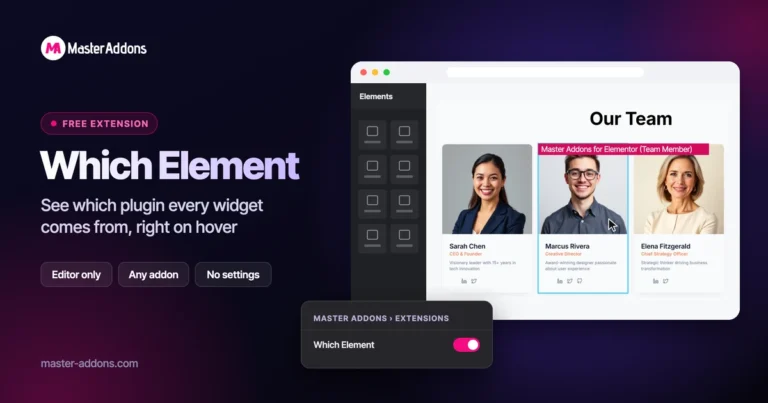
Master Addons Which Element extension for Elementor: hovered Team Member widget in the editor labelled Master Addons for Elementor (Team Member)

Which Element

Home Identify Any Elementor Widget on Hover Which Element is a free Master Addons extension...
View Details