Create Breathtaking Animation & Interactive Effects
Transform your Elementor websites with powerful, easy-to-use animation tools. From subtle micro-interactions to immersive visual effects, Master Addons gives you everything to captivate your audience and elevate user experience.
Why Modern Websites Need Animation
Attention Instantly
Motion catches the eye. Use animations to highlight key content, offers, or calls-to-action immediately upon page load.
Engagement Rates
Interactive and moving elements encourage visitors to explore more of your website, increasing time on site and interaction.
Enhance Guidance
Subtle animations can intuitively guide users through your site's flow, improving navigation and usability effortlessly.
Key Content
Make important messages, stats, or testimonials stand out with elegant reveal or floating effects for maximum impact.
Visual Story
Create a narrative and emotional connection by sequencing animations that unfold as users scroll down your page.
Simplify Ideas
Use motion to demonstrate processes, showcase features, or explain services in a more digestible and engaging way.
Masterful Animation Features
Animated Gradient BG
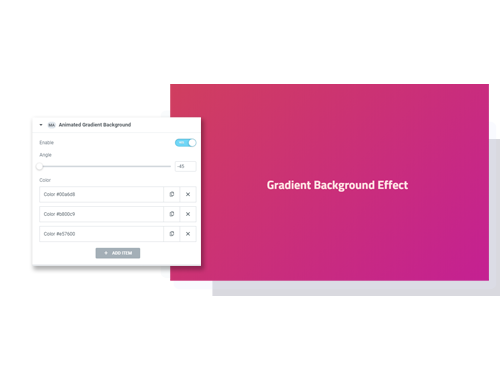
A Pro extension that loops a moving gradient behind a container, section or column. See Animated Gradient BG for the settings.
- Two or more colors in a linear gradient.
- Angle, duration and easing controls.
- Apply to any container, section, or column.
Background Slider
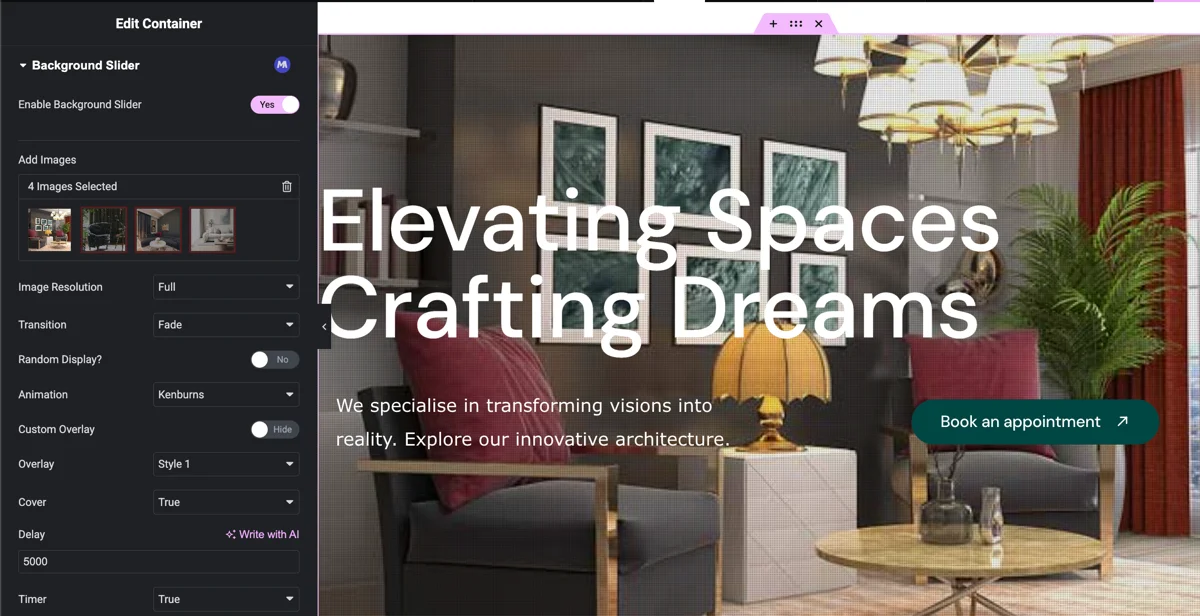
Turn a container, section or column background into a rotating image slideshow while your content stays on top. See the Background Slider extension for every setting.
- 24 transitions plus Random.
- Ken Burns motion in nine directions.
- Pattern or custom overlays for text readability.
Particles
Implement dynamic, interactive particle effects that react to mouse movement for a truly immersive experience.
- Multiple pre-designed particle shapes.
- Fully customizable density, color, and speed.
- Interactive mouse-hover effects.
Reveal (Pro)
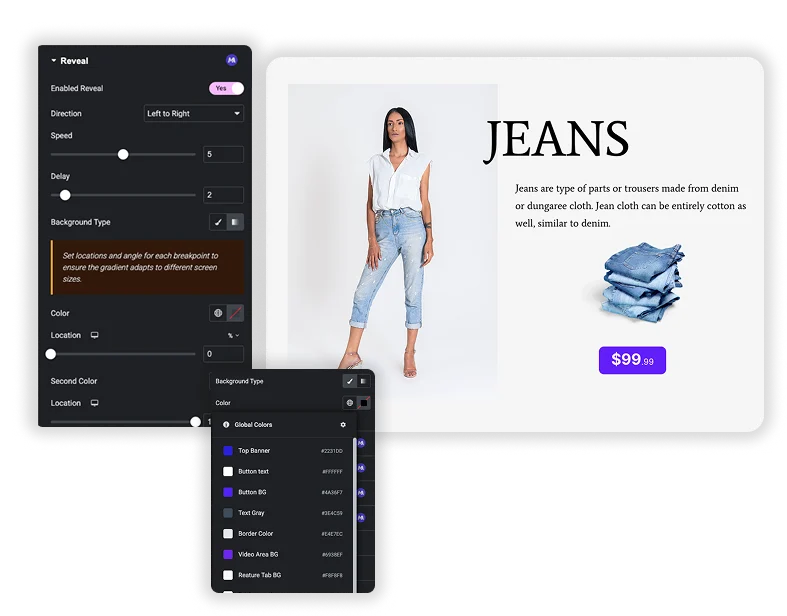
A Pro extension that uncovers a widget or column with a sliding color block when it scrolls into view. See Reveal for the settings.
- A color or gradient block slides off in one of five directions.
- Speed and delay controls to stagger elements.
- Works on widgets and columns in legacy sections.
Rellax
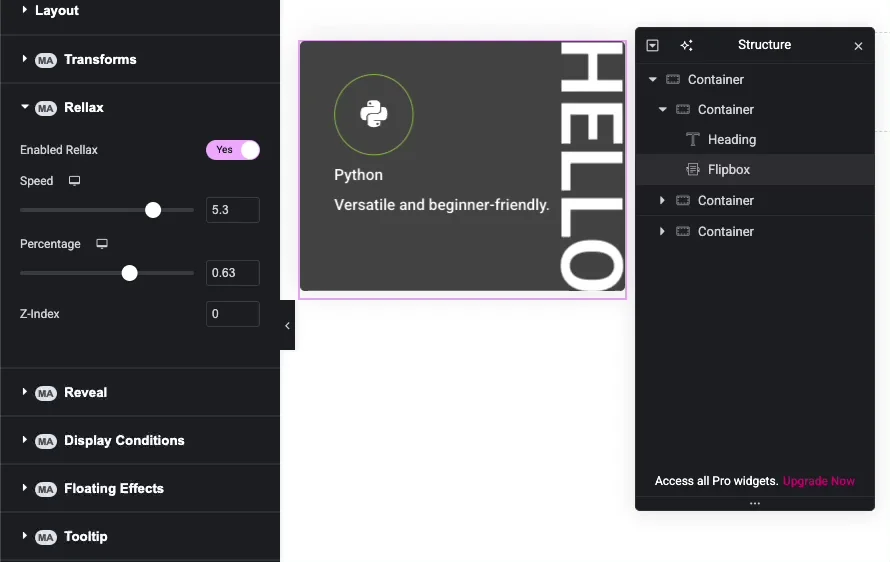
Add beautiful parallax effects that create a sense of depth, making elements scroll at different speeds.
- Ultra-smooth, performance-optimized parallax.
- Control scroll speed and direction.
- Easy to apply with simple controls.
Glassmorphism
Achieve the trendy glass-like aesthetic with background blur, transparency, and subtle borders.
- Adjustable blur intensity and transparency.
- Customizable border and shadow.
- Creates modern, sleek UI components.
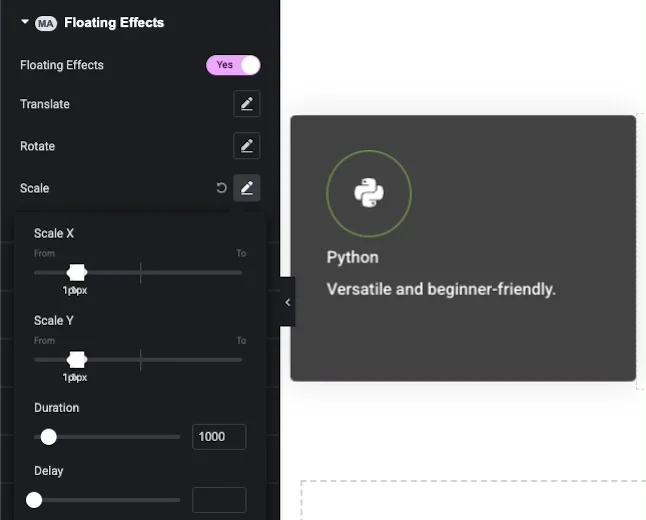
Floating Effects
Apply gentle floating, bouncing, or rotation animations to icons, images, or shapes to add playful movement.
- Floating, bouncing, or rotating motion paths.
- Control animation speed and distance.
- Works on hover or as a continuous loop.