
Elementor Comparison Table Widget (Pro)
Comparison Table is a Master Addons Pro widget that builds a feature grid for 2 to 6 products or plans. Feature names run down the first column, and each product column has a title, price, image, a value for every feature row and a button. Values can be a check mark, a cross, an icon or text. Pick one of four layouts, give one column its own colors to mark the recommended option, and style rows, headers and buttons. It needs no WooCommerce, so it works for plans, software, hardware or service packages. For single plan cards, the Pricing Table widget is the better fit, and it does not need Master Addons Pro.

How to Add a Comparison Table in Elementor
Comparison Table needs Elementor and an active Master Addons Pro license.
- Activate Master Addons Pro, edit your page with Elementor and search the widgets panel for Comparison Table.
- In General, pick a Layout and set Products to the number of columns.
- In Features Box, add one item per feature row and set the heading.
- Open each Product section and add the title, price, image, button text and link.
- Set every row value to a check, cross, icon or text, in the same order as the feature list.
- Turn on Override Style for the column you recommend, style the table, then check it in mobile view.
Every setting is covered in the Comparison Table widget settings guide.
Pairs well with: Pricing Table, Dynamic Table, Toggle Content for a monthly and yearly switch, Info Box for feature highlights, and Business Hours.
Comparison Table at a Glance
What the widget does, read from the Master Addons Pro code.
| Item | Comparison Table widget |
|---|---|
| Products per table | 2 to 6, with 3 by default |
| Layouts | 4 (Style 1 to Style 4) |
| Feature rows | One repeater list, as many rows as you need |
| Cell values | Check, cross, an icon of your choice, or text |
| Product fields | Title, price, image, button text and link |
| Highlight a column | Override Style per product: heading, price, rows and button colors |
| Number badges | Layout 3 shows a numbered circle above each product |
| Mobile | Below 767px (Start Tab Format From) a row of product names and the first product column; set 0 to keep all columns |
| Per-cell styling | No, styling is per table or per product column |
| Ribbon or badge text | No, put the label in the product title or price |
| CSV import | No |
| WooCommerce source | No, values are typed in the panel |
| Needs | Elementor and Master Addons Pro |
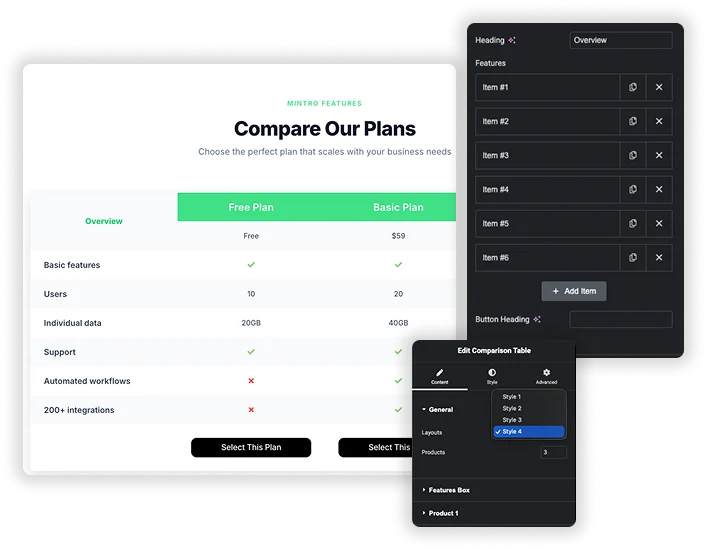
Compare 2 to 6 Products Feature by Feature
Set Products in General (2 to 6, 3 by default) and a Product section appears for each column. List your rows once in Features Box: a Heading, one repeater item per feature and a Button Heading. Then fill each product with a Title, Price, Image, Button Text, Link and a value for every row.
- Each row value is a check, a cross, an icon of your choice or plain text such as “1 Year”.
- Feature rows are shared, so keep the same number of items in each product so the rows line up.
- Content is typed in the panel. Prices do not pull from WooCommerce.
Build a Product Comparison Table
A product comparison table puts the products in columns and the specs in rows, so a buyer can scan one feature across every option. Set Products to the number of items, list the specs once in Features Box, then fill each Product section with a title, price, image, button text and link. Use a check or cross for yes and no specs and text for numbers such as battery life or warranty.
Every value is typed in the panel. The widget does not read WooCommerce products or import a CSV, so it suits a short list you curate, such as three headphones, three plans or your product against two rivals. Turn on Override Style on the product you recommend so its column stands out.
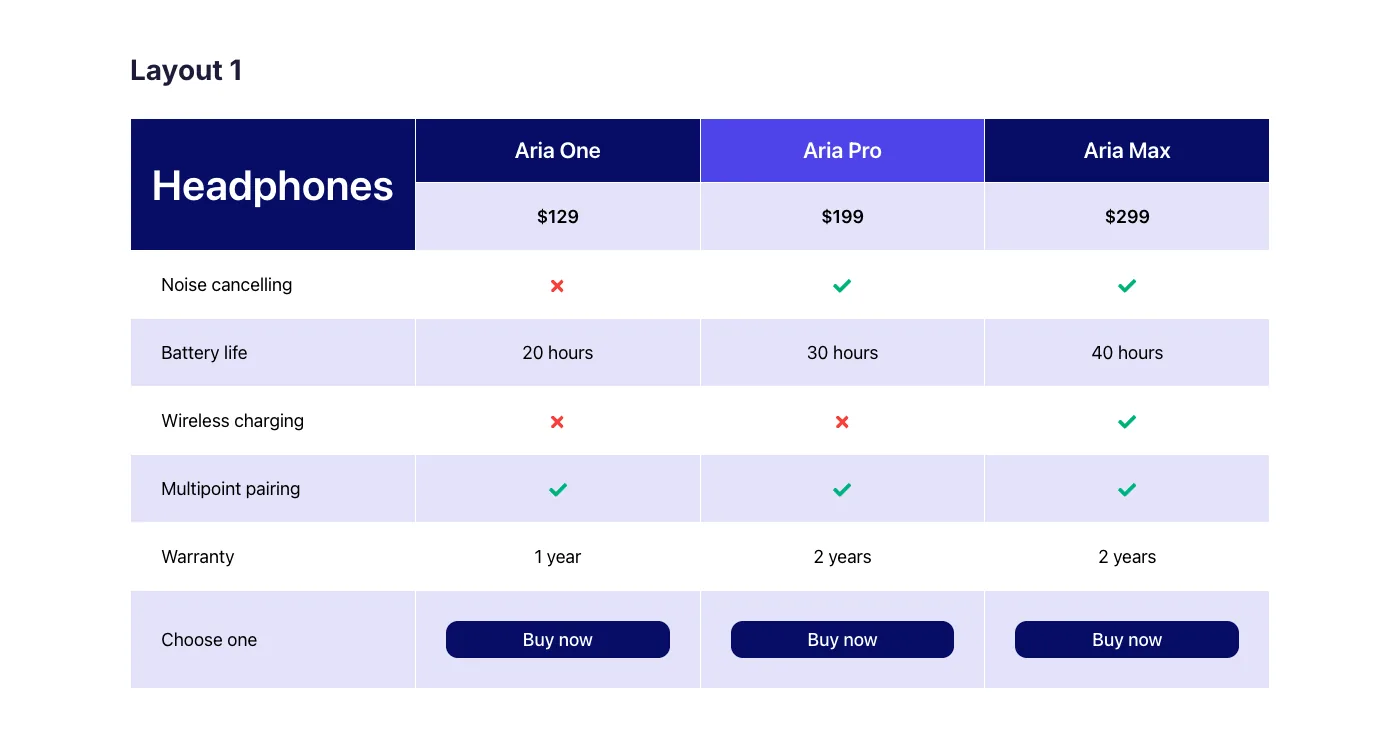
Three headphones compared in Layout 1, with the middle product highlighted through Override Style.
Comparison Table vs Pricing Table Widgets
Elementor and Elementor Pro have no comparison table widget. Elementor Pro has a Price Table widget for single plan cards. Here is when to use each option.
| Widget | Layout | Best for | Price |
|---|---|---|---|
| Master Addons Comparison Table | One grid, 2 to 6 product columns sharing the same feature rows | Feature by feature decisions between plans or products | Master Addons Pro |
| Master Addons Pricing Table | One plan card per widget with header, price, features and button | Pricing pages with two or three simple plans | Included, no Master Addons Pro needed |
| Elementor Pro Price Table | One plan card per widget with a ribbon option | Plan cards on sites that already use Elementor Pro | Elementor Pro |
If visitors need to check the same features across several options, a comparison table is easier to read than cards side by side. If each plan has a short list and a price, pricing cards take less space. Also useful: Dynamic Table for plain data tables.
Which Table Widget Do I Need?
| Widget | What it builds | Use it for |
|---|---|---|
| Comparison Table (Pro) | Product columns with a title, price, image and button, and shared feature rows | Choosing between 2 to 6 products or plans |
| Pricing Table | One plan card per widget: header, price, feature list and button | Pricing pages with two or three plans |
| Dynamic Table | A general data table with any rows and columns | Schedules, specs, lists and any plain data |
Four Layouts and Table Styling
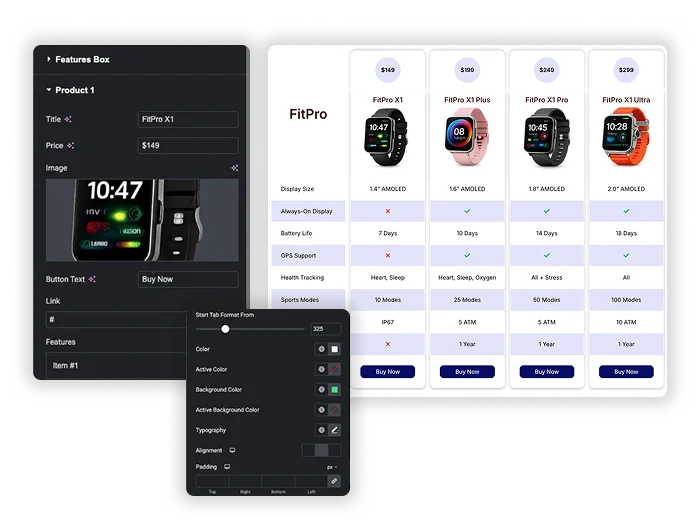
Choose Style 1 to Style 4 in Layouts, from a classic table to separate product cards with price badges. The Style tab has four sections. General sets odd and even row colors, border, box radius, column spacing and row spacing. Feature Box sets the feature column width, colors, alignment and padding. Products styles headings, prices, images and the mobile breakpoint, and Button styles the buy buttons.
- Zebra rows with Odd Row Color and Even Row Color make long tables easier to scan.
- Box Width sets how wide the feature column is.
- Below the Start Tab Format From width (767px by default) the table shows a row of product names and only the first product column. To keep every column on phones, set Start Tab Format From to 0 and the full table shrinks to fit the screen. Check the table in mobile view before you publish.
Highlight the Recommended Column
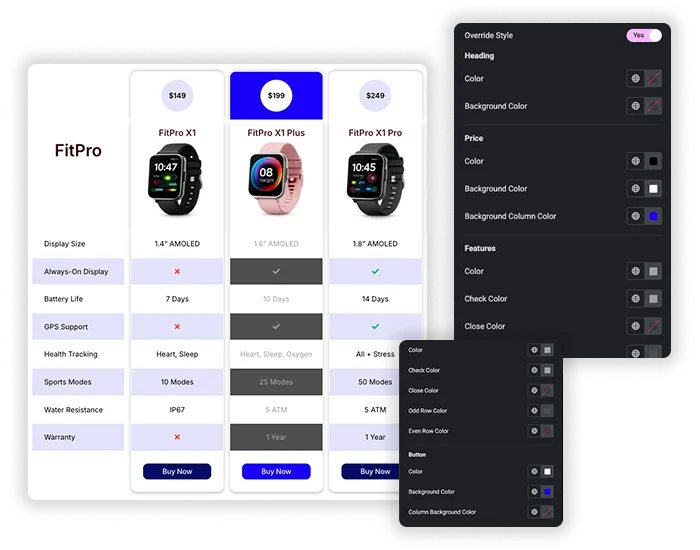
Turn on Override Style inside a product section to give that column its own colors. You can set the heading color and background, the count badge, the price and its column background, feature text, check and cross colors, odd and even row colors, and the button colors. Use it for your “most popular” plan or your own product in an us versus them table.
- Override Style works per product column, not per cell.
- There is no built-in ribbon or badge, so add the label to the product title or price text.
- Keep other columns on the global style so the highlighted one stands out.
Comparison Table Examples
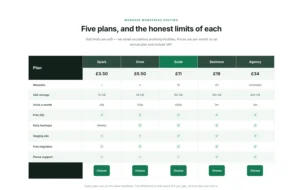
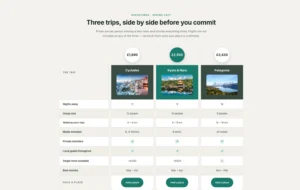
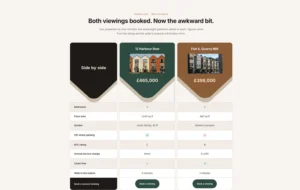
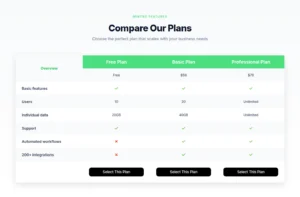
Ten live demos built with the widget. The first two keep every column on phones; the rest switch to the product-name row below 767px, which you can turn off with Start Tab Format From set to 0.
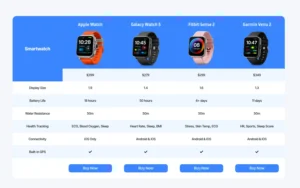
- Smartwatch comparison: Layout 3 with numbered badges.
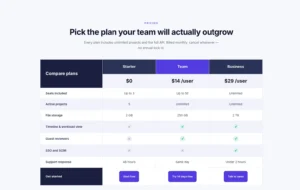
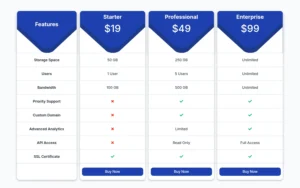
- Compare our plans: Layout 4 cards with the price in the header.
- SaaS pricing plans: a highlighted tier.
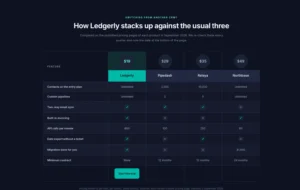
- Us versus three competitors: dark theme.
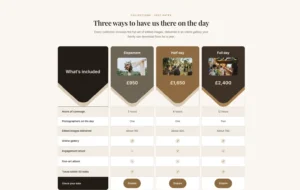
- Photography packages: photos in the header.
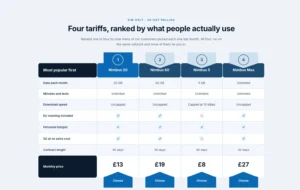
- Mobile tariffs: ranked one to four.
- Five hosting plans: side by side.
- Three tours: price in a circle.
- Two property listings: head to head.
- Original comparison table: the first demo.
Frequently Asked Questions For Comparison Table
Is the Comparison Table widget free?
No. Comparison Table is part of Master Addons Pro. Without Pro you can use the Pricing Table widget for single plan cards. Elementor itself has no comparison table widget, free or Pro.
How many products can I compare?
Between 2 and 6. Change Products in the General section and product sections are added or hidden to match. Three or four columns read best on most page widths.
Can I import a CSV or spreadsheet?
No. Products, prices and every row value are typed in the widget panel. For a large data set you want to import from a spreadsheet, a table plugin such as TablePress handles CSV and Excel files. For a small styled table built in the panel, use the Dynamic Table widget.
Can it pull products from WooCommerce?
No. The widget has no WooCommerce source, so titles, prices, images and buttons are entered by hand for each product column. That also means it works for anything: plans, services, hardware or software.
How does the comparison table look on mobile?
Below the Start Tab Format From width in Style, Products (767px by default), the table shows a row of product names above the feature column and only the first product column. To keep every product visible on phones, set Start Tab Format From to 0 and the table shrinks to fit. Preview it in Elementor’s mobile view before you publish.
Should I use a comparison table or a pricing table?
Use Comparison Table when visitors need to compare the same features across several options. Use a pricing table when each plan is a short card with a price and a few features. The Master Addons Pricing Table widget handles that without Pro.
How is it different from the Dynamic Table widget?
Dynamic Table builds a general data table with any number of rows and columns and no Master Addons Pro needed. Comparison Table is built for product decisions: a title, price, image and button for each column, check and cross values, and one column you can highlight.
Does Elementor have a comparison table widget?
No. Neither free Elementor nor Elementor Pro has one. Elementor Pro has a Price Table widget for single plan cards. For a feature grid across several products you need an addon widget such as this one.
Trending Elementor Widgets & Extensions
Build sophisticated websites in less time.

Glassmorphism

Container Extras

Patterns
![Master Addons Post/Page Duplicator extension for Elementor: MA Duplicator row link in the WordPress Pages list creating a Landing Page - [Duplicated #128] draft](https://d1asvmc6qcowgk.cloudfront.net/wp-content/uploads/2026/09/15102930/post-page-duplicator-768x403.webp)
Post/Page Duplicator
