

You built a landing page that converts, and now you need five more like it. Or you want to test a big edit without touching the published version. Rebuilding from scratch is the slow way. The free Post/Page Duplicator extension in Master Addons for Elementor adds a one-click duplicate link to your Posts, Pages, and custom post type lists, and the copy carries the content and the full Elementor design with it.
The clone arrives as a draft, so your live site never changes until you decide to publish. Here is how to switch the extension on and where the duplicate link shows up.
What the Post/Page Duplicator does #
Once enabled, the extension adds an MA Duplicator link to the row actions in your admin lists, right next to Edit, Quick Edit, Trash, and View. Click it and WordPress creates a copy of that post or page with:
- All content and layout, including designs built with Elementor and any Master Addons widgets on the page.
- Draft status, so the copy stays private until you publish it. You become the author of the copy.
- Terms and meta: categories, tags, the featured image, SEO fields, and every other custom field. Comments, revisions, and the publish date are not copied.
- A clear title suffix, like “– [Duplicated #42]”, so you can spot the clone in the list right away.
The original stays exactly as it was. You work on the duplicate, rename it, and publish when ready.
Before you start #
- WordPress with Elementor installed and active.
- Master Addons for Elementor installed and active. New to the plugin? Follow the installation guide first.
- Post/Page Duplicator is a free extension, so no Pro license is required.
How to enable the Post/Page Duplicator #
Step 1: Open the Extensions tab #
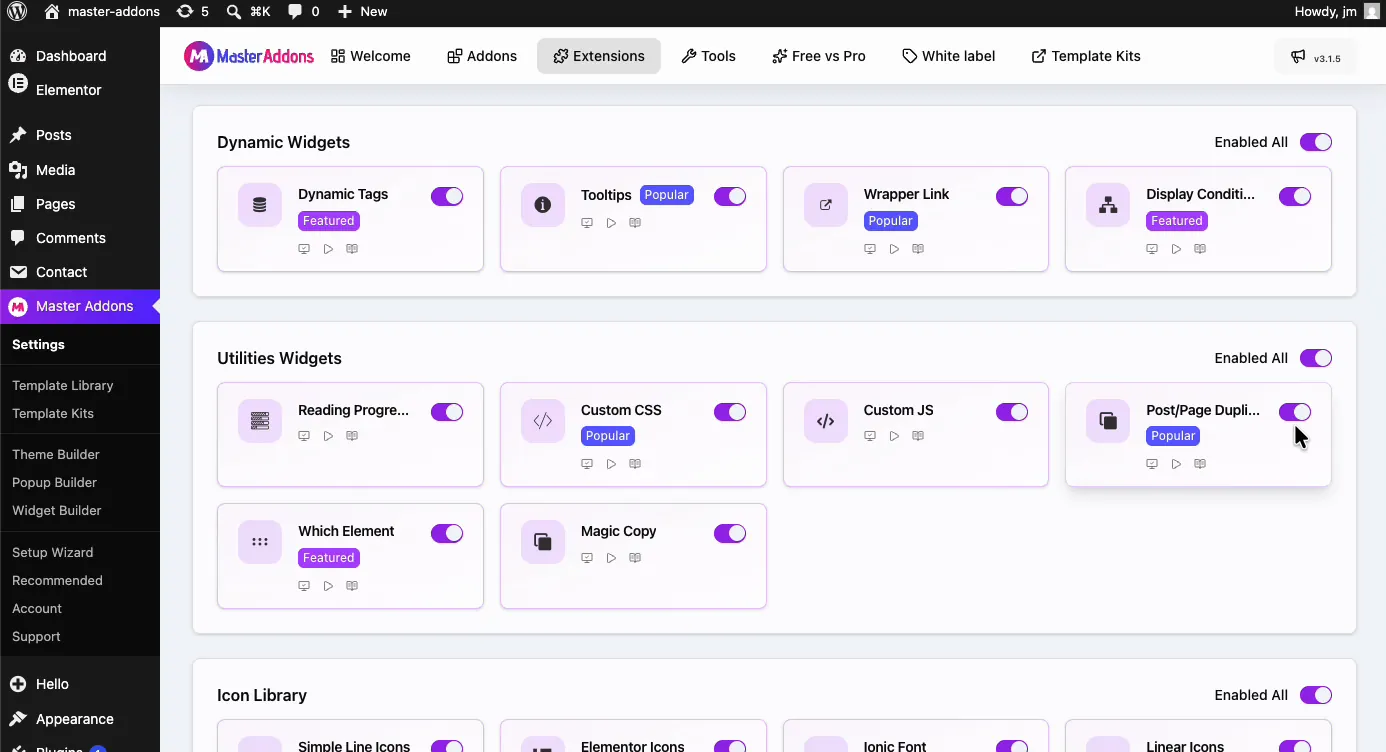
From your WordPress dashboard, go to Master Addons and click the Extensions tab. Scroll to the Utilities Widgets group. Post/Page Duplicator sits there with a Popular badge, next to tools like Custom JS and the Which Element extension.
Step 2: Turn on the toggle #
Click the toggle on the Post/Page Duplicator card so it turns purple.
Step 3: Save your changes #
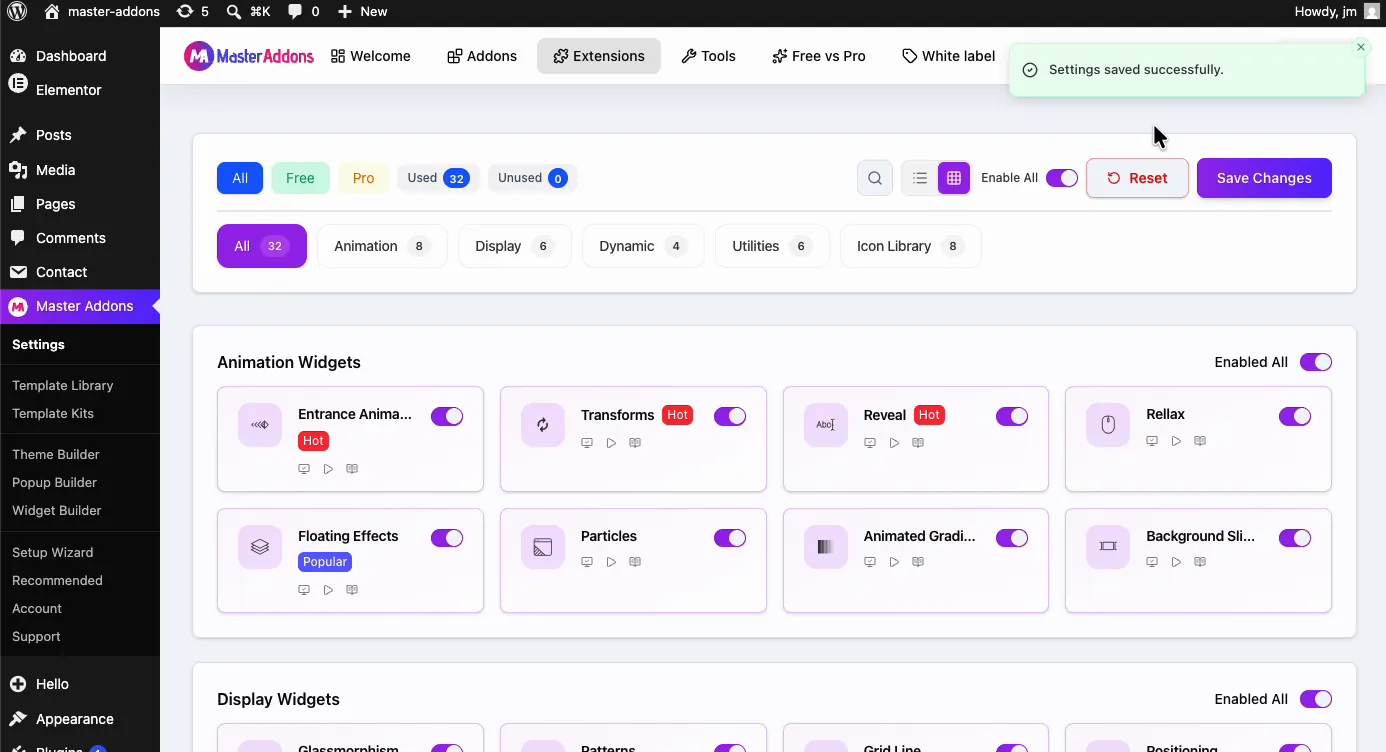
Scroll to the top of the page and click Save Changes. A green “Settings saved successfully” notice confirms the extension is active.
How to duplicate a post or page #
Go to Posts → All Posts (or Pages → All Pages) and hover over the item you want to clone. The row actions now include a new MA Duplicator link at the end.
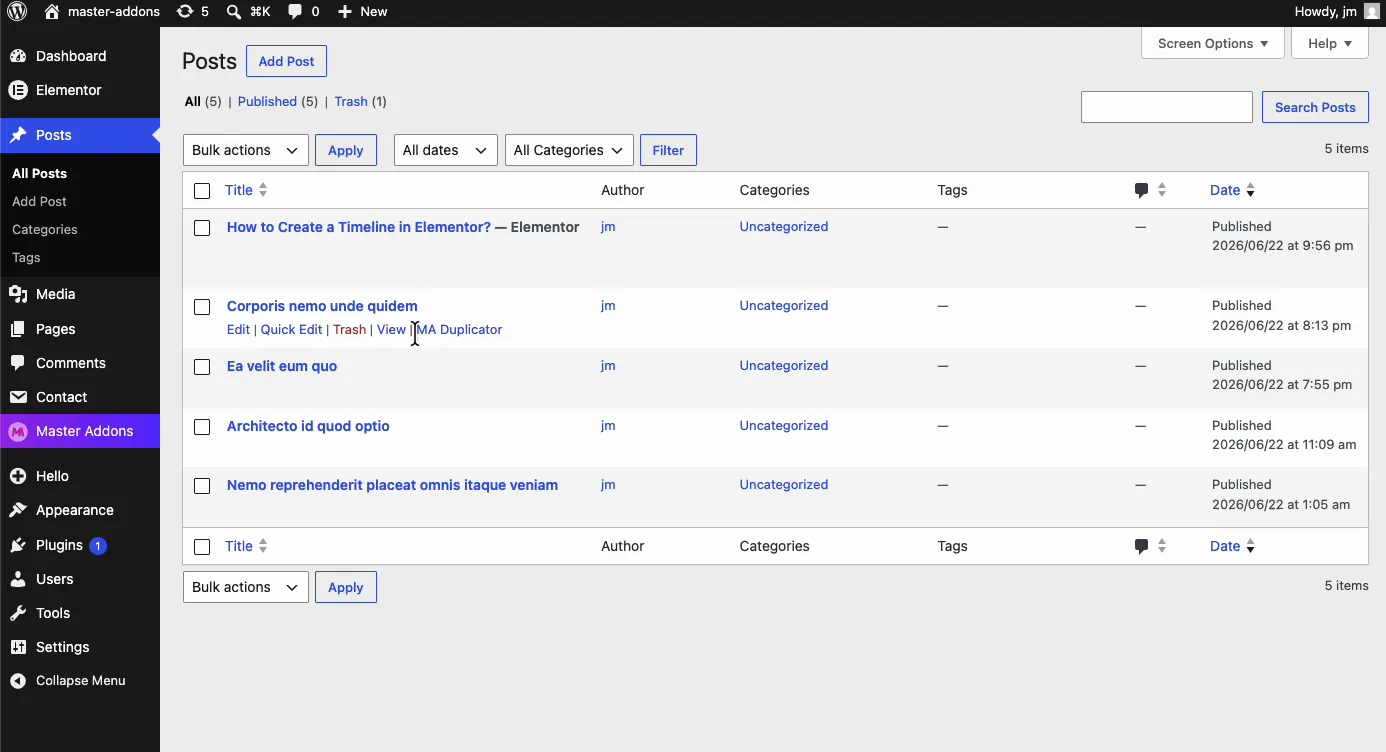
Click MA Duplicator. The page reloads and the copy appears at the top of the list as a draft, with the original title plus a “– [Duplicated #42]” style suffix. The number is the ID of the original post, so every copy of the same page gets the same suffix. Rename each copy before you make another.
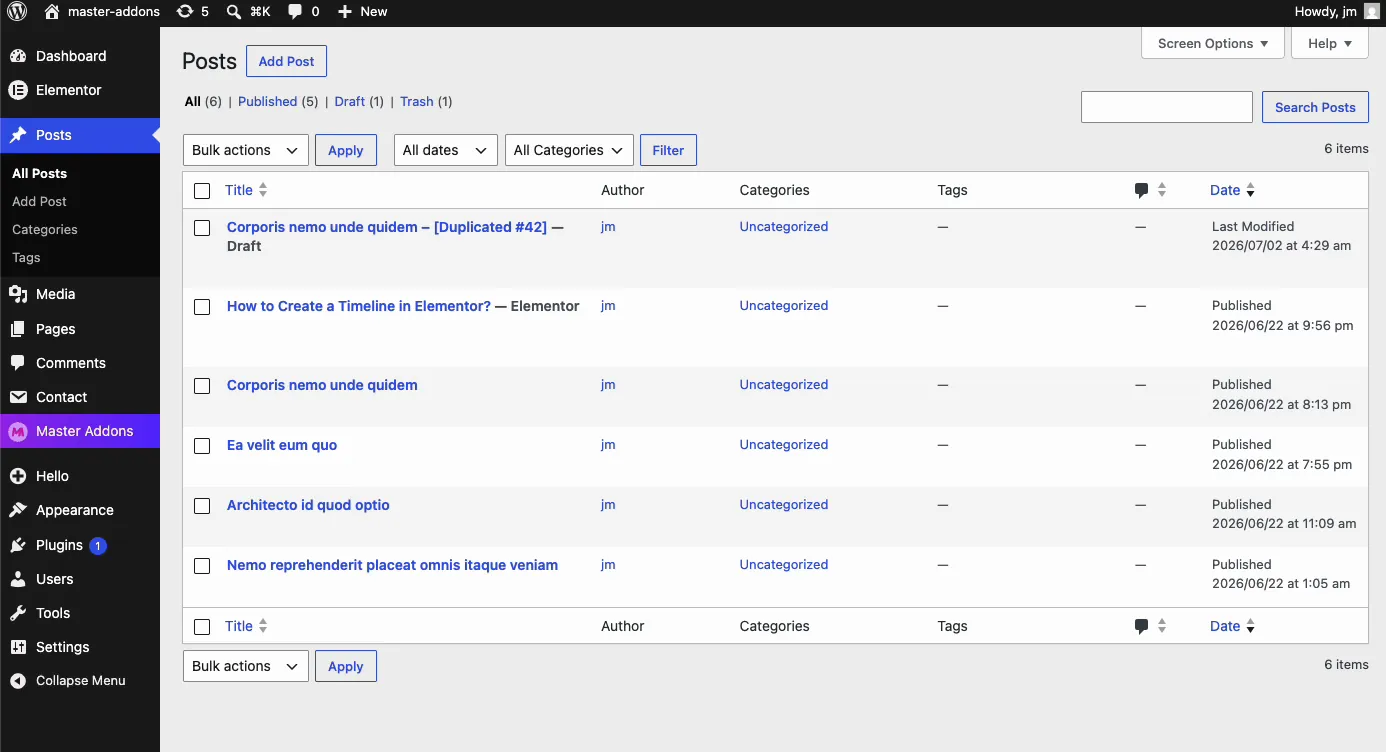
That’s it. Open the draft, rename it, swap the content you need, and publish. The original post never moves.
When the duplicator saves you time #
- Landing page variations. Clone a proven page and change the headline, offer, or images for a new campaign.
- Safe redesigns. Duplicate a live page, rework the draft, then publish the new version once it is ready.
- Recurring content formats. Weekly roundups, case studies, or product pages that share a layout: duplicate last week’s post and replace the content.
- Template starting points. Keep a styled draft as your in-house template and clone it whenever you need a new page. Pair it with template kits for full starter designs.
- A/B testing. Create a copy for the variant, edit the parts under test, and compare.
Video Tutorial #
Prefer to watch it happen? This short video covers enabling the Post/Page Duplicator and cloning a post from the admin list.
Frequently Asked Questions #
How do I duplicate a post or page in WordPress with Master Addons?
Enable the Post/Page Duplicator extension in the Master Addons Extensions tab and save. Then go to Posts or Pages, hover over the item, and click the MA Duplicator link in the row actions. A draft copy appears in the list.
Does the duplicate keep the Elementor design?
Yes. The clone copies the full Elementor layout along with the content, so widgets, sections, and styling all carry over. You can open the duplicate with Elementor and keep editing where the original left off.
Is the duplicated post published right away?
No. Every duplicate is created as a draft, no matter the status of the original. Your live site stays untouched until you review the copy and publish it yourself.
Is the Post/Page Duplicator extension free?
Yes. It is included in the free version of Master Addons for Elementor and lives in the Utilities Widgets group of the Extensions tab. See the pricing page for what the Pro plans add on top.
Why don’t I see the MA Duplicator link?
Check that the Post/Page Duplicator toggle is on in the Extensions tab and that you clicked Save Changes. Then reload the Posts or Pages screen. The link only appears in the row actions when you hover over an item in the list.
Wrapping up #
The Post/Page Duplicator removes the busywork from reusing your best pages. Flip the toggle once, and every post and page in your admin gets a one-click clone that lands as an unpublished draft with the whole Elementor design intact. For what gets copied and a comparison with Yoast Duplicate Post and the Essential Addons Duplicator, see the Post/Page Duplicator extension page. Browse the rest of the Master Addons widgets and extensions to see what else can shortcut your workflow.


