
Elementor Table of Contents Widget, No Pro Needed
Elementor’s own Table of Contents widget comes with Elementor Pro. The Table of Contents widget in Master Addons runs on Elementor without Pro. Drop it on a post or page and it reads the headings there, then builds a linked list from them in heading order. A click on any item scrolls the reader to that section. You pick which heading tags to include and whether the list shows bullets or numbers. Readers can fold the box away, a back to top arrow brings them up again, and a short CSS rule keeps the box in view in a sidebar.

How to Add a Table of Contents in Elementor
You need Elementor and Master Addons. Elementor Pro is not required. The page also needs real heading tags (H2, H3 and so on), because the list is built from them.
- Install and activate Master Addons from WordPress.org, and check that Table of Contents is enabled in the Master Addons dashboard.
- Open your post or page with Elementor and search the widgets panel for Table of Contents.
- Drag it where the list should sit, usually above the first section or into a sidebar column.
- In Content, set the title, pick a List Style and choose the Heading Tags to include.
- Open Collapsible and Scroll to add the toggle and the back to top arrow.
- Style the title, separator and links in the Style tab, then preview the page and click a few items to test the jumps.
Every setting is covered in the Table of Contents widget settings guide.
Table of Contents at a Glance
What the widget does, read from Master Addons 3.2.3.
| Item | Table of Contents widget |
|---|---|
| Where it finds headings | Inside .entry-content first, then .page-content, then the Elementor content area |
| Heading levels | Any of H1 to H6, with H2, H3 and H4 selected by default |
| Leave out one heading | Add the CSS class jltma-toc-hide-heading to that heading |
| List style | Default (no marker), Bullets or Numbers |
| Nesting | Always nested by heading level |
| Collapsible box | Toggle next to the title, with Keep Collapsed Initially |
| Scrolling | Smooth scroll that stops about 30 px above the heading |
| Back to top | Arrow in the bottom right corner after 250 px of scrolling |
| Active item | The item the reader last clicked (no scroll spy) |
| Sticky | No switch; position: sticky through Custom CSS, or Elementor Pro Motion Effects |
| Needs | Elementor and Master Addons, no Elementor Pro |
Builds the List from Your Headings
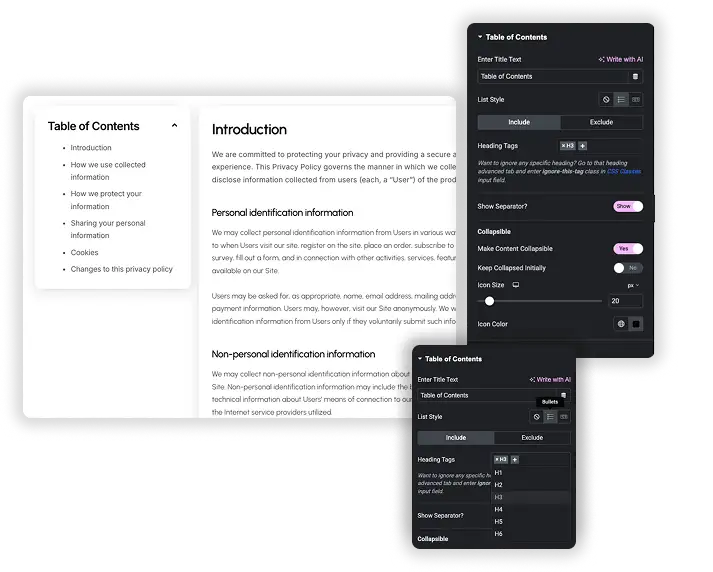
Choose the levels in Heading Tags. H2, H3 and H4 are selected by default, and any of H1 to H6 can be added. When the page loads, the widget finds those headings, gives each one an ID if it has none, and nests the list by heading level. Rename or add a heading and the list picks it up on the next load, so there are no anchor links to keep up by hand.
- List Style: Default (no marker), Bullets or Numbers.
- Skip one heading: add the CSS class
jltma-toc-hide-headingin that heading’s Advanced tab. - Show Separator: an optional line under the title with its own style, color, thickness and spacing.
- Heading IDs are made from the heading text, so you can also link straight to a section from elsewhere.
Collapsible Box for Sidebars and Mobile
Turn on Make Content Collapsible and a toggle icon appears next to the title. Readers click it to open or close the list, and it slides rather than jumping. Switch on Keep Collapsed Initially if you want the box to load showing only its title, which helps on long legal pages and in narrow sidebar columns.
- Icon Size and Icon Color controls for the toggle.
- The separator folds away with the list.
- The widget has no sticky switch of its own. To keep the box in view while people read, see Make the Table of Contents Sticky below.

Smooth Jumps and a Back to Top Arrow
Clicking an item scrolls the page smoothly down to its heading and stops about 30 px above it, so the heading doesn’t sit flush against the top of the screen. If your site has a tall fixed header, the FAQ below has a two-line CSS fix that keeps headings clear of it.
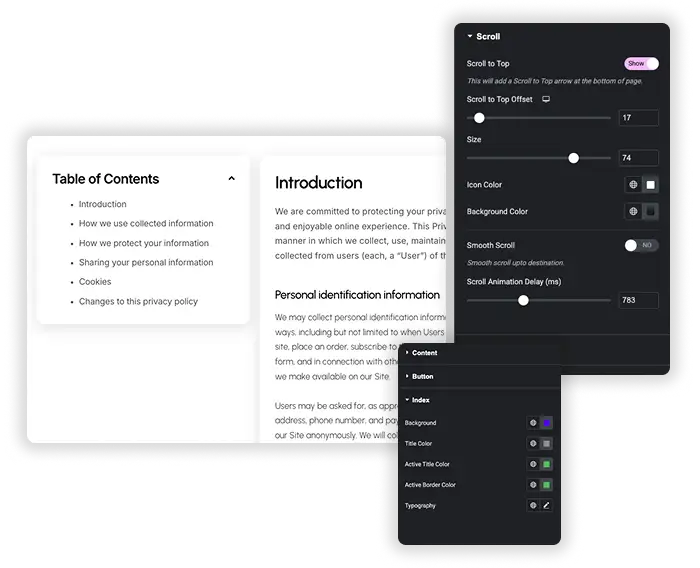
- Scroll to Top adds a small arrow in the bottom right corner that shows once a visitor scrolls down.
- The arrow takes readers back to the table of contents, or to the position you set in Scroll to Top Offset.
- Size, Icon Color and Background Color controls for the arrow.
- The item a reader clicked keeps the Active color from the Content style section, so they can see where they jumped.
Make the Table of Contents Sticky
The widget has no sticky switch of its own. You pin it by making the widget sticky inside a sidebar column, and Elementor without Pro can do that through the Master Addons Custom CSS extension.
- Put the article and the table of contents in one row: a wide column for the content and a narrow column for the Table of Contents widget. Leave the narrow column at its default height so it stretches to the height of the row.
- Select the Table of Contents widget, open Advanced, then the Master Addons Custom CSS section, and paste
selector { position: sticky; top: 32px; } - Raise the top value if your site has a fixed header, for example 110px under an 80px header.
- Preview the page and scroll. The box stays in view until the end of the row.
With Elementor Pro you can use Advanced, Motion Effects, Sticky: Top instead, with Stay In Column turned on.
Two things stop sticky from working: a parent container with overflow set to hidden, and a sidebar column that is no taller than the box. On phones the sidebar drops below the article, so turn on Make Content Collapsible there, or hide this copy on mobile and place a collapsed table of contents above the article.
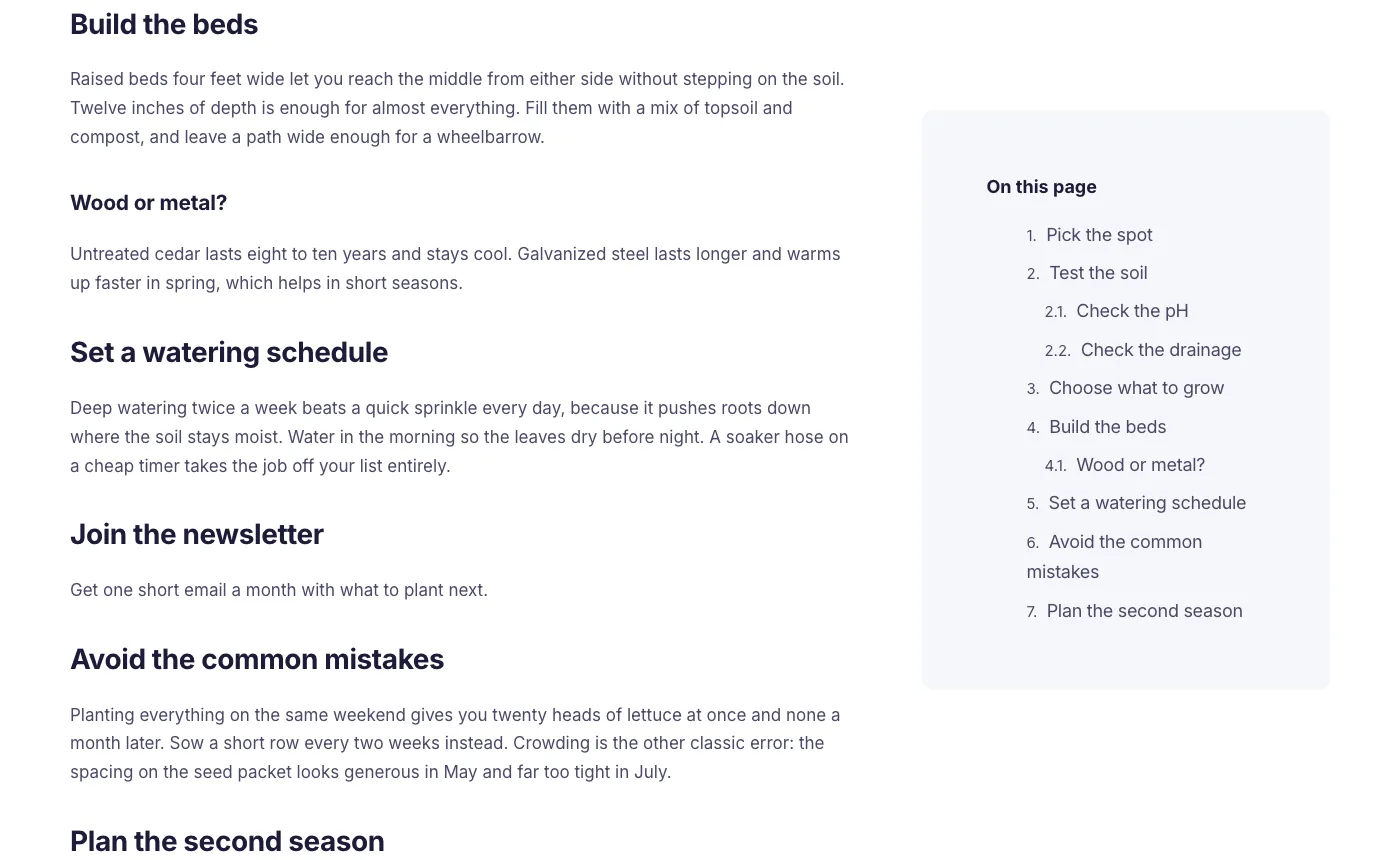
The sticky sidebar demo halfway down the page. The box stays at the top of the column while the article scrolls.
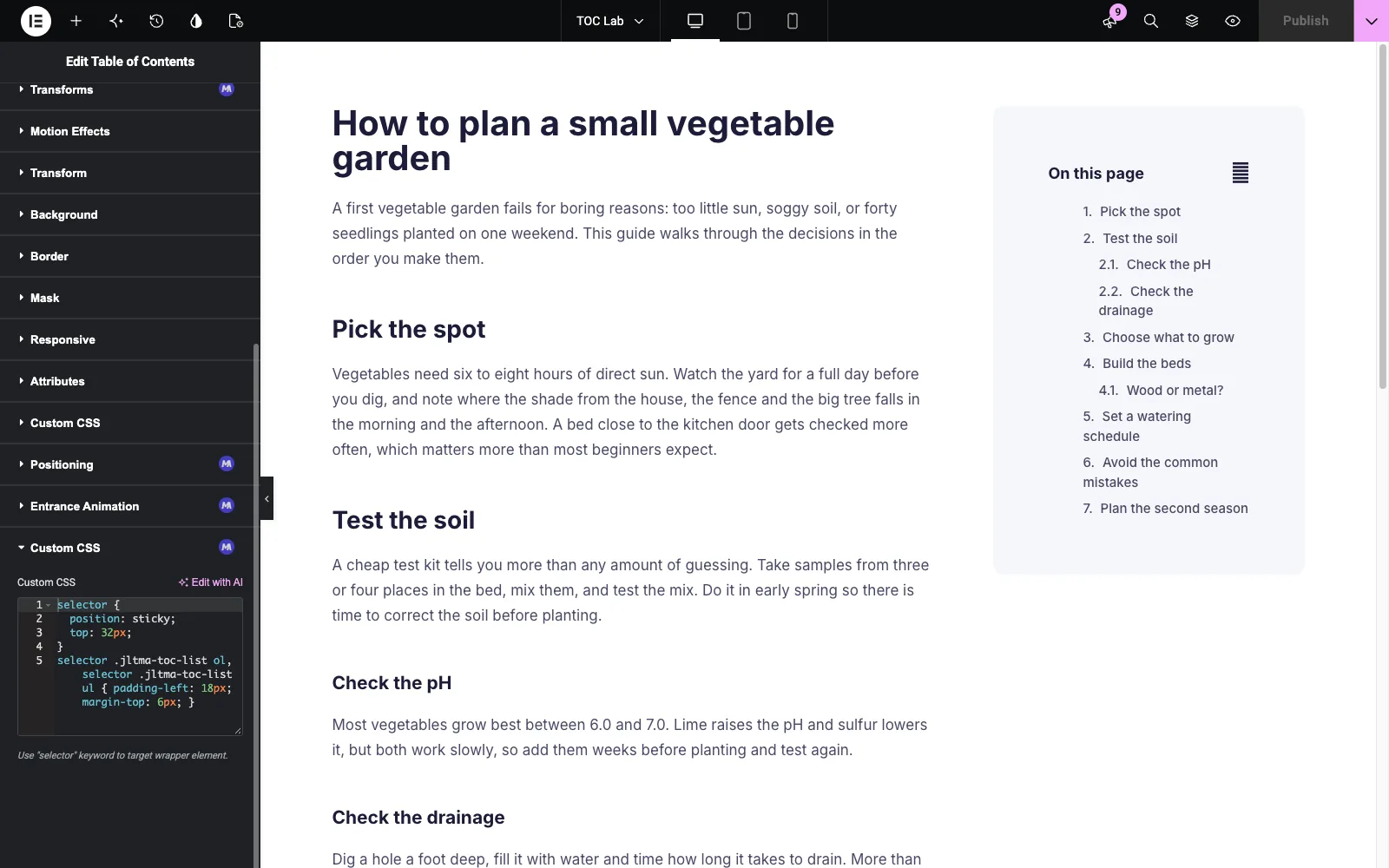
The sticky rule in the Master Addons Custom CSS section of the widget.
Elementor Pro Table of Contents vs Master Addons Table of Contents
Elementor’s Table of Contents widget needs an Elementor Pro license, and it gives you more control over which headings appear and how the list behaves while scrolling. Master Addons handles the everyday job without Pro and adds a back to top arrow.
| Feature | Elementor Pro | Master Addons |
|---|---|---|
| Price | Needs Elementor Pro | Included in Master Addons, no Elementor Pro |
| Which headings | Anchors By Tags (H1 to H6) plus a Container selector to limit the search area | Heading Tags (H1 to H6) from the main post or page content |
| Leaving headings out | Anchors By Selector, any CSS selector | CSS class jltma-toc-hide-heading on each heading |
| Markers | Numbers, or Bullets with an icon you choose | Default, Bullets or Numbers |
| Nesting | Hierarchical View toggle and Collapse Subitems | Always nested by heading level |
| Collapse | Minimize Box with expand and collapse icons, and a breakpoint where it starts minimized | Make Content Collapsible and Keep Collapsed Initially |
| Active item | Follows the section in view as the reader scrolls | Marks the item the reader clicked |
| Scroll settings | No speed or offset controls in the widget | Smooth scroll that stops about 30 px above the heading |
| Sticky | No setting in the widget; use Motion Effects Sticky on the widget or its column | No setting in the widget; add position: sticky with Custom CSS, or use Motion Effects Sticky with Pro |
| Back to top arrow | None | Scroll to Top with size and color controls |
If you already pay for Elementor Pro and want the list to track the reader as they scroll, use its widget. If you want a table of contents without Elementor Pro, with a collapsible box and a back to top arrow, use this one.
Pairs well with: Reading Progress Bar for a bar that fills as people read, Advanced Accordion and Tabs to fold long sections, Off-Canvas Content (Pro) for a slide-out menu, and Blog for the post lists those long articles sit in.
Table of Contents Plugin or an Elementor Widget?
WordPress has two kinds of table of contents: plugins that work on the post content, and widgets you place in the Elementor editor. The right one depends on how the page is built.
| Option | Where it works | Best for |
|---|---|---|
| Master Addons Table of Contents | Anywhere you place it in Elementor, including templates | Elementor sites that want the box styled with the design and a back to top arrow |
| Elementor Pro Table of Contents | Anywhere in Elementor, with an Elementor Pro license | Sites already on Pro that want the active item to follow the scroll |
| Easy Table of Contents, LuckyWP | Post content, inserted automatically or with a shortcode | Blogs written in the block editor or the Classic Editor |
| Rank Math table of contents block | Block editor posts on sites that use Rank Math | Gutenberg posts that only need a plain list |
Our roundup of the best table of contents plugins for WordPress compares eight of them, with install counts, shortcodes and sticky options.
Table of Contents Examples
Four live demos built with the widget. Open one, then import the same layout from the Template Viewer below.
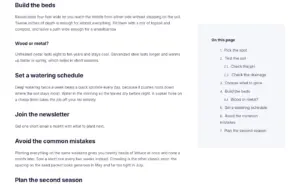
- Sticky sidebar: a numbered list in a narrow column that stays in view while the article scrolls, H3s nested under their H2s, and one heading left out with jltma-toc-hide-heading.
- List styles: Default, Bullets and Numbers side by side, built from the same headings.
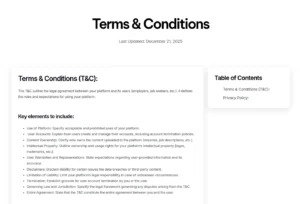
- Terms and Conditions page: the box in a right sidebar listing every section of a long legal page.
- Privacy policy page: the box on the left, with the clicked item in the Active color.
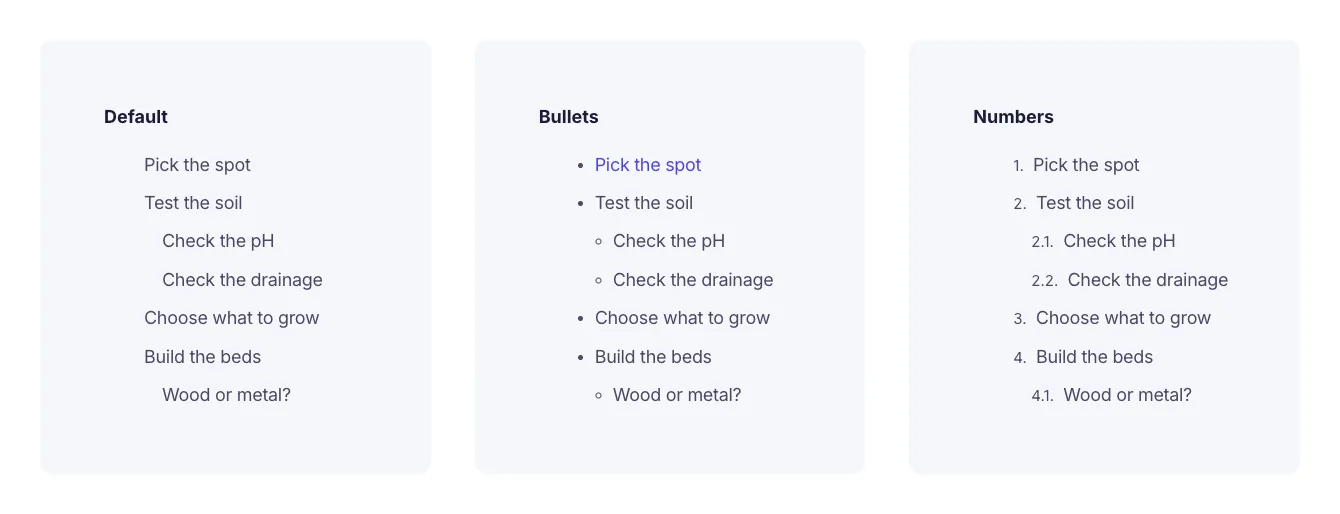
The three list styles on the same headings.

Frequently Asked Questions For Table of Contents
Do I need Elementor Pro for this table of contents?
No. The Table of Contents widget is part of Master Addons and runs on Elementor without Pro. Every setting on this page is included. Elementor’s own Table of Contents widget is the one that needs Elementor Pro.
How do I exclude a heading from the table of contents?
To drop a whole level, remove that tag from Heading Tags, for example H4. To hide one heading, select it in Elementor, open the Advanced tab and add jltma-toc-hide-heading to the CSS Classes field. It stays on the page but is left out of the list.
Does the active item change as the reader scrolls?
No. The Active color in Style, Content styles the item a reader clicks, and it moves when they click another item. The list doesn’t track the section on screen while scrolling. Elementor Pro’s Table of Contents widget does that.
Can I make the table of contents sticky?
Yes, though not from a switch in the widget. Put it in a sidebar column, then add selector { position: sticky; top: 32px; } in Advanced, Custom CSS. With Elementor Pro you can use Motion Effects, Sticky instead. Raise the top value if a fixed header sits over it.
How do I keep the table of contents expanded or collapsed when the page loads?
Turn on Make Content Collapsible. With Keep Collapsed Initially off, the box loads open and readers can fold it. With it on, the box loads showing only its title. There is no per-device setting, so for a closed box on phones and an open one on desktop, use two copies and hide each one in Advanced, Responsive.
Will the Scroll to Top arrow appear on every page?
Only on pages that contain this widget with Scroll to Top turned on. The arrow sits in the bottom right corner and shows after the visitor has scrolled about 250px down the page.
Can I use custom icons for the list markers?
Not from the widget panel. List Style offers Default, Bullets and Numbers, and the Content style section sets the font and colors. Custom marker icons would need your own CSS. Elementor Pro’s widget has an icon picker for bullets.
Why is my table of contents empty or listing the wrong headings?
The widget looks for headings inside .entry-content first, then .page-content, then the Elementor content area, and only for the tags picked in Heading Tags. An empty box shows “Add a header to begin generating the table of contents” and usually means the headings use a tag you didn’t select or sit outside that area. If a caching plugin delays JavaScript until the first scroll or click, the list stays empty until then, so exclude the Master Addons scripts from the delay.
A fixed header covers the heading after a jump. How do I fix it?
The jump stops about 30 px above the heading, which isn’t enough under a tall fixed header. Add this in Appearance, Customize, Additional CSS: .elementor-heading-title[id] { padding-top: 90px; margin-top: -90px; } Each heading then lands 90 px lower and looks the same on the page. Use your header height plus a little room.
Trending Elementor Widgets & Extensions
Build sophisticated websites in less time.

Glassmorphism

Container Extras

Patterns
![Master Addons Post/Page Duplicator extension for Elementor: MA Duplicator row link in the WordPress Pages list creating a Landing Page - [Duplicated #128] draft](https://d1asvmc6qcowgk.cloudfront.net/wp-content/uploads/2026/09/15102930/post-page-duplicator-768x403.webp)
Post/Page Duplicator
