

Disclosure: we build Master Addons. Some links in this post are affiliate links, including the ones to Ultimate Addons. If you buy through them we may earn a commission, at no extra cost to you.
Let’s get the awkward part out of the way. We make Master Addons for Elementor, and this post compares it to Ultimate Addons for Elementor (UAE) by Brainstorm Force. You already know how those posts usually end.
This one goes differently, mostly because 2026 wrecked the old comparison format anyway. Elementor shipped 4.0 with the Atomic Editor in March. WordPress 7.0 landed in May. A widget-count table from last year tells you almost nothing about what either plugin does on a site you build this week. So the question worth asking isn’t “who has more widgets.” It’s: which of these two plugins matches the way you actually build?
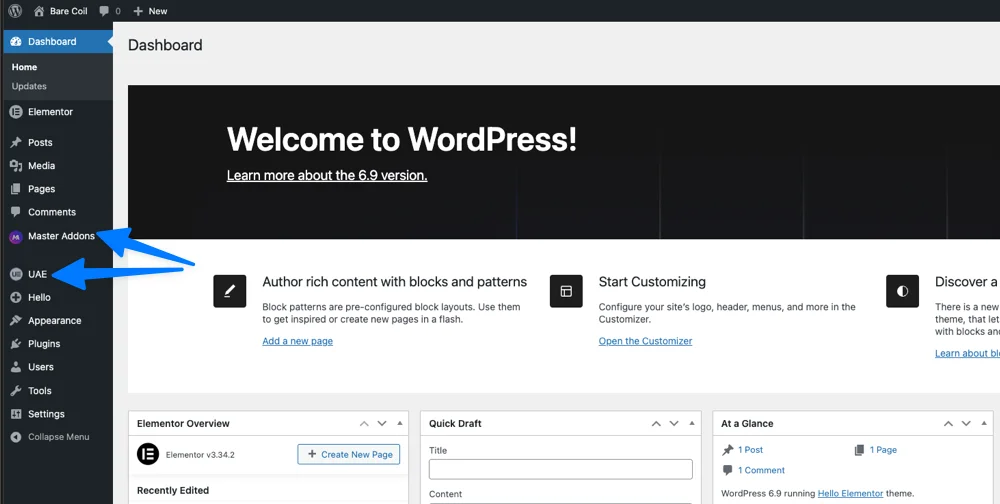
Quick verdict (for busy builders)
- Pick Ultimate Addons if your work is site structure: headers, footers, navigation, breadcrumbs, blog archives, WooCommerce plumbing on standardized client builds.
- Pick Master Addons if your work is the page itself: landing pages, marketing sections, interaction, motion, and the conversion elements you’d otherwise stitch together from three plugins.
- Both are free to start. UAE Pro is $69/year for 3 sites. Master Addons Pro is $39/year for 1 site or $99/year for 5.
- Running both is fine, and plenty of agencies do. More on that near the end.
2026 at a glance: the numbers that actually changed
Where both plugins stand as of July 2026, pulled from the plugin repository and each vendor’s pricing page rather than from a year-old blog post.
| Master Addons | Ultimate Addons (UAE) | |
|---|---|---|
| Maker | Jewel Theme | Brainstorm Force (Astra) |
| Current version | 3.1.5 | 2.9.1 |
| Active installs | 30,000+ | 2 million+ |
| Tested up to | WordPress 7.0.1 | WordPress 7.0.1 |
| Free widgets | 55+ widgets, 20+ extensions | 16 widgets, header/footer builder |
| Free theme building | Header, footer, comment form | Header, footer |
| Pro total | 80+ elements and extensions | 70+ widgets, 300+ templates |
| Timeline widget | Timeline: vertical, horizontal carousel and post timeline (Pro) | Content and post timeline (Pro) |
| Content toggle widget | Toggle Content: any number of options, text or a saved template in each (Pro) | Content Toggle (Pro) |
| Table widget | Dynamic Table: hand-built tables with merged cells, icons and images in cells, rows stack on phones; no sorting or CSV import | Table: CSV import, sorting and search (Pro) |
| Pro yearly | $39 (1 site) / $99 (5 sites) / $299 (unlimited) | $69 (3 sites) |
| Lifetime | From $129 (1 site) | From $249 (3 sites) |
| Refund window | 14 days | 14 days |
| Built for | Design, interaction, conversion | Structure, navigation, WooCommerce |
Two things about that table we’re not going to spin. UAE’s install count dwarfs ours, and it deserves to: the free plugin started life as Header Footer Elementor, and it solved a problem millions of people had back when Elementor Pro was still a stretch purchase. The other thing is that our free version does ship more widgets, and that’s a deliberate choice. We put creative elements in the free tier instead of holding them hostage.
What Elementor 4.0 changed, and why it matters here
Elementor 4.0 made the Atomic Editor official in March 2026, and since April every new Elementor site starts on version 4 by default. Atomic Elements bring reusable CSS classes, variables, and components. That’s a real shift in how styling gets applied, and it’s the first structural change to Elementor in years that developers actually care about.
For addon users, though, the fallout is smaller than the announcement made it sound:
- Legacy widgets and Atomic Elements coexist on the same page. Nothing you built with either addon broke on 4.0. Both plugins still register and render as classic Elementor widgets.
- Atomic’s promise is styling, not components. Classes and variables give you a design system. They don’t give you a countdown timer, a filterable gallery, or an exit-intent popup. Addons still own that layer.
- Elementor 4.2 in July 2026 adds Grid Layout and atomic forms. Layout primitives keep drifting into core, which means the addons that last are the ones doing things core will never bother to ship.
That last bullet is the strategic read on both plugins, and it cuts in an uncomfortable direction for everyone. UAE’s core value overlaps with what Elementor and themes tend to absorb over time: headers, footers, breadcrumbs. Ours sits further from core: motion, effects, conversion widgets, and a Widget Builder for making your own Elementor widget without touching PHP. That’s not a scoreboard. It just tells you which direction each plugin’s roadmap has to go.
Philosophy: this is where the real difference starts
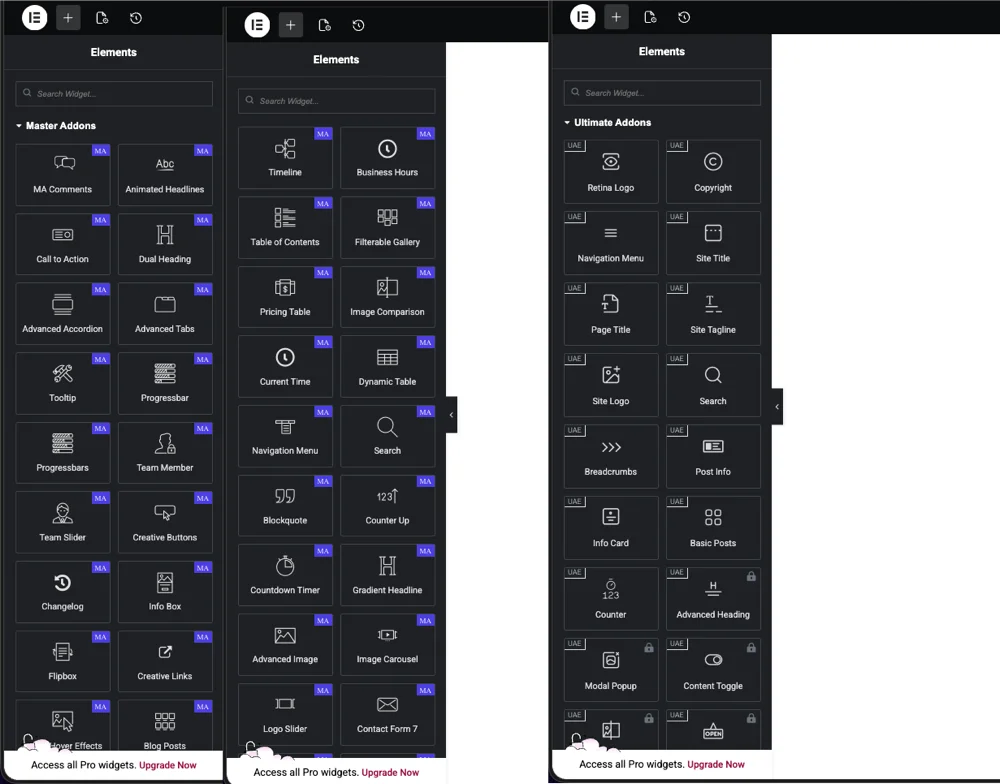
Most comparisons open with a widget list. That’s backwards. Open either plugin’s settings panel and you can feel the intent behind it in about thirty seconds.
Ultimate Addons: structure first
UAE is built stability-first. Headers, footers, navigation menus, site logo, site title, breadcrumbs, page title, post info, cart. It updates slowly and behaves predictably, which is exactly what you want when you’re handing a site to a client who will never open Elementor again.
Agencies like it for that reason. So do traditional business sites, and anyone trying to cover Elementor Pro basics without paying for Elementor Pro.
Master Addons: design and conversion first
We built Master Addons for people who spend their day on the page, not the chrome around it. Marketing pages. Landing pages. Sections that have to do something when a visitor scrolls or hovers.
So it leans toward visual storytelling, interaction, and conversion-focused widgets, and it puts controls on the surface instead of burying them under presets. Less an Elementor Pro replacement, more an expansion of what Elementor can say.
Free version comparison (where most people actually start)
Both plugins have a real free version, not a crippled demo. Here’s what you get without paying either of us.
UAE Free: strong where structure matters
The free plugin gives you a header and footer builder plus 16 widgets: Basic Posts, Woo Product Grid, Counter, Navigation Menu, Site Logo, Site Title and Tagline, Search, Cart, Page Title, Breadcrumbs, Post Info, Scroll to Top, Reading Progress Bar, Info Card, Copyright, and a Post Duplicator.
Read that list again and notice what it really is. It’s a theme framework living inside Elementor. If your thought is “I just want control over my header, menu, and footer without buying Elementor Pro,” UAE Free does that job cleanly, and it has done it for a couple million sites.
Master Addons Free: broader and more creative
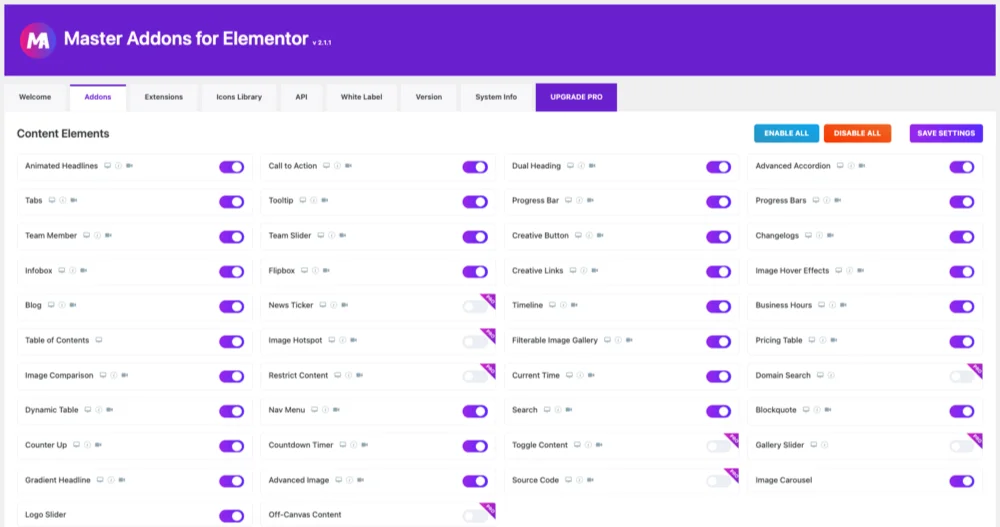
Our free version takes a wider swing: 55+ widgets and 20+ extensions. Animated Headlines, Dual Heading, Gradient Headline, Advanced Accordion, Tabs, Table of Contents, Timeline, Flipbox, Infobox, Image Comparison, Filterable Image Gallery, Image Carousel, Logo Slider, Team Member, Team Carousel, Countdown Timer, Counter Up, Pricing Table, Business Hours, Progress Bars, Creative Button, and a Nav Menu with mega menu support.
Extensions are the half people skip past. The free tier also includes Particles, Glassmorphism, Background Slider, Wrapper Link, Positioning, Custom Breakpoints, Dynamic Tags, Custom CSS, and a Post/Page Duplicator. Those are what make a section feel designed instead of assembled. Want to see one work? The particles background tutorial takes about five minutes start to finish.
Form styling is free too: Contact Form 7, WPForms, Ninja Forms and weForms all get a widget. The Gravity Forms widget is the one form styler that needs Pro.
Theme Builder in the free version: an important clarification
This one gets misreported enough that it needs its own section.
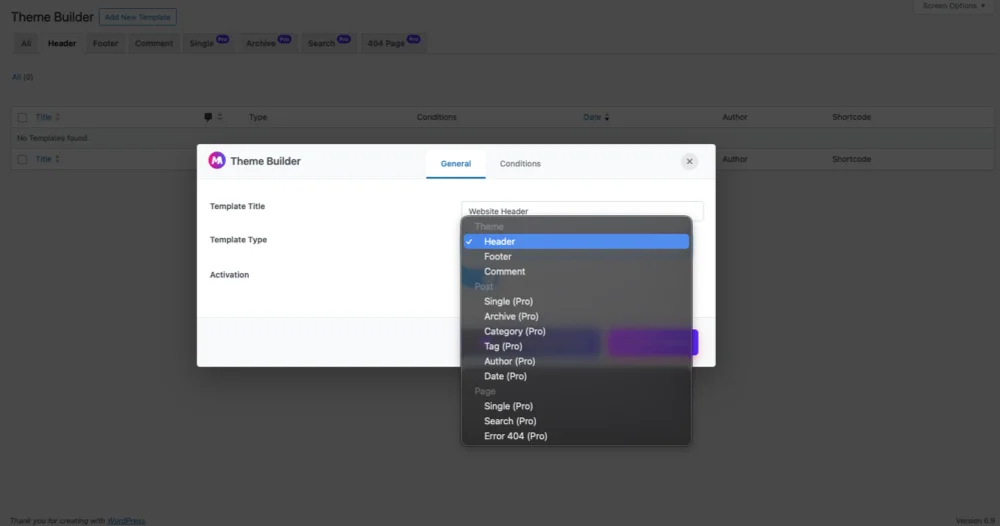
In free Master Addons, the Theme Builder lets you build three template types visually, no Elementor Pro required:
- Header, with display conditions controlling exactly where it shows up
- Footer, the fastest route if you’re trying to edit the footer in WordPress with Elementor
- Comment form, which almost every theme leaves ugly
The caveat, stated plainly: free Master Addons doesn’t try to replace every Elementor Pro template type. Archives, single templates, search, and 404 pages are Pro. We covered the three areas people customize first and left the rest behind the paywall.
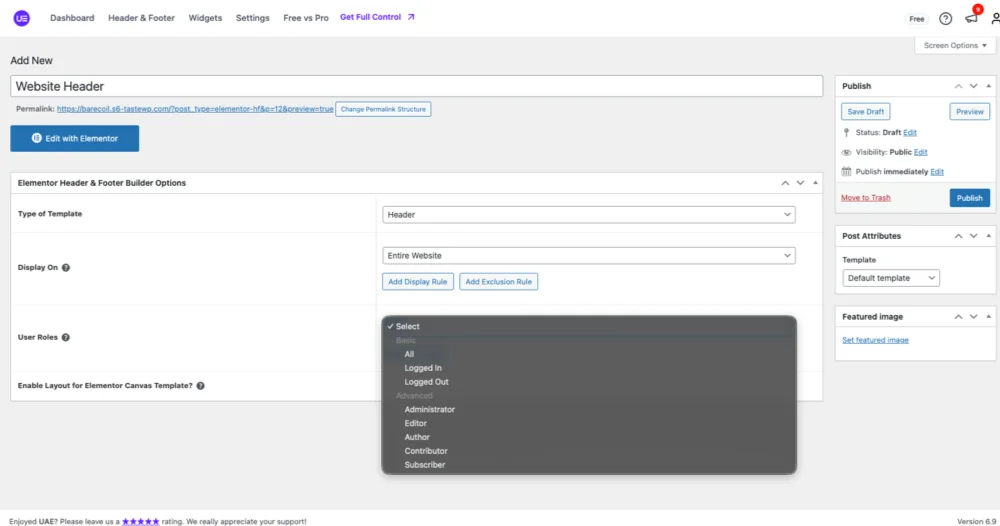
Set against that, UAE Lite’s header and footer builder is arguably more battle-tested, with navigation widgets built for the classic logo, menu, content, footer arrangement. If your header is a container for a menu, UAE feels natural. If your header is part of the design, our builder gives you more room to break the grid. The sticky header guide shows the kind of thing we mean.
Widgets vs extensions: two different bets
This distinction is subtle, and it explains most of the gap between the plugins.
UAE bets on widgets: site-wide elements, navigation, UX utilities, blog layouts, WooCommerce building blocks. The things that appear on every page of a site.
Master Addons bets on widgets plus extensions: an extension isn’t a widget you drag in, it’s a capability bolted onto every Elementor element. Turn on Floating Effects (Pro) and any widget can float. Turn on Display Conditions and any widget can hide itself based on login state, date, device, or user role. Turn on Wrapper Link and a whole section becomes clickable, which is the sort of thing you’d otherwise solve with a snippet of custom JavaScript that breaks on the next theme update.
Neither bet is wrong. They serve different workflows, and you’ll usually know within one project which one describes you.
Pro versions: capability, not checkbox battles
UAE Pro focuses on
- A deep WooCommerce builder
- Blog and post layouts
- Cross-site copy and paste
- Form stylers and display conditions
- 300+ premium starter templates, plus bundling with Astra Pro and Spectra Pro at higher tiers
Master Addons Pro focuses on
- Conversion widgets and marketing components
- Advanced interactions, motion, and animation effects
- A Popup Builder with exit-intent, scroll, time-based, and after-inactivity triggers
- The Widget Builder, which builds custom Elementor widgets visually with 25 control types and no PHP
- White Label, so the plugin carries your agency’s name on client sites
- Template Kits, full site designs you import in one click
- Elementor page templates, single pages you import one at a time
The bundling difference is worth saying out loud. UAE’s higher tiers pull in the rest of the Brainstorm Force suite, and that’s real value if you already live in that ecosystem. Our Pro pulls in more tools inside Elementor instead. Compare the tiers yourself on our pricing page and on UAE’s pricing page.
Performance and stability
Both plugins are modular. Both let you switch off widgets you aren’t using, and both should be switched off aggressively. What a plugin costs you on the front end comes down to how many of its assets you let load, not how many widgets sit in the box.
Where they differ:
- UAE updates conservatively. Fewer releases, fewer surprises. Across a 200-site agency portfolio, that’s worth real money.
- Master Addons moves faster. Version 3 rewrote our asset loading and made the plugin roughly 3x faster than v2, and we ship features more often. The changelog shows the cadence, judge it for yourself.
Pick whichever side of that trade matches your appetite for risk. And keep it in proportion: most Elementor slowness has nothing to do with the addon, which is why our Elementor speed guide spends more time on images and hosting than on plugins. Once the build is done, run through our Elementor SEO checklist so the pages you designed actually get found.
Who should choose Ultimate Addons
UAE is the better fit if you:
- Build standardized client sites at volume
- Care most about navigation, headers, and structure
- Want to cover Elementor Pro basics without paying for Elementor Pro
- Run WooCommerce-heavy projects
- Already use Astra and want everything in one bundle
- Prefer slow, predictable updates
Who should choose Master Addons
Master Addons is the better fit if you:
- Design landing pages and marketing sites
- Care about conversion elements and interaction
- Want creative control instead of presets
- Need a popup builder, animation, and effects without adding three more plugins
- Want to build custom widgets without writing PHP
- Are an agency that needs white labeling on a $39 or $99 plan rather than an enterprise tier
Can you use both together?
Yes, and a lot of professionals do. The usual setup is UAE for headers, menus, and structure, with Master Addons handling creative sections and conversion elements.
Two rules if you go that way. Disable the overlapping widgets in both plugins, or you’ll ship two navigation menus’ worth of assets to every visitor. And let one plugin own your theme templates instead of splitting header duty between them. We’ve seen that exact conflict land in support: two theme builders both convinced they own the header, and a site that renders it twice on archive pages. Elementor rewards restraint.
Final verdict
This was never about which plugin is better. It’s about what you build.
UAE builds foundations. It has 2 million installs because it solved structure before anyone else did, and it still does that job well. Master Addons builds the parts of a page that have to persuade somebody: the motion, the interaction, the sections a visitor still remembers an hour later. On Elementor 4.0, with core steadily swallowing layout and styling, we’d argue that second layer is where addons earn their keep.
Install both free versions on a staging site and give them one afternoon. You’ll know which one thinks like you do faster than any comparison table can tell you, this one included.
If something here is wrong or out of date, tell us and we’ll fix it. The Elementor ecosystem gets stronger when comparisons stay honest.
Frequently asked questions
Is Master Addons a good alternative to Ultimate Addons for Elementor?
It is, if your work leans toward design and conversion. Master Addons Free ships 55+ widgets and 20+ extensions against UAE Free’s 16 widgets, and Pro starts at $39/year versus $69/year. UAE stays the stronger pick for navigation-heavy and WooCommerce-heavy structural builds.
Do Master Addons and Ultimate Addons work with Elementor 4.0?
Yes. Both are tested up to WordPress 7.0.1, and both register as classic Elementor widgets, which still run alongside Atomic Elements on the same page in Elementor 4.0. Nothing you built with either plugin broke when the Atomic Editor became the default.
Can you use Master Addons and Ultimate Addons on the same site?
Yes. Disable the overlapping widgets in each plugin’s settings, and let only one of them handle your theme templates. A typical split is UAE for header, footer, and navigation, with Master Addons on landing page sections, popups, and effects.
Which plugin has a better free theme builder?
UAE Lite’s header and footer builder is more battle-tested for classic layouts. Master Addons Free adds a comment form builder and display conditions on top of headers and footers, with more freedom for creative headers. Neither free tier covers archive or single templates.
Which one is cheaper?
Master Addons, at most tiers. Pro runs $39/year for one site or $99/year for five, with lifetime licenses from $129. UAE Pro is $69/year for three sites, lifetime from $249, though its higher tiers bundle in Astra Pro and other Brainstorm Force tools that pay for themselves if you use them.
Related reading
- 100 Best Elementor Addons, if you want the wider field rather than a head-to-head
- Best WordPress Page Builder Plugin, for the layer below both of these plugins
- Elementor Marketing Widgets, a closer look at the conversion elements mentioned above
- Master Addons on WordPress.org, if you’d rather skip the reading and just install the free version
