


Any business site with a real address needs a map. A good WordPress Google Maps plugin lets you drop an interactive map onto a page, add markers for one location or a thousand, and hand visitors directions without writing code. Picking one is the hard part. The plugin directory is full of map tools, and they range from a two-minute embed to a full store-locator system with filtering, clustering, and geolocation search.
We went through the map plugins that still hold up in 2026, free and premium, so you can match one to your site instead of installing three and deleting two. For each one you get what it does best, what it costs, and who it suits. At the end we cover how to add a map with no plugin at all, and how to build the rest of your contact or location page around it with Master Addons for Elementor.
What this guide covers
- Why add Google Maps to your site
- What to look for in a map plugin
- Quick comparison table
- The 13 best Google Maps plugins
- Honorable mentions
- Add a map without a plugin
- Build the full location page with Master Addons
- Which plugin should you choose?
- Frequently asked questions
Why add Google Maps to your WordPress site?
A map does more than fill space on a contact page. It answers the one thing a local visitor actually wants to know: where are you, and how do I get there? An interactive embed beats a flat address because people can tap it and get turn-by-turn directions on their phone. That shortens the trip from “found your site” to “walked in the door.”
There’s an SEO angle too. When an embedded map sits next to a consistent name, address, and phone number, it backs up the local signals Google already pulls from your Google Business Profile. And if you run more than one location, a store locator turns a boring text list into a searchable map people will actually use.
You can paste a raw Google Maps embed, sure. A plugin gives you custom marker icons, styled maps, multiple pins, info popups, clustering, and location search, all editable from the dashboard instead of buried in hand-written HTML. Change your address once and every map on the site updates.
What to look for in a WordPress map plugin
Before the list, here’s what separates a map plugin you’ll keep from one you’ll uninstall by Friday:
- API key requirement. Google now wants an API key with billing enabled for most map embeds. Plugins that also support OpenStreetMap or Leaflet let you skip the key and the billing setup completely. Glance at the Google Maps Platform pricing before you commit to a Google-only tool.
- Markers and clustering. One pin is trivial. Dozens or hundreds of them need clustering, or the map turns into an unreadable pile of pins when zoomed out.
- Store locator and search. Multi-location businesses want a search box, radius filtering, and category filters, not a wall of static pins.
- Performance. Map scripts are heavy. Lazy loading, where the map only loads when it scrolls into view, keeps them from dragging down your page speed.
- Privacy. Google Maps sets cookies and phones home to Google. If GDPR is on your radar, an OpenStreetMap option or a consent gate is worth having.
- Pricing model. Some tools charge once, others charge every year. Over the life of a site, a one-time license usually comes out ahead.
Quick comparison: best WordPress Google Maps plugins
| Plugin | Price | API key needed? | Best for |
|---|---|---|---|
| Mapfy | Free | No (Leaflet / OpenStreetMap) | Key-free Gutenberg maps |
| WP Go Maps (was WP Google Maps) | Free / Pro one-time | Optional (OpenLayers built in) | Most sites, all-round pick |
| Google Maps Widget | Free / Pro | Yes | Fast single-location sidebar maps |
| Maps Marker Pro | Premium | Optional (multi-provider) | Privacy-focused, multi-map projects |
| WP Google Map Plugin | Free / Pro | Yes | Styled maps with many pins |
| Google Maps Easy | Free / Pro | Yes | Rich marker info (media, links) |
| MapPress Maps | Free / Pro | Yes | Gutenberg users, Leaflet fans |
| WP Store Locator | Free | Yes | Free store locator |
| Agile Store Locator | Free / Pro | Yes | Large multi-store directories |
| GEO my WP | Free | Yes | Developers, member/listing maps |
| Simple Google Maps Shortcode | Free | Yes | Quick shortcode embeds |
| Very Simple Google Maps | Free | Yes | One-line lightweight embed |
| Flexible Map | Free | Yes | Multiple lightweight maps per page |
1. Mapfy
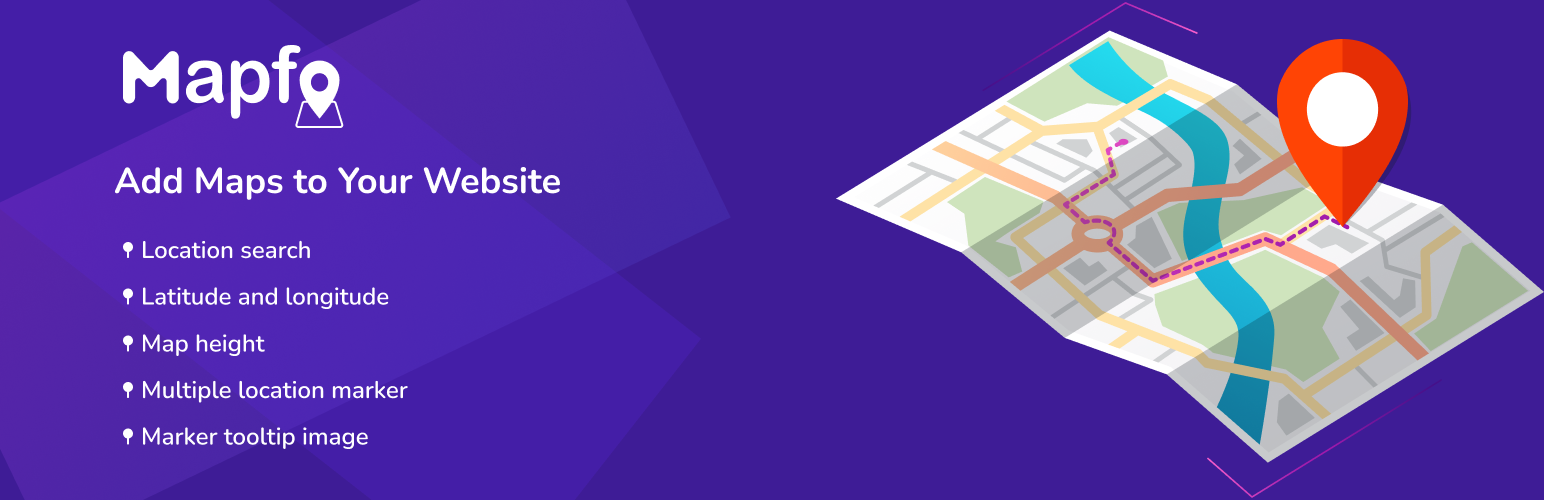
Mapfy is the free, open-source pick that skips Google’s API key entirely. Built by the Master Addons team on LeafletJS and OpenStreetMap, it adds an interactive map through a native Gutenberg block, so you drop a map into any post or page without wrestling a settings maze or setting up a billing account.
For a lightweight plugin it does real work: multiple markers, image and text tooltips, custom marker uploads, a location search box, and several map styles and variations to match your design. If you want a Google-Maps-style embed that stays private, no Google key and no billing, and lives right in the block editor, this is the one to try first.
- Best for: Key-free interactive maps straight from the Gutenberg editor
- Standout: Runs on LeafletJS and OpenStreetMap, so no Google API key or billing
2. WP Go Maps (formerly WP Google Maps)

This is the plugin most people picture when they say “WordPress Google Maps plugin.” It used to be called WP Google Maps, got renamed to WP Go Maps, and now sits at the top of WordPress.org with well over 25 million downloads and thousands of five-star reviews. If you only try one plugin from this list, try this one first.
Here’s why it keeps the crown: the free version ships with a built-in OpenLayers engine, so you can build a real interactive map, multiple markers, custom descriptions, basic styling, without a Google Maps API key or a billing account. Add a Google key later if you want the familiar Google look. Pro is a one-time payment rather than a yearly subscription, and it adds marker clustering, custom marker icons, heatmaps, marker categories with filtering, and a store locator.
- Free tier: Yes, and it’s actually usable
- Best for: Almost any site that needs a dependable map
- Standout: Runs with no API key thanks to OpenLayers
View WP Go Maps on WordPress.org
3. Google Maps Widget

Want a single-location map in a sidebar or footer that loads fast? This is the classic pick. Instead of loading the whole interactive map on page load, the free Google Maps Widget shows a static thumbnail and only opens the interactive lightbox when someone clicks it. That one trick keeps your page speed intact, which is exactly what you want on a contact or about page.
It supports custom pin icons, it’s responsive, and it works in multiple languages. Pro throws in more map sizes, extra pin styles, and finer customization. For a business with one address, it’s tough to beat on sheer simplicity.
- Best for: A single location in a sidebar or footer
- Standout: Static thumbnail keeps the page quick
4. Maps Marker Pro
Maps Marker Pro is the premium option for anyone who cares about privacy or wants to steer clear of Google. It supports several base maps, Google Maps, Bing, Mapbox, and OpenStreetMap, so you pick the provider that fits your budget and your GDPR stance. Switch from Google to OpenStreetMap and the whole API-key-with-billing headache goes away.
Past the provider choice, it handles unlimited markers, layers, import and export, and geolocation. It’s paid only, but for agencies building client sites in the EU, the privacy control alone earns back the price.
- Best for: Privacy-conscious and multi-map projects
- Standout: Google, Bing, Mapbox, and OpenStreetMap in one plugin
5. WP Google Map Plugin

This one is all about design. It ships with hundreds of pre-built map styles (it pulls from Snazzy Maps), plus custom filters, responsive templates, location listings, and multiple views. If you’d rather have a map in your brand colors than the default gray-and-white, this gets you there fastest.
The free version covers the basics. Pro adds listing layouts, category filtering, and store-locator features. It does need a Google Maps API key, so factor that in.
- Best for: Styled, on-brand maps with several markers
- Standout: Big library of ready-made map styles
6. Google Maps Easy

Google Maps Easy is built around rich markers. Each pin can hold text, images, video, and links, so a marker becomes a little info card instead of a plain dot. That makes it a natural fit for directories, event maps, or anywhere each location needs a bit of context.
It handles unlimited markers and directions, stays responsive, and gives you plenty to customize. The free version does real work, and the Plus tier adds more marker and map controls.
- Best for: Markers that carry media and detail
- Standout: Media-rich info popups per marker
7. MapPress Maps for WordPress

MapPress is the one for block editor fans. It adds maps through a Gutenberg block and supports both Google Maps and Leaflet (OpenStreetMap), so you can go key-free with Leaflet if you’d rather. Drop the block into a post, add unlimited markers, done.
The free version handles most needs. Pro brings custom marker icons, clustering, and searchable “mashups” that pull maps from several posts into one, which is handy if you run a real estate or listing site on custom post types.
- Best for: Gutenberg users and Leaflet/OpenStreetMap fans
- Standout: Native block plus mashup maps from post data
8. WP Store Locator

Need a store locator without paying for one? WP Store Locator is genuinely free and friendly to developers. It handles unlimited stores, custom metadata per location, filter options, custom map styles, and a handful of ready marker icons. A visitor types a location and gets the nearest stores on a map with a results list beside it.
It wants a Google Maps API key and rewards a little comfort with settings, but for a free store-finder it’s surprisingly complete. One thing to watch: with a lot of locations, keep an eye on your API usage so you don’t trip the billing threshold.
- Best for: A free store locator you can extend
- Standout: Full locator features at zero cost
9. Agile Store Locator

Agile Store Locator (it’s listed on WordPress.org as Store Locator) is built for scale. It runs on the Google Maps JavaScript API and gives you a responsive interface, store and category management, a “use my location” button, and multilingual support. If you’re wrangling hundreds of dealer or branch locations, its admin tools take a lot of the pain out of bulk management.
The free version works. Pro adds analytics, more layouts, and advanced filtering, and the premium tier starts cheap.
- Best for: Large multi-store or dealer directories
- Standout: Solid back-end store management
10. GEO my WP

GEO my WP is the developer’s toolkit. It bolts geolocation, mapping, and proximity search onto almost anything, posts, users, members, custom post types, which is why membership directories, classifieds, and community sites love it. Build progressive location forms, use a single shortcode, and theme the results however you like.
It’s free and endlessly extensible, but it assumes you’re comfortable configuring things. Casual users will find it heavier than a plain map plugin. Developers will find it worth the learning curve.
- Best for: Member and listing sites that need proximity search
- Standout: Geolocate any post type, not just stores
11. Simple Google Maps Shortcode

It does what the name says. You get a clean shortcode and next to no settings screen. Paste the shortcode with an address and you have a map. It supports multiple pins and clustering, and you can reuse the same shortcode anywhere. For developers who don’t want a settings panel to babysit, it’s a relief.
- Best for: Quick shortcode embeds with no fuss
- Standout: No admin screen to learn
12. Very Simple Google Maps

The lightest tool here. Very Simple Google Maps does one job: put a map on your page with a single shortcode and no admin settings at all. It hooks to your Google Business location and stays out of the way. When you want a map and nothing else, nothing on this list has a smaller footprint.
- Best for: The bare minimum, one map, one line
- Standout: Basically zero configuration
13. Flexible Map

Flexible Map is a lightweight plugin that earns its spot when you need several maps on one page or post. It runs on a simple shortcode, stays responsive, and keeps its dependencies minimal, so it won’t bog down a page that’s already doing a lot. A no-nonsense pick for documentation or multi-branch pages.
- Best for: Multiple lightweight maps on a single page
- Standout: Low overhead, shortcode-driven
Honorable mentions: Snazzy Maps, Map Multi Marker & Google Maps CP
A few more tools are worth knowing about even if they didn’t crack the main ranking:

Snazzy Maps isn’t a full map plugin, it’s a library of hundreds of free Google Maps styles. Copy a style, paste it into any plugin that takes custom JSON styling, and your map restyles instantly. Pair it with WP Go Maps or WP Google Map Plugin.

Map Multi Marker is about markers that carry a title, image, description, full address, phone, and website link, with AJAX tooltips and multilingual support. Good for small directories.

Google Maps CP packs unlimited markers, geolocation, address matching, and heavy customization into a free download. A capable free fallback if the bigger names feel like overkill.
How to add Google Maps to WordPress without a plugin
If you only need a single static map and want nothing extra running, skip plugins entirely:
- Open Google Maps and search your address.
- Click Share, then the Embed a map tab.
- Copy the
<iframe>code. - Paste it into a Custom HTML block (Gutenberg) or an HTML widget in Elementor.
Free, no API key, works right away. The catch: no custom markers, no styling, no clustering, no store locator. For a single “here we are” map, that’s fine. The moment you need more, one of the plugins above earns its keep.
Build your full contact and location page with Master Addons
A map is only one piece of a good location page. Around it you usually want business hours, a decent-looking contact form, your team, and a layout that holds together, and that’s where Master Addons for Elementor comes in. To be clear, it doesn’t replace the map plugins above. It builds everything that sits next to the map, using 80+ widgets and extensions inside Elementor.
- Show your opening times with the Business Hours widget right beside the map.
- Restyle your Contact Form 7 form so it matches your brand instead of the plain default.
- Add a team members section so visitors see the faces behind the address.
- Use the Theme Builder to keep the header and footer consistent across every location page.
Embed your map plugin in an Elementor section, drop Master Addons widgets around it, and the location page comes together fast. A lot of these widgets are free; the rest ship with Master Addons Pro, which comes with a 14-day money-back guarantee.
Which WordPress Google Maps plugin should you choose?
Short version:
- Key-free, in the block editor: Mapfy, free, Leaflet/OpenStreetMap, no API key.
- Most sites: WP Go Maps, free, reliable, no API key needed.
- Single location, top speed: Google Maps Widget.
- Privacy or no Google: Maps Marker Pro on OpenStreetMap.
- Store locator on a budget: WP Store Locator free, or Agile Store Locator at scale.
- Gutenberg users: MapPress.
- Developers: GEO my WP.
Pick the one that fits your use case, then build the page around it with Master Addons. You’ll spend less time fighting shortcodes and more time turning visitors into walk-ins.
Frequently asked questions
What is the best free WordPress Google Maps plugin?
WP Go Maps (formerly WP Google Maps) is the best free option for most sites. Its free version includes a built-in OpenLayers engine, so you can create an interactive map with multiple markers and descriptions without a Google Maps API key or a billing account.
Do I need a Google Maps API key for WordPress?
For most Google-based map plugins, yes. Google requires an API key with billing enabled. You can dodge it by using a plugin that supports OpenStreetMap or Leaflet, like WP Go Maps, MapPress, or Maps Marker Pro, since those run without a Google key.
How do I add a store locator to WordPress?
Use a locator plugin like WP Store Locator (free) or Agile Store Locator. Import your locations, add an API key, and the plugin builds a searchable map with a results list. A visitor enters a location and sees the nearest stores by distance.
Does a Google Maps plugin slow down my WordPress site?
Map scripts are heavy, so they can. Cut the impact with a plugin that lazy loads or uses a static-thumbnail mode, like Google Maps Widget, so the interactive map only loads when a visitor scrolls to it or clicks.
Can I add Google Maps in Elementor?
Yes. Embed any map plugin’s shortcode in an Elementor section, or paste a Google Maps iframe into an HTML widget. Then use Master Addons widgets like Business Hours and a styled Contact Form 7 around it to finish the location page.
Related reading
