Table of Contents
If you want the widest widget library and the biggest community around it, pick Essential Addons. If you want a free popup builder, a free theme builder, and a widget builder that lets you create custom Elementor widgets without code, at a lower entry price, pick Master Addons. Both plugins are solid. This guide breaks down where each one actually wins, and where it does not.
We make Master Addons, so read this with that in mind. Every number below is pulled straight from wordpress.org and each plugin’s own pricing page, and we point out plainly where Essential Addons is the better pick. If something here turns out wrong, tell us and we will fix it.
Feature Comparison: Master Addons vs Essential Addons
Here is the full side-by-side, pulled from wordpress.org and each vendor’s pricing page.
| Feature | Master Addons | Essential Addons |
|---|---|---|
| Active installs (wordpress.org) | 30,000+ | 2,000,000+ |
| Rating (wordpress.org) | 4.5/5 from 211 ratings | 4.9/5 from about 4,098 ratings |
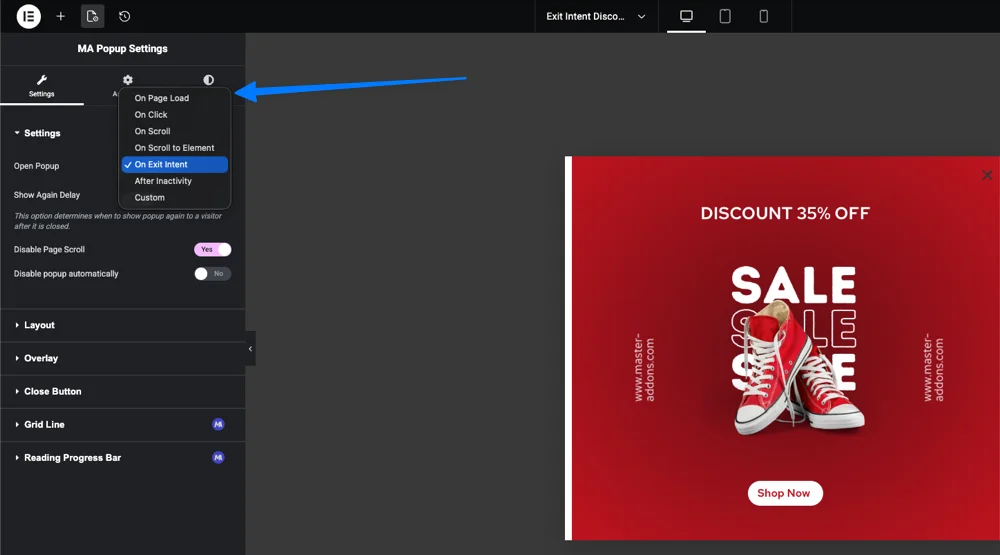
| Free popup builder | Yes, 5 triggers: click, page load, exit intent, scroll, inactivity | No dedicated popup builder (Lightbox and Modal extension only) |
| Free theme builder | Yes: header, footer, single, archive, search, 404, comment form | Not offered as a standalone builder |
| Mega menu | Yes, free, any widget can drop inside a menu panel | Yes, via the Advanced Menu widget |
| Per-widget display conditions | Yes, included from the $39/year Personal plan | Yes, via the Conditional Display extension |
| Custom breakpoints | Yes, free, unlimited custom device sizes | Not offered as an add-on (Elementor Pro covers this natively) |
| No-code widget builder | Yes, unique to Master Addons | Not offered |
| Content toggle | Toggle Content (Pro): switch between two or more blocks, each one text or a saved template | Yes, a Content Toggle widget |
| Widget count | 55+ free, 80+ elements and extensions total | 120+ widgets total, free and Pro combined |
| Admin dashboard ads | None reported | Reported by some users in wordpress.org reviews |
| Asset loading | Off by default, loads only what you enable | Some users report assets loading site-wide |
| Entry price (Pro, 1 site/year) | $39 | $49.97 |
A few of those rows deserve context, so we cover them in the sections below instead of leaving you with a bare table.
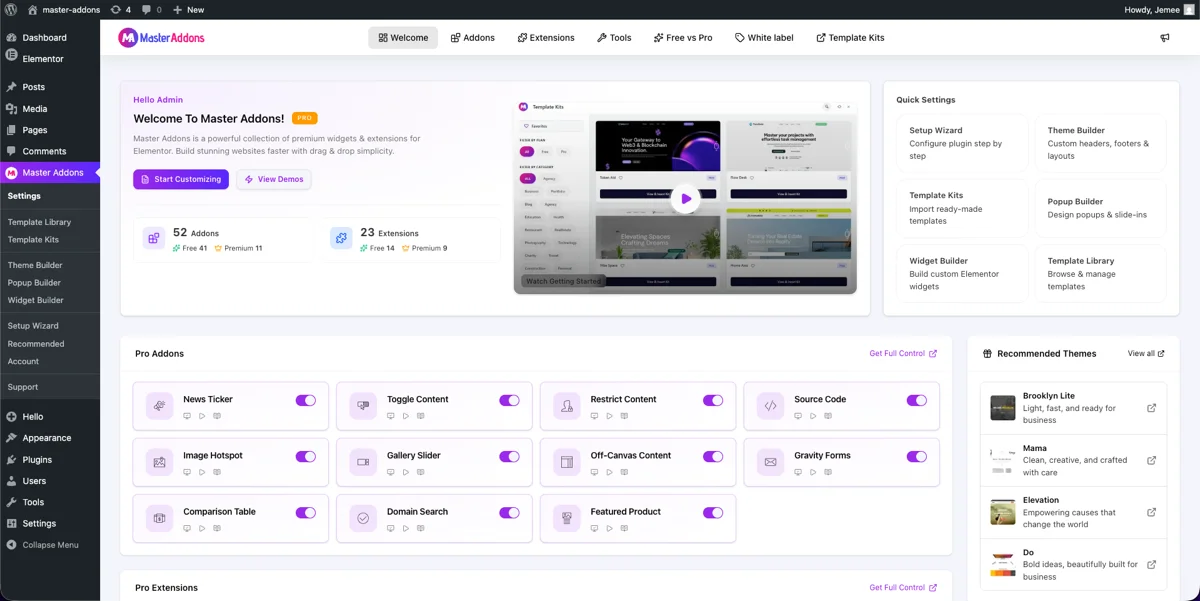
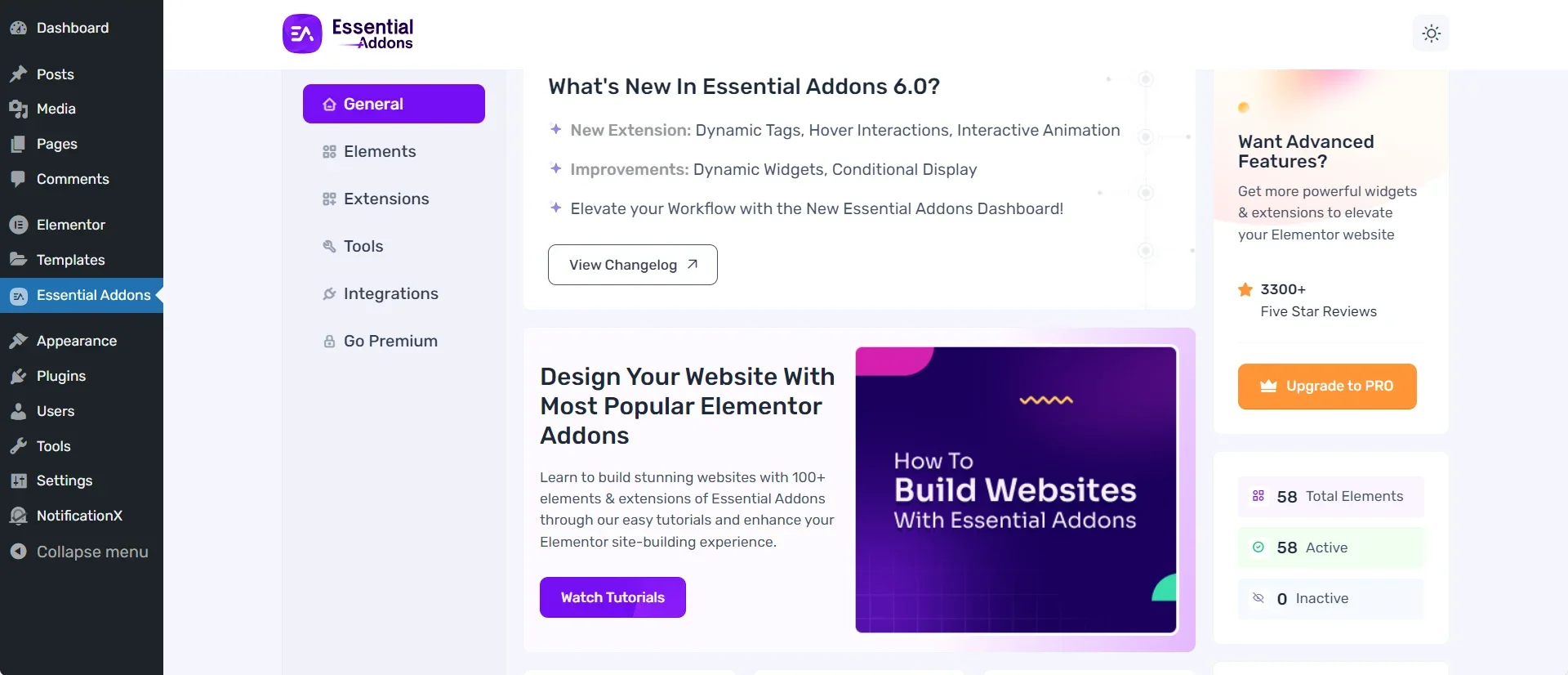
And here is the Essential Addons 6.0 dashboard for comparison. Same idea, different layout: elements and extensions live in the left sidebar tabs, with active and inactive counts summarized on the right.
What Essential Addons Does Best
Essential Addons earned its 2 million installs, and it is worth saying plainly where it beats us.
- Widget count. 120+ widgets covers more ground than any other Elementor addon plugin, including deep WooCommerce widgets like Woo Product Carousel, Woo Checkout, and Woo Account Dashboard.
- Template library. Essential Addons ships with 6,500+ ready templates on wordpress.org, which is a bigger head start than most competitors offer.
- Ecosystem maturity. The plugin has existed for years, updates constantly, and integrates with a long list of third-party tools: BetterDocs, LearnDash, Typeform, Fluent Forms, and more.
- Community size. With roughly 4,098 reviews and 2 million active installs, far more people have hit the same bug or question you have, and far more tutorials exist for it.
- Documentation depth. Essential Addons documents nearly every widget with its own guide, which shortens the learning curve for teams handing off client sites.
- Data tables. Essential Addons has an Advanced Data Table widget with search, sorting, pagination and CSV import. Our Dynamic Table widget is for tables you type in by hand. It has merged cells, icons and images in cells, and rows that stack on phones, but it does not sort or import.
If any of those six points matter more to you than what follows, Essential Addons is the right plugin. We would rather tell you that up front than pretend otherwise.
What Master Addons Does Best
This is where we make our case, and we will back each point with a link so you can check it yourself.
Tabs are a good like-for-like test. Essential Addons keeps Advanced Tabs in its Pro tier, while Master Addons has its own Tabs widget, so compare those two directly if tabbed content is on your list.
- A free popup builder with five triggers: on click, on page load, on scroll, on exit intent, and after inactivity, plus 100+ ready templates. Elementor itself gates popups behind Elementor Pro.
- A free theme builder covering header, footer, single post, archive, search results, and 404 templates, no Elementor Pro required.
- A free mega menu builder that lets you drag any Elementor or Master Addons widget into a menu panel.
- A widget builder that turns HTML, CSS, and JavaScript, including AI-generated components or CodePen snippets, into a native, reusable Elementor widget with no PHP. Most competitors, Essential Addons included, have no equivalent.
- Custom breakpoints beyond the default mobile, tablet, and desktop views, free, with no add-on required.
- A modular architecture: every widget and extension ships off by default. You turn on only what a project uses, and the rest never loads its assets.
- No advertisements inside the WordPress admin.
- The lowest entry price in the category, at $39 a year for one site.
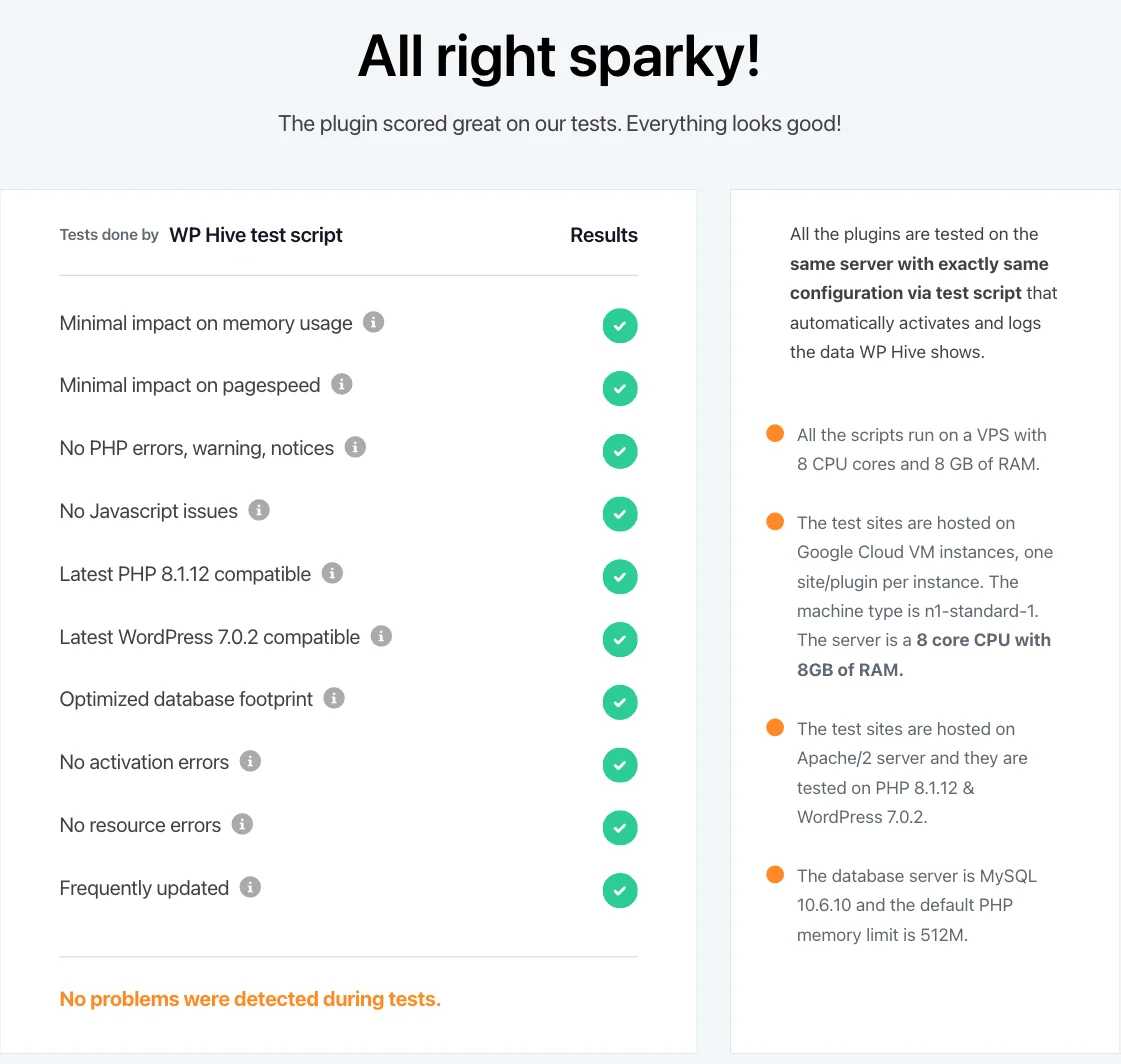
Independent testing backs some of this up too. WPHive tested Master Addons v3.1.6 and reported minimal impact on memory usage, which matches what you would expect from a plugin that loads nothing until you switch it on.
Free vs Paid: What You Actually Get
Both plugins run on a freemium model. Here is what that means in practice, not in marketing copy.
Master Addons free vs Pro
The free version, downloadable from wordpress.org, includes 55+ widgets, 20+ extensions, the full popup builder, and the full theme builder. Pro, starting at $39 a year, unlocks the remaining widgets, the widget builder‘s CSS and JS support, per-widget display conditions, white labeling, and the premium template kits. See the full breakdown on the pricing page.
Essential Addons free vs Pro
Essential Addons Lite, the free version, ships a solid core widget set. Pro, starting at $49.97 a year for one site, unlocks the rest of the 120+ widget count, the WooCommerce builder widgets, and the premium template library. If your project leans heavily on WooCommerce, that Pro tier does a lot of work Master Addons currently does not attempt to match.
Performance and Site Speed
Neither plugin will slow down your site if you use it the way it is meant to be used: enable the widgets you need, leave the rest off. Speed is only half the ranking equation, though; the other half is on-page structure, which our Elementor SEO guide walks through step by step.
Master Addons loads its widgets and extensions off by default, so a fresh install adds close to nothing until you start switching things on. WPHive’s independent test of v3.1.6 recorded minimal impact on memory, which is the number that matters most for shared hosting.
Essential Addons is generally well optimized too, but its wordpress.org reviews include a recurring pattern worth mentioning fairly: some users report that updates auto-enable new features and load extra assets site-wide, and a smaller number describe slow page loads after installing the Pro version. That is not universal, and plenty of large sites run Essential Addons without issue. It is simply the kind of feedback that shows up often enough in reviews to be worth knowing before you install.
Pricing Compared
Master Addons Pro starts at $39 a year for one site, $99 a year for five sites, and $299 a year for unlimited sites, with lifetime licenses available from $129. See current numbers on the pricing page.
Essential Addons Pro starts at $49.97 a year for one site, scaling up for agency and unlimited-site plans. That is roughly 28 percent more than Master Addons at the entry tier, for a plugin with a much larger widget count. Whether that gap is worth paying depends entirely on whether you will use the extra widgets.
Both companies offer a 14-day refund window, so the real cost of testing either one is your time, not your money.
When Essential Addons Is the Better Choice
Choose Essential Addons if any of these describe your project:
- You run a WooCommerce-heavy store and need dedicated product, cart, and checkout widgets out of the box.
- You want the largest possible widget selection in a single plugin and do not mind paying more for it.
- You are building on a well-documented, widely used plugin so any developer on your team can find an answer fast.
- You already rely on Essential Addons integrations like BetterDocs, LearnDash, or Typeform.
- You prefer a plugin with a multi-year track record at massive scale over a smaller, faster-moving one.
When Master Addons Is the Better Choice
Choose Master Addons if any of these describe your project:
- You want a popup builder and a theme builder without paying for Elementor Pro or a separate popup plugin.
- You would rather build a custom Elementor widget from your own code than dig through someone else’s widget list hoping it exists.
- You want a lighter footprint, with nothing loading until you switch it on.
- You are price-sensitive and want the lowest entry cost in the category.
- You do not want ads inside your WordPress admin.
- You want a free mega menu, free custom breakpoints, and want to see the full widget and extension list before deciding.
How to Switch from Essential Addons to Master Addons
Switching addon plugins is not a one-click process, and anyone who tells you otherwise is skipping steps. Here is the honest path.
- Install Master Addons alongside Essential Addons first. Do not deactivate the old plugin until the new one is fully set up. Grab it free from the WordPress.org plugin directory.
- Check the widget list against the Essential Addons widgets your pages actually use. Not every widget maps one to one. A Post Grid built with Essential Addons will need to be rebuilt with Master Addons’ Blog widget, not migrated automatically.
- Rebuild pages widget by widget, starting with your homepage. Elementor keeps both plugins’ widgets available while both are active, so you can swap one section at a time and preview as you go.
- Move your header and footer to the theme builder last. Site-wide templates affect every page, so test them on a staging site first.
- Deactivate Essential Addons only after every page renders correctly without it. Then check your site speed again, since removing an unused plugin’s assets should only help.
- Enable only the widgets you use under Master Addons settings. Leaving everything on defeats the point of a modular plugin. Pro features like display conditions or white labeling are on the pricing page if the migration needs them.
Budget an afternoon for a small site, longer for anything with dozens of pages. Rushing a plugin swap on a live site is how headers disappear.
Frequently Asked Questions
What is the best addon for Elementor?
There is no single best addon for every site. Essential Addons wins if you want the largest widget library and template collection in one plugin, with 120+ widgets and thousands of templates behind it. Master Addons wins if you want a free popup builder, a free theme builder, and a no-code widget builder, at a lower entry price. Pick based on which of those you actually need, not which plugin has the bigger number on its wordpress.org page.
Are essential addons for Elementor free?
Yes. Essential Addons for Elementor Lite is free on wordpress.org and includes a solid widget set. The Pro version, priced from $49.97 a year, unlocks the rest of the 120+ widget library, WooCommerce widgets, and premium templates. Master Addons follows a similar model: a free core plugin plus a Pro upgrade from $39 a year that unlocks the remaining widgets, extensions, and the full template library.
What is the best mega menu plugin for Elementor?
If you already run Master Addons, its free Mega Menu extension builds multi column menus with icons, badges, and any Elementor or Master Addons widget dropped inside, with no separate plugin needed. If you run Essential Addons, its Advanced Menu widget covers similar ground. Either beats installing a third mega menu plugin on top of your addon library, since that only adds more scripts for the browser to load.
What are Elementor Pro Essentials?
This phrase usually points to the widgets and builders inside Elementor Pro itself, like its Theme Builder, Popup Builder, and Form widget, separate from any third party addon plugin. Both Master Addons and Essential Addons work alongside Elementor Pro and add widgets it does not include. Master Addons goes a step further and ships its own popup builder and theme builder for free, so you get that functionality even without Elementor Pro installed.
Related Reading