

Key Takeaways
- The Master Addons Image Hover Effects widget for Elementor has 30 image hover effects, each chosen by name from one Hover Effect dropdown in the Content tab.
- Eight image hover effects work without Master Addons Pro: Lily, Sadie, Roxy, Bubba, Romeo, Layla, Honey and Oscar. The other 22 effects need Pro.
- Most of the 30 image hover effects show a title and a description, six also show social icons, Honey uses a sub title and Julia shows three separate lines of text.
- Every image hover effect in the widget is built with CSS, and each widget holds one image, so a grid of hover cards is made from several widgets.
- On touch screens, image hover effects usually appear on the first tap, and a second tap follows the link.
Image hover effects are animations that play when the pointer moves over a picture, most often to reveal a title and description. Below are 30 of them, all from the Image Hover Effects widget for Elementor, each captured in its hover state on a real page. Use the list to pick an effect by what it shows and where it fits.
The effects go by name in the widget, so the names below are what you will see in the dropdown. The first eight work on every plan and the rest need Master Addons Pro.
Table of Contents
How to read these examples
Each example shows the card while the pointer is over it. Before hover, the image is plain, or shows only the title, depending on the effect. The line under each image says what is on screen and suggests a use.
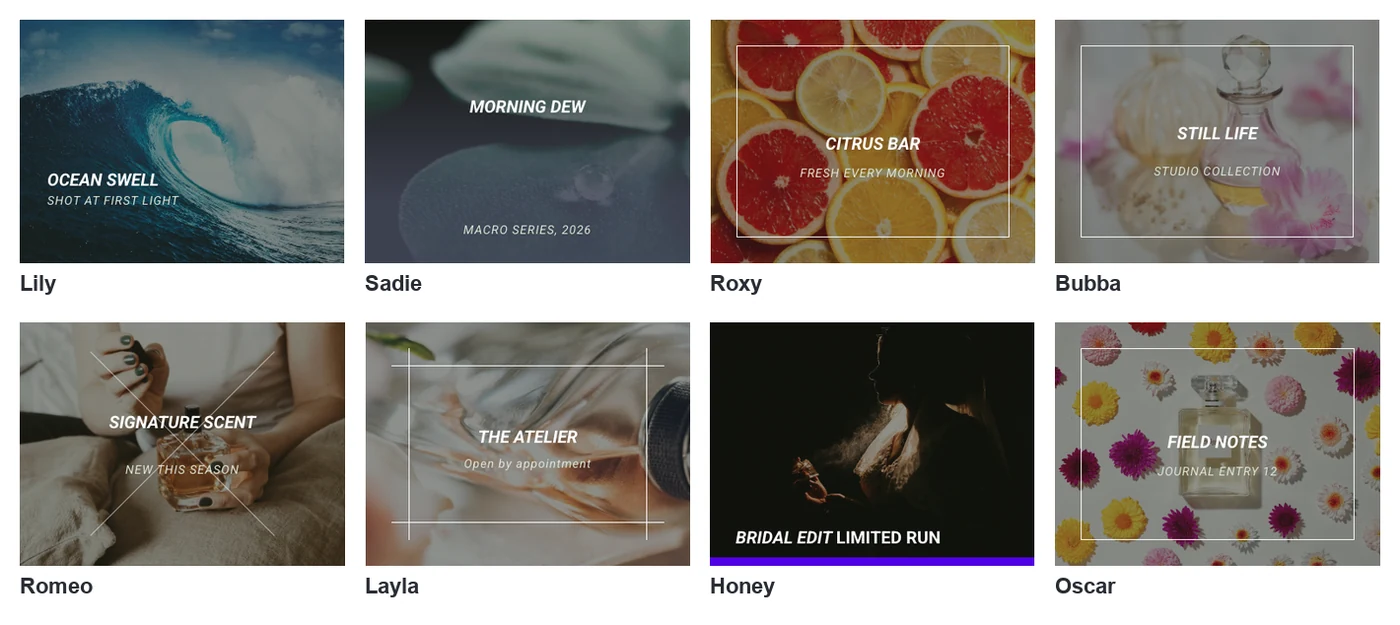
The text, colours and fonts are all yours to change. What an effect fixes is the layout of the overlay and how it arrives.
The 8 effects that work without Pro
The first eight effects in the dropdown are available on every plan. All eight have a title and a description, except Honey, which shows the title with a sub title.
1. Lily
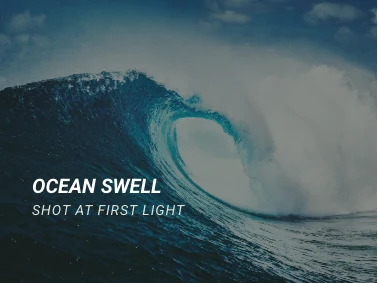
The title and description sit in the bottom left corner over a lightly dimmed image. It suits portfolio thumbnails where the photo should stay the focus.
2. Sadie

The title is centred and the description appears lower down as a tint covers the image. It suits destination tiles and category cards with a short tagline.
3. Roxy

A thin frame is drawn inside the image with the title and description centred in it. It suits product or service tiles that need a tidy, boxed look.
4. Bubba

A frame is drawn around the centre and the title and description sit inside it. It suits listings where each card carries a name and one line of detail.
5. Romeo

Two thin lines cross the image, with the title above the centre and the description below. It suits property and project cards with a strong photo.
6. Layla

Horizontal and vertical lines form an open frame around the title and description. It suits interior, architecture and gallery grids.
7. Honey
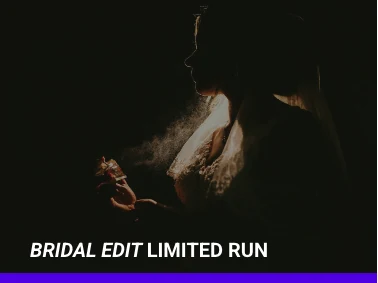
The title and the Sub Title share one line at the bottom, above a coloured bar. It suits menu categories and short labels. Honey is the only effect that uses the Sub Title field.
8. Oscar
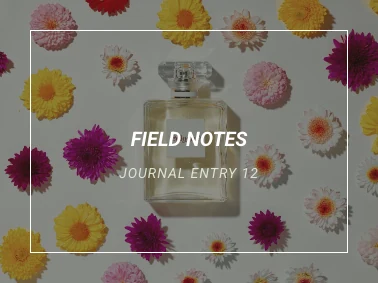
The image darkens and a frame appears with the title and description centred. It suits shop categories and any card with two short lines of text.
Hover them yourself. The Image Hover Effects widget page has these eight effects as live cards.
The 22 Pro effects
The remaining 22 effects need Master Addons Pro. Six of them add social icons, and one, Julia, shows three lines of text.
9. Marley
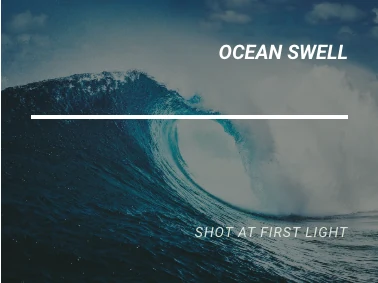
The title sits at the top right, a line runs under it and the description appears at the bottom right. It suits editorial layouts and magazine style cards.
10. Ruby

The title stays above a bordered box that holds the description. It suits feature tiles where the description is a call to action.
11. Milo

The description sits at the top right beside a vertical line, and the title is at the bottom right. It suits image cards with a caption and a credit.
12. Dexter

The title is at the top and a thick frame at the bottom holds the description. It suits bold promotional tiles.
13. Sarah

The title is at the top left with a line under it, and the description follows below. It suits blog style cards and case study teasers.
14. Zoe

A coloured bar rises from the bottom with the title and social icons, and the description sits above it. It suits team members and author cards.
15. Chico
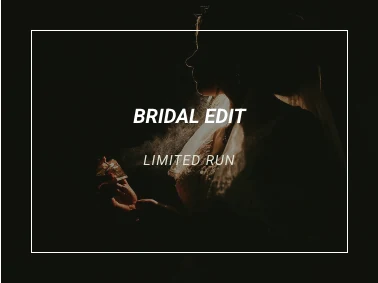
The image darkens inside a frame, with the title and description centred. It suits dark, cinematic galleries.
16. Julia
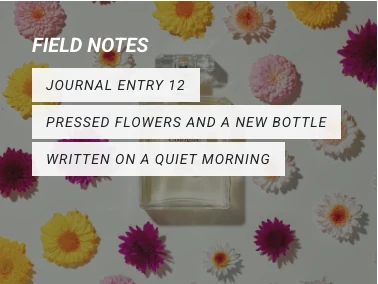
The title is at the top left and up to three short lines appear under it, each on its own label. It suits cards that need a few bullet-like facts. Julia has its own repeater for these lines.
17. Goliath
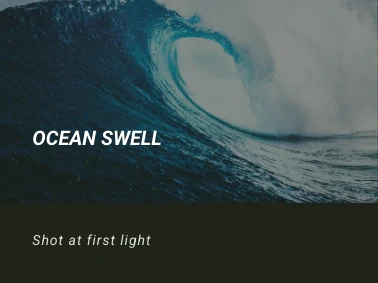
A dark panel covers the lower part of the image and holds the title and description. It suits cards with longer descriptions that need a solid background.
18. Hera

A diamond outline appears in the centre with the title and four social icons. It suits profile pictures and social link cards.
19. Winston
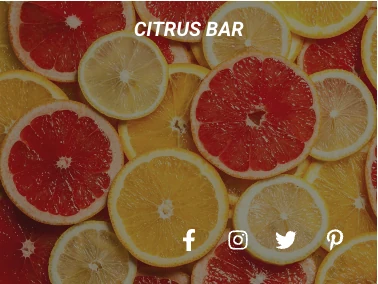
The title is at the top and a row of social icons appears along the bottom. It suits team grids where each person has social profiles.
20. Selena

The image shrinks inside a frame while the title and description sit near the top. It suits lookbooks and product photography.
21. Terry
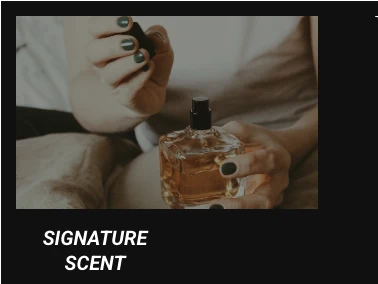
The image moves into a smaller window on a dark background, with the title in the bottom left and social icons. It suits speaker and staff cards.
22. Phoebe
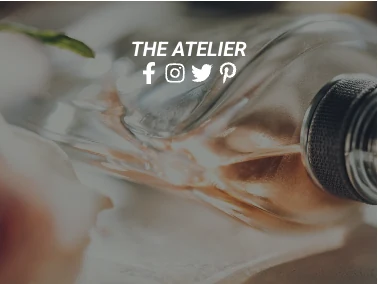
The title is centred with a row of social icons directly under it. It suits simple profile cards.
23. Apollo
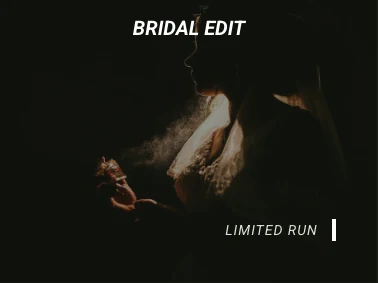
The title sits at the top right and the description at the bottom right beside a short vertical line. It suits minimal portfolio tiles.
24. Kira
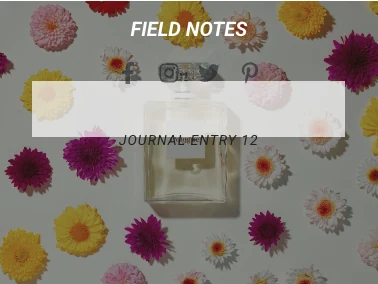
The title is at the top with social icons in a light panel under it, followed by the description. It suits team members with a one line role.
25. Steve
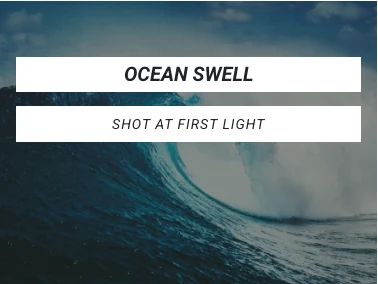
The title and the description each appear on their own white bar across the image. It suits high contrast labels on busy photos.
26. Moses
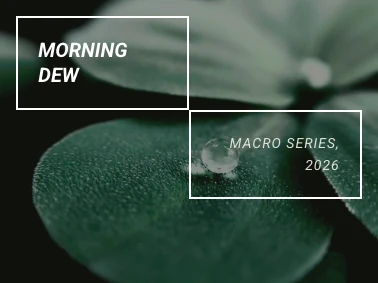
The title sits in a box at the top left and the description in a second box at the bottom right. It suits two-part labels such as a name and a price.
27. Jazz

The title and description are centred, and diagonal lines cut across the corners. It suits event and music artwork.
28. Ming

A frame surrounds the centre with the title above the description. It suits formal cards such as awards or certificates.
29. Lexi

The title is at the top left, and the description sits at the bottom right inside a curved line. It suits playful product and lifestyle tiles.
30. Duke
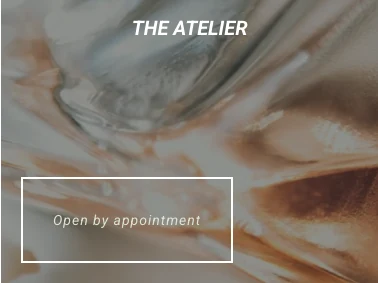
The title is at the top and the description sits in a box at the bottom left. It suits cards with a short label that should read like a tag.
All 30 image hover effects in one table
This table lists every effect with the text layers it shows and whether it needs Pro.
| Effect | Shows on hover | Needs Pro |
|---|---|---|
| Lily | Title and description | No |
| Sadie | Title and description | No |
| Roxy | Title and description | No |
| Bubba | Title and description | No |
| Romeo | Title and description | No |
| Layla | Title and description | No |
| Honey | Title and sub title | No |
| Oscar | Title and description | No |
| Marley | Title and description | Yes |
| Ruby | Title and description | Yes |
| Milo | Title and description | Yes |
| Dexter | Title and description | Yes |
| Sarah | Title and description | Yes |
| Zoe | Title, description and social icons | Yes |
| Chico | Title and description | Yes |
| Julia | Title and three lines | Yes |
| Goliath | Title and description | Yes |
| Hera | Title and social icons | Yes |
| Winston | Title and social icons | Yes |
| Selena | Title and description | Yes |
| Terry | Title and social icons | Yes |
| Phoebe | Title and social icons | Yes |
| Apollo | Title and description | Yes |
| Kira | Title, description and social icons | Yes |
| Steve | Title and description | Yes |
| Moses | Title and description | Yes |
| Jazz | Title and description | Yes |
| Ming | Title and description | Yes |
| Lexi | Title and description | Yes |
| Duke | Title and description | Yes |
How to add one of these effects in Elementor
Adding an effect takes one widget and one dropdown.
- Edit your page with Elementor and drag the Image Hover Effects widget onto it.
- Upload the image under Effects & Image.
- Pick the effect by name from Hover Effect.
- Fill in the Title and Description. Effects with icons show a Social Links section as well.
- Set Links or Popup? if a click should lead somewhere.
For a grid, place one widget per column and use the same effect across the row. Our step by step guide to adding image hover effects in Elementor covers the built-in options too. For captions that stay on the image, see Elementor text over image.
Frequently asked questions
What are image hover effects?
Image hover effects are animations that run when a visitor moves the pointer over an image. The image may zoom, darken or change colour, and a title or description often slides or fades in over it. They are also called image rollover effects or image overlays.
Which image hover effects work without Master Addons Pro?
Eight of the 30: Lily, Sadie, Roxy, Bubba, Romeo, Layla, Honey and Oscar. They are the first eight entries in the Hover Effect dropdown. The remaining 22, from Marley to Duke, need Master Addons Pro.
Can I use a different hover effect on each image?
Yes. Each Image Hover Effects widget holds one image and one effect, so every card in a grid can have its own. For a tidy page, keep one effect per row or per section.
Do these image hover effects need custom CSS?
No. You pick the effect from a dropdown and the widget supplies the CSS. Colours, opacity and typography are set in the Style tab. If you prefer to write the CSS yourself, a few lines on Elementor’s Image widget can produce simple effects such as zoom or grayscale.
Which hover effect is best for a team section?
Effects with social icons fit team cards: Zoe, Hera, Winston, Terry, Phoebe and Kira. Zoe and Kira also show a description, which works as the person’s role. All six need Master Addons Pro.
Final thoughts
These 30 image hover effects cover most layouts you will need: corner captions, centred frames, bars, panels and icon rows. Pick by the text you have. One short title suits Lily or Oscar, a longer description suits Goliath, and social links call for Zoe or Winston.
The Image Hover Effects widget page has live cards to try, and the pricing page lists the plans that include all 30.
Related reading
