

Key Takeaways
- An Elementor image hover effects plugin adds what the built-in Image widget lacks: a title and description that animate over the image when a visitor hovers.
- The seven options compared are Master Addons, Image Hover Effects Elementor Addon, HappyAddons, ElementsKit, Unlimited Elements, Premium Addons and Advanced Image Hover Effect for Elementor.
- Image Hover Effects Elementor Addon by Blocksera lists over 40 effects and 40,000 active installs on WordPress.org, which makes it the most installed single-purpose option.
- The Master Addons Image Hover Effects widget has 30 named effects, 22 of which need Master Addons Pro, and it can open a link or a popup on click.
- Elementor’s own Image widget covers opacity, CSS filters and a Hover Animation preset on hover, so a plugin is only needed for text overlays and click actions.
An Elementor image hover effects plugin is worth installing when you want text to appear over an image on hover. Elementor can fade, tint and grow an image by itself, and has no setting for text on top. The seven options below all add an overlay with a title and description, and they differ in how many effects they offer, what a click can do and whether they come alone or inside a larger addon.
One of the seven, Image Hover Effects in Master Addons, is ours. Facts about the others come from their WordPress.org listings and vendor pages, read on 7 October 2026.
Table of Contents
What Elementor does on hover without a plugin
Elementor’s Image widget has a Hover tab in the Style panel with Opacity, CSS Filters, Transition Duration and Hover Animation. That covers grayscale to colour, blur, brightness changes and a Grow or Pulse movement.
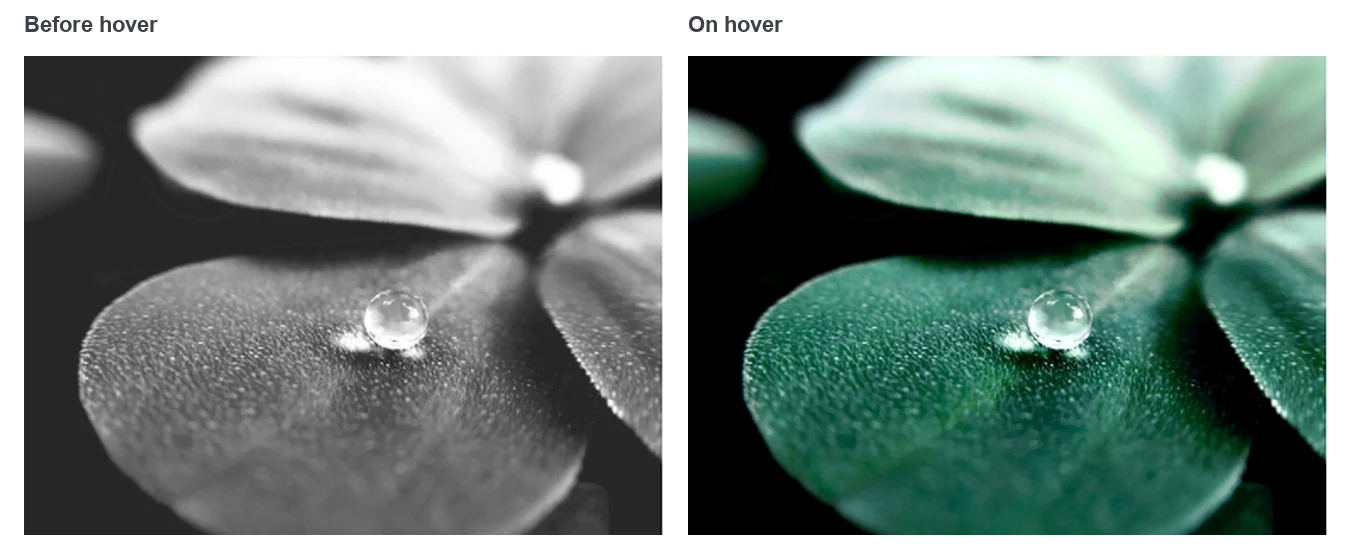
What it cannot do is put text on the image. The caption sits underneath, and nothing animates in. If the built-in controls are enough for you, our guide to adding image hover effects in Elementor shows the settings. If you need the overlay, read on.
Elementor image hover effects plugins compared
Effect counts, installs and plans are taken from each vendor’s own listing. “Not stated” means the page we read does not say.
| Option | Type | Effects stated | Text over image | Active installs of the plugin |
|---|---|---|---|---|
| Master Addons, Image Hover Effects | Widget in an addon | 30 | Title and description | 30,000+ |
| Image Hover Effects Elementor Addon (Blocksera) | Single-purpose plugin | 40+ | Title and description | 40,000+ |
| HappyAddons, Image Hover Effect | Widget in an addon | 21 | Yes | 400,000+ |
| ElementsKit, Image Hover Effect | Widget in an addon | Not stated | Yes | 1,000,000+ |
| Unlimited Elements, iHover Effects | Widget in an addon | Not stated | Title and description | 300,000+ |
| Premium Addons, Banner | Widget in an addon | 6 banner styles plus 5 hover effects | Yes | 600,000+ |
| Advanced Image Hover Effect for Elementor | Single-purpose plugin | Not stated | Box layout with text | 1,000+ |
Install counts are for the whole plugin. For the large addons, most of those sites use other widgets, so the column shows how widely the plugin is used and says little about the hover widget itself.
The 7 plugins and widgets
The order is not a ranking. Each entry says what the option does well and who it suits.
1. Master Addons Image Hover Effects
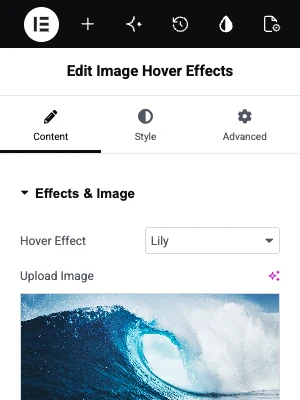
Our widget has 30 hover effects, each with a name: Lily, Sadie, Roxy, Bubba and so on. You pick one from the Hover Effect dropdown, add a title and description, and style each text layer separately. Six of the effects also show social icons.
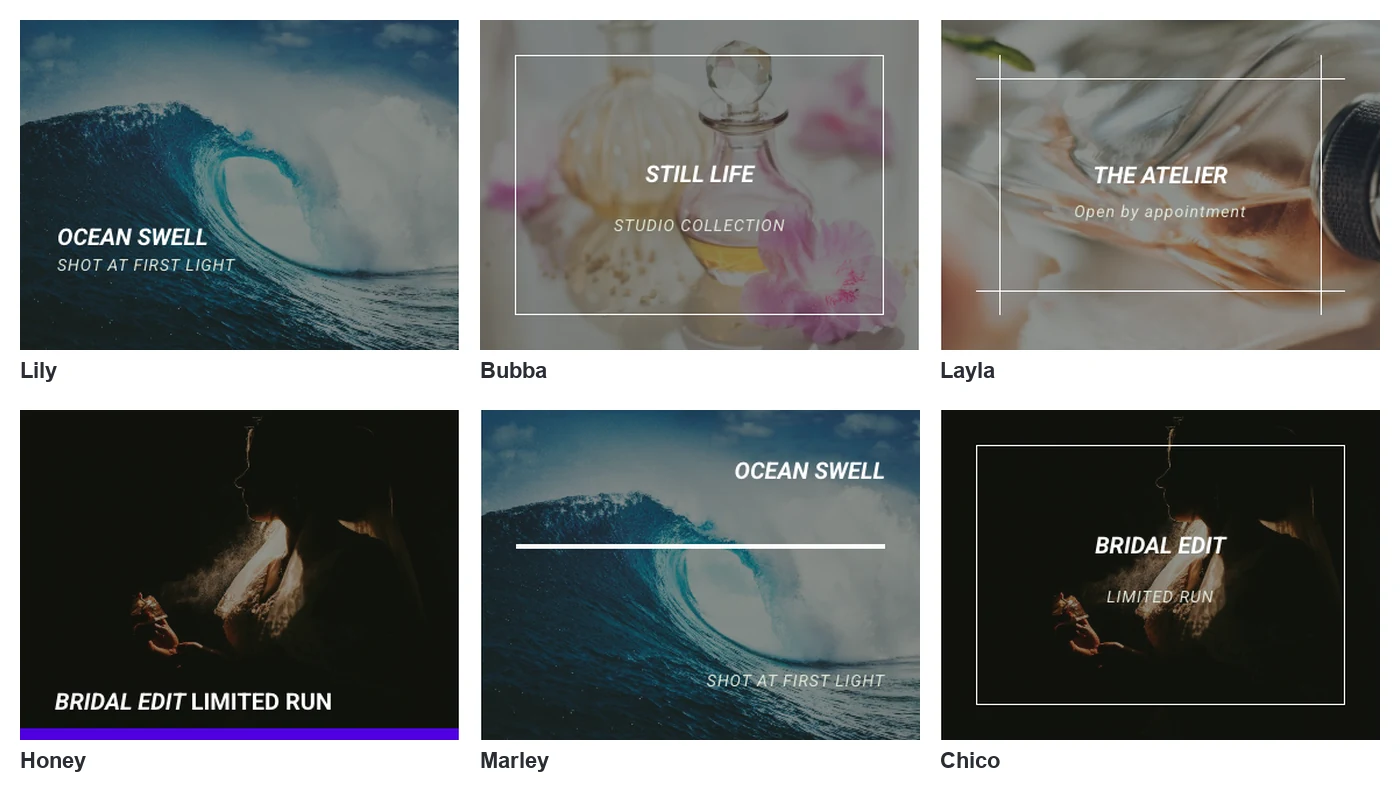
A click can do nothing, follow a link or, with Pro, open a popup that holds text, an image or a saved Elementor template. Eight effects work without Pro and 22 need it. The widget does not swap to a second image on hover. That job belongs to the separate Advanced Image widget.
It does best when the image should lead somewhere, such as a team bio in a popup or a portfolio item with a link. It suits sites that already use Master Addons for other widgets. The Image Hover Effects widget page has eight live cards to hover.
2. Image Hover Effects Elementor Addon
This plugin from Blocksera only adds image hover effects. Its WordPress.org listing describes more than 40 image hover effects, from fade and push to zoom and blur, with a title and description that show on hover. It reports 40,000 active installs and a 4.9 star rating from 83 reviews. The last update was on 27 June 2026.
It does best as a light install when hover cards are all you need. It suits sites that do not want a full addon pack. The plugin page is on WordPress.org.
3. HappyAddons Image Hover Effect
HappyAddons documents an Image Hover Effect widget with 21 hover effects. You upload an image, add your text and pick the effect from the panel. The plugin as a whole has 400,000 active installs and was updated on 5 October 2026.
It does best for people who already build with HappyAddons and want hover cards that match their other widgets. The page we read does not say which plan includes the widget, so check their widget list.
4. ElementsKit Image Hover Effect
ElementsKit lists an Image Hover Effect widget and shows named effects on its demo page, including Blind, Border and Flash. ElementsKit Lite has over a million active installs and was updated on 29 September 2026.
It does best on sites that run ElementsKit for its header, footer and mega menu tools and want hover effects from the same plugin. The demo page does not state the number of effects or the plan.
5. Unlimited Elements iHover Effects
Unlimited Elements calls its widget iHover Effects and describes it as a pack of hover effects with a title and description for each image. The vendor states that the widget is available in the free version of the plugin, which has 300,000 active installs.
It does best for builders who pull many widgets from the Unlimited Elements library. It suits anyone who wants hover cards without paying for an addon.
6. Premium Addons Banner
Premium Addons handles image hover through its Banner widget. The vendor describes six banner styles and five image hover effects: Blur, Zoom in, Zoom out, Grayscale and Scale. It states that the Banner widget is included in the free plugin.
It does best for promotional tiles with a heading, text and a link over an image. It suits shops and landing pages more than photo galleries.
7. Advanced Image Hover Effect for Elementor
This single-purpose plugin by KAP ASIAs describes box layouts with CSS hover effects and animations. Its WordPress.org listing shows 1,000 active installs, version 2.0 and an update on 23 September 2026.
It does best when you want a small plugin and a boxed layout. With three ratings on WordPress.org, it has less of a track record than the others, so test it on a staging site first.
How to choose
Start with the addon you already have. Five of the seven options are widgets inside larger packs, and a second pack for one widget adds weight to the editor and to updates.
If you are starting fresh, three questions narrow it down:
- Do you need text over the image, or only the image to change? If only the image, Elementor’s Hover tab is enough.
- What should a click do? A link is common to all. A popup with a saved template is rarer.
- Do you want one small plugin or a pack? The Blocksera plugin and Advanced Image Hover Effect are single-purpose. The rest bring many other widgets, which we compare in our guide to Elementor addons.
Whatever you pick, keep one hover style per section. A grid where each card moves differently is harder to scan than one where they all behave the same.
Frequently asked questions
What is the best image hover effects plugin for Elementor?
It depends on what you already use. Image Hover Effects Elementor Addon by Blocksera is the most installed single-purpose plugin, with over 40 effects. If you run an addon pack such as Master Addons, HappyAddons or ElementsKit, its built-in hover widget saves you a second plugin.
Does Elementor have image hover effects built in?
Yes, for the image itself. The Image widget’s Style tab has a Hover tab with Opacity, CSS Filters, Transition Duration and Hover Animation. It has no option for a title or description over the image. Hover plugins add that.
How many hover effects does Master Addons have?
The Image Hover Effects widget has 30, listed by name in the Hover Effect dropdown. Eight work without Pro: Lily, Sadie, Roxy, Bubba, Romeo, Layla, Honey and Oscar. The other 22 need Master Addons Pro.
Can an image hover effect open a popup in Elementor?
With some widgets, yes. In the Master Addons Image Hover Effects widget, set Links or Popup? to Popup, which is a Pro option, and the click opens text, an image or a saved template. Most hover plugins offer a link only.
Do image hover effects slow down a page?
The effects are CSS, so the animation itself costs little. Image size matters far more. Compress the images, serve them at the size they display, and a grid of hover cards will load about as fast as the same grid without effects.
Final thoughts
Every Elementor image hover effects plugin on this list puts a title and description over an image. They differ in the number of effects, the click action and whether they come as a single-purpose plugin or a pack. Use the hover widget in the addon you already have, and reach for a second plugin only if it lacks something you need.
If that addon is Master Addons, the Image Hover Effects widget is already in your panel.
Related reading
