
Elementor Breakpoints: Fix Responsive Design Issues (2026 Guide)
Ever pulled up your Elementor landing page on a phone and watched the headline chop in half, buttons stack weird, or an image push text clean off the screen? It happens to everyone who builds in Elementor long enough. The plugin ships with sensible responsive defaults, but real designs on real devices still break. Global […]
Elementor SEO: 12 Best Practices to Rank Your Pages in 2026

Elementor SEO means setting up the pages you build in Elementor so Google can crawl, understand and rank them. Elementor itself is SEO-friendly, because it outputs plain HTML with proper heading tags and text Google can crawl. Whether a page ranks depends on how you build it: heading structure, Elementor’s own performance settings, Core Web […]
How to Create an Image Carousel in Elementor
Drop the Image Carousel widget onto the page, pick your images from the media library, set slides-per-view for each device, and turn on autoplay. Four steps, about two minutes, and no licence needed. That’s the short version. The rest of this covers the settings that separate a carousel that works from one that looks slightly […]
How to Create Elementor Animated Buttons

Elementor is a powerful page builder that allows users to create stunning websites with ease. However, for those looking to add more advanced features, Master Addons is an excellent extension that enhances Elementor’s capabilities. One of its standout features is the Creative Buttons Addon, which allows you to design eye-catching, elementor animated buttons with just […]
How to Create WordPress Membership Sites?

Are you looking to create a successful WordPress membership site? A WordPress membership site is an excellent way to build a community, offer exclusive content, and generate recurring income. Whether you’re an entrepreneur, blogger, or educator, launching a membership site can elevate your online business. With the growing demand for premium content and online communities, […]
How to Create 3D Elementor Flipbox Animations?
Elementor is a powerful page builder that allows you to create stunning websites with ease, and its basic Flipbox widget offers a simple way to add interactive 3D effects. The issue? It’s a pro feature, designs and animations are limited. Master Addons is an Elementor addon with its own Flipbox widget. It works without Elementor […]
How to Add Elementor Tooltip on Hover or Click?
You’ve seen tooltips everywhere. Hover over a toolbar icon in Google Docs and a small label tells you what that button does. That’s a tooltip. In WordPress, tooltips let you add short hints that appear when someone hovers over (or clicks) an element on your page. No extra page real estate, no cluttered layout. Master […]
How to Edit Footer in WordPress Using Elementor (Free)
To edit the footer in WordPress using Elementor, install the free Master Addons plugin, then go to Master Addons → Theme Builder → Footer, click Add New Template, set the display conditions to Entire Site, and choose Edit with Elementor. From there you customize every column, menu, contact detail, and the copyright line with drag-and-drop […]
How to Hide or Remove Page Titles in WordPress (7 Easy Methods)

Want a cleaner homepage, a distraction-free landing page, or a hero section that doesn’t fight with a big default heading? The fix is usually the same: hide the page title in WordPress. It’s a small change, and you can do it in under two minutes once you know which method fits your setup. The catch […]
Pricing Table Design: 10 Tips With Examples (Elementor)
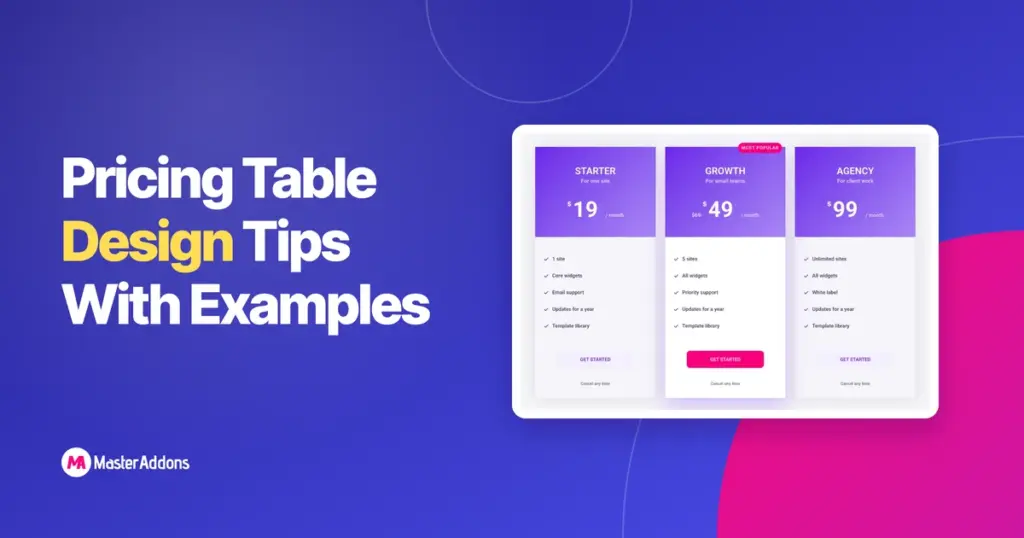
Ten pricing table design tips, each shown on a real table built in Elementor: plan count, the highlighted card, anchor prices, feature rows, tooltips, buttons, the billing toggle and the mobile stack.