

Key Takeaways
- Nested Tabs replaced the original Tabs widget. The old one has shown a deprecation notice in the panel since Elementor 3.8, and new tabs you drag in are the nested version.
- Every panel is a container, so forms, galleries, loop grids and pricing tables all work inside a tab.
- The Breakpoint control turns the strip into a vertical accordion below the width you pick, with mobile as the default.
- Horizontal Scroll keeps a long row of titles on one line and lets visitors swipe through them.
- The repeater only holds the tab title, which catches people out: panel content is built on the canvas, not in the panel.
Elementor’s tabs used to be a text box inside a text box. You typed the title in one field and the content in another, and if you wanted a contact form in there, bad luck.
Nested Tabs changed the model. Each panel is a container now, which means the entire widget library is available inside a tab. This post covers how it works, where the controls live, and the three places it still frustrates people.
Table of Contents
What changed
The old Tabs widget stored everything in one repeater: a title field and a content field per row. That made it simple and also capped what it could hold, because a content field takes text and images and nothing else.
Nested Tabs splits those apart. The repeater keeps the titles, and each panel becomes a real container on the canvas that you build inside. Elementor calls this nesting, and tabs were the first widget to get it.
The old widget still ships so existing pages keep working, and editing one shows a notice saying any new tabs widget will be the nested version. That notice landed in version 3.8.
One thing worth clearing up, because plenty of guides and AI answers still say it: you do not have to turn Nested Elements on. It arrived as an experiment, and in current Elementor it is marked stable, active by default and not switchable, so it does not appear in the Experiments screen at all. If you went looking for the setting and could not find it, that is why.
Building one
- Drag Tabs onto the page. You get three tabs, each with an empty container inside.
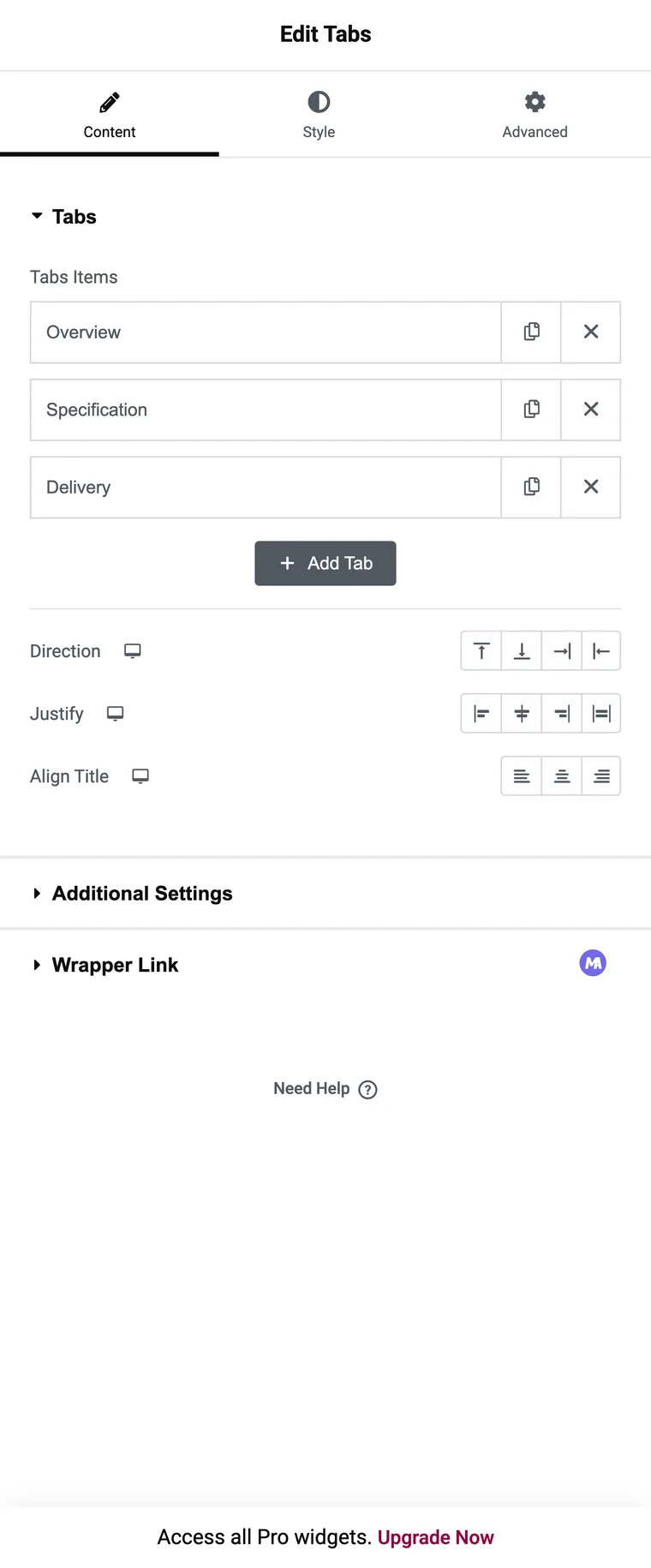
- Rename the rows in the Tabs repeater. Title is the only field, which is the part that surprises people coming from the old widget.
- Click a tab on the canvas to open its panel, then drag widgets into the container.
- Repeat for each tab. Add or remove rows with the repeater, same as anywhere else.

The controls that matter
Direction moves the title strip. Top and Bottom keep it horizontal, while Start and End turn it into a side column, which is the vertical tabs layout. Start and End follow the text direction, so they flip in right-to-left languages.
Justify and Align Title handle spacing: whether titles stretch to fill the strip or sit together, and how the text aligns inside each one.
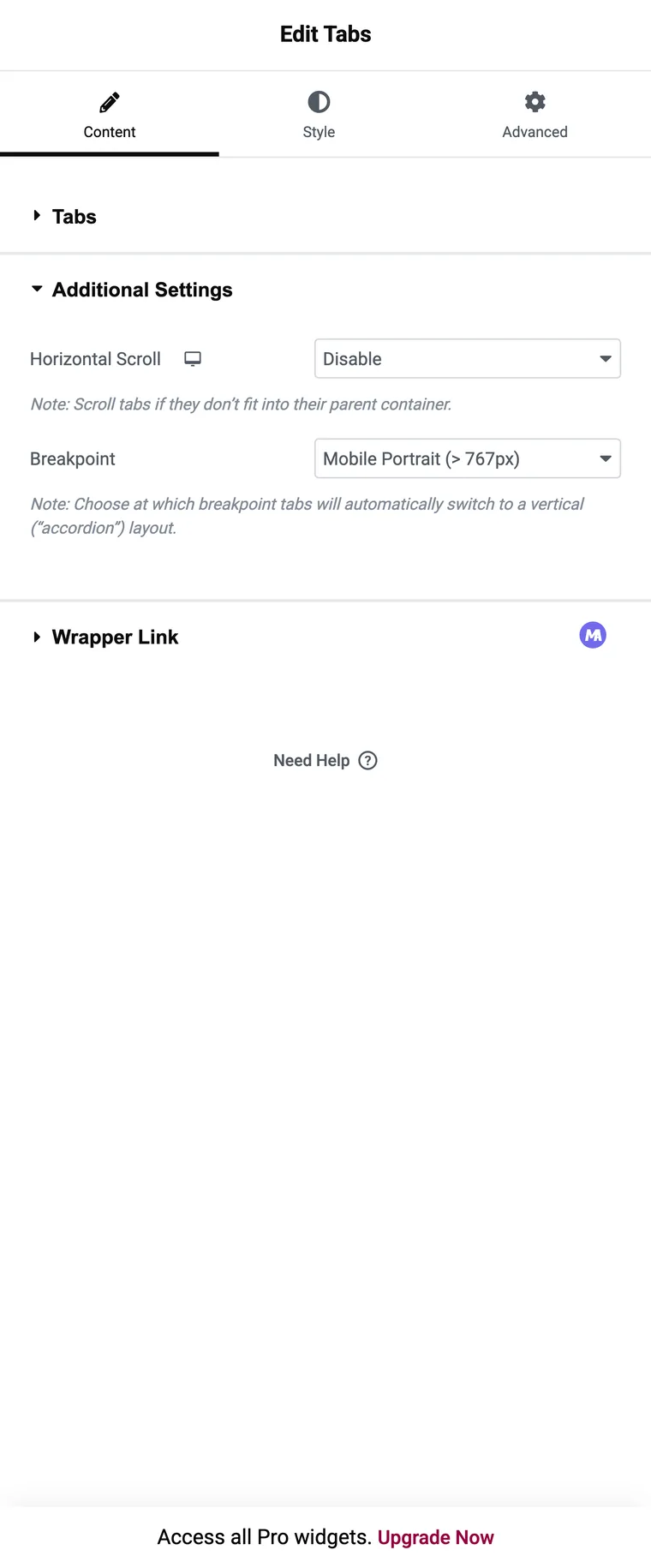
Horizontal Scroll, in Additional Settings, stops a long row of titles from wrapping. The strip scrolls sideways instead and visitors swipe or drag through it.
Breakpoint sits in the same section and is the control worth knowing. Below the width you pick, the strip switches to a vertical accordion layout, with each title above its own panel. Mobile is the default, which is usually right.
What you can put in a panel
Anything. The panel is an ordinary container, so the full widget list applies:
- A contact form on the “Enquire” tab
- An image gallery on “Photos”
- A loop grid pulling related products on “You may also like”
- A pricing table on “Plans”
- A nested set of tabs inside a tab, which is where the “tabs inside tabs” searches come from
Tabs inside tabs is possible, and in practice it is rarely a good idea. Two levels of tab strip means a visitor has to remember which combination they picked. If the content really is two-dimensional, tabs on the outside and an accordion on the inside reads much better.
Three limits
A tab title takes text and an optional icon, so there are no image titles. If a title has to be a logo or a product photo, the core widget cannot do it and an addon with an Icon Type control can.
Panels change on click, which is the right default for touch screens, and there is no setting for the hover behaviour some designs use.
Styling starts from zero. There are no presets, so the widget drops in plain and every border, colour and padding is a decision you make. That is flexibility, and on a deadline it is also twenty minutes.
When an addon widget is the better fit
Those three limits are roughly the feature list of an addon tabs widget. The Master Addons Tabs widget starts from a style preset, takes an icon or an image on each title, and switches panels on hover if you set Tab Effect that way. No Elementor Pro needed for any of it.
The trade runs the other way: its panels take editor content, so putting a form inside means pointing Content Type at a saved template, which is a Pro option. Containers in panels is the one thing only the core widget does.
The dividing line runs through the panel. Interactive content inside it means Nested Tabs. A tab strip that has to look like something specific means an addon.
Frequently asked questions
What is the difference between Tabs and Nested Tabs in Elementor?
Nested Tabs puts a container in each panel so you can drop widgets inside. The old Tabs widget had a plain content field and is deprecated.
Do I need to enable Nested Elements first?
No. It is active by default in current Elementor and cannot be switched off, so it is no longer listed in Experiments. Older tutorials that tell you to enable it are out of date.
Is Nested Tabs available in free Elementor?
Yes, it is part of the free plugin and it is what you get when you drag the Tabs widget onto a page.
Can I nest tabs inside tabs?
Yes, because a panel is a container that accepts any widget, including another tabs widget. It gets confusing fast, so an accordion on the inner level is usually clearer.
How do I make Nested Tabs collapse into an accordion?
Open Additional Settings and set Breakpoint. Below that width the strip switches to a vertical accordion layout. Mobile is the default.
Can a tab title use an image?
Not in the core widget. Titles take text and an optional icon. An addon widget with an Icon Type control can use an image.
Final thoughts
Nested Tabs is the one to reach for when something has to happen inside the panel, and the accordion breakpoint alone makes it worth rebuilding old tab blocks. It gives you no head start on styling and no image on a title, which is the gap addon widgets fill.
Related reading
