

A marquee is content that scrolls continuously in one direction and never stops: no arrows, no dots, no slide boundaries. The old <marquee> HTML tag has been dead for years, but the effect came back around 2021 and it’s now on half the agency sites you’ll visit.
Three ways to build one in Elementor: the free Logo Slider widget for logos, the News Ticker for text, or about twelve lines of CSS if you want it on something the widgets don’t cover. A marquee is really a carousel widget with the stops removed, which is why two of the three methods start from one. All three below, with the detail that decides whether yours loops cleanly or visibly snaps.
The one thing that makes a marquee look broken
Start here, because it’s the reason most hand-built marquees look wrong.
A marquee is a strip of content that slides left until it’s off-screen, then jumps back to the start. If there’s only one copy of the content, you get a gap. The tail leaves, and there’s empty space until the head comes round again.
The fix is to duplicate the track. Two identical copies side by side, animated across the width of exactly one copy. When the animation resets, copy two is sitting precisely where copy one was, and the jump is invisible.
That’s it. That’s the whole technique. Every marquee you’ve seen that loops smoothly is doing this, and every one that stutters isn’t.
Method 1: Logo marquee with the free Logo Slider
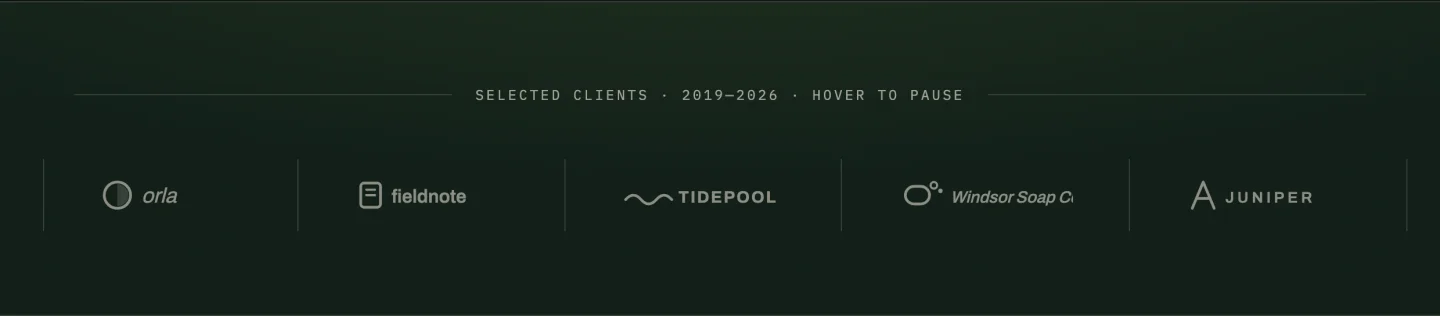
If you’re scrolling client logos, which is what most marquees are for, the Logo Slider widget does it without CSS. It’s in the free plugin.
- Drag Logo Slider onto the page and add your logos in the repeater, one row each, with an optional link.
- Open Carousel Settings and turn on Autoplay, then Infinite Loop.
- Set autoplay delay to 0. This is the switch that turns a carousel into a marquee. A delay of zero means it never pauses on a slide, so the motion becomes continuous instead of stepped.
- Set speed to something slow, 4000 to 6000ms. Marquees read as calm when they’re slower than you’d expect. Fast ones look like an error state.
- Turn off arrows and dots. Navigation on a marquee is contradictory; there’s nothing to navigate to.
- Turn off pause-on-hover if you want it truly continuous, or leave it on if the logos are clickable.
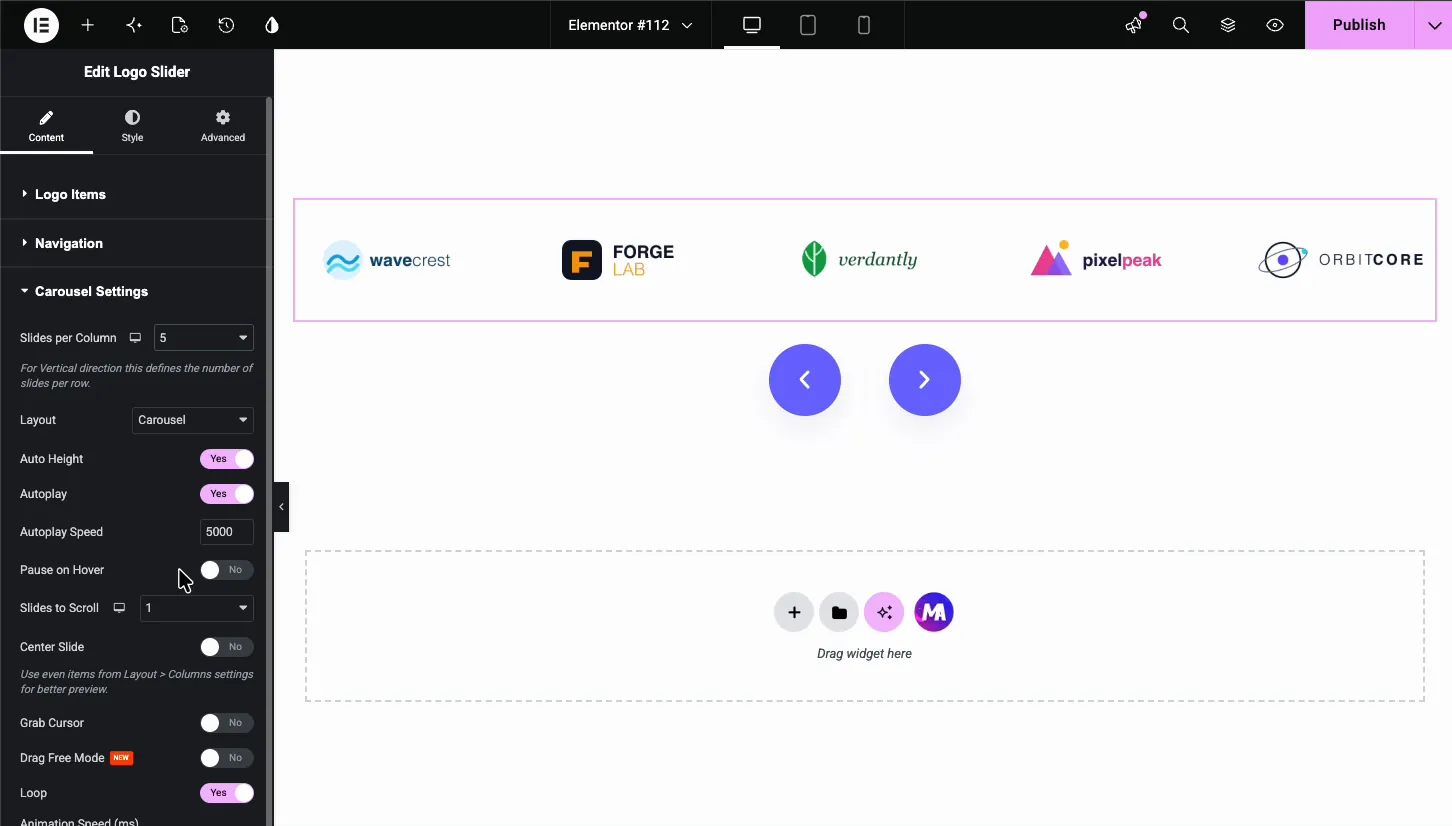
Slides-per-view controls density. Six on desktop, three on tablet, two on mobile keeps the logos legible. Don’t drop to one, because a marquee showing a single logo at a time stops reading as a strip.
More on styling logo strips, including the grayscale hover treatment and how to even out mismatched logo sizes: the logo carousel walkthrough. For what else sits in the free tier, see the free carousel widget breakdown.
Method 2: Text marquee with News Ticker
For scrolling text (announcements, headlines, a stock-ticker strip) the News Ticker widget is the purpose-built option. It’s a Pro widget.
It handles the things a hand-rolled text marquee gets wrong: it can pull from a post query rather than a static list, so a “latest news” ticker updates itself, and it has a fixed label block on the left that stays put while the content scrolls past it. That label is the detail that makes a ticker read as a ticker rather than as drifting text.
Set the direction, speed and pause behaviour in the widget’s settings. Two things worth doing:
- Pause on hover, on. If the headlines are links, people need a stationary target.
- Keep items short. A ticker with 90-character headlines takes so long to cycle that nobody sees item four. Truncate to around 50 characters.
If what you actually want is moving text without the scroll, one headline where words rotate in place, the Animated Headlines widget is the closer fit than any marquee.
Method 3: Build one with CSS
For anything the widgets don’t cover (a strip of testimonial quotes, a row of icons, mixed content) a marquee is twelve lines of CSS. Put the markup in an HTML widget and the CSS in Elementor’s custom CSS field or your child theme.
<div class="ma-marquee">
  <div class="ma-marquee__track">
    <span>Item one</span><span>Item two</span><span>Item three</span>
    <span>Item one</span><span>Item two</span><span>Item three</span>
  </div>
</div>
Note the content appears twice. That’s the duplicate track from earlier, not a copy-paste mistake.
.ma-marquee {
  overflow: hidden;
}
.ma-marquee__track {
  display: flex;
  gap: 3rem;
  width: max-content;
  animation: ma-scroll 30s linear infinite;
}
.ma-marquee:hover .ma-marquee__track {
  animation-play-state: paused;
}
@keyframes ma-scroll {
  to { transform: translateX(-50%); }
}
@media (prefers-reduced-motion: reduce) {
  .ma-marquee__track { animation: none; }
}
Four things in there matter:
translateX(-50%)moves the track by exactly one copy’s width, because the track is two copies. This is what makes the loop invisible.linear, notease. An eased marquee speeds up and slows down every cycle, which looks like a bug.width: max-contentstops the flex track wrapping.- The reduced-motion query isn’t optional. Continuous horizontal motion is a documented migraine and vestibular trigger, and a marquee is the single most common offender on the modern web. Honour the setting.
To reverse the direction, animate from translateX(-50%) to 0. For vertical, swap to translateY and set the container height.
How fast should a marquee move?
Slower than instinct says. A good starting point is 30 seconds for one full cycle of a six-item track, which feels almost too slow in the editor and reads as confident on a live page.
The test: can a visitor read one item without tracking it with their eyes? If they have to follow the movement, it’s too fast, and the whole strip becomes something to look away from.
Logos can go faster than text, because a logo is recognised rather than read. Text needs roughly double the dwell time. A stepped carousel is the opposite case, where autoplay is usually a mistake because the items are clickable.
Is a marquee bad for SEO or accessibility?
SEO, no. The content is real text in the DOM, crawlable and indexable. Duplicating the track means the text appears twice in the source, which is worth being aware of but isn’t a duplicate-content problem at this scale, because it’s a handful of words inside one element. If it bothers you, mark the second copy aria-hidden="true", which you should do anyway.
Accessibility is the real consideration, and there are three genuine issues:
- Motion sensitivity. Handled by the reduced-motion query above. Non-negotiable.
- Moving link targets. If items are clickable, pause on hover and on focus. A link that slides away as someone reaches for it fails WCAG 2.2’s target-size expectations in spirit if not in letter.
- Screen readers reading it twice. The duplicate track gets announced twice unless you hide the second copy from the accessibility tree. One attribute fixes it.
None of that makes a marquee a bad idea. It makes an unconfigured one a bad idea.
Frequently asked questions
Does Elementor have a marquee widget?
Not in core. Elementor has no dedicated marquee or ticker widget in either the free or Pro plugin. You get the effect from an addon (the free Logo Slider with autoplay delay set to zero, or the News Ticker for scrolling text) or by writing the CSS yourself. Nothing here is sold as a marquee widget; the News Ticker (Pro) is the closest purpose-built thing, since scrolling continuously is what it’s for, but it’s shaped around headline strips rather than arbitrary content.
How do I make text scroll continuously in Elementor?
Two options. The News Ticker widget handles it with settings, including pulling headlines from a post query. Or add an HTML widget with a duplicated content track and a CSS keyframe animating translateX to -50% on a linear infinite loop.
Why does my marquee jump or stutter when it loops?
The track isn’t duplicated, or the animation distance doesn’t match one copy’s width. A marquee needs two identical copies of the content and an animation that moves exactly 50% of the total track width. Any other distance and you’ll see a visible snap on every cycle.
How do I pause a marquee on hover?
With the Logo Slider widget it’s a toggle in Carousel Settings. In CSS it’s animation-play-state: paused on hover of the container. Add :focus-within alongside :hover so keyboard users get the same pause.
Can I make a vertical marquee in Elementor?
Yes. Animate translateY instead of translateX, set a fixed container height, and stack the duplicated track in a column instead of a row. Vertical marquees suit testimonial strips and notification feeds better than logos.
Is the HTML marquee tag still supported?
Browsers still render <marquee>, but it’s been deprecated for years, it’s not in the HTML spec, and it gives you no control over easing, pausing or reduced-motion. Use CSS animation instead: same effect, better behaviour, and it won’t disappear in a future browser release.
Which method to use
Logos: the free Logo Slider, autoplay delay zero. Done in two minutes and it handles responsive density for you.
Photos are a different case. If visitors should stop on each image or open it full size, use the Image Carousel widget with arrows and a lightbox. A marquee never pauses long enough for a proper look.
None of the twenty Widget Builder designs is a marquee, so the Logo Slider stays the tool for this job. The pricing page shows where News Ticker sits if you want the purpose-built version.
Scrolling headlines: News Ticker, because the query source and the fixed label are worth the licence on their own.
Anything else: the CSS. It’s short, it’s yours, and nothing can deprecate it. Standalone slider builders can also do continuous tracks, and the slider plugin comparison covers what they cost the page.
All the carousel and slider widgets, including the ones that do marquee duty, are collected on the Elementor Carousel Widgets page, along with 20 importable carousel and slider designs, 8 of them free. If your marquee is misbehaving after a caching plugin update, the fixes in the Swiper slider troubleshooting guide apply here too.
