

Key Takeaways
- Elementor ships two gallery widgets. Image Gallery is on the free list and Gallery, with layout options, is on the Pro list.
- The free Image Gallery widget has eight controls: images, image resolution, columns, caption, link, lightbox, order by and gap.
- Filter tabs, per image titles and buttons on a card all come from addon widgets, not from the free widget.
- A gallery and a carousel answer different questions: a gallery shows the set at once, a carousel shows one slide at a time.
- Pick by the job: a plain grid with a lightbox needs nothing extra, a portfolio with categories needs a filter, and a thumbnail driven set needs a slider.
Search for gallery in the Elementor panel and you will not get one answer. There is the widget that ships free, the one behind Pro, and whatever your addons have added, and they all look similar in a list.
This post lays out what each one can actually do, control by control, so you can pick once instead of dragging three widgets onto a page to find out.
Table of Contents
The free Image Gallery widget
Image Gallery is the free one, and its job is a grid. The controls are Add Images, Image Resolution, Columns, Caption, Link, Lightbox, Order By, and a Spacing slider in the Style tab.
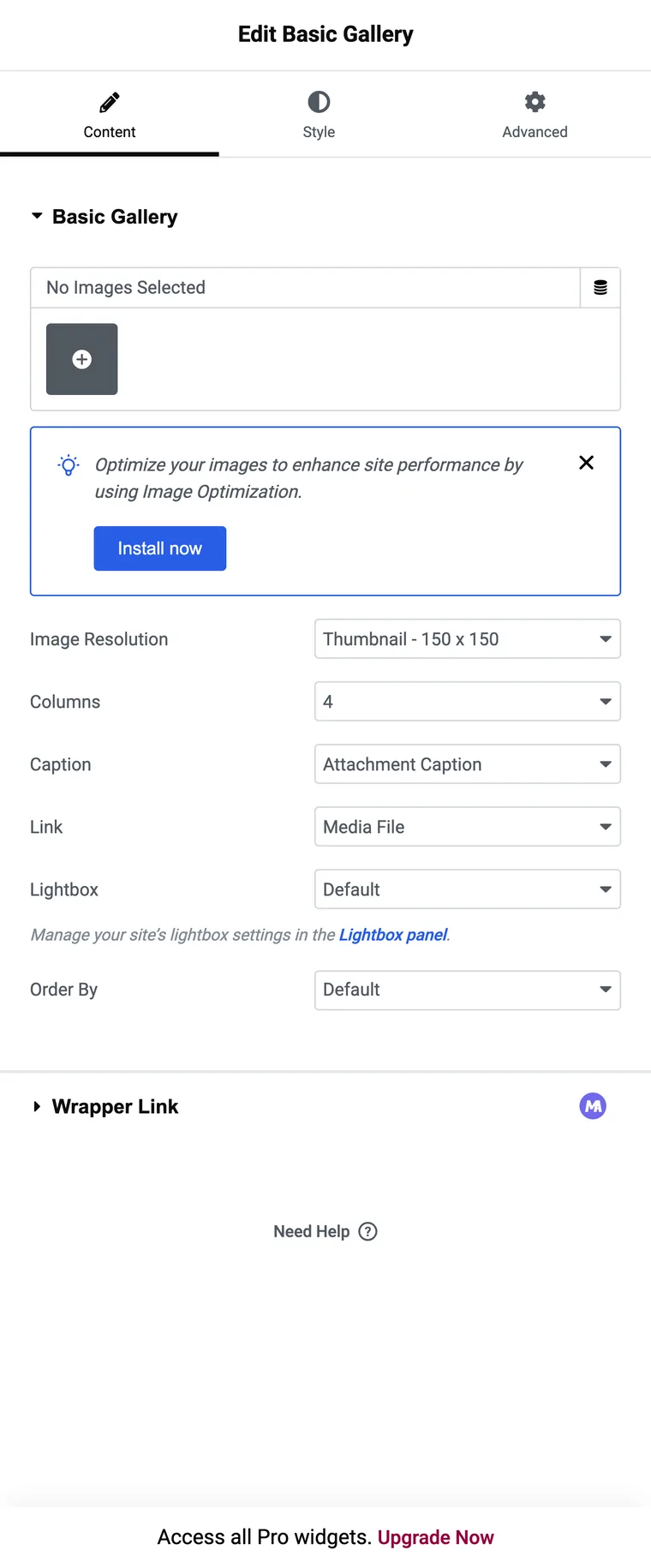
Columns runs from 1 to 10 and starts at 4. Caption has two values, the attachment caption or none, so there is no caption field to type into inside the widget. Link sends the image to the media file, the attachment page or nowhere, and the Lightbox control only applies when the link is the media file. Order By has a random option, which is useful on a homepage strip. That is the whole widget, and for a set of images with a lightbox it is enough.
The Pro Gallery widget
The second gallery widget, called Gallery, is Pro. Set its Type control to Multiple and it holds several named galleries in one widget, and those names become the filter tabs. Layout offers Grid, Justified and Masonry, so this is also the widget that packs a masonry grid for you. Columns is responsive here, starting at 4 on desktop, 2 on tablet and 1 on mobile, and the “All” tab can be renamed.
If you have a Pro licence, start here. The one structural thing to know is that an image belongs to the gallery you added it to, so a photo that belongs in two categories gets added twice.
What addon gallery widgets add
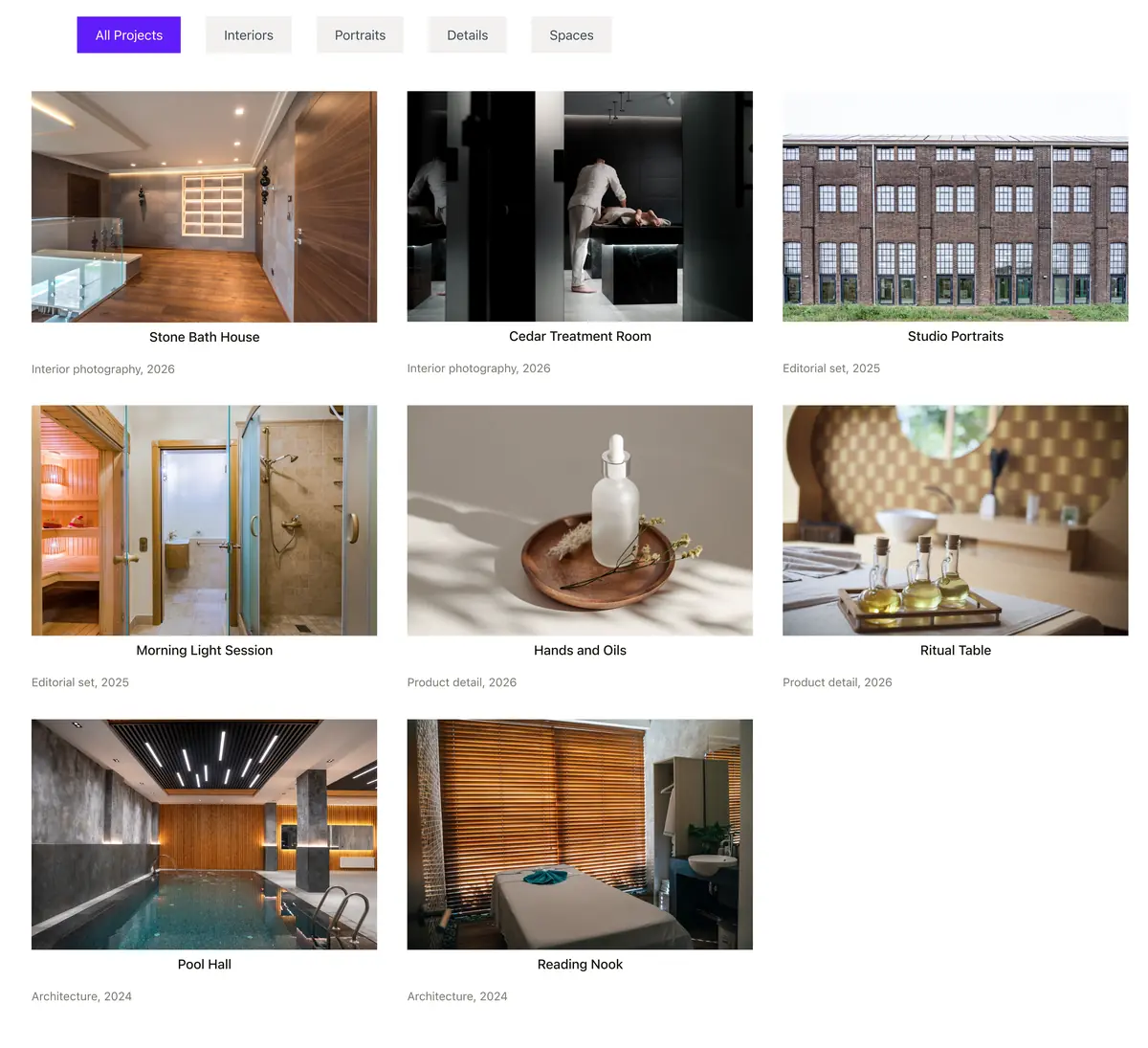
Addon widgets exist because of the gap between those two: a filter bar without a Pro licence, and fields on each image that neither Elementor widget offers. The Filterable Image Gallery is built that way, so each image is a repeater row rather than one entry in a media picker.
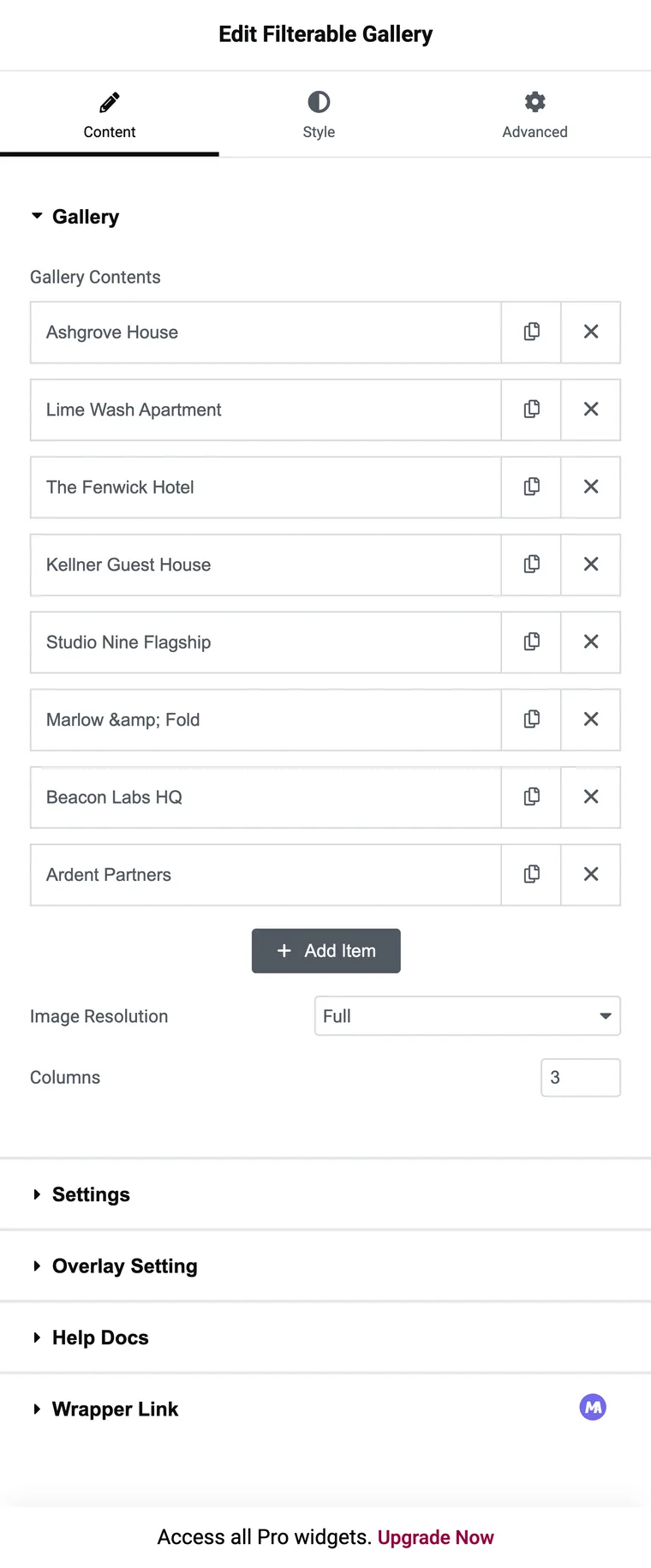
That structure buys a Filter Label per item, a title and a subtitle you type, a ribbon badge, and two buttons with their own URLs. It also costs something: adding thirty images means thirty rows rather than one multi select in the media library.
Side by side
| Feature | Image Gallery (free) | Gallery (Pro) | Filterable Image Gallery (addon) |
|---|---|---|---|
| Needs Elementor Pro | No | Yes | No |
| Category filter tabs | No | Yes, from named galleries | Yes, from a label per item |
| One image in two categories | Not applicable | Add it twice | Comma separate the labels |
| Columns | 1 to 10, one value for all screens | Responsive, 4 / 2 / 1 by default | 1 to 6, one value for all screens |
| Lightbox | Yes | Yes | Yes |
| Caption source | The attachment caption | The image title and description, through the overlay | A title and subtitle you type |
| Buttons on a card | No | No | Two, each with its own URL |
| Ribbon or badge | No | No | Yes |
| Masonry layout | No | Yes, in the Layout control | A switch, but the grid stays in rows |
| Hover tilt and scale | No | Hover animations, no tilt | Yes |
| Load more or pagination | No | No | No |
None of the three has a load more button, so a very large set is a page weight question whichever widget you choose.
Which one for which job
| What you are building | Widget |
|---|---|
| A few images with a lightbox | The free Image Gallery widget |
| Categories, and you own Pro | The Pro Gallery widget, unless images need to appear under two categories |
| Categories on a free install | A filterable addon widget |
| A portfolio where each card links somewhere | An addon widget, since neither Elementor gallery puts buttons on a card |
| One image at a time with thumbnails below | Not a gallery. That is a gallery slider |
| A sliding row of images | An image carousel, which Elementor also has in its free list |
Frequently asked questions
Does Elementor have a gallery widget?
Two of them. Image Gallery is in the free list and shows a grid with a lightbox. Gallery, with layout options, is on the Pro list.
What is the difference between a gallery and a carousel in Elementor?
A gallery shows the whole set at once in a grid. A carousel shows a row of slides and moves through them. Use a gallery when people should scan everything, and a carousel when space is tight.
Can I add a filter to the free Elementor gallery?
Not with the widget’s own settings. Either use the Pro Gallery widget with named galleries, or an addon widget that builds tabs from a label on each image.
Can I put a caption and a button on each image?
The free widget shows the attachment caption and no button. An addon widget is where per image titles, subtitles and buttons come from.
How many images is too many?
None of these widgets paginates, so every image loads with the page. Set a sensible Image Resolution and split very large archives across pages.
Final thoughts
Two questions settle most of these decisions: do people need to narrow the set, and does each image need a link of its own. No to both and the free widget is already enough. Yes to either and you are choosing between a Pro licence and an addon.
Related reading
