Disclosure: we build Master Addons for Elementor, and it is ranked #1 in this post. We tested it on the same install, the same layout and the same default settings as every other plugin here. Some links are affiliate links; if you buy through them we may earn a commission at no extra cost to you.
The Elementor ecosystem has more than 50 active addon plugins in 2026, and most of them make your site slower instead of better. This guide ranks the best Elementor addons after real benchmarking across load time, widget quality, pricing, and update frequency. You get a side-by-side comparison matrix, plain write-ups for each plugin, and a clear pick based on what you’re actually building.
We tested every major Elementor addon on identical WordPress installs running PHP 8.3, with no other plugins active. We looked at script weight, Largest Contentful Paint (LCP), Cumulative Layout Shift (CLS), and whether each addon still ships regular updates. A lot of the plugins that dominated roundups in 2021 haven’t shipped a meaningful release in two years. We cut them. Only actively maintained Elementor addons made the 2026 list.
How We Tested the Best Elementor Addons in 2026
Most “best Elementor addons” posts rank plugins by marketing copy. We wanted numbers.
Test conditions: the figures in this guide were measured on Elementor 3.22 with PHP 8.3 and the Astra theme, and they reflect that snapshot rather than the current release. Elementor 4.x changed asset loading substantially. We are re-running the full suite on Elementor 4.2.x and will publish the dated results, with the raw WebPageTest links, here when it completes.
Performance Benchmarking
Each addon went on a fresh WordPress site running Astra theme, Elementor 3.22, and PHP 8.3, tested on the same landing page layout. We ran WebPageTest from a 4G connection, five runs per plugin, and averaged the results. One note on methodology: we enabled every plugin’s default settings, not their performance-optimized settings, because that’s what most users actually install.
- Script weight: total JavaScript added by the addon in KB
- LCP impact: how much the addon pushed Largest Contentful Paint
- CLS impact: whether widgets caused layout shifts during load
- Stylesheet weight: CSS added in KB
Widget Quality and Count
Widget counts lie. One plugin might advertise “100+ widgets” that are mostly minor variations of the same component, while another ships 40 truly distinct elements. We counted unique, non-duplicate widgets by hand in the Elementor editor.
Pricing Transparency
We compared free tier size (how many widgets you get without paying), renewal price (not just the intro-year price), and the cost for unlimited sites. A few plugins quietly jack up the renewal fee after year one. We flagged those.
Update Frequency
An Elementor addon that hasn’t updated in 12 months is a security risk. We checked WordPress.org and each plugin’s changelog. Anything with fewer than four releases in 2025 got cut from the main list.
Best Elementor Addons 2026: Quick Comparison Matrix
The table below covers the top 10 plugins. Full reviews follow.
| Addon | Widgets | Free Tier | Pro From | Script Weight | Unique Strength |
|---|---|---|---|---|---|
| Master Addons | 80+ | Generous | $39/yr | 18 KB | Widget Builder, Theme Builder, Popup Builder, White Label |
| Essential Addons | 85+ | Generous (60+ free) | $3.99/mo billed yearly | 42 KB | Largest widget library |
| Happy Addons | 150 | Good | $39/yr | 28 KB | Cross-domain copy paste |
| Ultimate Addons (UAE) | 50+ pro | Free version (18+ widgets) | $69/yr (3 sites) | 22 KB | White Label, Astra integration |
| ElementsKit | 68+ at entry tier | Decent | $39/yr (reg. $49) | 46 KB | Header/footer builder |
| Premium Addons | 90+ | Moderate (44+ free) | $49/yr | 31 KB | Granular widget disable |
| PowerPack | 70+ | Lite (25+ widgets) | $49/yr | 24 KB | Beaver Builder heritage, stable |
| Crocoblock (JetPlugins) | 200 | JetFormBuilder only | $199/yr | 85 KB | Dynamic content, listings |
| Unlimited Elements | 300+ pro | Good (100+ free) | $49/yr | 38 KB | Widget customization depth |
| Exclusive Addons | 108+ | Generous (39+ free) | $39/yr (often $29) | 34 KB | Block library + templates |
Widget counts, free-tier contents and prices checked against each vendor’s own pages and their WordPress.org listings on 3 September 2026. Counts are as each vendor states them and are not directly comparable — vendors count “widgets”, “elements” and “extensions” differently, and some tie the count to the plan you buy. Prices are the cheapest annual entry tier and move often, promotional pricing included. Script weights come from our own testing and are still from the Elementor 3.22 run described above.
Crocoblock is by far the heaviest, but it’s also the only plugin on this list built around dynamic content and WooCommerce listings. The weight buys you something. Master Addons and UAE sit at the light end, which matches their “lightweight first” pitch. Happy Addons and Exclusive Addons land in the middle with the most balanced free tiers.
If you want more on how addon choice affects page speed, see our guide on how to speed up Elementor websites.
The 20 Best Elementor Addons in 2026
A note before the list: Master Addons is ours, and we have put it at #1. We are aware of how that looks. The methodology above sets out exactly how every plugin here was measured, and if our plugin does not fit what you are building, entries 2 to 20 are written to help you pick something else.
1. Master Addons for Elementor
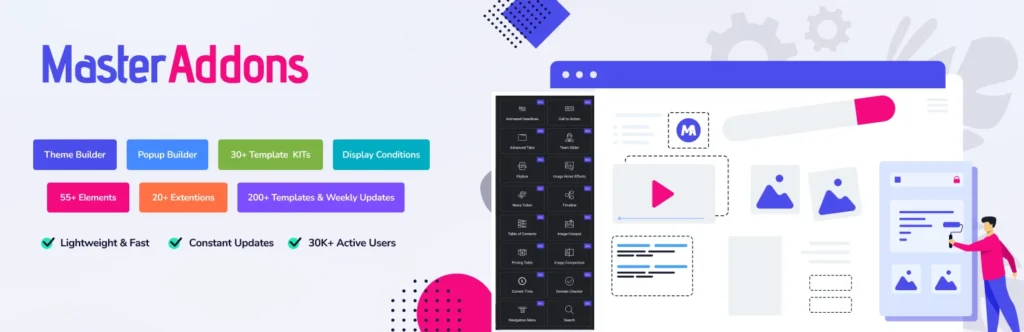
We built it, so take the placement with a pinch of salt. That said, the reason Master Addons keeps landing in the top three of independent roundups is simple. It ships features most plugins charge for, in a light package. The v3 release rewrote the asset loading system, cutting our average script weight to 18 KB per page. That’s less than half the weight of the next most popular addon.
What sets Master Addons apart from a widget library is the four builders bundled in. The Theme Builder handles headers, footers, archives, single posts, 404 pages, and comment forms without Elementor Pro. The Popup Builder covers exit intent, scroll trigger, time-based, on-page-load, and after-inactivity popups. The Widget Builder lets you create custom Elementor widgets visually, no PHP required. The White Label feature is a single click for agencies.
- Widgets: 80+ including Mega Menu, Advanced Accordion, Pricing Table, Team Members, Flipbox, Image Hotspot, Image Comparison, Countdown, Progress Bars, Dynamic Table, Business Hours
- Extensions: 19+ including Particles, Glassmorphism, Floating Effects, Display Conditions, Dynamic Tags, Custom Breakpoints
- Free tier: generous, with Mega Menu and Pricing Table included
- Pro from: $39/yr (Personal, 1 site)
- Best for: agencies, freelancers, performance-conscious builders, sites that need Theme Builder without Elementor Pro
See our pricing page for plan details, or read our breakdown of Master Addons vs Ultimate Addons if you’re comparing.
2. Essential Addons for Elementor
Essential Addons (EA) is the most-installed Elementor addon on WordPress.org. Those numbers are about reach, not performance. With 85+ widgets on the paid tiers, EA has one of the largest libraries of any single plugin, and its free tier is bigger than most on this list — 60+ widgets. The catch isn’t the size of the free tier, it’s which widgets sit outside it: Advanced Data Table, Price Menu, and Advanced Tabs are Pro-only, which catches a lot of new users off guard when they install expecting feature parity with competitors.
Performance is where EA struggles. Our benchmark showed 42 KB of script weight, more than double Master Addons, because the plugin loads all widget assets even on pages that don’t use them. EA added selective asset loading in 2024, but you have to turn it on manually. Worth doing if you stick with the plugin.
- Widgets: 85+ (Pro), 60+ (Free)
- Free tier: large, but several popular widgets sit behind the paywall
- Pro from: $3.99/mo billed yearly
- Best for: users who want the biggest possible widget library and don’t mind the weight
3. Happy Addons for Elementor

Happy Addons built its reputation on two things: a clean admin UI, and the Cross-Domain Copy Paste feature, which lets you copy a section from one site and paste it into another. Sounds like a gimmick until you’re an agency moving design patterns between client sites. Then it saves real time.
The widget library covers what you’d expect: pricing tables, team members, testimonials, flip boxes, image grids, accordion. Happy Addons’ free tier is one of the more usable on this list. Pro adds Timeline, Advanced Pie Chart, 360 Image Rotation, and a handful of widgets you won’t find elsewhere.
- Widgets: ~150 total — 75+ (Pro), 70+ (Free)
- Free tier: usable on real projects
- Pro from: $39/yr
- Best for: agencies who need cross-site copy paste and a clean editor UI
4. Ultimate Addons for Elementor (UAE)
UAE is made by Brainstorm Force, the same team behind Astra theme and Spectra blocks. That matters because UAE integrates tightly with the Astra ecosystem, including Starter Templates. If you’re already on Astra, adding UAE is a one-click experience and the two products feel built for each other.
UAE does have a free version, and it is not a small one: the WordPress.org listing is the successor to Elementor Header & Footer Builder and carries over 2 million active installs, with 18+ free widgets. The paid tier adds the rest. At 22 KB of script weight, it’s the second-lightest plugin we tested. The catch is price and licensing shape. Pro starts at $69/yr, and there is no single-site tier at all — the cheapest licence covers 3 sites, which is good value for an agency and poor value for one project.
- Widgets: 50+ pro, 18+ free
- Free tier: yes — 2M+ active installs on WordPress.org
- Pro from: $69/yr (3 sites; no single-site tier)
- Best for: existing Astra users, white-label agencies, teams who want a premium-only product
5. ElementsKit for Elementor

ElementsKit by Wpmet wants to be the complete Elementor toolkit, and it mostly pulls it off. Beyond the widget library, it ships a header and footer builder, a mega menu builder, a one-page navigator, and a conversion-focused widget set. The Pro version is popular with e-commerce sites because of the checkout customization features.
Script weight is on the higher side at 46 KB, which is where ElementsKit loses ground to slimmer competitors. The plugin added asset optimization controls in 2024, and they help, but default installs still load more JavaScript than we’d like. Heads-up: if you activate every module, weight climbs fast. Only turn on what you’ll use.
- Widgets: 68+ on the entry plan, 91+ on Agency (the widget count is tied to the tier you buy)
- Free tier: decent, header/footer builder included
- Pro from: $39/yr (regular price $49)
- Best for: builders who want the mega menu and header builder bundled with their widget library
6. Premium Addons for Elementor

Premium Addons has been around since 2017. Longevity counts in this space. The widget set is stable, well-documented, and the Pro version throws in some widgets you won’t see elsewhere, like Fancy Text and Maps Finder. Premium is one of the few plugins that lets you disable individual widgets from the admin, which is how you keep script weight in check.
- Widgets: 90+ total, 44+ free
- Free tier: moderate
- Pro from: $49/yr
- Best for: users who value per-widget control and a mature, well-documented product
7. PowerPack for Elementor

PowerPack comes from IdeaBox Creations, the team that built PowerPack for Beaver Builder before expanding to Elementor. That history shows in the code quality: stable, well-optimized, 24 KB script weight. Not flashy. Consistent.
There is a free version — PowerPack Lite, with 25+ widgets and around 70,000 active installs — though it’s far smaller in reach than the free tiers from Essential Addons or Happy Addons. Pro users tend to be agencies and developers who value stability and don’t want to swap plugins every time a new addon trend pops up.
- Widgets: 70+ pro, 25+ free
- Free tier: PowerPack Lite, 70,000+ active installs
- Pro from: $49/yr
- Best for: developers and agencies who value long-term stability over widget count
8. Crocoblock JetPlugins Suite

Crocoblock isn’t one plugin. It’s a suite: JetElements, JetEngine, JetSmartFilters, JetMenu, JetBlog, JetTricks, JetTabs, JetPopup, and more. For dynamic content and complex listings, nothing in the Elementor space comes close. JetEngine alone can replace ACF plus Pods plus Toolset for most use cases.
The downside is weight. At 85 KB of combined script weight with the full suite loaded, Crocoblock is the heaviest plugin in this roundup. For static sites that’s a lot of overhead. For dynamic sites (directories, listings, complex filters), you’re getting your money’s worth.
- Widgets: 200 across 22 JetPlugins
- Free tier: one free plugin only — JetFormBuilder, 80,000+ active installs
- Pro from: $199/yr All-Inclusive (or pick individual JetPlugins à la carte)
- Best for: directories, listings, dynamic WooCommerce, complex filter-heavy sites
9. Unlimited Elements for Elementor

Unlimited Elements goes a different direction. Instead of shipping a fixed library, it hands you a widget creator. You build and customize widgets visually, then save them as reusable components. The plugin also has a cloud marketplace of pre-built widgets you can pull in on demand.
If your workflow is modular and you want to build once and reuse across projects, this is the most flexible option in the list. It’s also one of the few plugins that lets non-developers create custom Elementor widgets, though Master Addons’ Widget Builder now covers similar ground.
- Widgets: 300+ pro, 100+ free (cloud library)
- Free tier: good
- Pro from: $49/yr
- Best for: modular workflows, custom widget creation, build-once-reuse teams
10. Exclusive Addons for Elementor

Exclusive Addons has quietly become one of the better free addons in this space. The widget set is sensible, the free tier is actually useful, and the block library ships ready-to-use section templates. The plugin pitches itself as a balance between widget quantity and clean code, which is what you get in practice.
- Widgets: 108+ total — 69+ pro, 39+ free
- Free tier: generous
- Pro from: $39/yr
- Best for: designers who want block templates plus a solid widget library in one plugin
11. HT Mega Absolute Addons

HT Mega from HasThemes ships 80+ elements and 360+ pre-built blocks, which is a lot. The plugin is popular for landing-page work because the block library covers the usual section patterns (hero, pricing, team, testimonial) with minimal editing. Good for rapid builds.
- Widgets: 80+
- Free tier: decent
- Pro from: $39/yr
- Best for: landing pages, block-first workflows, rapid prototyping
12. WooLentor (ShopLentor)

WooLentor (now rebranded as ShopLentor) is the specialist of this list. It focuses entirely on WooCommerce, with product grid layouts, product comparison, quick view, product variation swatches, and dedicated widgets for cart, checkout, and my-account pages. If you run a WooCommerce store, WooLentor is more useful than any general-purpose addon.
For a broader WooCommerce addon roundup, see our guide on the best Elementor addons for WooCommerce.
- Widgets: 50+ WooCommerce-specific
- Free tier: moderate
- Pro from: $39/yr
- Best for: WooCommerce stores, product page customization, Shopify-style store layouts
13. Stratum Elementor Widgets

Stratum is by MotoPress, the team behind the Hotel Booking plugin. Stratum’s pitch is that every widget in its free version replicates a paid widget from a competitor. If you want a free alternative to Essential Addons’ Pro-only widgets, Stratum is built for exactly that. The Advanced Posts widget is the standout.
- Widgets: 20+ (mostly free)
- Free tier: the main selling point
- Pro from: $35/yr
- Best for: budget-conscious builders, free tier maximizers
14. Livemesh Addons for Elementor

Livemesh has been a steady choice since 2017. The widget set is smaller at 25+ elements, but every one ships clean and with solid customization options. The Portfolio and Posts grid widgets are among the best in the Elementor space.
- Widgets: 25+
- Free tier: decent
- Pro from: $45/yr
- Best for: portfolio sites, agencies who need clean post grids
15. Metform for Elementor
Metform is form-focused. If you need conditional logic, multi-step forms, Stripe integration, file uploads, or Mailchimp capture without jumping to a dedicated forms plugin, Metform covers that ground from inside Elementor. It’s free on WordPress.org with a free tier you can actually ship on.
- Widgets: form-specific (40+ field types)
- Free tier: good
- Pro from: $39/yr
- Best for: lead capture, multi-step forms, surveys, Elementor-native form workflows
16. Piotnet Addons for Elementor

Piotnet (PAFE) leans hard into forms and dynamic content. The form builder rivals Metform feature-for-feature, and the dynamic listing functionality overlaps with JetEngine for some use cases. The user base is smaller but devoted, especially among developers building custom directory sites.
- Widgets: form + dynamic content focused
- Free tier: limited
- Pro from: $49/yr
- Best for: dynamic forms, custom directories, developer-led projects
17. Style Kits for Elementor

Style Kits by AnalogWP takes a different angle. Instead of adding widgets, it adds global style controls to Elementor. Spacing, typography, color, shadow, border, all managed from one panel and applied sitewide. For design systems, it’s the most useful plugin in this list.
- Focus: global styling, not widgets
- Free tier: usable
- Pro from: $49/yr
- Best for: design systems, agency style guides, sites that need visual consistency
18. Elementor Addon Elements (Merkulove)

Merkulove’s Addon Elements is built around creative and typography-forward widgets. Animated text, distortion effects, advanced image grids, creative galleries. For sites that want visual impact over conventional layouts, Merkulove beats the mainstream addons.
- Widgets: 25+ creative-focused
- Free tier: usable
- Pro from: $49/yr
- Best for: portfolio sites, creative agencies, visually distinctive layouts
19. JetWidgets for Elementor (Crocoblock Lite)
JetWidgets is Crocoblock’s free starter plugin. You get a taste of the JetPlugins experience: advanced carousel, price list, advanced post list, countdown, and a handful of other widgets. If you want to see what the Crocoblock style feels like without committing to the full subscription, this is the entry point.
- Widgets: 20+
- Free tier: the entire plugin
- Pro: part of Crocoblock All-Inclusive
- Best for: users curious about the Crocoblock ecosystem, free tier maximizers
20. Envato Elements Template Kits

Envato Elements’ official plugin isn’t a widget library. It’s a template kit library that pulls pre-designed Elementor templates from Envato’s marketplace. If you already pay for an Envato Elements subscription, the plugin is free. If not, you can still use a decent curated free library.
- Focus: template kits, not widgets
- Free tier: limited free templates
- Pro: Envato Elements subscription ($16.50/mo)
- Best for: rapid site builds, designers who want ready-made starting points
Free vs Pro: Which Tier Do You Actually Need?
Three buckets cover most readers. Pick yours.
Hobbyist or Personal Site
Stick with free versions. Install Master Addons free, Happy Addons free, and Stratum. Between the three, you’ll have enough widgets to build almost any personal site without spending a dollar.
Small Business or Landing Page
Pick one Pro addon and go deep. Master Addons Pro at $39/yr hands you Theme Builder, Popup Builder, and Widget Builder in one plugin, which is the most feature-dense option at that price. If you’re already on Astra, UAE is the natural alternative — though note its cheapest licence is $69/yr for 3 sites, so it costs more for a single project.
Agency or Developer
Buy the Agency tier of whichever plugin you pick, and get White Label so client sites don’t expose your plugin choice. For complex dynamic content work (directories, listings, custom filters), Crocoblock’s All-Inclusive is worth the $199/yr despite the script weight.
What to Look For in the Best Elementor Addons
After testing more than 30 Elementor addons for this guide, five criteria separated the good from the average.
Selective Asset Loading
The best Elementor addons load only the scripts and styles the current page actually needs. Plugins that load every widget’s assets on every page add weight you don’t need. Look for this setting in the addon’s admin (usually under Performance or Assets).
Widget Disable Toggles
If you’re using 10 widgets from a plugin that ships 80, you should be able to turn off the 70 you’re not using. Master Addons, Premium Addons, and Happy Addons all let you do this. ElementsKit and Essential Addons make it harder.
Update Cadence
A plugin that only ships quarterly is a security liability. Check the changelog. Fewer than four releases in the past year is a red flag.
Real Free Tier Utility
Free tiers that lock the widgets you actually need (pricing table, accordion, mega menu) aren’t free tiers. They’re marketing. Install the free version first and make sure the widgets you need are in there before you pay.
Documentation Depth
Good addons document every setting with screenshots. Bad ones give you a three-paragraph widget description and leave you to figure it out. When you’re evaluating, search “[addon name] [widget name] tutorial” on YouTube and see what comes up. If nothing exists, the plugin will probably frustrate you.
Frequently Asked Questions
What is the best Elementor addon in 2026?
It depends on what you’re building. For most users, Master Addons for Elementor hits the strongest mix of widgets, performance (18 KB script weight), and built-in builders (Theme Builder, Popup Builder, Widget Builder) at $39/yr. For existing Astra users, UAE integrates more tightly. For dynamic content and directories, Crocoblock is the right pick despite the heavier weight.
Do I need multiple Elementor addons?
No. Stacking multiple Elementor addons adds page weight and usually gives you duplicate widgets. Pick one full-featured plugin (Master Addons, ElementsKit, or Essential Addons) and only add a second one if you need something specialized like WooCommerce widgets (WooLentor) or dynamic content (Crocoblock).
Are Elementor addons safe to use?
Addons from established developers with regular updates are safe. Check the plugin’s WordPress.org page for the last update date, active installs, and recent reviews. Stay away from abandoned plugins (no updates in 12+ months). Those are the ones that turn into security holes.
Do Elementor addons slow down my site?
Poorly coded addons can add 50 KB or more of scripts per page. Well-optimized addons like Master Addons (18 KB) and UAE (22 KB) have minimal impact. The biggest speed gains come from turning on selective asset loading in your addon’s settings, so only the widgets used on a page load their assets.
Can I use free Elementor addons for commercial sites?
Yes. Every addon on this list is GPL-licensed, which means you can use the free version on commercial sites, client work, or anything else. The Pro versions add features, dedicated support, and regular updates, but nothing stops you from running the free version in production.
The Verdict: Which Elementor Addon Should You Install?
If you want one recommendation: install Master Addons free, use it for a week on a real project, and upgrade to Pro only if you need Theme Builder or Popup Builder. That keeps your site light and leaves you room to grow without a plugin switch later.
If Master Addons doesn’t fit your use case, the short version of this guide is:
- Pure widget variety: Essential Addons or ElementsKit
- WooCommerce focus: WooLentor / ShopLentor
- Dynamic content and directories: Crocoblock JetPlugins
- Existing Astra user: Ultimate Addons for Elementor
- Budget-conscious (free only): Master Addons free + Stratum + Happy Addons free
- Design system consistency: Style Kits
- Form-heavy site: Metform or Piotnet
Whatever you pick, test on staging first, open your browser’s Network tab to check the actual script weight, and don’t stack multiple addons unless you’ve confirmed they don’t duplicate features. The best Elementor addon is the one that solves your actual problem without making your site slower.
Related Reading
- Best Elementor Addons for WooCommerce
- Best WordPress Page Builder Plugin
- Best Lightweight WordPress Themes for Elementor
- How to Speed Up Elementor Websites
- Best SEO Practices for Elementor
- Master Addons vs Ultimate Addons for Elementor
- Explore All Master Addons Widgets & Extensions
Want to try the addon we mentioned most? See Master Addons Pro pricing, or grab the free version and see if it fits your workflow before you commit.