

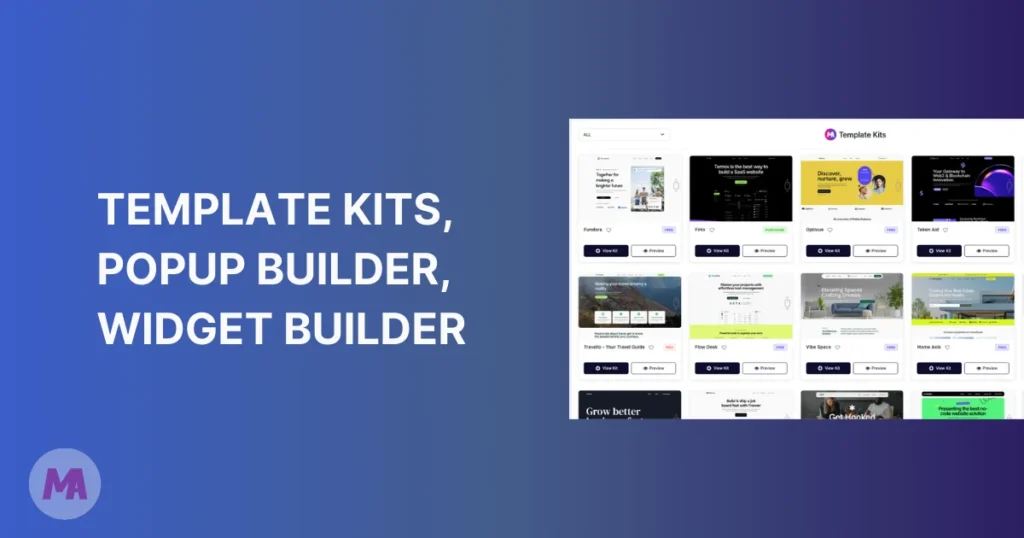
We don’t say “massive update” lightly. Master Addons v3.0.0 is the result of months of focused development, deep user feedback, and a genuine desire to make the best Elementor addon plugin even better. This isn’t just a version bump — it’s a complete evolution.
note: We have planned to release this new update in upcoming sunday (7th March 2026).
Whether you’re a designer, developer, or agency owner, this release has something meaningful for you. Let’s walk through everything that’s new.
A Snapshot of What’s Inside v3.0.0
Before we dive deep, here’s a quick look at the new dashboard — your command center for everything Master Addons:
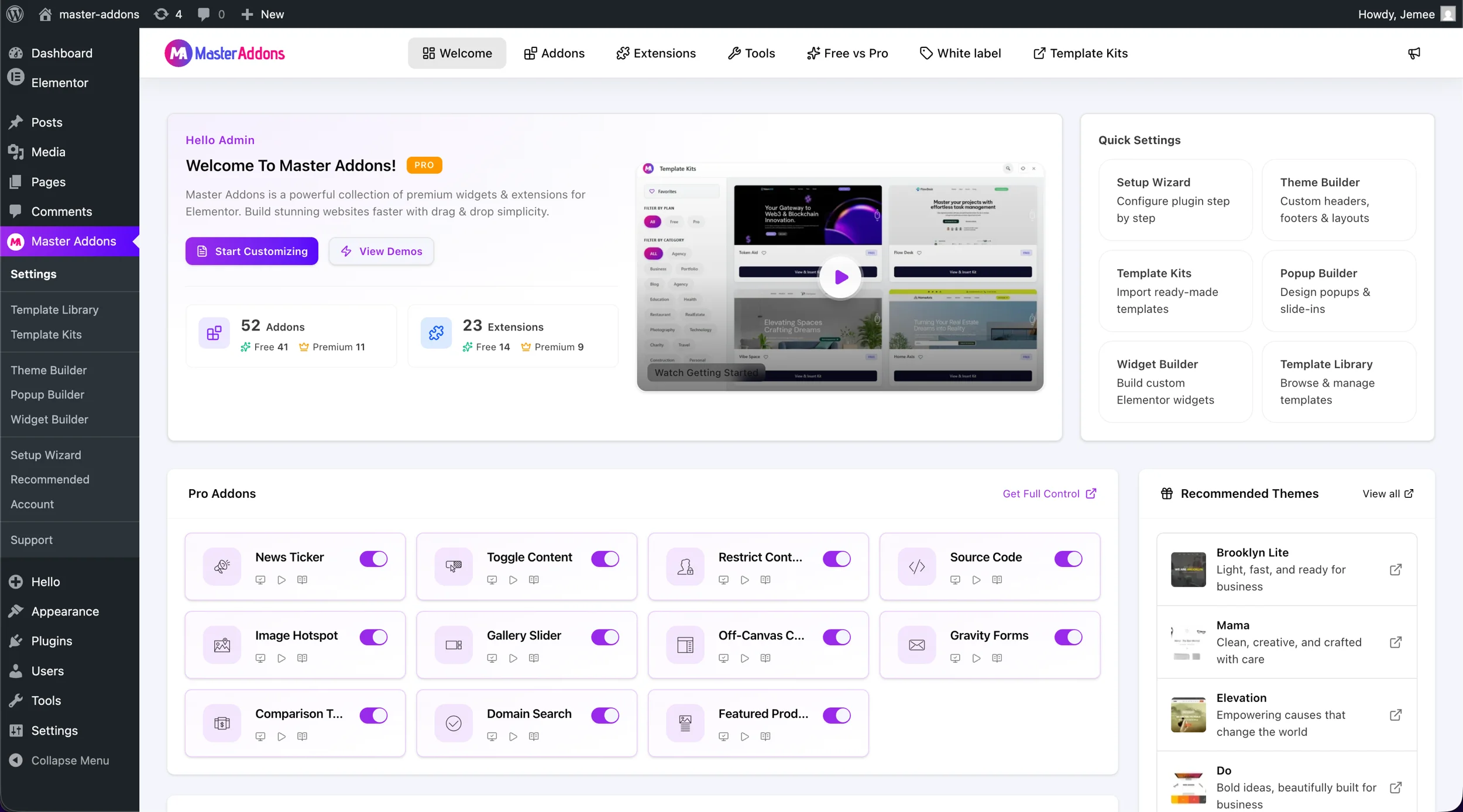
You’ll notice the welcome screen now gives you instant access to six core tools: Template Kits, Popup Builder, Widget Builder, Theme Builder, Template Library, and the Setup Wizard. Clean. Fast. Everything right where you need it.
1. Template Kits — Launch Full Websites in Minutes
The feature we know you’ve been waiting for is finally here. Template Kits are complete, professionally designed website starter packs you can import with a single click — directly inside your WordPress dashboard.
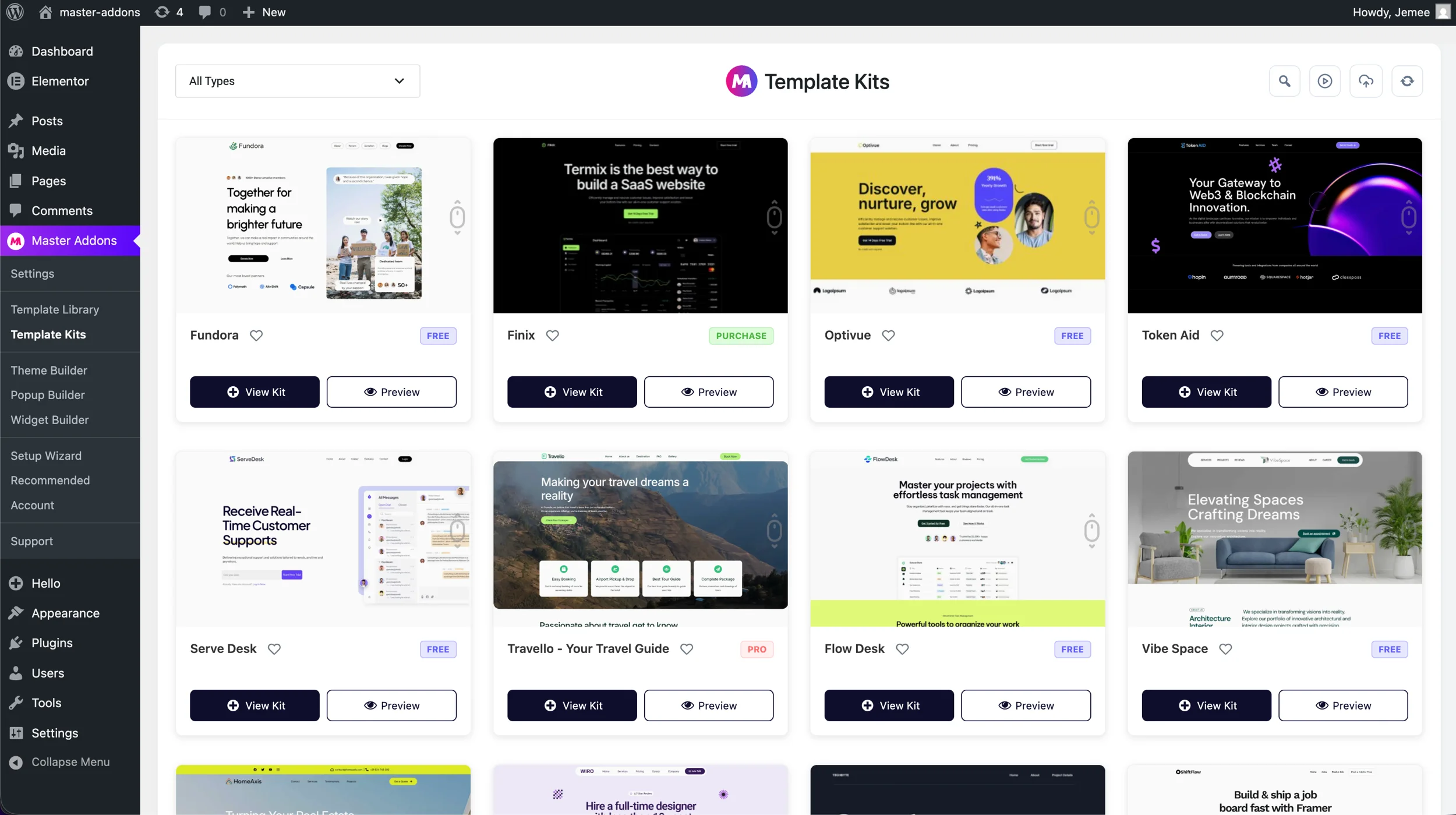
We’re launching with 20 Template Kits across categories like SaaS, Agency, Travel, Real Estate, Architecture, and more. Each kit includes a full set of pages — homepage, about, pricing, contact — so you’re not piecing together sections from scratch.
But we’re not stopping there. Our design team will publish 2 new Template Kits every week. That means your library grows constantly without you lifting a finger.
Have a design idea? We genuinely want to hear it. Drop us an email and our designer team will review your suggestion — and if it’s a great fit, your idea could become an official Master Addons Template Kit. We think that’s pretty cool.
How to access: Go to Master Addons → Template Kits in your WordPress dashboard to browse and import.
2. Popup Builder — Now Built Right Into Elementor
Popups done right — no bloated separate plugin, no awkward integrations. The Master Addons Popup Builder is a native Elementor experience that lets you design, configure, and launch popups without ever leaving your editor.
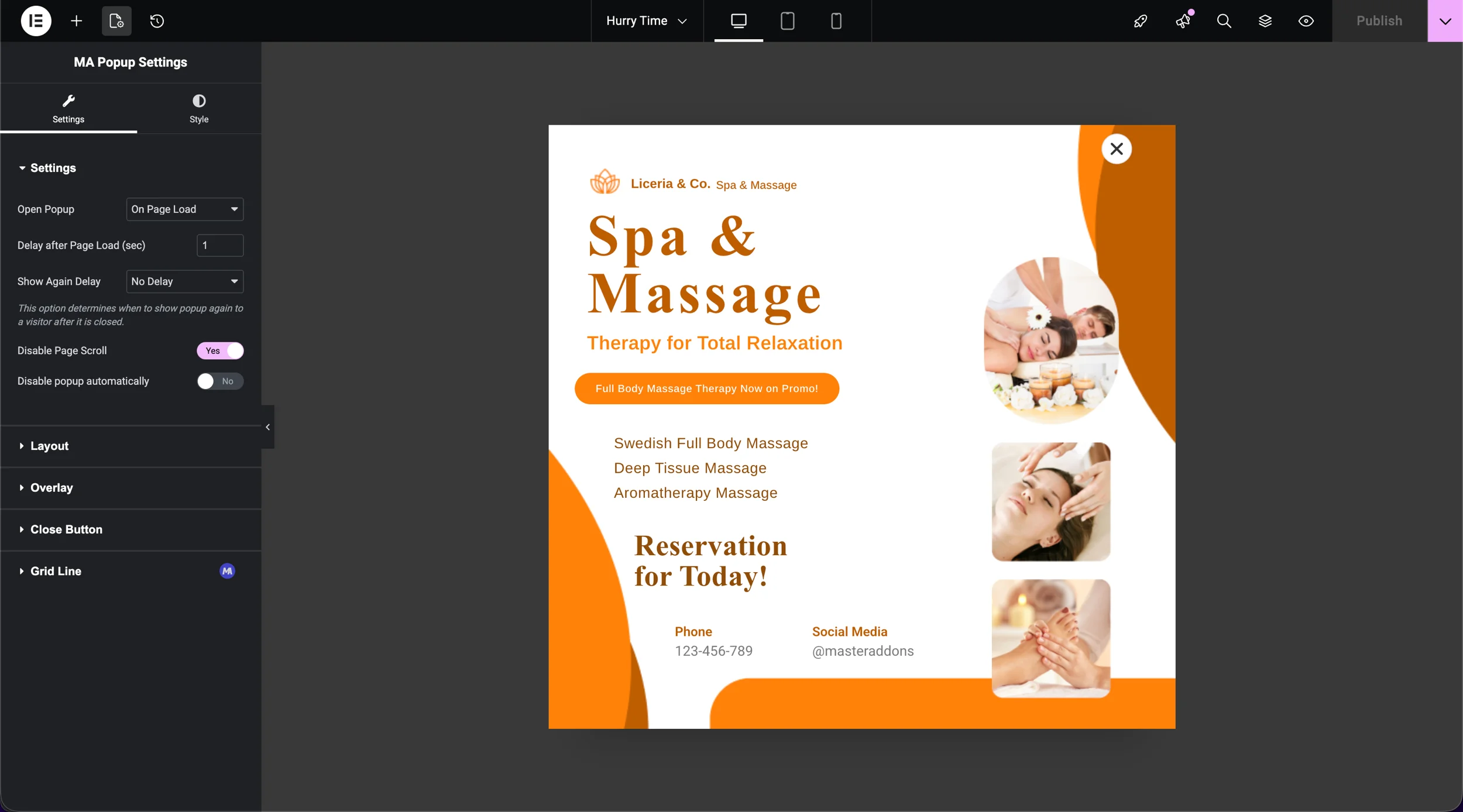
You get full control over when and how your popups appear:
- On Page Load — Greet visitors the moment they land. Set a delay in seconds so the page loads first.
- On Scroll — Show a popup after the visitor has scrolled a set percentage of your page (25%, 50%, 70%, 90%).
- Exit Intent — Catch visitors before they leave with a last-chance offer or email capture.
- On Click — The most respectful trigger. Popup appears only when a specific button or link is clicked.
- After Inactivity — Re-engage idle visitors with a helpful nudge.
You also have Display Conditions — control exactly which pages, post types, or sections a popup appears on. Show a newsletter form only on blog posts. Hide it on your pricing page. The precision is yours.
Disable Page Scroll while a popup is open, set Show Again Delay so you don’t annoy repeat visitors, and use the auto-dismiss option for time-sensitive announcements.
Want to learn more? Read our full guide: How to Add Popup in Elementor for Free or visit the Popup Builder feature page.
3. Completely Redesigned Option Panel
The old option panel did the job. The new one does it beautifully. We rebuilt the UI from the ground up with a focus on clarity, speed of access, and better organization.
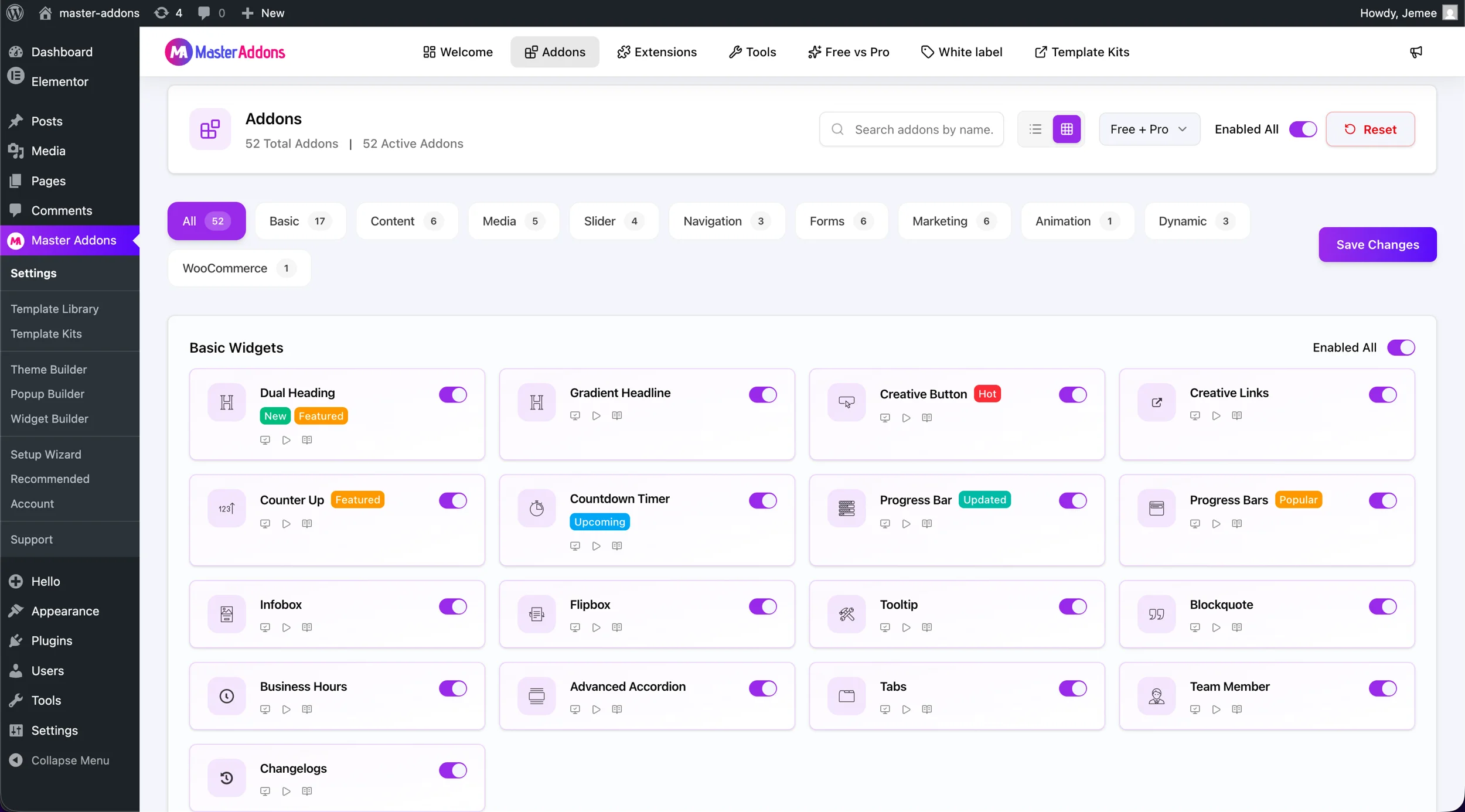
Here’s what changed:
- Category tabs (Basic, Content, Media, Slider, Navigation, Forms, Marketing, Animation, Dynamic, WooCommerce) let you filter addons instantly instead of scrolling through a wall of items.
- Search by name — type any addon name and find it in milliseconds.
- Filter by plan — switch between Free, Pro, or Free + Pro views.
- Enable All / Reset — toggle entire categories on or off with one click.
- Each addon now shows direct links to its demo, tutorial video, and documentation right from the panel.
The result: managing 52 addons and 23 extensions now feels effortless.
Total in v3.0.0: 52 Addons (41 Free + 11 Premium) · 23 Extensions (14 Free + 9 Premium)
4. 3x Faster Performance — We Measured It
We made a promise to ourselves: v3.0.0 won’t just add features, it will be faster. And we delivered.
Master Addons v3.0.0 is 3x faster than the previous version. This comes from:
- Refactored core plugin architecture with leaner asset loading
- Smarter conditional asset enqueueing — scripts and styles only load when the widget is actually present on the page
- Reduced database queries across the option panel
- Cleaner, more optimized widget output
Your pages will load faster. Your Elementor editor will feel snappier. And your visitors will notice — even if they don’t know why.
5. Widget Builder for Elementor — Build Your Own Widgets (Upcoming)
This is the feature that unlocks a completely new level of customization. The Master Addons Widget Builder lets technical users — and increasingly, AI-assisted designers — create their own fully functional Elementor widgets using HTML, CSS, JavaScript, and any external library.
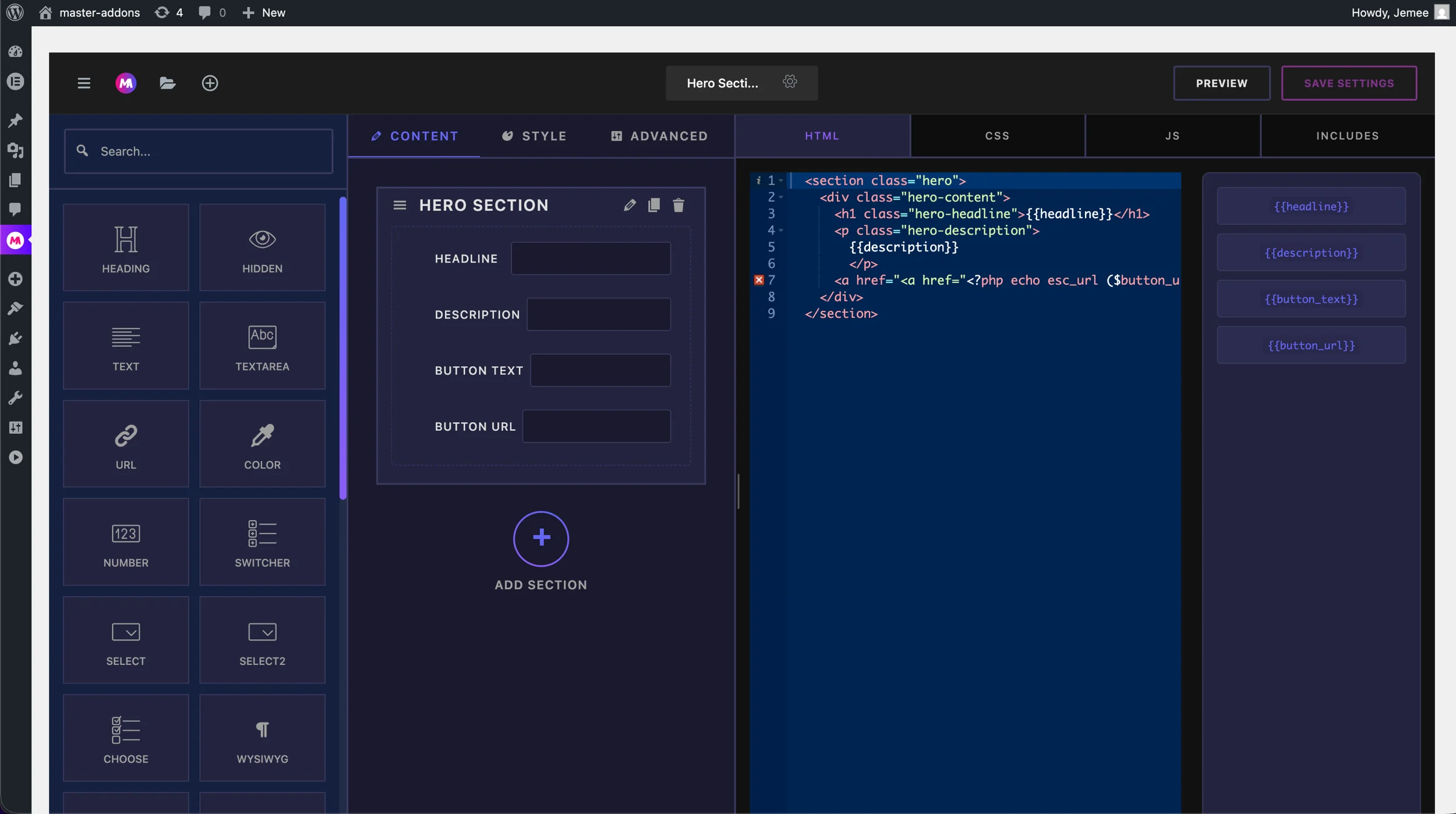
Here’s how it works:
- Create & Name — Give your widget a title and assign it a category so it’s easy to find in the Elementor panel.
- Build the Controls Panel — Drag in controls like text fields, color pickers, selects, toggles, URL inputs, media uploaders, and 20+ more. Each control becomes a live setting in Elementor.
- Write Your Template — In the HTML/CSS/JS editor, reference your controls using auto-generated shortcodes like
{{headline}},{{button_url}},{{color}}. - Save & Use Anywhere — Your widget appears in the Elementor editor immediately. Drag it onto any page, customize it live, and reuse it across projects.
Real-world use cases:
- Turn an AI-generated pricing card into a reusable, editable Elementor widget
- Import a stunning CodePen animation and expose color/text controls to your client
- Build a branded UI kit for your agency and deploy it across all client sites
See how it works on action
Learn more at the Widget Builder feature page.
6. ACF Support in Dynamic Tags + Advanced Query Loop (Coming Soon)
For developers building truly dynamic websites, v3.0.0 starts a new chapter with ACF (Advanced Custom Fields) support in our Dynamic Tags feature.
This means you can now map ACF field values — text, images, URLs, repeater fields — directly into any Elementor widget’s settings using Master Addons dynamic tags. No custom code. No workarounds.
And we’re not stopping there. We have Advanced Query Loop elements in active development, which will allow you to build custom post grids, filtered lists, and fully dynamic content sections using your own post types and taxonomy structures.
This is the roadmap for Master Addons becoming the most capable dynamic content toolkit for Elementor — and it starts in v3.0.0.
7. Growing Template Library
The Template Library has grown significantly in this release. You now have access to:
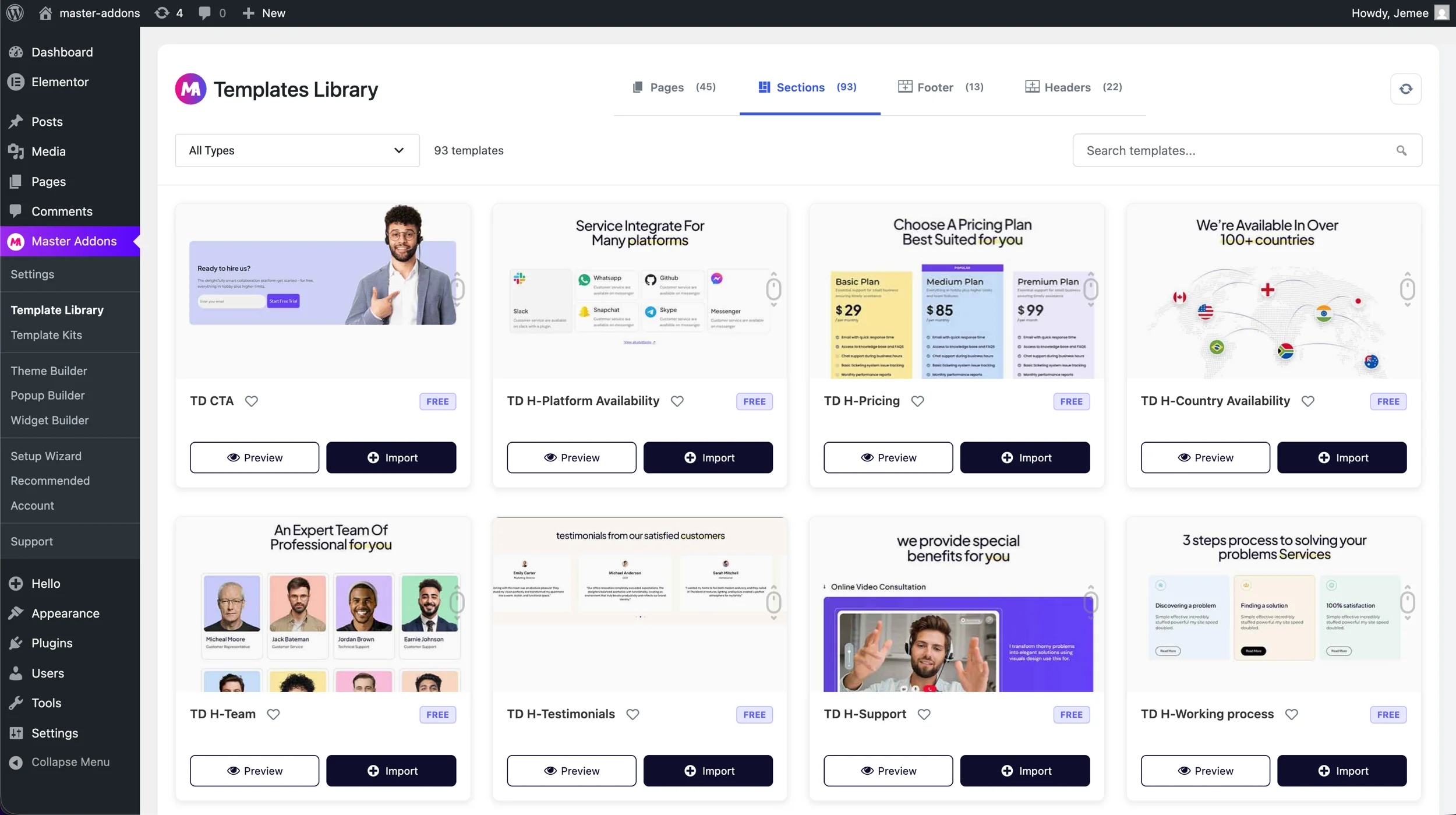
- 45 full Page templates
- 93 Section templates
- 13 Footer templates
- 22 Header templates
Every template is built to professional standards and is fully editable inside Elementor. Import any section in a single click and customize it to match your brand.
Important: Please Back Up Before Updating
We’ve tested v3.0.0 extensively. We’ve fixed every issue we could find. Our QA process was thorough.
But here’s the honest truth: any major version update is a meaningful change to your website’s functionality. We can’t predict every server configuration, every plugin combination, or every theme interaction.
So before you hit “Update”:
- Create a full backup of your WordPress database and files (use UpdraftPlus, Duplicator, or your host’s backup tool)
- Test on staging if you manage a high-traffic or business-critical site
- Then update with confidence
This is a habit worth keeping for any plugin update — not just ours.
Ready to Update?
Head to WordPress Dashboard → Plugins → Master Addons and click Update. Or if you’re new to Master Addons, install it today and start with the best version we’ve ever shipped.
Resources:
- 🔗 Popup Builder Feature Page
- 🔗 Widget Builder Feature Page
- 🔗 How to Add a Popup in Elementor for Free
- 🔗 Documentation
- 🔗 Join Our Community
We’re proud of this release. We hope you love building with it. As always — if you find anything or have feedback, reach out. You help make Master Addons better.
— The Master Addons Team
