

Key Takeaways
- Slider Revolution is a standalone slider and animation builder with its own editor, sold from 45 euros a year for one site, while Elementor is a full page builder with a free core plugin and Pro plans that its pricing page lists from $60 a year.
- Elementor Pro’s Slides widget builds a hero slider with a background, heading, description and button on each slide plus a Ken Burns effect, and the free Elementor plugin covers rotating hero backgrounds with the Slideshow background type on any container.
- Slider Revolution 6 ships its own Elementor widget, so a module built in Slider Revolution drops onto an Elementor page without the rev_slider shortcode, although the shortcode still works inside a Shortcode widget.
- Master Addons adds hero sliders inside the Elementor editor through the Plinth Hero Slider import and the Background Slider extension, both rendered with Swiper, the library Elementor already loads.
- Slider Revolution loads its own JavaScript framework and stylesheet on every page that holds a module, so a hero built with Elementor’s own widgets usually produces a lighter page and a faster Largest Contentful Paint.
Slider Revolution vs Elementor is a comparison between two different kinds of tool, and that is the first thing to settle. Slider Revolution builds one animated block, a slider, a hero or a carousel, inside its own editor and hands it to the page. Elementor builds the whole page, and its Pro Slides widget and free Slideshow background handle the hero slider job on most sites without any extra plugin.
This post compares the two on what each can build, what they cost in 2026, what they add to page weight, how to run Slider Revolution inside Elementor when you want both, and how to build a hero slider in Elementor without Slider Revolution at all. Master Addons comes into the last section, because its Plinth Hero Slider import and Background Slider extension are the two ways we build heroes without leaving the editor.
Table of Contents
Slider Revolution and Elementor do different jobs
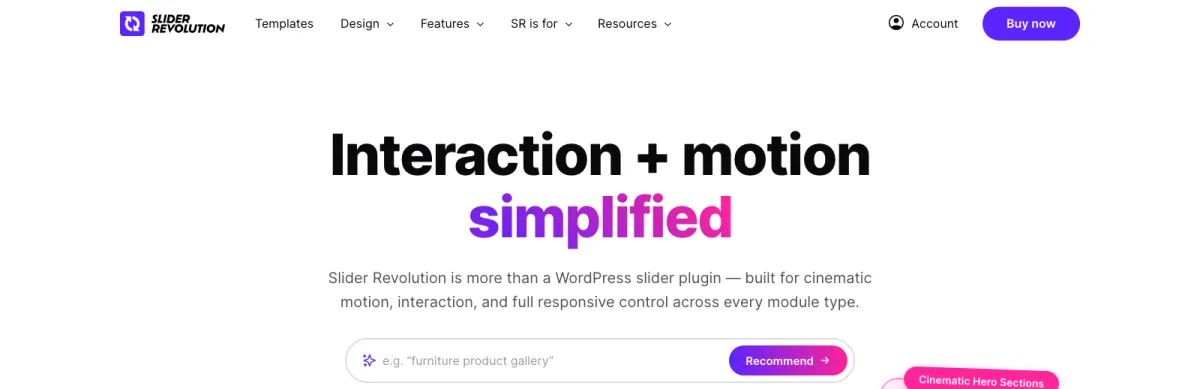
Slider Revolution is a premium WordPress plugin from ThemePunch that builds animated modules: sliders, hero units, carousels, and also menus and post grids. Each module is designed in its own Module Editor, where every text, image and shape is a layer with its own entry on an animation timeline. The product ships 200+ templates and 30+ addons, has no listing on WordPress.org, and its homepage says it is trusted by 9M+ users. You place a finished module on a page with a widget or a shortcode.
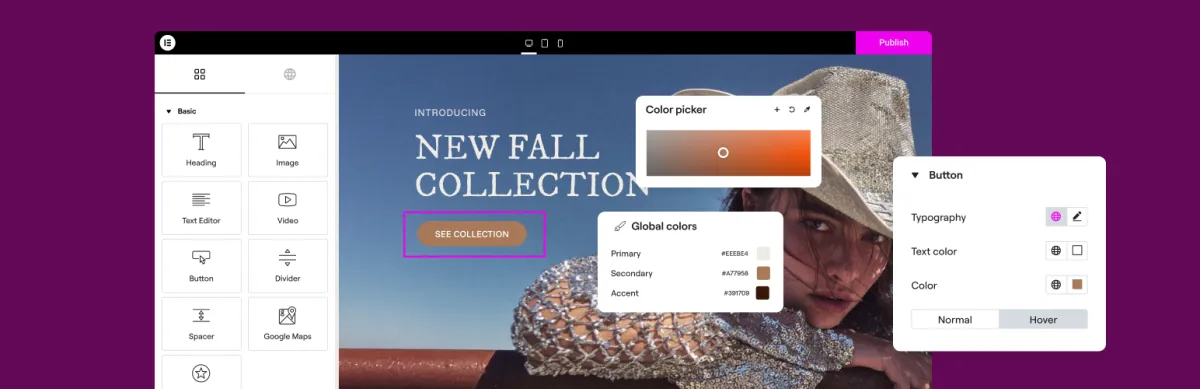
Elementor is a page builder. The free plugin on WordPress.org gives you containers, a set of basic widgets including an Image Carousel, and background settings on every container. Elementor Pro adds the Slides widget for hero sliders, Media Carousel for images and video, Loop Carousel for dynamic posts and products, plus the Theme Builder and Popup Builder. The slider is one widget among many, styled with the same global fonts and colours as the rest of the page.
The two overlap on exactly one thing: the animated section at the top of a homepage. That overlap is what people mean when they search for this comparison, so most of this post is about who should build that hero with which tool. If you are unsure whether the thing you want is a slider or a carousel at all, Elementor Carousel vs Slider sorts that out first.
Slider Revolution vs Elementor at a glance
Slider Revolution wins on animation depth and Elementor wins on everything that touches the rest of the page. The table puts the main factors side by side.
| Factor | Slider Revolution | Elementor |
|---|---|---|
| What it is | Standalone slider and animation module builder | Full page builder for WordPress |
| Free version | None on WordPress.org; the plugin installs free but premium features need a licence | Free core plugin on WordPress.org; Pro is paid |
| Price in 2026 | 45, 89 or 209 euros a year for 1, 3 or up to 250 sites | Free; Pro from $60 a year for one site, four tiers up to 25 sites |
| Hero slider | Yes, with per-layer timeline animation | Slides widget (Pro) or Slideshow background (free) |
| Layer animation timeline | Yes, the core of the product | No; entrance animations and Motion Effects per widget |
| Dynamic post or product sliders | Yes, via post-based modules | Yes, via Loop Carousel (Pro) |
| Styling | Its own layer styles, separate from theme and global styles | Inherits Elementor global fonts and colours |
| Front-end weight | Own JavaScript framework and CSS per module | Swiper, already loaded by Elementor |
| Works inside the other | Yes, Slider Revolution 6 has an Elementor widget | n/a |
| Best for | Cinematic animated heroes and campaign landing pages | Everything else on the site, including most hero sliders |
What Slider Revolution does that Elementor cannot
Slider Revolution animates every layer on a slide independently along a timeline, and nothing in Elementor does that. A heading can slide in from the left at 0.3 seconds, a product photo can scale up at 0.8, and a button can fade in at 1.2, each with its own easing, and the whole sequence plays again on the next slide with different timings. Elementor gives you one entrance animation per widget and scroll-driven Motion Effects, which is a different, smaller thing.
The addons go further. Particle Effects, Distortion and Weather overlays, scroll-based parallax and before/after reveals are bolted on per module. The 200+ templates are complete designs, so a campaign page hero can be ready in minutes if the template fits. And because a module is self-contained, the same hero works on a theme with no page builder, or on a site that later moves away from Elementor.
All of that is why agencies keep Slider Revolution around for launch pages, event sites and portfolios where the hero is the point of the page. For a hero that shows a photo, a heading and a button, that machinery is unused.
What Elementor does that Slider Revolution cannot
Elementor builds the page the slider sits in, and that changes how the slider behaves. A Slides widget uses the same global heading font and the same button style as every other section, responds to the same breakpoints, and lives in the same revision history. A Slider Revolution module carries its own fonts, its own responsive rules and its own editor, so a global colour change in Elementor leaves the hero untouched until you open the module and change it there too.
Dynamic content is the other gap in practice. Elementor Pro’s Loop Carousel designs one slide as a template and fills it from a query, so a slider of the latest posts or products updates itself. Slider Revolution can read posts into a module too, but the design lives in the module editor rather than in a template the rest of your theme shares.
Finally there is the editor count. Every slider built in Elementor is edited where the rest of the page is edited. Adding Slider Revolution means a second interface with its own learning curve, and someone on the team has to know both.
Pricing in 2026
Slider Revolution costs 45 euros a year for one site on its Starter plan, 89 euros for three sites on Enthusiast, and 209 euros for up to 250 sites on Scale, all billed yearly according to its pricing page. Every tier includes the premium features, the 200+ templates and the 30+ addons, and the tiers differ on site count and AI credits. The old one-time licence is gone, and holders of a CodeCanyon licence get 50 percent off the first year of a yearly plan.
Elementor’s core plugin is free. The Pro plans on Elementor’s pricing page cover one site (Essential and Advanced Solo), three sites (Advanced) and 25 sites (Expert), with the page listing Pro as starting from $60 a year and renewing at the regular rate after the first year. Running both tools on one site therefore starts at roughly 45 euros plus $60 a year, and the Elementor part is the one you cannot drop if the rest of the site is built with it.
If the hero is the only reason you are pricing Slider Revolution, read the last two sections before paying. Elementor Pro’s Slides widget, the free Slideshow background, and the Master Addons routes below cover most hero sliders for less than the Starter plan.
Page weight and Core Web Vitals
Slider Revolution adds its own JavaScript framework and stylesheet to every page that holds a module, on top of whatever Elementor already loads. A hero built with Elementor’s Slides widget or a Slideshow background runs on Swiper and Elementor’s existing CSS, so nothing new is requested. On a homepage that is often the difference between a passing and a failing Largest Contentful Paint score on mobile.
The plugin is only half the story though. The LCP element on almost every slider homepage is the first slide’s image, whichever tool renders it. Three habits matter more than the plugin choice: serve that image as a WebP sized to the display width, do not put a video or an autoplaying animation on the first slide, and keep the slide count low so the browser is not preloading six hero images for one viewport. The slider plugin comparison goes through the weight of each option in more detail.
How to use Slider Revolution inside Elementor
Slider Revolution 6 includes a dedicated Elementor widget, so you no longer need the shortcode to place a module on an Elementor page. The workflow is build first, place second.
- Build the module in Slider Revolution. Open Slider Revolution in the WordPress admin, create a module from a template or from blank, and finish the design in the Module Editor.
- Note the alias. Each module has a title and an alias in its settings, and the alias has no spaces or special characters. You will need it if you fall back to the shortcode.
- Open the page in Elementor and search the widget panel for Slider Revolution 6. Drag the widget into the container where the hero should sit and choose the module from its dropdown.
- Shortcode fallback: drop a Shortcode widget into the container and paste
[rev_slider alias="your-alias"]. Use the alias, never the module title. - Set the container to full width with no padding, otherwise the module inherits Elementor’s boxed content width and the hero stops short of the viewport edges.
The usual error after this is “slider with alias not found”, which means the alias was renamed or the shortcode holds the title instead of the alias. If the module renders in the editor but not on the front end, check that a caching plugin is not deferring Slider Revolution’s script, since the module initialises on load. Some of the same conflicts come up with Elementor’s own carousels, and the Swiper slider guide covers how to trace them.
How to build a hero slider in Elementor without Slider Revolution
Four routes build a hero slider inside Elementor without a second editor. Two are Elementor’s own, and two come with Master Addons.
1. The Slides widget in Elementor Pro
Slides is Elementor Pro’s hero slider. Each slide has a background, a heading, a description and a button, with the content positioned inside the slide, and the slides transition with a fade or a slide. Once a slide has a background image, a Ken Burns option appears that pans and zooms the still image while the slide is showing, as Elementor explained when it introduced the effect. The widget also has Cover, Contain and Auto image modes, so a portrait photo can sit inside a wide slide without cropping. If you already pay for Pro, try this before anything else.
2. The Slideshow background in free Elementor
Any Elementor container can take a Slideshow background type. Add several images, set the transition and duration, switch on Ken Burns, and the background rotates behind content that stays put. The heading and button do not change per slide, which is fine for the common case where the slides are mood photos rather than separate messages. It costs nothing and it is the right place to start on a site without Pro.
3. The Plinth Hero Slider import from Master Addons

Plinth Hero Slider is one of the 20 named slider and carousel designs for Master Addons. It imports through Master Addons → Widget Builder → Import Widget and then appears in the Elementor panel like any widget: a full-bleed image per slide, a caption plinth with heading and text, dots, arrows, a slide counter and a link per slide. Twelve of the twenty designs need Master Addons Pro, and the Widget Builder page explains how the imports work. This is the route when each slide needs its own message and you do not have Elementor Pro.
4. The Background Slider extension from Master Addons
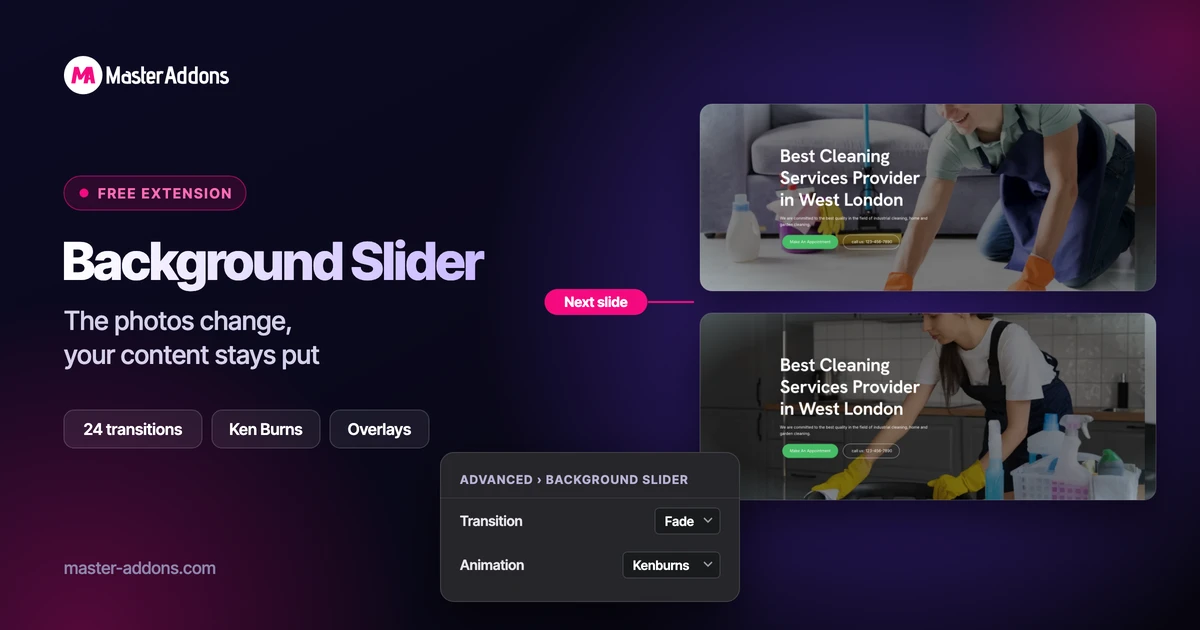
The Background Slider extension does the Slideshow background job with more control. Enable it on a section or container, pick the images, and set the transition, the animation style and a Ken Burns direction. The content on top stays static, the output is a Swiper instance so no second framework loads, and the extension documentation walks through every control. For a coverflow or 3D treatment instead of a hero, the Image Carousel widget and the 3D carousel designs are the next stop.
Want a hero slider without a second editor? The Background Slider extension rotates photos behind any Elementor container, and Widget Builder imports the Plinth Hero Slider as a regular Elementor widget.
Which one should you use?
Pick by what the hero has to do.
| If you… | Use |
|---|---|
| Need layered text and images animating on a timeline, or a cinematic campaign hero | Slider Revolution, placed with its Elementor widget |
| Already pay for Elementor Pro and want a hero with one message per slide | The Slides widget |
| Run free Elementor and want rotating photos behind a fixed heading | The Slideshow background, or the Master Addons Background Slider extension for more control |
| Run free Elementor and need a different caption and link on every slide | The Plinth Hero Slider import from Master Addons |
| Want the latest posts or products sliding | Elementor Pro Loop Carousel |
| Care most about mobile speed scores | Any Elementor-native route, with a WebP first slide at display size |
| Might move the site off Elementor later | Slider Revolution, since the module is independent of the builder |
Frequently asked questions
Can I use Slider Revolution with Elementor?
Yes. Slider Revolution 6 includes an Elementor widget, so you build the module in Slider Revolution and drag the Slider Revolution 6 widget into an Elementor container to place it. The older method, a Shortcode widget holding the rev_slider shortcode with the module alias, still works. Set the container to full width so the hero reaches the viewport edges.
Is Slider Revolution free?
No. Slider Revolution is not on WordPress.org and its premium features need a licence. In 2026 it is sold yearly: 45 euros for one site, 89 euros for three sites and 209 euros for up to 250 sites. The one-time licence has been retired, and CodeCanyon licence holders get 50 percent off their first year.
Does Elementor have a slider like Slider Revolution?
Elementor Pro has the Slides widget, a hero slider with a background, heading, description and button per slide and a Ken Burns effect. It does not have a per-layer animation timeline. Free Elementor has the Image Carousel widget and a Slideshow background type for containers, and addons such as Master Addons add hero slider designs that import into the editor.
Is Slider Revolution bad for page speed?
It adds its own JavaScript framework and CSS to every page with a module, so a page is heavier than the same hero built with Elementor’s Slides widget. The bigger factor on most sites is the first slide’s image, which is usually the Largest Contentful Paint element. A WebP sized to the display width helps more than switching plugins.
What is the best alternative to Slider Revolution for Elementor?
For a hero with one message per slide, Elementor Pro’s Slides widget. Without Pro, the Master Addons Plinth Hero Slider import gives each slide its own caption and link, and the Background Slider extension rotates photos behind fixed content with a Ken Burns option. For layered timeline animation there is no direct Elementor equivalent, and Smart Slider 3 is the usual standalone alternative.
Final Thoughts
Slider Revolution and Elementor are only rivals for the top section of the homepage. Slider Revolution owns per-layer timeline animation, 200+ templates and 30+ addons, and costs 45 euros a year for one site. Elementor owns the rest of the page, and its Pro Slides widget plus the free Slideshow background cover the hero on most sites for the $60 a year you may already be paying. The two work together through the Slider Revolution 6 widget when you want both.
If the hero needs a photo, a heading and a button per slide, build it in Elementor. Use the Slides widget on Pro, or import the Plinth Hero Slider and enable the Background Slider extension with Master Addons on a site without Pro. Reach for Slider Revolution when the animation is the product, and place it with its own widget rather than the shortcode.
Related Reading
