


Key Takeaways
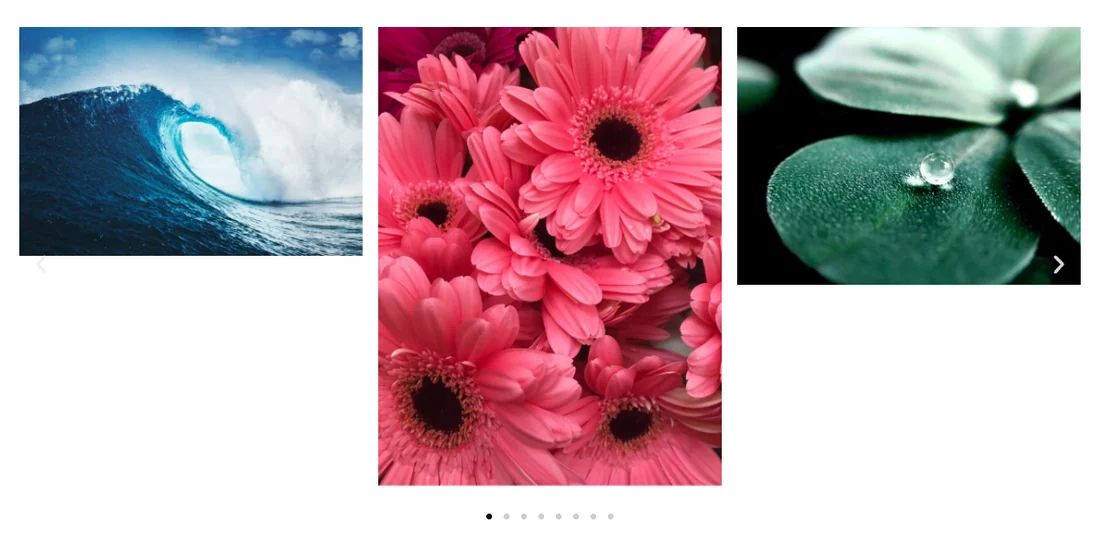
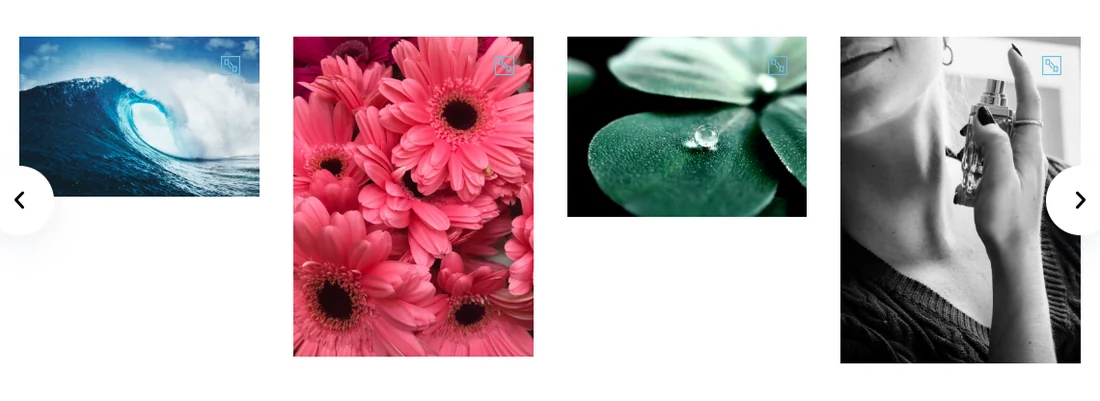
- An Elementor image carousel shows slides at different heights when the images have different aspect ratios, because each image keeps its own shape at the slide’s width.
- Setting Image Resolution to Custom in Elementor’s Image Carousel and entering one Image Dimension, such as 600 by 400, crops every slide to the same height.
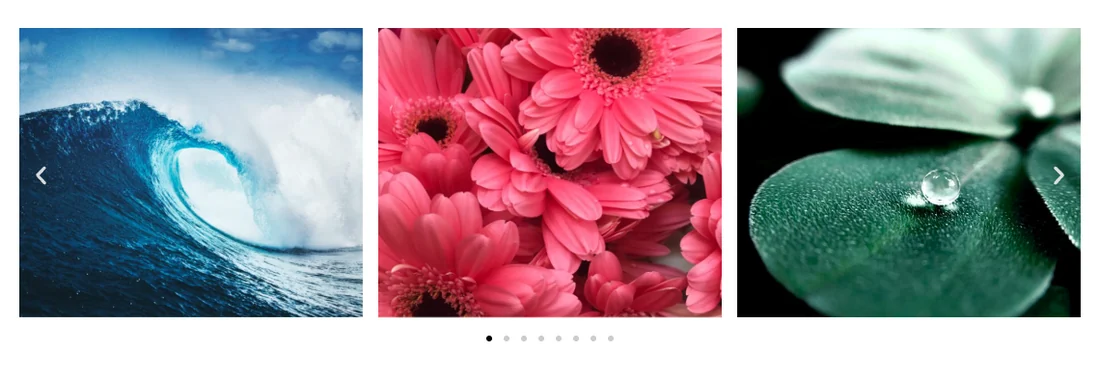
- Five lines of CSS with a fixed height and object-fit: cover make Elementor image carousel images the same height without creating new image files.
- In our test, three slides measured 237px, 475px and 267px tall before the fix and 237px each after a 600 by 400 custom size was applied.
- The Custom Height setting in the Master Addons Image Carousel sets the height of the carousel box and does not crop the images inside it.
To get an Elementor image carousel with the same height on every slide, every image has to end up with the same shape, and Elementor does not arrange that for you. Upload a portrait photo next to two landscape ones and the carousel will show one tall slide and two short ones, with white space under the short pair.
There are three fixes. We tested each on Elementor 4.3 with eight images in four different shapes, and measured the slides before and after.
Table of Contents
Why the slides are different heights
A carousel gives every slide the same width. Each image then scales to that width and keeps its own aspect ratio, so the height depends on the shape of the file. At a slide width of 356px, a 3:2 landscape photo is 237px tall and a 3:4 portrait is 475px tall.
The WordPress image sizes do not help here. Medium, Medium Large and Large only limit the longest side, so a portrait and a landscape file still come out as different shapes. The one built-in size that crops is Thumbnail, at 150 by 150, and that is too small for most carousels.
Which fix to use
| Fix | Code needed | Best for | Trade-off |
|---|---|---|---|
| Custom Image Resolution | None | Elementor’s own Image Carousel | Elementor creates a new cropped file per image |
| CSS with object-fit | 5 lines | Any carousel widget, and when the height should change per device | The browser crops, so you do not choose the crop |
| Crop before upload | None | Photos where the framing matters | More work for every new image |
Fix 1: Set a custom Image Resolution
This is the quickest fix in Elementor’s own Image Carousel widget, and it needs no code.
- Select the Image Carousel widget.
- In the Content tab, open the Image Resolution dropdown and choose Custom.
- Enter a width and a height in Image Dimension, for example 600 and 400.
- Click Apply.
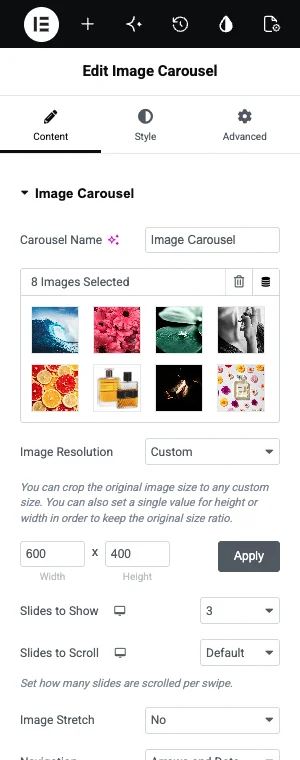
Elementor crops each image to that exact size and saves the result as a new file. Every slide now has the same shape, so every slide has the same height.

Pick the ratio first, then the size. 600 by 400 is 3:2, which suits landscape photos. For square tiles use 600 by 600. Make the width at least as large as the widest slide you show, or the images will look soft.
Fix 2: Force the height with CSS
CSS fixes the height in the browser and leaves your image files alone. It also works on carousels that have no custom size option.
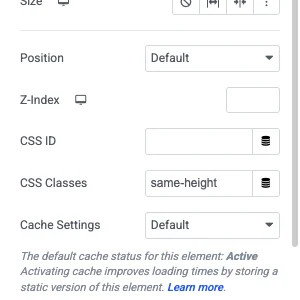
- Select the carousel widget and open the Advanced tab.
- Type
same-heightin the CSS Classes field, without a dot. - Add the CSS below to your site.
.same-height .swiper-slide img {
  width: 100%;
  height: 300px;
  object-fit: cover;
}
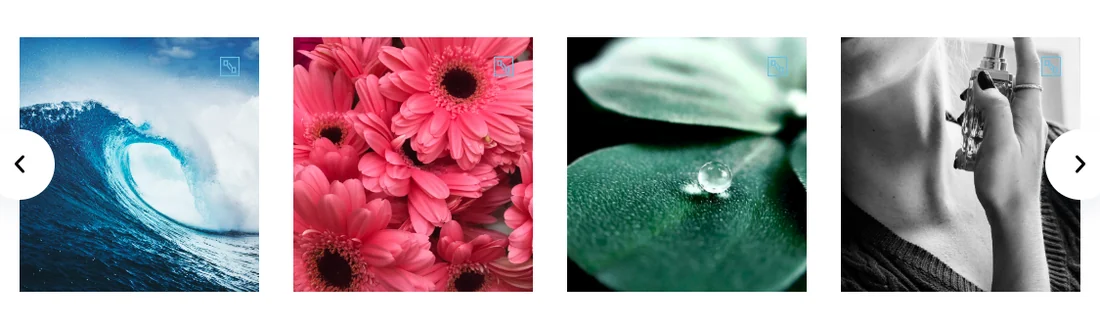
The height sets how tall every slide is. object-fit: cover fills that box and trims whatever does not fit, so nothing is stretched.
Where the CSS goes depends on your setup. Elementor Pro has a Custom CSS box on every widget. Without it, use Appearance, Customize, Additional CSS, or the Custom CSS extension in Master Addons.
To use a shorter height on phones, add a media query:
@media (max-width: 767px) {
  .same-height .swiper-slide img {
    height: 220px;
  }
}
If the crop cuts off the wrong part of a photo, add object-position: top; or object-position: left; to the first rule to move the visible area.
Fix 3: Crop the images before you upload
The cleanest carousel comes from images that already share a shape. Crop them all to one ratio in an image editor, or in the WordPress media library with Edit Image, and upload those.
This takes longer. It is worth the time for portfolios and product shots, because you choose what stays in the frame. Fixes 1 and 2 always crop from the centre.
The same fix in the Master Addons Image Carousel
The Master Addons Image Carousel shows each image at its own shape as well, so mixed uploads look uneven there too.
Use Fix 2 or Fix 3 with this widget. The CSS is the same, and in our test it set all slides to 260px:
.same-height .swiper-slide img {
  width: 100%;
  height: 260px;
  object-fit: cover;
}
The custom Image Dimension did not crop in this widget when we tested it. The images were scaled to fit inside the size and kept their shapes, so Fix 1 is for Elementor’s own carousel only.
Need a coverflow layout or a progress bar on that carousel? The Image Carousel widget adds both, with a Fancybox lightbox.
Settings that look right but do not fix it
- Image Stretch. This option in Elementor’s carousel stretches an image to the slide’s width. It does not change the height.
- Auto Height. In the Master Addons widget this resizes the carousel to the tallest visible slide. The slides themselves stay uneven.
- Custom Height. Also in the Master Addons widget. It gives the carousel box a fixed height, and taller images are cut off at the bottom while shorter ones leave a gap.
- Medium or Large image sizes. They limit the longest side and keep the original shape.
Frequently asked questions
How do I make all images the same height in an Elementor image carousel?
In Elementor’s Image Carousel, set Image Resolution to Custom and enter one Image Dimension, such as 600 by 400. Elementor crops every image to that size. You can also add a CSS class and give the slide images a fixed height with object-fit: cover.
Why are my Elementor carousel images different sizes?
The files have different aspect ratios. A carousel gives each slide the same width, and each image keeps its own shape at that width, so a portrait photo ends up taller than a landscape one.
What image size should I use for an Elementor image carousel?
Use one ratio for every image, and make the width at least as wide as the largest slide. For three slides across in a 1140px container, 600 by 400 works well. For a single full-width slide, use about 1200 by 800.
Does object-fit: cover stretch the image?
No. It scales the image until it fills the box and crops the overflow, so proportions stay correct. Some of the image is hidden. Use object-position to choose which part stays visible.
Can I set a different carousel height on mobile?
Yes, with CSS. Put the smaller height inside a media query for screens up to 767px wide, which is Elementor’s default mobile breakpoint. The custom Image Resolution method uses one size for all devices.
Final thoughts
For an Elementor image carousel with the same height on every slide, give every image the same shape. A custom Image Resolution does it without code in Elementor’s own widget, and the object-fit CSS does it in any carousel.
If you are still choosing a carousel, the Image Carousel widget page lists what the Master Addons version adds, and our image carousel walkthrough covers the full setup.
Related reading
