

We’ve listened to you and made the Header & Footer builder better than before. This update provides you with more control over your site’s header and footer. We always request you to create support topic in our WordPress forum about any issues that you are facing.
Say goodbye to the default header and footer in all pages and welcome a dynamic header and footer based on your landing page, post type, and archives.
Table of Contents
Add a header to begin generating the table of contents
Key Features Breakdown
Let me break down each major fixing one by one with visuals. So that you can understand what we have done in this update and why you should update Master Addons plugin.
1. Header & Footer based on Post Type
Target ANY Post Type (Support ACF): Create unique headers/footers for blogs, portfolios, shops, forums, or custom post types. Not only ACF but also it support any custom post type created by code or any themes and plugins.
How It Works: Simply assign designs to specific post types in the MA Templates option.
Use Case: Give your e-commerce store a cart-focused header while keeping blog headers minimalist.
2. Add a header to the specific landing page
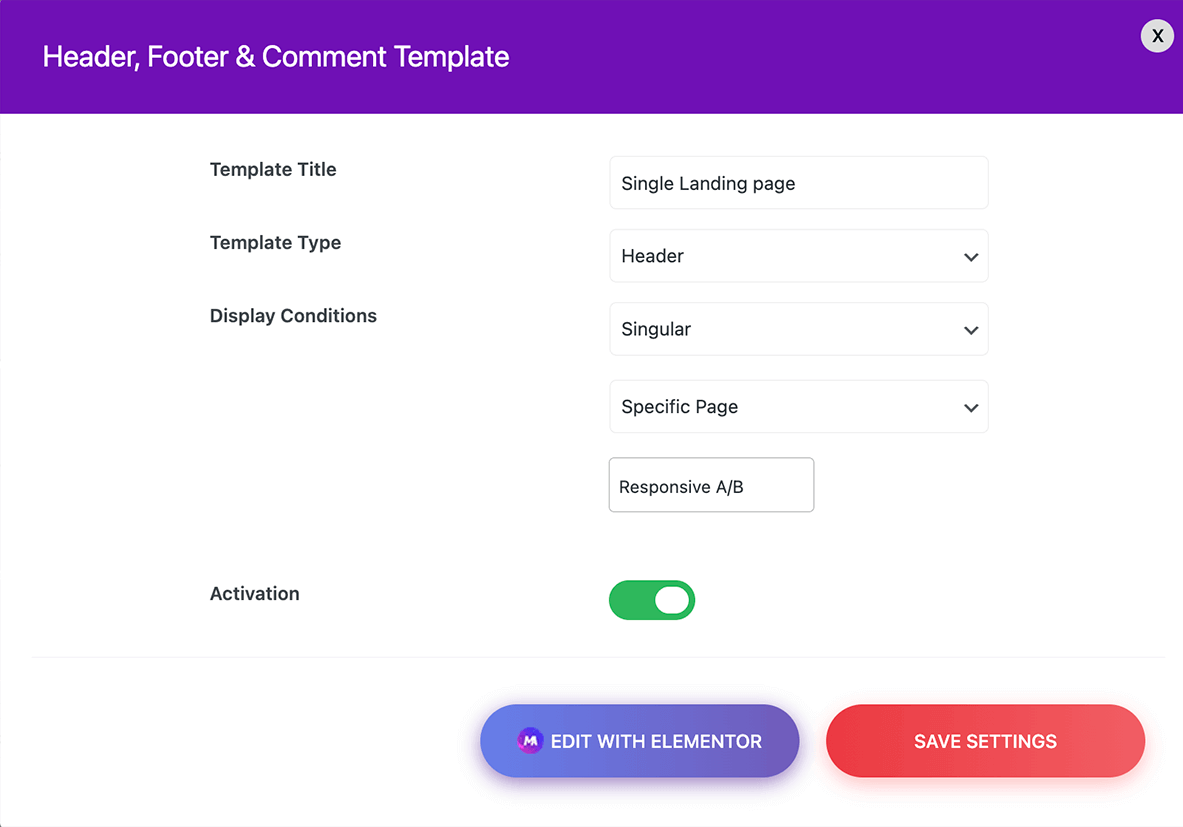
Single Pages: Assign custom headers/footers to individual pages. For example, you can create a personalized one-page scrolling menu for a special landing page and assign a header to this page. I have a page called “Responsive A/B” where I like to add a custom header. The option settings hould looks like the following screenshot.
After adding the header to a specific landing page callled “Responsive A/B” in my local server – you can see the output below.

3. Template Library
New Templates: We are gradually adding new templates to our library now. At present, we are creating a proper template with Elementor container. No more section-based template.
Faster & Smoother: Check the real live preview of our template before import. Use one click to import entire design inside your Elementor editor.
4. Critical Fix: Animated Headlines
The rotate 3 preset in our Animated headline was not working properly. You were not unable to define the background color and the animation was not smooth enough. We have debugged this issue and make this preset better now.
Bonus: We have also checked our other animated headline preset and made some animation smoothness in other variations too.
5. Gradient Headline issues fixed
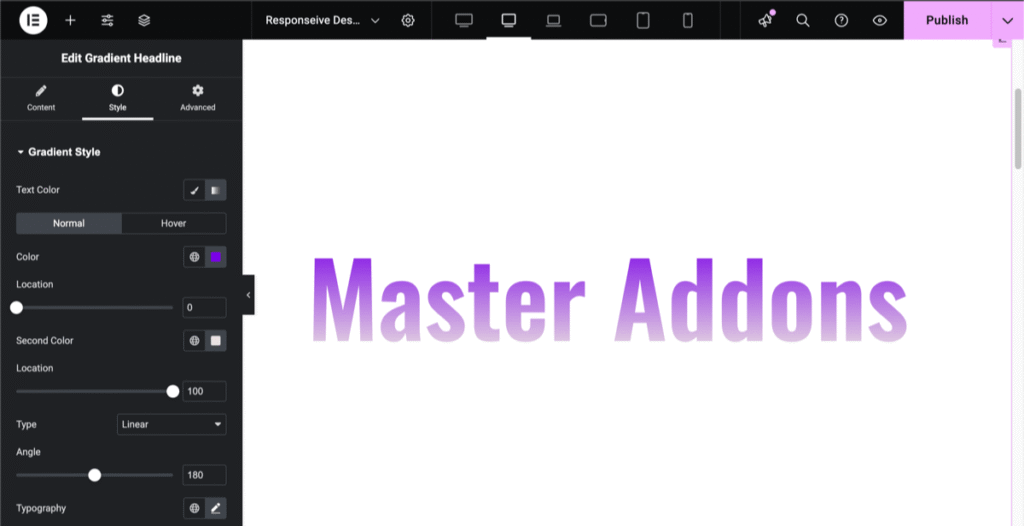
When you add a link in our Gradient Headline element, it removes the gradient color and adds a static color by default. We have brought the normal and hover color control option in this element. Now you can add a gradient headline with hover color.
6. Gallery slider option not working
This is one of our most used features for Master Addons users. We have refined a lot of things inside this element in this update.
Image border radius, thumbnail hover effect, hover background color, and border color option now perfectly work. Not only this but also rlt arrow position, slides per column, slides to scroll, spacing, resistance, Speed controller are working perfectly in this update.
7. Gravity Form fatal error issue resolved
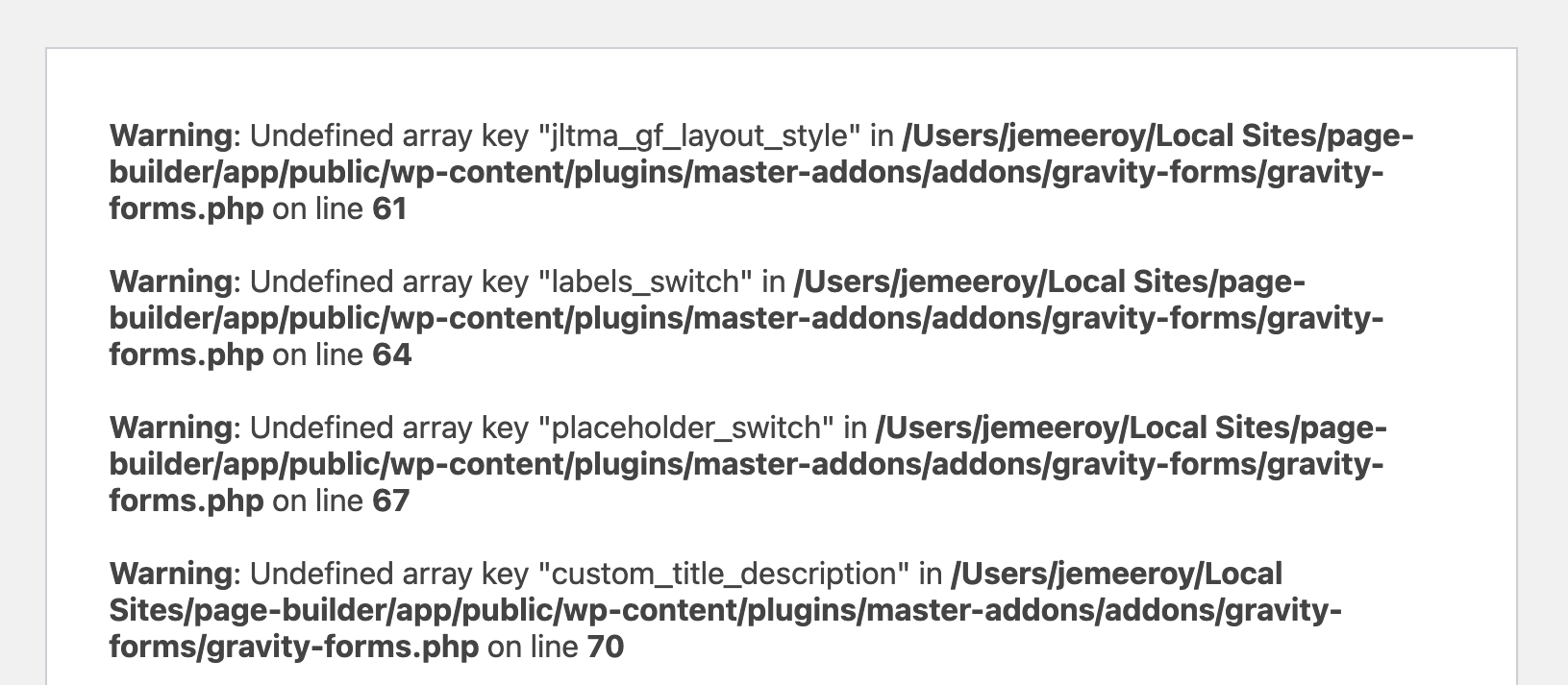
We received this issue from one of our users two days ago and fixed the fatal error related to the Gravity Forms element. While investigating the problem, we also noticed that two style presets were not working correctly for Gravity Forms, and we’ve resolved those style-related issues as well.
More on Changelogs
That’s not the end. I have mentioned all issues that should be explained with visuals. But here is a list of our changelogs with every detail that we have done in this latest update of Master Addons. Visit our Changelogs page to check what has been done in the 2.0.9.2 version of the Master Addons plugin.
It’s time to update
Now it’s your turn to update Master Addons for elementor plugin in your WordPress Dashboard. If you face any problem, we always welcome you to create a support topic in our forum: https://wordpress.org/support/plugin/master-addons/
Finally, I can say that the Master Addons 2.0.9.2 update will help you create a fully dynamic website with a dynamic header and footer. In addition to the header and footer improvements, we’ve also resolved several major issues in our existing elements. Feel free to create a support topic if you need any assistance.
