

الوجبات السريعة الرئيسية
- يعتمد أفضل مكون إضافي لمنشئ النوافذ المنبثقة لـ WordPress على المحرر الخاص بك: يقوم Master Addons بتصميم النوافذ المنبثقة داخل Elementor، ويستخدم ConvertForce كتل Gutenberg، ويقوم Popup Builder بواسطة Sygnoos وPopup Maker وDepicter بشحن المحررين الخاصين بهم.
- يحتوي برنامج Master Addons Popup Builder على سبعة أنواع من المشغلات (تحميل الصفحة، والنقر، والتمرير، والتمرير إلى العنصر، وهدف الخروج، وعدم النشاط والتخصيص) و25 قالب منبثق جاهز يتم استيراده داخل محرر Elementor.
- يحتوي Popup Builder من Sygnoos على 200000+ عملية تثبيت نشطة وتقييم 4.7 نجوم من 2216 تقييمًا على WordPress.org، وتبدأ حزمة Pro المكونة من 28 امتدادًا بسعر 49.95 دولارًا سنويًا لموقعين.
- يسرد OptinMonster 700+ قالب ويسرد OptiMonk 952 نموذجًا منبثقًا، بينما لا يحتوي Popup Maker، المستخدم في 780،000+ موقع، على مكتبة قوالب ويعتمد على المحتوى الذي تضيفه بنفسك.
- تنطبق قاعدة Google الخلالية المتطفلة على النوافذ المنبثقة على الأجهزة المحمولة من كل مكون إضافي في هذه القائمة، لذا فإن الحجم المعقول وزر الإغلاق المرئي والحد الأقصى للتردد يحمي التصنيفات أيًا كانت الأداة التي تختارها.
أفضل مكون إضافي لمنشئ النوافذ المنبثقة لـ WordPress هو الذي يناسب المحرر الذي تستخدمه بالفعل. يمكن لمواقع Elementor تصميم النوافذ المنبثقة على لوحة Elementor باستخدام الإضافات الرئيسية، تحتوي مواقع محرر الكتل على ConvertForce، ويختار الجميع بين المكونات الإضافية المستقلة مثل Popup Builder بواسطة Sygnoos وPopup Maker وDepicter، أو الخدمات المستضافة مثل OptinMonster وOptiMonk وPoptin.
تغطي هذه المقارنة 10 برامج إنشاء منبثقة، مع التحقق من أعداد التثبيت وقوائم التشغيل وعدد القوالب والأسعار في أكتوبر 2026. يشرح أحد الأقسام الفرق بين المكون الإضافي المنبثق ومنشئ النوافذ المنبثقة، نظرًا لأن عمليات البحث تمزج بين الاثنين، ويقوم قسم آخر بحساب القوالب كل أداة تأتي. إذا كنت تفضل البدء في البناء، فالدليل على كيفية إضافة نافذة منبثقة في Elementor يمشي عبر خطوات Master Addons شاشة واحدة في كل مرة.
جدول المحتويات
ما هو البرنامج المساعد Popup Builder؟
البرنامج المساعد للمنشئ المنبثق هو أداة WordPress التي تقوم بإنشاء التراكبات والشرائح الإضافية وأشرطة الإشعارات، ثم تقرر من يراها ومتى. لوحة الشريحة التي تفتح من زر هي أداة مختلفة، أ القطعة خارج القماش، والذي يفتح بنقرة واحدة بدلاً من المؤقت أو حركة الخروج. بدلاً من ترميز الوسائط يدويًا، يمكنك تصميم الحملة في محرر مرئي وتعيين قواعد العرض: نية الخروج، أو عمق التمرير، أو الوقت على الصفحة، أو عنوان URL محدد. تصل الرسالة إلى الزائر المناسب في اللحظة المناسبة.
يتصل معظم المنشئين أيضًا بخدمة البريد الإلكتروني، ولهذا السبب أصبحت النوافذ المنبثقة هي الطريقة القياسية لإنشاء قائمة أو استعادة عربات التخلي أو الإعلان عن البيع. في مواقع Elementor، يتم التعامل مع نفس المهمة داخل منشئ الصفحة بواسطة Master Addons Popup Builder، المغطى في الإعدادات المنبثقة ووثائق الخيارات وشحنها جنبا إلى جنب مع بقية عناصر واجهة المستخدم والإضافات الرئيسية.
إجابة مختصرة: اختر الإضافات الرئيسية إذا قمت بالبناء باستخدام Elementor وتريد النوافذ المنبثقة داخل المحرر، أو Popup Builder بواسطة Sygnoos أو Popup Maker لمكون إضافي مستقل مع سجل حافل طويل، أو Depicter للتحرير المرئي للتصميم أولاً، أو OptiMonk أو Poptin للاستهداف القائم على السلوك و اختبار A/B، Sumo (BDOW!) عندما تريد تضمين التسويق عبر البريد الإلكتروني، ConvertForce إذا كنت تعمل في محرر الكتل، وHello Bar لأشرطة الإشعارات.
البرنامج المساعد المنبثق مقابل البرنامج المنبثق المنشئ: ما الفرق؟
عادةً ما يكون المكون الإضافي المنبثق والمنشئ المنبثق نفس جزء البرنامج الموصوف من زاويتين. “Popup plugin” هي فئة WordPress.org: أي شيء يفتح تراكبًا أو شريطًا أو شريحة على موقعك. يصف “Popup builder” المحرر الموجود داخل هذا البرنامج الإضافي، والشاشة التي تصمم فيها الشكل المنبثق. تقوم بعض المكونات الإضافية المنبثقة فقط بتغليف رمز قصير أو نموذج وليس لها منشئ مرئي على الإطلاق، وهي الفجوة التي تقوم هذه القائمة بتصفيتها.
العبارة هي أيضًا اسم منتج. Popup Builder من Sygnoos هو مكون إضافي محدد لـ WordPress.org يحتوي على 200000+ عملية تثبيت نشطة، تمت مراجعتها في الرقم 5 أدناه. إذا بحثت عن “popup builder” بحثًا عن هذا المكون الإضافي، فإن هذا القسم له عدد التثبيت الخاص به وأنواع النوافذ المنبثقة المجانية وأسعاره لعام 2026. إذا كنت تقصد الفئة، فإن جدول المقارنة يغطي جميع الأدوات العشر.
توجد ضمن هذه الفئة ثلاث مجموعات تقريبية، واختيار المجموعة الخاطئة هو ما يجعل النوافذ المنبثقة تبدو باهظة الثمن
- النوافذ المنبثقة لمنشئ الصفحة: تم تصميم النافذة المنبثقة داخل Elementor أو Divi، بحيث تستخدم خطوط وألوان موقعك منذ البداية. تعمل الإضافات الرئيسية وElementor Pro بهذه الطريقة.
- الإضافات المستقلة: يقوم البرنامج المساعد بشحن المحرر الخاص به ويخزن النوافذ المنبثقة على الخادم الخاص بك. يوجد هنا Popup Builder من Sygnoos وPopup Maker وDepicter وConvertForce.
- الخدمات المستضافة: البرنامج المساعد WordPress عبارة عن موصل ويتم تشغيل النافذة المنبثقة من خوادم البائع، مع إصدار فواتير مستهدفة وإعداد تقارير أكثر كثافة شهريًا. أوبتين مونستر، أوبتي مونك، بوبتين، مرحبا بار، وبي دي دبليو! مستضافة.
بناء الموقع في Elementor؟ ال ماستر الإضافات المنبثقة منشئ يضيف نوع منشور النوافذ المنبثقة إلى المحرر الذي تستخدمه بالفعل، مع سبعة مشغلات وشروط عرض و25 قالبًا.
مقارنة سريعة: أفضل المكونات الإضافية لمنشئ WordPress المنبثق
عشر أدوات، يستخدم كل منها المحرر، والميزتان اللتان يدفع الأشخاص في أغلب الأحيان مبلغًا إضافيًا مقابلهما: نية الخروج واختبار A/B. تم فحص الأسعار وعدد التثبيتات في 26 أكتوبر 2026.
| منشئ النوافذ المنبثقة | الأفضل ل | التسعير | نية الخروج | اختبار أ/ب | ميزة متميزة |
|---|---|---|---|---|---|
| الإضافات الرئيسية | مواقع العناصر | جزء من الإضافات الرئيسية للعنصر | نعم | لا | النوافذ المنبثقة مصممة في Elementor، 7 مشغلات، 25 قالب |
| ديبيستر | تصميم مرئي خالي من التعليمات البرمجية | خطط مجانية ومحترفة | نعم | لا | محرر السحب والإفلات الذي يشبه Canva |
| أوبتينمونستر | جيل الرصاص خطير | حساب مجاني (3 حملات)، خطط مدفوعة | الخطط المدفوعة | نعم | Exit-Intent بالإضافة إلى إعادة الاستهداف في الموقع للزوار العائدين |
| صانع النوافذ المنبثقة | النوافذ المنبثقة المستقلة الموثوقة | إضافات مجانية ومدفوعة | الوظيفة الإضافية المدفوعة | الوظيفة الإضافية المدفوعة | خيارات التشغيل العميق بالإضافة إلى تكامل النماذج |
| منشئ النوافذ المنبثقة (Sygnoos) | الصور وHTML والنوافذ المنبثقة للاشتراك | مجانًا، احترافي بسعر يبدأ من 49.95 دولارًا سنويًا (موقعان) | برو | غير مدرج | 28 امتدادًا احترافيًا: العد التنازلي، وبوابة العمر، والألعاب، والاستهداف الجغرافي |
| أوبتيمونك | الاستهداف على أساس السلوك | مجانًا ما يصل إلى 15000 مشاهدة للصفحة شهريًا | نعم | نعم | التخصيص والاستهداف الذكي |
| بوبتين | تحسين التحويل | خطة مجانية، طبقات مدفوعة | نعم | نعم | قواعد الاستهداف المتقدمة |
| السومو (BDOW!) | قوائم البريد الإلكتروني للشركات الصغيرة | خطة مجانية للأبد، طبقات مدفوعة | نعم | مدفوع | التسويق عبر البريد الإلكتروني مدمج في البرنامج المساعد |
| مرحبا بار | أشرطة الإخطار | خطة مجانية، طبقات مدفوعة | نعم | نعم | اختبار A/B باستخدام لوحة معلومات التحليلات |
| تحويل القوة | مستخدمي جوتنبرج | مجانًا، سعر إطلاق Pro 24.50 دولارًا | برو | لا | الحملات المبنية من كتل WordPress الأصلية |
1. برنامج البناء المنبثق للإضافات الرئيسية (الأفضل للعنصر)
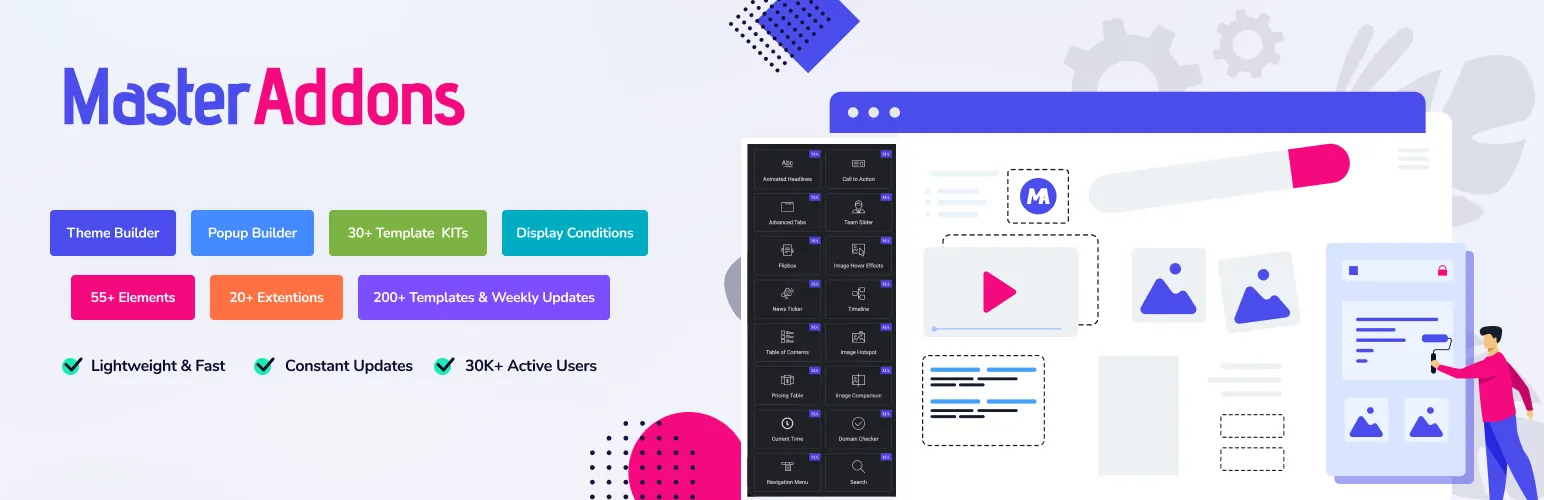
إذا كان موقعك يعمل على Elementor، فلن تحتاج إلى مكون إضافي منبثق منفصل. الإضافات الرئيسية يتضمن أداة إنشاء منبثقة إلى جانب عناصر واجهة المستخدم والإضافات التي يبلغ عددها 80+، ويمكنك تصميم كل نافذة منبثقة باستخدام نفس محرر Elementor الذي تستخدمه للصفحات. لا توجد واجهة ثانية للتعلم، ولا يوجد نظام تصميم ثانٍ يحارب أنماط السمات الخاصة بك.
يقوم أكثر من 30.000 موقع بتشغيل الإضافات الرئيسية. تحصل النوافذ المنبثقة على نوع المنشور الخاص بها ضمن الإضافات الرئيسية في قائمة الإدارة، وتحمل كل نافذة منبثقة مفتاح تبديل التنشيط وشروط العرض ورمزًا قصيرًا يمكنك إسقاطه في أي صفحة أو منطقة عناصر واجهة المستخدم.
الميزات الرئيسية
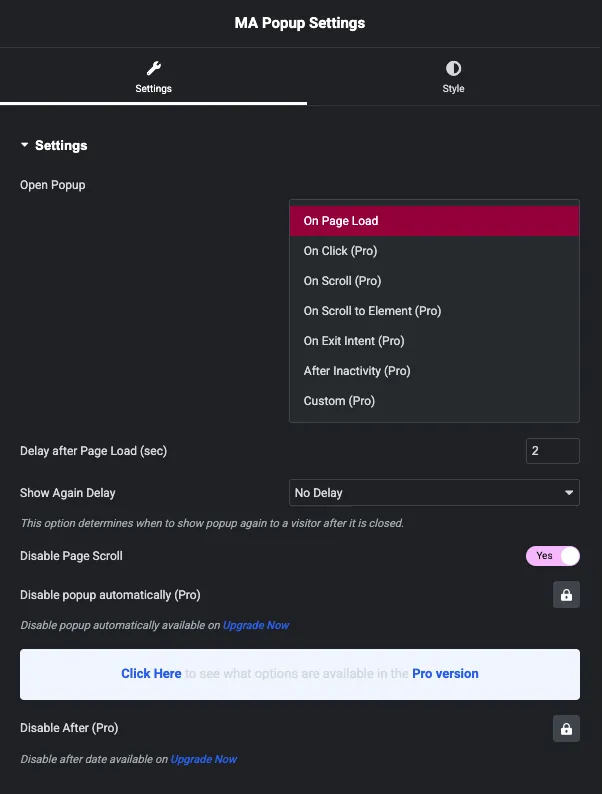
- سبعة أنواع من الزناد: عند تحميل الصفحة، عند النقر (بواسطة محدد CSS)، عند التمرير، عند التمرير إلى العنصر، عند التشغيل نية الخروج, بعد الخمول و مخصص. كل مشغل له إعداداته الخاصة ومستنده الخاص.
- التصميم مع العنصر: أنشئ التخطيط المنبثق باستخدام أي عنصر واجهة مستخدم Elementor، بما في ذلك النماذج توقيت العد التنازلي والأزرار. تتطابق النافذة المنبثقة مع علامتك التجارية لأنها تستخدم أنماط موقعك الحالية.
- 25 قالبًا منبثقًا جاهزًا: ال مكتبة القوالب المنبثقة يفتح داخل المحرر مع النشرة الإخبارية والبيع والهالوين والمنتج والتصميمات القادمة قريبًا. استيراد واحد، مبادلة النص، نشر.
- عناصر التحكم في التخطيط والعرض: أظهر النافذة المنبثقة كشرط أو شريط إعلام أو تراكب بملء الشاشة، واختر من تسعة مواضع وحوالي 70 رسمًا متحركًا للمدخل، واختر الصفحات التي تعرضها، وقم بتعيين تأخير العرض مرة أخرى حتى لا يتزعزع الزوار العائدون.
- خفيف الوزن حسب التصميم: يقوم Master Addons v3 بتحميل الأصول فقط في حالة استخدامها، لذا فإن النافذة المنبثقة في إحدى الصفحات المقصودة لا تضيف شيئًا إلى بقية الموقع. وهذا مهم إذا كنت تقرأ عنه كيفية تسريع مواقع Elementor.
التسعير: يعد منشئ النوافذ المنبثقة جزءًا من البرنامج الإضافي Master Addons، لذلك لا يوجد اشتراك منبثق منفصل لتتبعه. يرى تسعير الإضافات الرئيسية بالنسبة للخطط الحالية، جميعها مدعومة بضمان استعادة الأموال لمدة 14 يومًا.
الأفضل ل: أي شخص يقوم بالفعل بالبناء باستخدام Elementor ويريد النوافذ المنبثقة دون إضافة مكون إضافي آخر ومحرر آخر وفاتورة شهرية أخرى.
2. ديبيكر
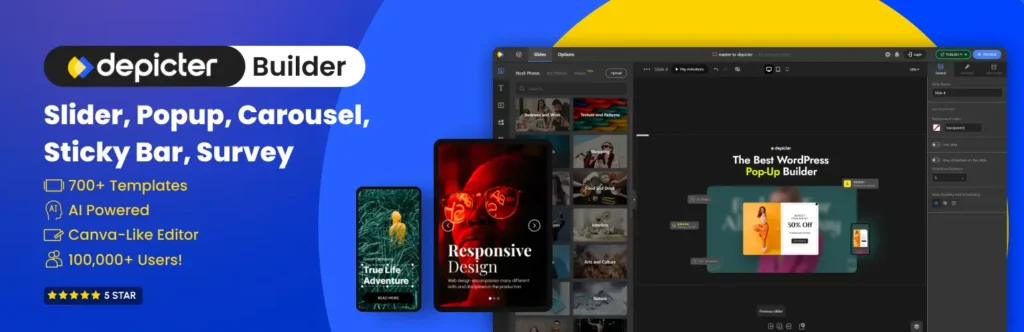
ديبيستر هو منشئ النوافذ المنبثقة لـ WordPress للأشخاص الذين يهتمون بالتصميم ولكنهم لا يكتبون التعليمات البرمجية. يعمل المحرر مثل Canva: اسحب العناصر إلى لوحة قماشية، وقم بتصميمها، وإنجازها. يلتقطه المصممون والمبتدئون في دقائق.
الميزات الرئيسية
- تصميم النوافذ المنبثقة في محرر السحب والإفلات بدون تعليمات برمجية. تبدو اللوحة القماشية أقرب إلى أداة التصميم من صفحة إعدادات WordPress النموذجية.
- قم بإنشاء تراكبات ملء الشاشة، وشرائح إضافية، ولافتات، وأشرطة إعلام، تم تصميم كل منها ليتناسب مع علامتك التجارية.
- أضف نماذج الاشتراك أو الاتصال مباشرة داخل النوافذ المنبثقة لجمع العملاء المحتملين وتنمية قائمة بريدك الإلكتروني.
- ابدأ من مكتبة القوالب. تعلن Depicter عن 500+ قالب عبر البرنامج المساعد بأكمله، على الرغم من أنها لا تنشر عددًا منبثقًا فقط.
- تشغيل النوافذ المنبثقة عند نية الخروج أو موضع التمرير أو الوقت على الصفحة.
- استهدف حسب الصفحة أو نوع الجهاز أو سلوك الزائر بحيث تصل كل رسالة إلى المقطع الصحيح.
الأفضل ل: المستخدمون الذين يهتمون أكثر بمظهر النافذة المنبثقة ويريدون محررًا للتصميم أولاً مع نقطة بداية مجانية.
3. أوبتين مونستر
أوبتينمونستر هو البرنامج الإضافي المنبثق الذي اصطدم به معظم مستخدمي WordPress بالفعل، مع أكثر من مليون عملية تثبيت نشطة وحوالي 800 مراجعة من فئة الخمس نجوم على WordPress.org. يستحق المعرفة قبل تثبيته: البرنامج الإضافي عبارة عن موصل، ويعيش المنشئ على خوادم OptinMonster، لذا يمكنك تسجيل الدخول إلى حساب لإنشاء أي شيء. وهذا أيضًا ما يشتري لك محرك الاستهداف، والذي يصل إلى أبعد مما يستطيع البرنامج الإضافي المستضاف ذاتيًا بمفرده.
الميزات الرئيسية
- كل تنسيق حملة في مكان واحد: النوافذ المنبثقة Lightbox، والأشرطة العائمة، والشرائح الإضافية، وحصائر الترحيب بملء الشاشة، والنماذج المضمنة والشريط الجانبي، وخزائن المحتوى، وحملات قسيمة الدوران، والنوافذ المنبثقة للجوال فقط.
- نية الخروج وإعادة الاستهداف في الموقع: أمسك بالزائر بينما يتجه المؤشر إلى شريط علامات التبويب، وأظهر للزائرين العائدين شيئًا مختلفًا عما يراه المبتدئون. توجد نية الخروج في الخطة المدفوعة، لذا قم بالميزانية الخاصة بها إذا كان هذا هو سبب مجيئك.
- نعم/لا والحملات متعددة الخطوات: اطرح سؤالاً أولاً، ثم أرسل كل إجابة إلى العرض أو القائمة الخاصة بها. إنها طريقة بسيطة لتقسيم القائمة دون الحاجة إلى عمل أتمتة إضافي.
- التكامل مع معظم أدوات البريد الإلكتروني: Mailchimp، HubSpot، ConvertKit، Klaviyo، ActiveCampaign، WooCommerce، التنزيلات الرقمية السهلة والاتصال بـ MemberPress محليًا. إذا كانت نموذج WPForms أو نموذج الاتصال 7 مفقودًا داخل الحملة، أو قم بدفع العملاء المتوقعين عبر خطافات الويب وZapier.
- 700+ قوالب واختبار A/B: ابدأ من معرض القوالب، وقم بتشغيل المتغيرات واقرأ النتائج في لوحة معلومات OptinMonster بدلاً من تخمين العنوان الذي تم سحبه بشكل أفضل.
يغطي الحساب المجاني 3 حملات و500 رصيد انطباع للحملة، وهو أمر جيد لاختبار نموذج تسجيل واحد ولكنه ينفد بسرعة على مدونة مزدحمة. هناك شيء آخر يعرقل الناس: OptinMonster وOptiMonk في أسفل هذه القائمة هما شركتان مختلفتان، على الرغم من الأسماء.
الأفضل ل: المواقع التي تكون فيها قائمة البريد الإلكتروني هي العمل، وحيث يكون الدفع شهريًا مقابل نية الخروج والتجزئة وإعداد التقارير أسهل في تبريره من إنشاء نفس الشيء من المكونات الإضافية المجانية.
4. صانع النوافذ المنبثقة
صانع النوافذ المنبثقة هو البرنامج المساعد المنبثق الأكثر تثبيتًا على WordPress.org. يضم موقعه 780،000+ موقع WordPress و4،280+ مراجعة. إنه خيار يمكن الاعتماد عليه لإنشاء قائمة بريد إلكتروني أو تشغيل العروض الترويجية أو دفع الزوار نحو دعوة لاتخاذ إجراء، كل ذلك دون معرفة تقنية عميقة.
الميزات الرئيسية
- النوافذ المنبثقة القابلة للتخصيص بالكامل: التحكم في الحجم والرسوم المتحركة والموضع والتصميم بحيث تمتزج النوافذ المنبثقة مع موقعك. لا توجد مكتبة قوالب؛ يمكنك إضافة المحتوى الخاص بك، أو إسقاط قالب منشئ الصفحة من خلال الرمز القصير الخاص به.
- مشغلات واستهداف متعددة: إظهار نافذة منبثقة بعد أن يقضي الزائر وقتًا محددًا على الموقع أو ينقر فوق عنصر معين. يتم دفع الوظائف الإضافية لهدف الخروج ومشغلات التمرير.
- تكامل البريد الإلكتروني والنماذج: يتصل بأدوات التسويق عبر البريد الإلكتروني الرئيسية ومنشئي النماذج مثل Fluent Forms وContact Form 7، لذلك تتدفق العملاء المتوقعون الملتقطون مباشرة إلى قائمتك.
الأفضل ل: أصحاب المواقع الذين يريدون مكونًا إضافيًا منبثقًا مثبتًا وخاليًا من الرتوش ولا يمانعون في الدفع مقابل المشغلات المتقدمة كوظائف إضافية.
5. منشئ النوافذ المنبثقة بواسطة Sygnoos

منشئ النوافذ المنبثقة بواسطة Sygnoos هو البرنامج الإضافي الذي يقصده معظم الأشخاص عندما يكتبون “popup builder” إلى Google بمفرده. يحتوي على 200000+ عملية تثبيت نشطة وتقييم 4.7 نجوم من 2216 مراجعة على WordPress.org، ويتم شحن الإصدار 4.4.6 في أكتوبر 2026، لذلك لا يزال قيد الصيانة. يتم تخزين كل شيء على الخادم الخاص بك، دون وجود حساب لتسجيل الدخول إليه.
الميزات الرئيسية
- أربعة أنواع منبثقة في البرنامج المساعد الأساسي: النوافذ المنبثقة للصور وHTML وFacebook والاشتراكات، بدون حد أقصى لعدد النوافذ المنبثقة التي تقوم بإنشائها.
- المشغلات الأساسية: عند تحميل الصفحة، أو عند النقر أو التمرير، بالإضافة إلى تأخير الفتح بالثواني. نية الخروج هي امتداد Pro.
- 28 ملحقات احترافية: النوافذ المنبثقة للفيديو، وإطارات iframe والرمز القصير، ومؤقتات العد التنازلي، والقيود العمرية، واللعب، واشتراكات Mailchimp وAweber، واستهداف WooCommerce والتنزيلات الرقمية السهلة، والاستهداف الجغرافي حسب البلد والمتصفح ونظام التشغيل، وإشعارات دفع الويب، والنوافذ المنبثقة لتسجيل الدخول والتحليلات.
- ضوابط التصميم: تخطيطات سريعة الاستجابة، وزر عائم قابل للتمرير، وأزرار الإعجاب والمشاركة الاجتماعية، ودعم المواقع المتعددة.
التسعير: تبلغ تكلفة المبتدئ 49.95 دولارًا سنويًا لموقعين على الويب، وتبلغ تكلفة الأعمال 89.95 دولارًا أمريكيًا لـ 10 مواقع، وتبلغ تكلفة الوكالة 145.95 دولارًا أمريكيًا للمواقع غير المحدودة. تجمع كل خطة جميع الامتدادات الـ 28 مع عام من التحديثات والدعم.
الأفضل ل: المواقع التي تريد مكونًا إضافيًا منبثقًا مستقلاً مع سجل حافل مجاني طويل ويمكنها الدفع سنويًا مقابل نية الخروج وقواعد الاستهداف.
6. أوبتيمونك
أوبتيمونك عبارة عن منصة منبثقة مبنية على فكرة واحدة: إظهار رسالة لكل زائر تتطابق مع ما يفعله على موقعك. تتعمق خيارات الاستهداف والتخصيص الخاصة به بشكل أعمق من معظم المكونات الإضافية الأصلية لـ WordPress، ويظل المحرر سهلاً على الرغم من ذلك.
الميزات الرئيسية
- محرر السحب والإفلات: قم بإنشاء النوافذ المنبثقة دون لمس التعليمات البرمجية، بدءًا من معرض يضم 952 نموذجًا منبثقًا مرتبة حسب الهدف والصناعة والموسم.
- الاستهداف على أساس السلوك: إظهار الرسائل بناءً على ما يفعله الزائر، بدءًا من محتويات سلة التسوق وحتى سجل التصفح.
- جدولة الحملة: أتمتة شاشات العرض المنبثقة حول تقويم التسويق الخاص بك.
- خطة مجانية: ما يصل إلى 15000 مشاهدة للصفحة شهريًا، وهو ما يكفي للعديد من مواقع الأعمال الصغيرة.
- اختبار وتحليلات أ/ب: اختبار المتغيرات وتتبع معدلات التحويل من لوحة معلومات واحدة.
الأفضل ل: متاجر التجارة الإلكترونية والمسوقون الذين يريدون استهدافًا واختبارًا جديًا دون تحديد سعر المؤسسة.
7. بوبتين

بوبتين هو برنامج تحويل لإنشاء النوافذ المنبثقة والنماذج التي تلتقط الخيوط وتخفض معدل الارتداد. وهي تقع في نفس فئة OptiMonk: وهي أداة مستضافة تحتوي على مكون إضافي لموصل WordPress، تستهدف الأشخاص الذين يقيسون النوافذ المنبثقة الخاصة بهم بدلاً من التخمين.
الميزات الرئيسية
- الاستهداف المتقدم: التحكم في متى وأين يتم عرض النوافذ المنبثقة، بناءً على إجراءات المستخدم أو البيانات الديموغرافية.
- قوالب قابلة للتخصيص: مكتبة القوالب التي يصفها Poptin بأنها متنامية باستمرار وقابلة للتكيف مع علامتك التجارية وأهداف حملتك. لا ينشر العد.
- اختبار أ/ب: اختبر أنماط النوافذ المنبثقة والرسائل المختلفة لمواصلة تحسين الأداء.
الأفضل ل: حملات إنشاء العملاء المحتملين حيث تخطط لاختبارها وتكرارها بدلاً من إعداد نافذة منبثقة واحدة ونسيانها.
8. السومو (BDOW!)
Sumo، تم تغيير علامتها التجارية الآن إلى BDOW!، يستهدف الشركات الصغيرة التي تريد في الغالب شيئًا واحدًا: قائمة بريد إلكتروني أكبر. الإعداد سريع، ويمكنك الحصول على نموذج التقاط مباشر في نفس فترة ما بعد الظهر التي قمت بتثبيته فيها. هناك خطة مجانية للأبد بدون بطاقة ائتمان، وتحمل الخطط المدفوعة ضمان استعادة الأموال لمدة 14 يومًا.
الميزات الرئيسية
- التسويق عبر البريد الإلكتروني المدمج: أرسل رسائل بريد إلكتروني ورسائل إخبارية ترحيبية إلى المشتركين الجدد مباشرةً من الأداة. لفريق صغير، يمكن أن يحل محل خدمة بريد إلكتروني منفصلة.
- محرر السحب والإفلات: قم بتصميم الأشرطة الذكية والشرائح الإضافية وتراكبات ملء الشاشة بسرعة، دون الحاجة إلى أي ترميز.
الأفضل ل: الشركات الصغيرة التي تريد النوافذ المنبثقة والتسويق عبر البريد الإلكتروني في أداة واحدة بدلاً من دمج منتجين معًا.
9. مرحبا بار
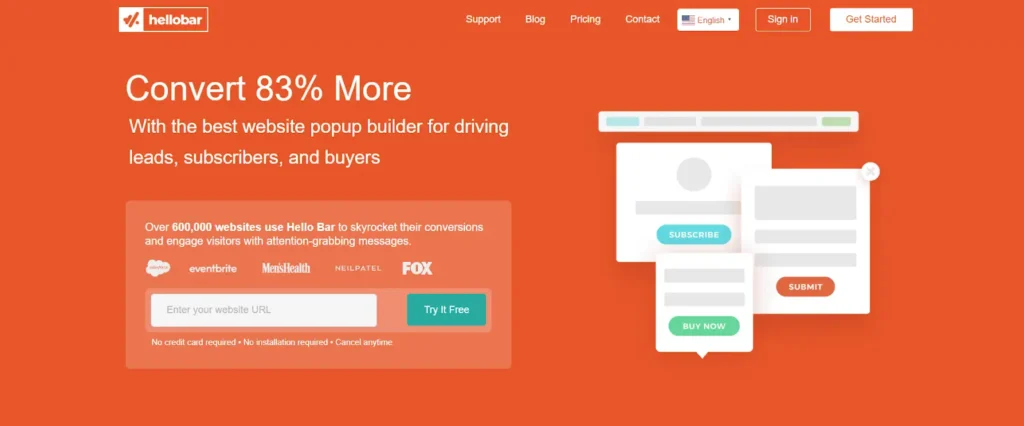
مرحبا بار صنعت اسمها من خلال شريط الإشعارات الموجود أعلى الصفحة وتطورت لتصبح أداة منبثقة كاملة لالتقاط العملاء المحتملين والعروض الترويجية وإشراك الزوار.
الميزات الرئيسية
- منشئ منبثق بسيط: يؤدي إنشاء السحب والإفلات إلى إطلاق الحملة في دقائق.
- اختبار أ/ب: اختبر الإصدارات المنبثقة ضد بعضها البعض للعثور على الأفضل أداءً.
- لوحة معلومات التحليلات: يعرض المشاهدات والنقرات ومعدل التحويل لكل حملة حتى تعرف أي نافذة منبثقة تكسب مكانها.
- الرسائل المستهدفة: إظهار رسائل مختلفة بناءً على سلوك الزائر.
الأفضل ل: أشرطة الإعلان والتقاط الرصاص خفيف الوزن حيث تكون المنصة المنبثقة الكاملة مبالغة.
10. تحويل القوة
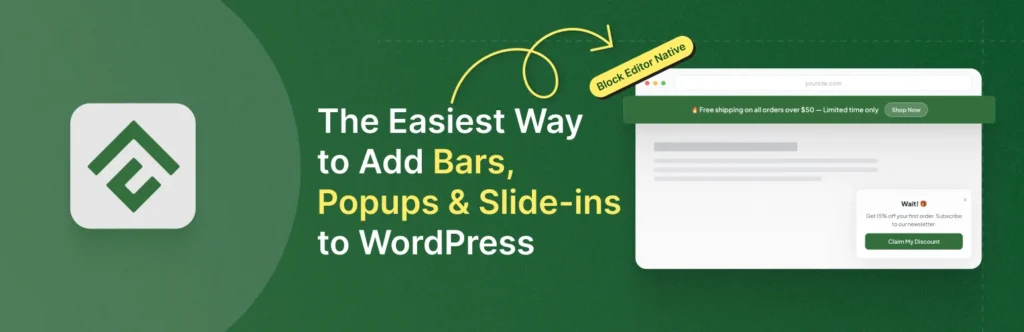
تحويل القوة هو مكون إضافي منبثق أصلي لـ Gutenberg. يمكنك إنشاء أشرطة الإشعارات والنوافذ المنبثقة Lightbox والشرائح الإضافية بنفس الكتل الأساسية التي تستخدمها بالفعل للمشاركات والصفحات، لذلك لا توجد لوحة قماشية منفصلة أو تبعية لإنشاء الصفحات. يبلغ سعر Pro 24.50 دولارًا أمريكيًا في وقت كتابة هذا التقرير، وهو مُدرج كخصم 50% على أسعار الإطلاق.
الميزات الرئيسية
- تجربة محرر الكتلة الأصلية: تستخدم الحملات كتل جوتنبرج القياسية، ولا توجد واجهة جديدة للتعلم.
- أنواع الحملات المتعددة: النوافذ المنبثقة Lightbox وأشرطة الإشعارات والشرائح الإضافية من مكون إضافي واحد، مع أنماط بدء التشغيل مثل شريط ملفات تعريف الارتباط وإشعار البيع وشريط الشحن المجاني.
- قواعد العرض: التحكم في مكان ظهور الحملات حسب الصفحة أو نوع المنشور أو عنوان URL.
- المشغلات المتقدمة (Pro): نية الخروج وعمق التمرير ومشغلات عدم نشاط المستخدم.
- التحكم في التردد (Pro): تمنع الحدود المستندة إلى ملفات تعريف الارتباط نفس الزائر من رؤية الحملة كثيرًا.
- واعية بالأداء: يقوم بتحميل الأصول فقط عند الحاجة، مع الحفاظ على وزن الصفحة منخفضًا.
الأفضل ل: محررو الكتل الأصوليون الذين يريدون النوافذ المنبثقة بدون Elementor أو Divi أو أي لوحة تصميم خارجية.
ما هو منشئ النوافذ المنبثقة الذي لديه أفضل القوالب؟
تمتلك OptinMonster أكبر مكتبة منشورة تضم 700+ قالب، وتسرد OptiMonk 952 نموذجًا منبثقًا، وتشحن Master Addons 25 نموذجًا منبثقًا يتم استيرادها مباشرة إلى محرر Elementor. العدد هو نصف السؤال فقط. لا يزال يتعين إعادة تصميم القالب المستضاف ليتناسب مع السمة الخاصة بك، بينما يستخدم القالب الذي يفتح في أداة إنشاء الصفحات بالفعل الخطوط والألوان والأدوات الخاصة بموقعك.
| أداة | قوالب | حيث تقوم بتحريرها |
|---|---|---|
| الإضافات الرئيسية | 25 قوالب منبثقة | محرر العنصر، مستورد من مكتبة المحرر |
| ديبيستر | 500+ عبر البرنامج المساعد، ولم يتم نشر عدد النوافذ المنبثقة | قماش ديبيستر |
| أوبتينمونستر | 700+ | تطبيق الويب OptinMonster |
| صانع النوافذ المنبثقة | لا توجد مكتبة قوالب | المحتوى الخاص بك في المحرر المنبثق |
| منشئ النوافذ المنبثقة (Sygnoos) | العد لم ينشر | محرر البرنامج المساعد الخاص |
| أوبتيمونك | 952 أمثلة منبثقة | تطبيق ويب أوبتيمونك |
| بوبتين | العد لم ينشر | تطبيق ويب بوبتين |
| السومو (BDOW!) | العد لم ينشر | بدو! محرر |
| مرحبا بار | العد لم ينشر | مرحبا محرر البار |
| تحويل القوة | أنماط البداية، قوالب إضافية في Pro | محرر الكتلة |
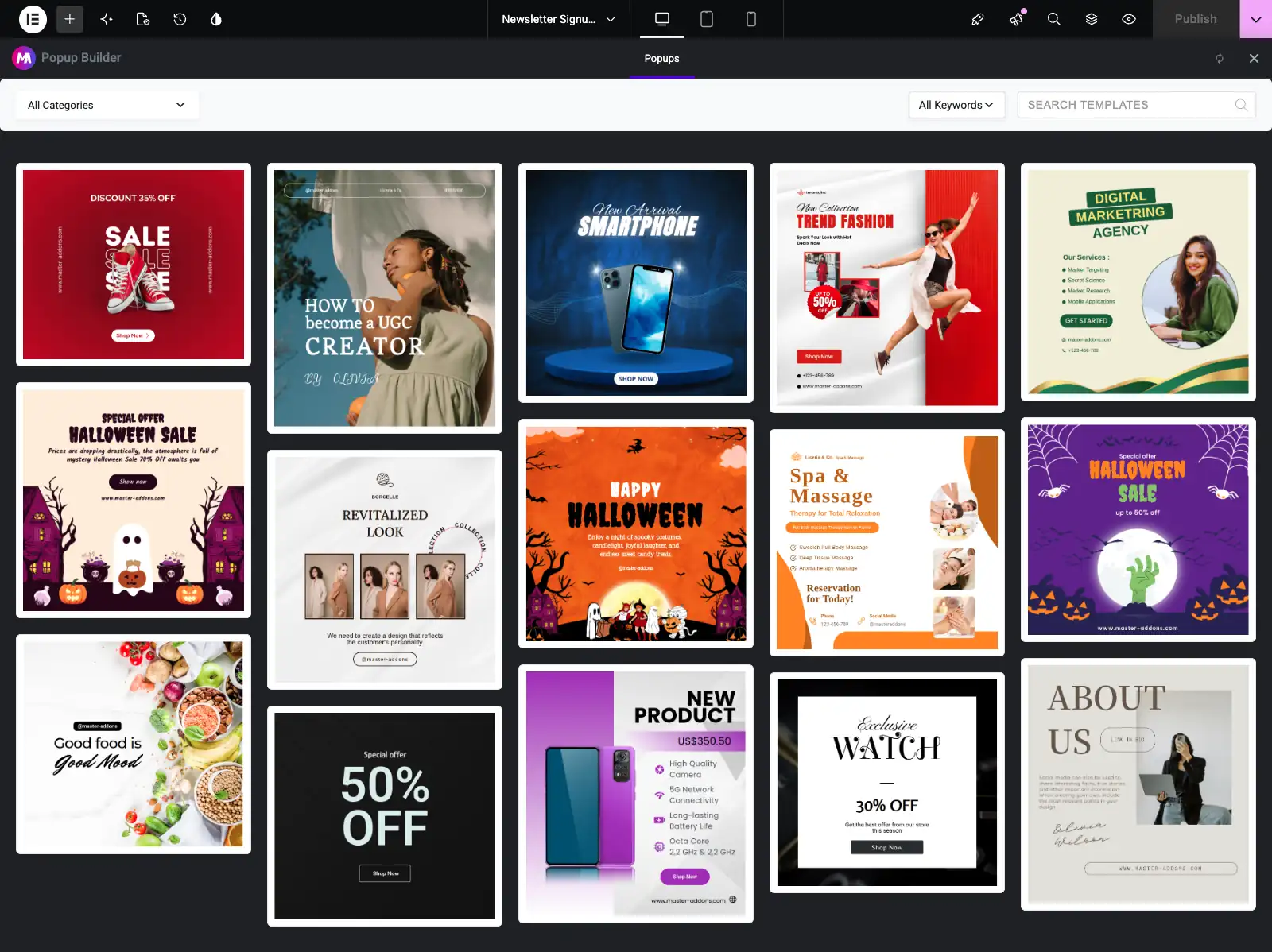
لإلقاء نظرة فاحصة على تصميمات Master Addons، قوالب العنصر المنبثقة تقوم الصفحة بمعاينة كل قالب، والتقريب أمثلة المنبثقة عن العنصر يُظهر 25 نافذة منبثقة جاهزة تم إنشاؤها معهم، بدءًا من عروض الخروج وحتى البوابات القديمة.
كيفية اختيار منشئ النوافذ المنبثقة المناسب
قم بمطابقة الأداة مع الإعداد والهدف الخاص بك:
- أنت تبني باستخدام Elementor: استخدم ال ماستر الإضافات المنبثقة منشئ. يوجد مكون إضافي أقل ومحرر واحد لكل شيء وجميع المشغلات السبعة في نفس لوحة الإعدادات.
- لقد بحثت عن Popup Builder، البرنامج المساعد: تمت مراجعة Popup Builder الخاص بـ Sygnoos في المرتبة 5. ويغطي الإصدار الأساسي الصور وHTML والنوافذ المنبثقة للاشتراك؛ تضيف حزمة Pro السنوية نية الخروج والاستهداف.
- يمكنك استخدام محرر الكتلة: تحتفظ ConvertForce بكل شيء أصلي في Gutenberg.
- أنت بحاجة إلى مكون إضافي مستقل بدون فاتورة: يغطي Popup Maker أو Depicter الأساسيات.
- أنت تدير متجرًا عبر الإنترنت: OptiMonk أو Poptin للاستهداف القائم على السلوك واختبار A/B.
- تريد أعمق الاستهداف وإعداد التقارير: OptinMonster، طالما أن الفاتورة الشهرية جيدة.
- تريد تضمين التسويق عبر البريد الإلكتروني: حزم السومو (BDOW!) كلاهما.
- ما عليك سوى شريط الإعلانات: يقوم Hello Bar بهذه المهمة بشكل جيد.
أيًا كان اختيارك، راقب سرعة الصفحة وتجربة الهاتف المحمول. إرشادات جوجل بشأن الإعلانات البينية المتطفلة يعاقب النوافذ المنبثقة التي تحظر المحتوى على الهاتف المحمول، لذا استخدم أحجامًا معقولة وأزرار إغلاق واضحة وقواعد تردد معقولة.
الأسئلة المتداولة
ما هو أفضل مكون إضافي لمنشئ النوافذ المنبثقة لـ WordPress في عام 2026؟
لا يوجد أفضل منشئ نافذة منبثقة لكل موقع. يعد Master Addons أفضل اختيار لمواقع Elementor لأن النوافذ المنبثقة مصممة داخل محرر Elementor. Popup Builder من Sygnoos وPopup Maker هما المكونات الإضافية المستقلة التي تم إنشاؤها، ويتناسب Depicter مع التحرير الأول للتصميم، ويتصدر OptiMonk وPoptin الاستهداف واختبار A/B، وحزم Sumo (BDOW!) للتسويق عبر البريد الإلكتروني.
هل هناك مكونات إضافية مجانية لمنشئ النوافذ المنبثقة لـ WordPress؟
نعم. لدى كل من Popup Maker وPopup Builder من Sygnoos وDepicter وConvertForce إصدارات مجانية على WordPress.org، وتسمح الطبقة المجانية لـ OptiMonk بـ 15000 مشاهدة للصفحة شهريًا. يتم دفع رسوم الخروج ومشغلات التمرير والاستهداف المتقدم في معظمها، لذا تحقق من المشغل الذي تحتاجه قبل الالتزام.
هل تضر النوافذ المنبثقة لـ WordPress بتحسين محركات البحث أو سرعة الصفحة؟
لا تضر النوافذ المنبثقة بتحسين محركات البحث إلا عندما تحظر المحتوى بشكل تطفلي على الهاتف المحمول، وهو ما لا تشجعه Google. النوافذ المنبثقة جيدة البناء والتي تقوم بتحميل الأصول فقط عند الحاجة لها تأثير ضئيل. اختر مكونًا إضافيًا خفيف الوزن وحافظ على سرعة موقعك، نظرًا لأن سرعة الصفحة هي عامل تصنيف.
ما هي مشغلات النوافذ المنبثقة التي يتم تحويلها بشكل أفضل؟
عادةً ما يتم تحويل نية الخروج وعمق التمرير ومشغلات الوقت على الصفحة بشكل أفضل لأنها تصل إلى الزوار في اللحظة المناسبة. تدعم معظم الأدوات هنا أنواع المشغلات هذه، ويساعد تحديد الحد الأقصى للتردد على منع إرهاق النافذة المنبثقة.
هل يمكنني إنشاء نوافذ منبثقة لـ WordPress بدون Elementor Pro؟
نعم. يعد منشئ النوافذ المنبثقة الخاص بـ Elementor ميزة احترافية، لكن Master Addons يضيف منشئ النوافذ المنبثقة إلى محرر Elementor مع 25 قالبًا وسبعة أنواع من المشغلات، وأي مكون إضافي مستقل في هذه القائمة يعمل جنبًا إلى جنب مع Elementor أيضًا.
ما هو منشئ النوافذ المنبثقة الذي لديه أفضل القوالب؟
تنشر OptinMonster أكبر مكتبة بـ 700+ قالب وتسرد OptiMonk 952 نموذجًا منبثقًا. تقوم Master Addons بشحن 25 نموذجًا منبثقًا يتم استيرادها داخل محرر Elementor وتستخدم بالفعل أنماط موقعك. لا يحتوي Popup Maker على مكتبة قوالب، ولا ينشر Depicter وPoptin وPopup Builder بواسطة Sygnoos عددًا منبثقًا فقط.
هل Popup Builder من Sygnoos هو نفس المكون الإضافي للمنشئ المنبثق؟
Popup Builder هو فئة واسم منتج. Popup Builder من Sygnoos هو مكون إضافي محدد لـ WordPress.org يحتوي على 200000+ عملية تثبيت وأربعة أنواع منبثقة أساسية وحزمة Pro مكونة من 28 امتدادًا بسعر يبدأ من 49.95 دولارًا سنويًا. تغطي الفئة كل مكون إضافي في هذه القائمة، بدءًا من الإضافات الرئيسية وحتى صانع النوافذ المنبثقة.
ما نوع البرنامج المساعد المنبثق الذي تحتاجه بالفعل؟
ثلاث مجموعات تقريبية. يقوم البرنامج المساعد المنبثق لمنشئ الصفحة بتصميمه داخل Elementor أو Divi، وهو ما يناسبك عندما يتعين على البرنامج المنبثق أن يتطابق مع بقية الموقع تمامًا. يقوم البرنامج الإضافي المستقل بشحن محرره الخاص ويخزن النوافذ المنبثقة على الخادم الخاص بك. تقوم الخدمة المستضافة بتشغيل النافذة المنبثقة من خوادم البائع مع استهداف وإعداد تقارير أثقل، ويتم إصدار فاتورة بها شهريًا. إذا كان كل ما تحتاجه هو نموذج تسجيل على موقع Elementor، فعادةً ما تقوم المجموعة الأولى بتغطيته.
هل أحتاج إلى مكون إضافي منبثق منفصل إذا كنت أستخدم Elementor بالفعل؟
فقط إذا تركك Elementor قصيرًا من تلقاء نفسه. يوجد منشئ النوافذ المنبثقة الخاص بـ Elementor في Pro، لذلك بدون Pro يمكنك إما ترقية أو إضافة مكون إضافي يجلب النوافذ المنبثقة إلى المحرر الذي تستخدمه بالفعل. يقوم Master Addons Popup Builder بالثاني، ولهذا السبب يفتح هذه القائمة. إذا كنت تدفع بالفعل مقابل Elementor Pro، فقد تغطيك النوافذ المنبثقة المضمنة دون إضافة أي شيء آخر.
الأفكار النهائية
يعتمد أفضل مكون إضافي لمنشئ النوافذ المنبثقة لـ WordPress على مكان إنشاءك وما يجب أن تفعله النافذة المنبثقة. يحصل مستخدمو Elementor على أقصى استفادة من Master Addons، مع سبعة مشغلات و25 قالبًا داخل المحرر الذي يعرفونه بالفعل. أي شخص يريد مكونًا إضافيًا مستقلاً لديه Popup Maker على 780،000+ موقع وPopup Builder بواسطة Sygnoos على 200،000+، يجب على أصحاب المتاجر الذين يطاردون التحويلات النظر إلى OptiMonk أو Poptin، والشركات الصغيرة التي تريد إنشاء بريد إلكتروني تحتوي على BDOW!، ومحبي محرر الكتل لديهم ConvertForce.
فكر في هدفك وجمهورك وميزانيتك قبل الالتزام. تظهر نافذة منبثقة في اللحظة المناسبة لتنمو قائمتك؛ نفس النافذة المنبثقة المعروضة للجميع في كل صفحة تزعج الناس فقط. إذا كنت تريد أن ترى كيف يعمل خيار Elementor عمليًا، فابدأ بالدليل خطوة بخطوة إضافة نافذة منبثقة في Elementor.
القراءة ذات الصلة
