

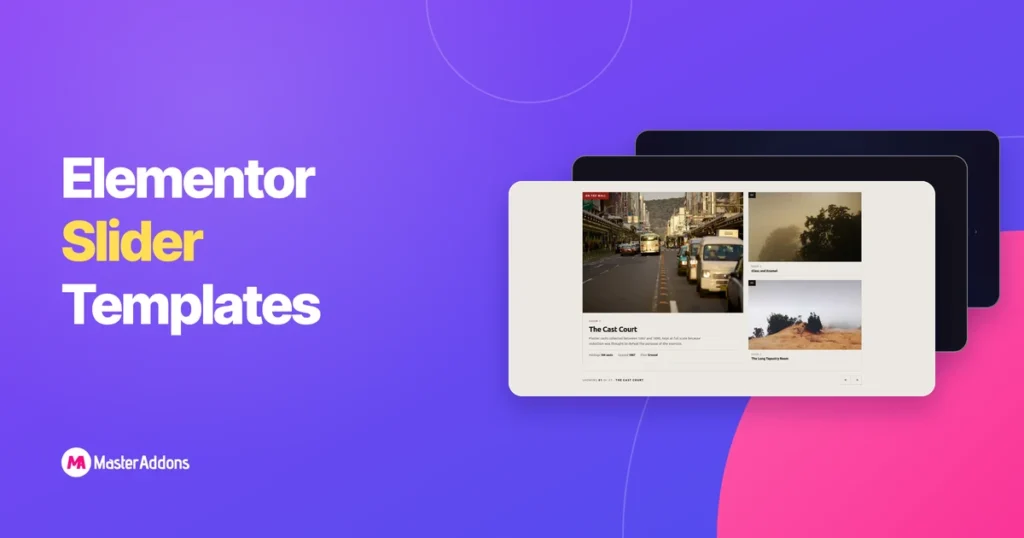
De fleste Elementor-skyderskabeloner, du finder online, er den samme skyder. Billede i fuld bredde, tekst over midten, pile på siderne, næste.
Disse tyve er ikke det. Man bøjer diasene rundt om kanten af en cirkel. Man sætter indgange til en dateret tidslinje, hvor hullerne mellem år er tegnet i skala. Man forvandler en liste over rækker til selve navigationen. Otte af dem importerer til det gratis Master Addons-plugin uden Pro-licens, som den frie-versus-Pro opdeling går igennem i detaljer, og hver eneste af de tyve har en live demo, du kan åbne, stikke på og bryde, før du beslutter dig for, om du vil have den.
Nedenfor: hvert design, hvad det faktisk er godt for, og den ærlige note om, hvilke der er en dårlig idé til dit websted. For plugin'ets konventionelle karruseller ved siden af disse, start ved karrusel widget hub.
De 20 designs på et øjeblik
Vælg efter det, du bygger, ikke efter det, der ser bedst ud i et skærmbillede. Et coverflow, der ser fantastisk ud på en portefølje, vil begrave et produktgitter.
Forbi et dusin stykker begynder en skyder at skjule arbejde. Den Filtrerbart billedgalleri beholder hele sættet på siden og lader besøgende filtrere det efter projekttype.
| # | designe | forslag | Bedst til | titeri |
|---|---|---|---|---|
| 01 | Meridian coverflow | 3D dybde, roterende paneler | Casestudier, porteføljer | pro |
| 02 | concertina harmonika | Paneler udvider på svæve | Tjenestesider, kategorier | pro |
| 03 | umbra overlejring | Billedtekst afslører over billede | Fotografering, redaktionel | pro |
| 04 | Stratum dæk | Stablede kort, topkort skræller | Udtalelser, featureture | pro |
| 05 | halvere split | To halvdele, modsatte retninger | Helteafsnit, sammenligninger | pro |
| 06 | Ascent Mousewheel | Rullehjul driver slæden | Lang, historiefortælling | pro |
| 07 | pivot flip | 3D-flip på Y-aksen | Før/efter, holdkort | pro |
| 08 | Bue buet | Slides kører på en cirkels kant | Samlinger, kataloger | pro |
| 09 | Tessera Mosaik | Gitterfliser blander | Gallerier, billedtunge sider | pro |
| 10 | Slynge Træk | Gratis træk, momentum rulle | Porteføljer, lookbooks | pro |
| 11 | Skifer Gardin | Paneler trækker sig tilbage som gardiner | Lancerer, helte afslører | pro |
| 12 | Halo kredsløb | Cirkulær bane omkring et centrum | Procestrin, økosystemer | pro |
| 13 | Sloft Hero Slider | Øjeblikkelig swap, fuldblødningsstadiet | Hjemmeside helte | frimodig |
| 14 | Ledger Index skyder | Rækkeliste driver billedet | Samlinger, arkiver | frimodig |
| 15 | Vitrine Plade Galleri | Miniaturebånd, datapanel | fotografi | frimodig |
| 16 | kvadrant side katalog | Grid søgte tre ad gangen | Kataloger, feature gitter | frimodig |
| 17 | Bulletin paneler med faner | Fanestribe, redaktionspaneler | Sammenligninger, dybe dyk | frimodig |
| 18 | talerstol citat skyder | Trinvise citater med fremskridt | Udtalelser, anmeldelser | frimodig |
| 19 | Almanak tidslinje skyder | Indtastninger på en dateret akse | Historier, milepæle | frimodig |
| 20 | Keystone funktion skyder | Klik for at promovere, FLIP bevægelse | Værelser, rum, udstillinger | frimodig |
Hvad du skal bruge for at køre disse
Elementor gratis er nok til selve siden. Opdelingen er i designene:
- Design 13 til 20 er gratis. De importerer gennem Master Addons → Widget Builder → Importer Widget på det gratis plugin: ingen Pro licens, ingen prøveversion, intet kort. Hver enkelt lander i Elementor panelet under Favoritter med sine egne kontroller.
- Design 01 til 12 har brug for Master Addons Pro. De er bygget fuldt ud Widget Builder, som er en Pro-funktion.
Hvad behøver ikke noget: de levende demoer. Åbn nogen af de tyve, ændre størrelsen på browseren, træk et dias, se, hvordan det opfører sig på en telefon-bredde viewport. Det koster ikke noget, og det er den eneste måde at bedømme, om en bevægelsesstil passer til dit indhold.
Det gratis plugin sender også konventionelle karrusel-widgets (Billedkarrusel, logoskyder, teamskyder og blog-widgetten i karruseltilstand) alt sammen dækket på karrusel-widgetsiden, der er linket til i introen.
For at se Blog-widgetten i karruseltilstand på en færdig side, skal du åbne Marquee-layoutet i vores Elementor blogskabeloner. Det starter med et roterende banner med fremhævede indlæg.
01. Meridian coverflow
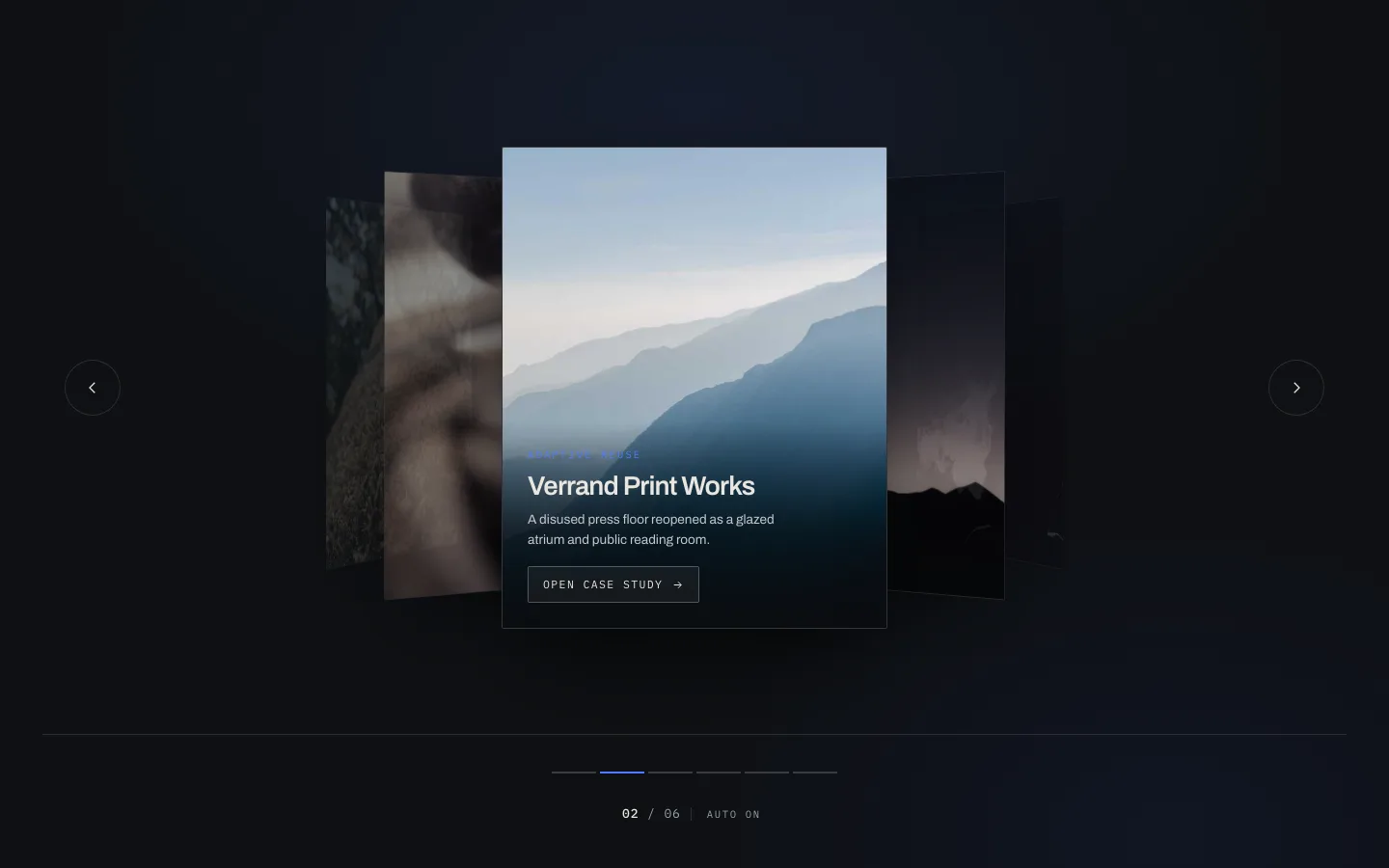
Midterskråningen sidder fladt og firkantet. Dem på hver side roterer væk på Y-aksen og dæmper, så dit øje lander, hvor det skal. Klassisk dækselstrøm, minus den refleksion, ingen har ønsket sig siden 2011.
Det virker, fordi det viser kontekst uden at konkurrere om opmærksomhed. En besøgende ser, at der er fem flere casestudier uden at kunne læse nogen af dem, hvilket er præcis den spænding, der får folk til at klikke på pilen.
Brug den til: case study hjul, portefølje stykker, alt, hvor hver slide fortjener en fuld læsning.
Brug den ikke til: produktgitre. Coverflow viser et element korrekt og antyder to. Shoppere, der sammenligner seks produkter, vil hade dig.
02. concertina harmonika
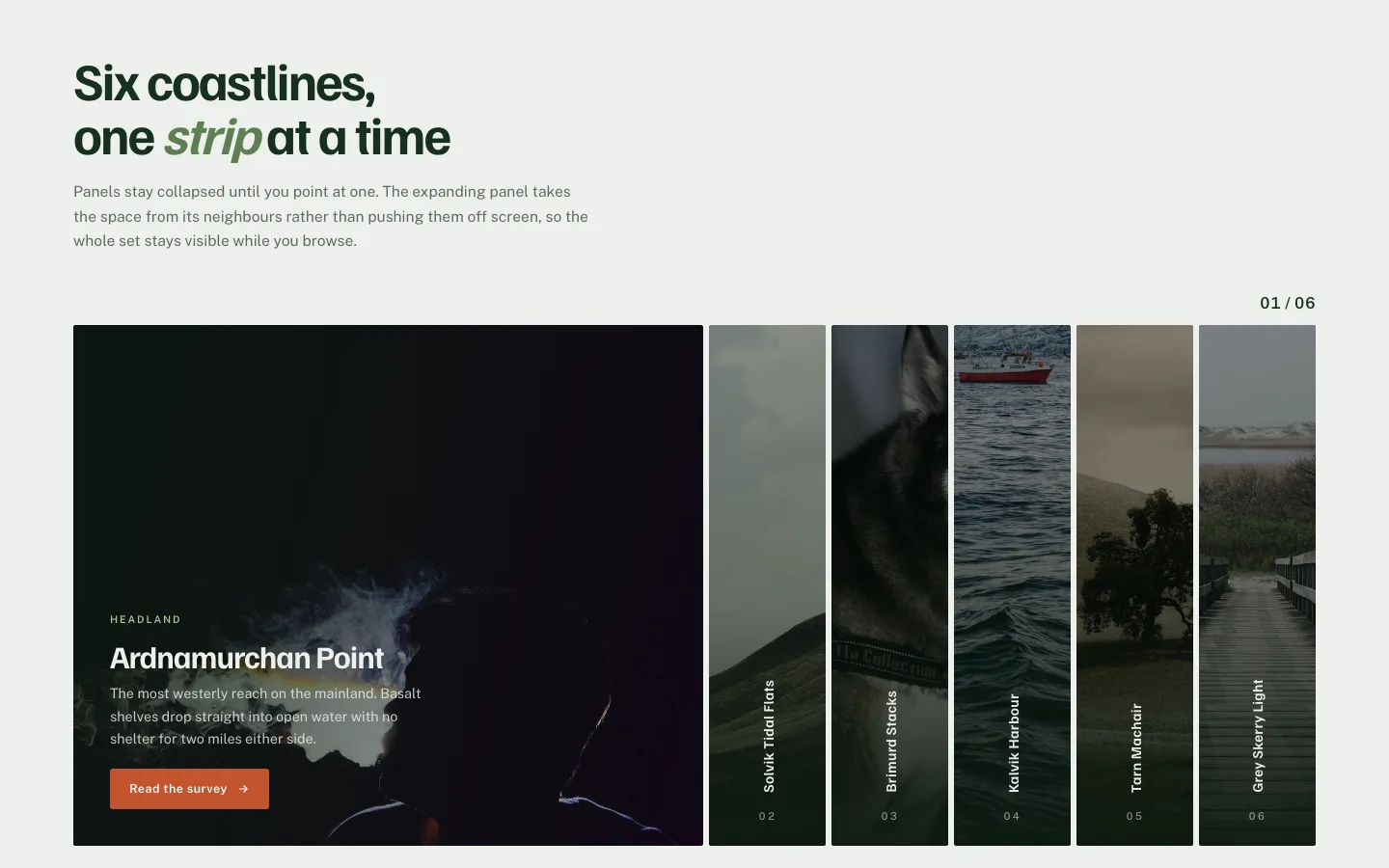
Seks smalle lodrette paneler. Hold markøren over en, og den udvider sig; de andre komprimerer for at gøre plads. Ingen pile, ingen prikker, ingen autoplay: hele navigationen er svæveren.
Se dog, hvad der sker på mobilen. Der er ingen svæve på en berøringsskærm, så panelerne falder tilbage for at trykke på for at udvide. Det er fint, men det betyder, at den første trykadfærd skal være indlysende, ellers vil folk rulle lige forbi den. Tilføj en synlig chevron på det aktive panel, og problemet forsvinder.
Brug den til: seks eller færre servicekategorier, destinationslister, alt hvor etiketterne sælger.
03. umbra overlejring

Billedet fylder rammen, billedteksten sidder i en gradient, der kun gør den nederste tredjedel mørkere. Slideændringer, billedteksten krydsfader et slag senere.
Den forsinkelse er hele designet. Tekst og billede, der ankommer sammen, læses som en bannerannonce. Tekst, der ankommer i anden omgang, læses som en billedtekst på et fotografi, hvilket er det, du ønsker, hvis fotografiet er produktet.
Dette er det nærmeste design til Elementor Image Karrusel widget hvis du vil have det samme udseende uden Pro. Den gratis widget gør billede plus billedtekst, bare uden den forskudte fade.
04. Stratum dæk
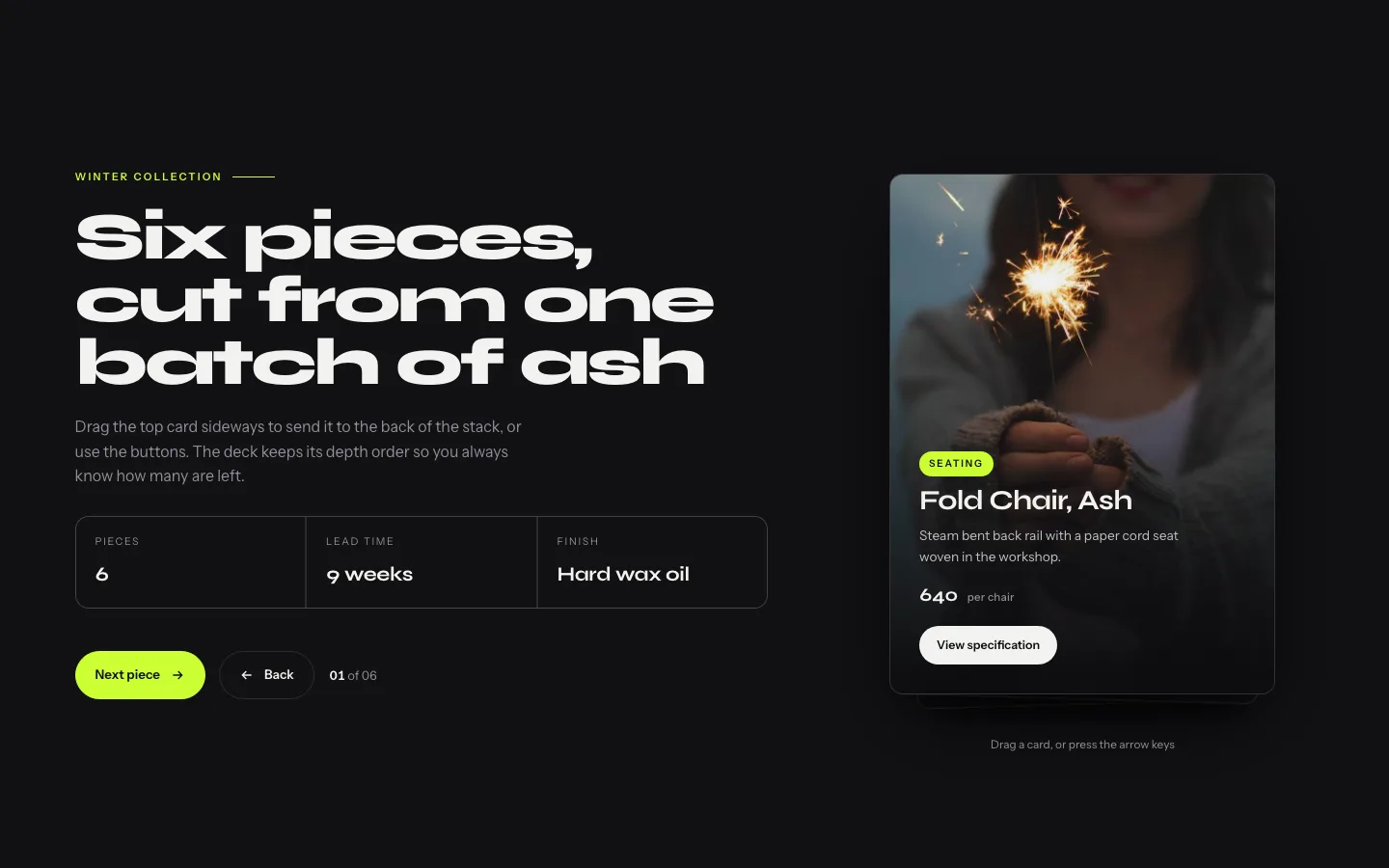
Kort stablet med en lille forskydning, så du kan se tre eller fire kanter bag den øverste. Frem og det øverste kort løfter og glider af, og afslører det næste.
Stakken gør noget, en flad karrusel ikke kan: den viser mængde. En besøgende ved, at der er flere vidnesbyrd uden at tælle prikker. For socialt bevis, der er det meste af jobbet.
Brug den til: udtalelser, prisniveauer, onboarding-trin.
Pas på: hold stakken til fem eller seks synlige kort. Forbi at forskydningerne bliver så tynde, læser dybden som en gengivelsesfejl.
05. halvere split
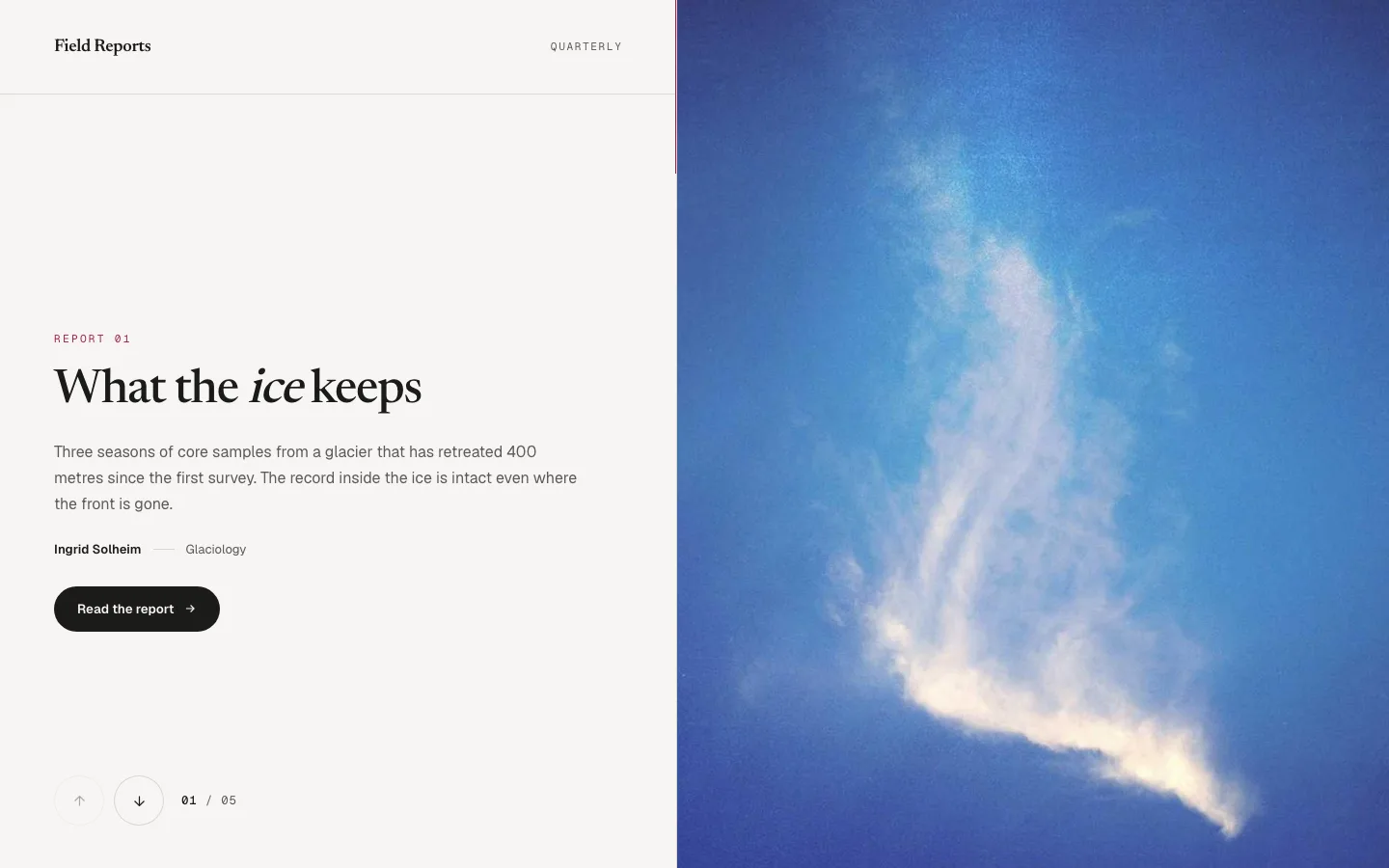
Skærm deler sig ned i midten. Øverste halvdel bevæger sig op, nederste halvdel bevæger sig ned, og de mødes på næste slide. To paneler, en gestus.
Jeg ville sætte dette i en helt og ingen andre steder. Det er en stor bevægelse: den spiser den fulde viewport og kræver et sekund af den besøgendes opmærksomhed. I en helt, der er en fair handel. Halvvejs nede på en serviceside er det bare støj.
Brug den til: hjemmesidehelte, kampagnelandingssider, før/efter par.
06. Opstigning Musehjul
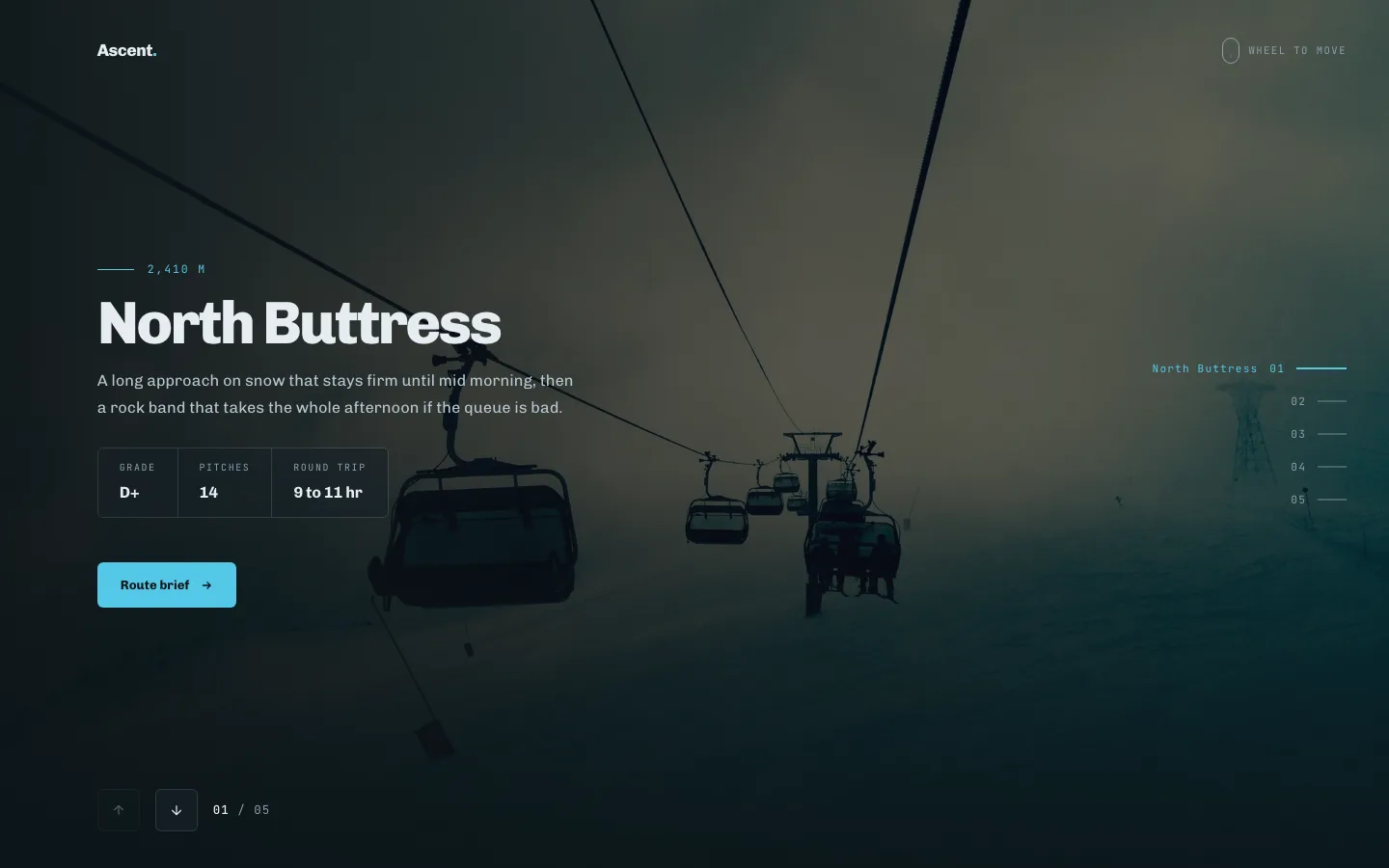
Ingen pile. Du ruller, den rykker frem. Skyderen fanger hjulet, mens det er i udsigt, og slipper det, når du har ramt det sidste slide.
Scroll-jacking har et dårligt ry, og det tjente det. Versionen her frigiver hjulet i det øjeblik du når begge ender, så en besøgende, der ønsker at holde gå ned på siden, bliver aldrig fanget. Test denne på et pegefelt, før du forpligter dig, fordi pegefeltets momentum er meget mere twitchy end et hjul, og hvis dine dias er teksttunge mennesker vil overskride.
Brug den til: fortællende afsnit, produkthistorier, tidslinjer.
Brug den ikke: over folden. En besøgendes første rulle skal flytte siden, ikke en widget.
07. pivot flip
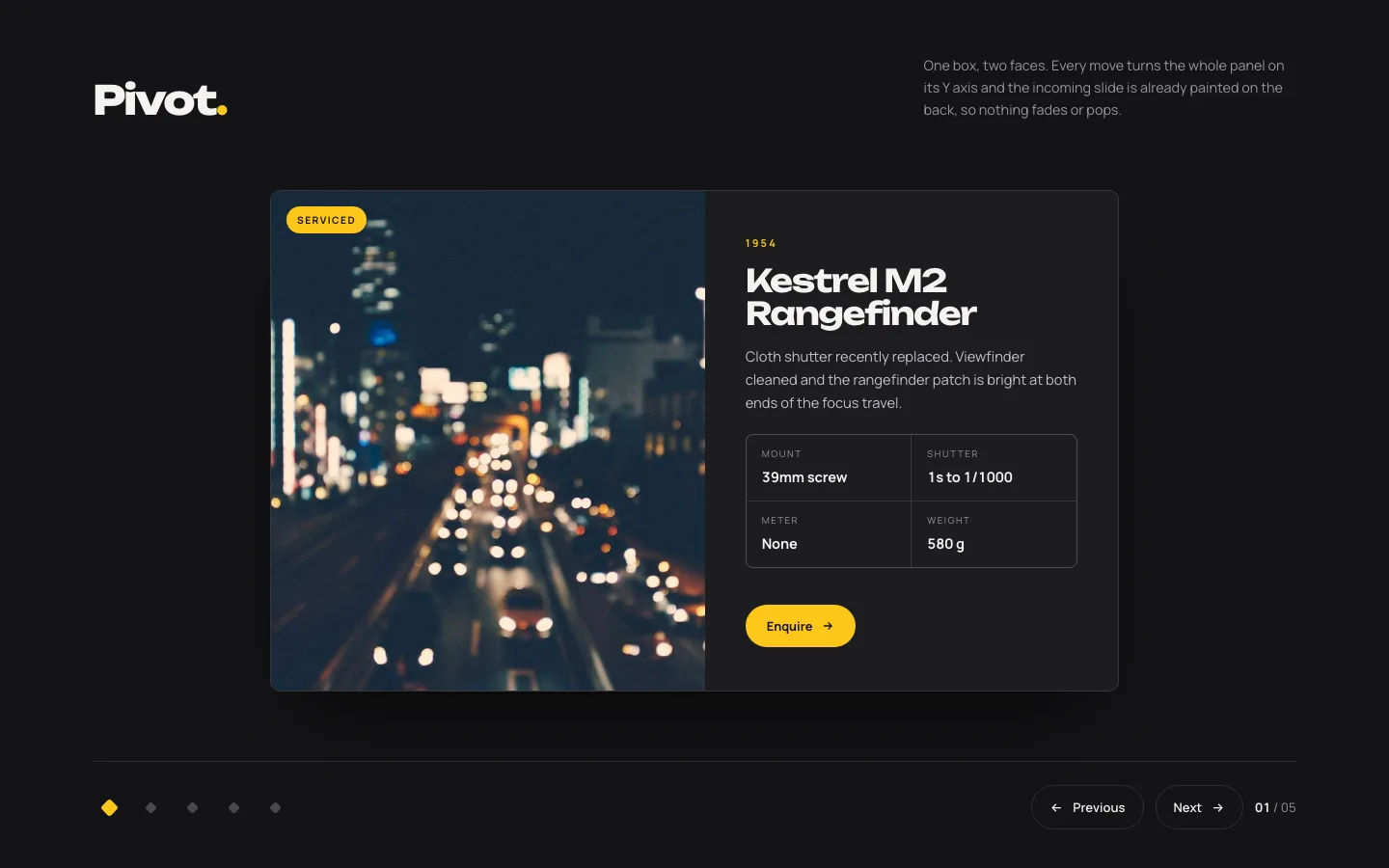
Kort roterer 180° på den lodrette akse. Front ansigt ud, bagside ind. Begge ansigter er redigerbare, så bagsiden kan holde en bio, et spec ark, eller en pris.
Tosidet indhold er sjældnere end det lyder, og dette design er grunden til at kigge efter det. Teammedlem på forsiden, rolle og links på bagsiden. Produkt skudt foran, dimensioner tilbage.
Brug den til: team grids, før/efter, spec kort. Flip sidder ved siden af coverflow, bue og kredsløb i 3D karruselnedbrydning.
08. Bue Buet
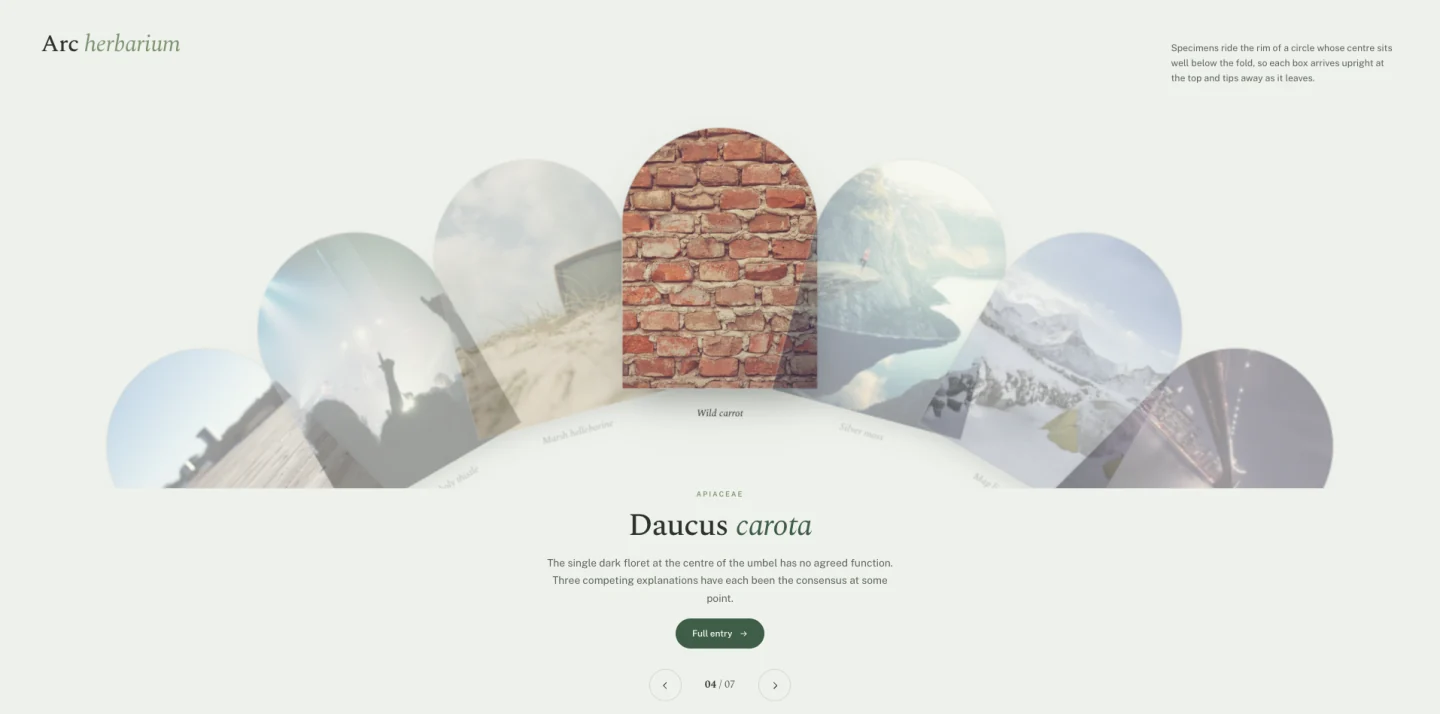
Sliderne sidder på kanten af en cirkel, hvis centrum er et sted under folden. Hver ankommer oprejst øverst og tipper væk, når den forlader. Bueformede billedmasker følger samme kurve.
Intet andet i sættet ser sådan ud, og det er argumentet for det. Ingen har set dette på et andet WordPress-websted.
Brug den til: samlinger, hvor varerne ligner hinanden, og præsentationen skal bære interessen: et katalog, en prøveliste, en menu.
09. Tessera Mosaik
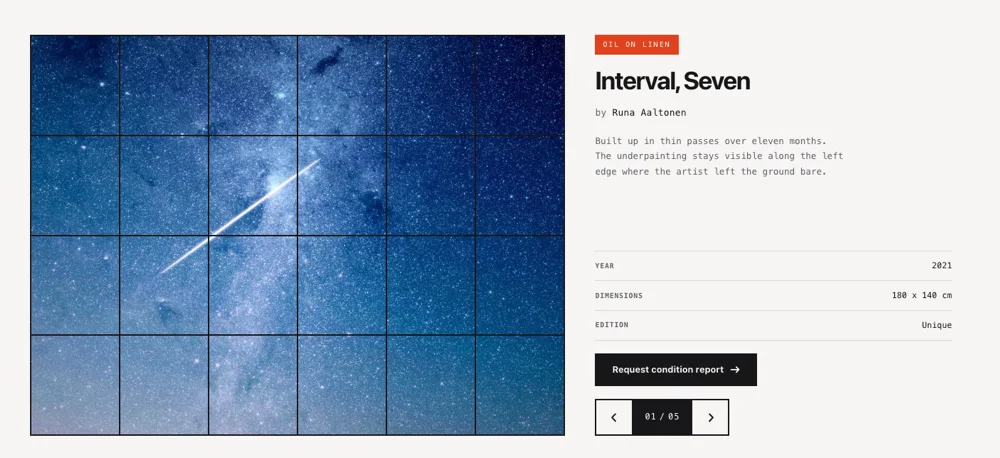
Et gitter af ulige fliser, der omrokerer i stedet for at glide. Fliser animerer til nye positioner og størrelser; sammensætningen ændres, men tømmes aldrig.
Dette er den, du skal række ud efter, når du har tredive billeder og intet hierarki mellem dem. En konventionel karrusel tvinger en læserækkefølge på indhold, der ikke har en. En mosaik har ikke.
Brug den til: begivenhedsfotografering, gallerisider, billedtunge om sider.
Omkostninger: det er det tungeste design i sættet til layoutarbejde. Hold kildebilleder under 200 KB hver eller omrokeringsstammerne på Android i mellemklassen.
10. Slynge Træk
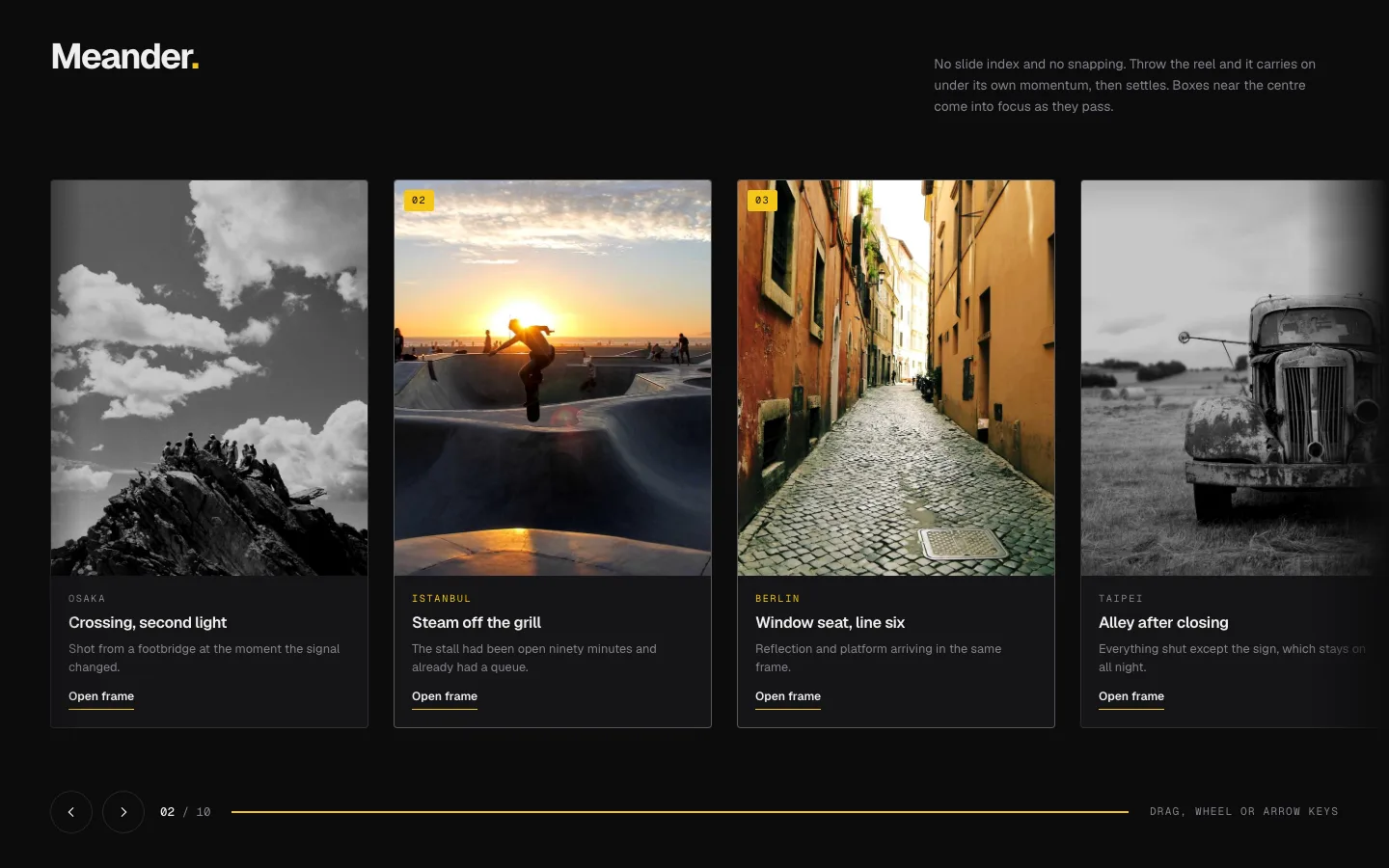
Grib og kast. Momentum fører sporet forbi, hvor du giver slip og letter til et stop. Ingen snapping til at glide grænser, så en slide kan sidde halvt synlig, hvilket er pointen, fordi en halv synlig slide er et signal om, at der er mere.
Free-drag har en ægte tilgængelighed omkostninger: tastatur brugere får intet fra en træk interaktion. Arrow-key support er kablet i, men hvis dit publikum skævt mod assisterende tech, design 01 eller 04 vil tjene dem bedre.
Brug den til: lookbooks, porteføljer, lange horisontale samlinger.
11. Skifer Gardin
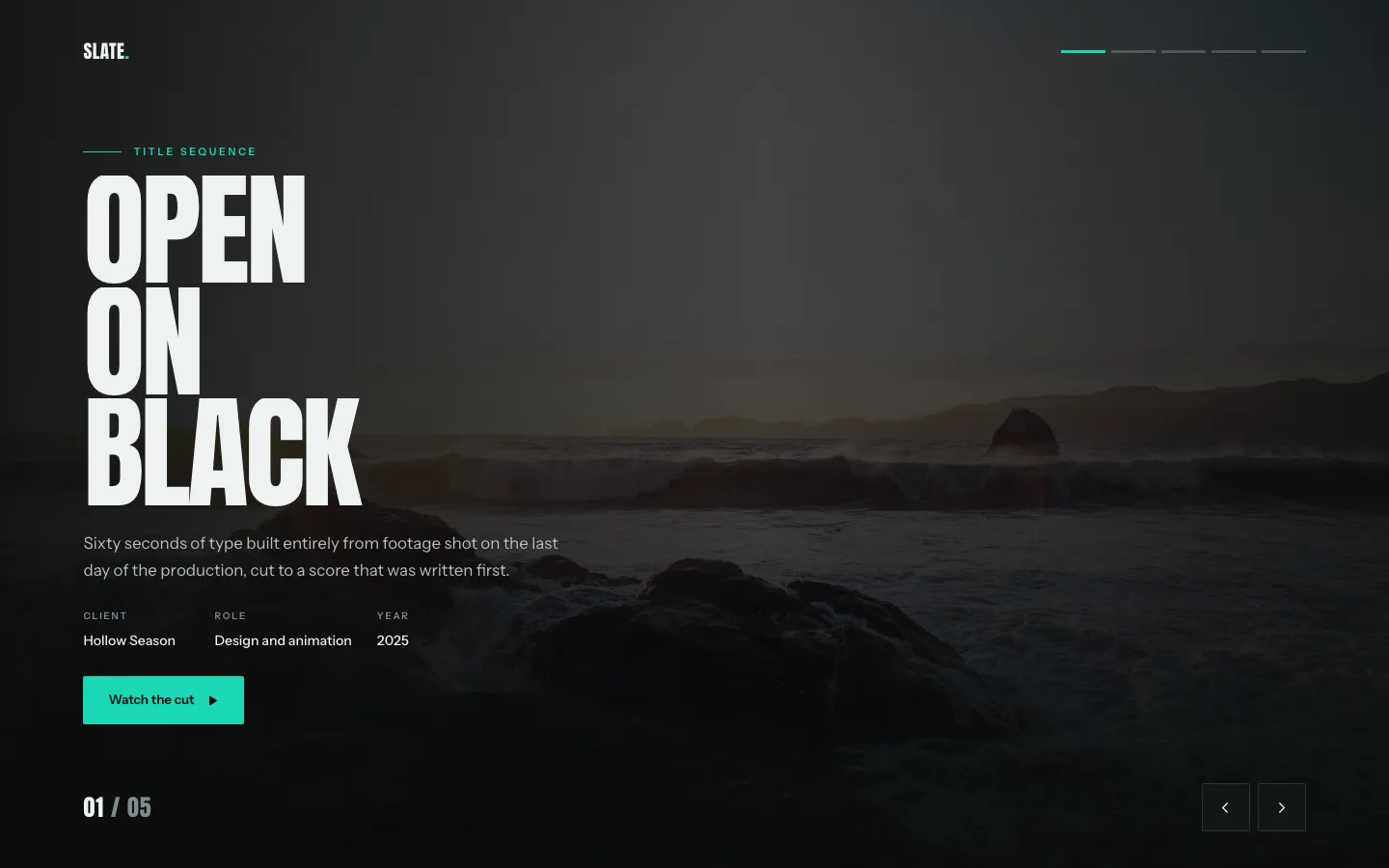
Lodrette paneler trækker fra hinanden som gardiner, og den næste slide sidder allerede bag dem. Afsløringen er overgangen.
Det lyder som ceremoni. Det er nyttigt præcis to gange på en hjemmeside, en produktlancering og en hjemmesidehelt og malplaceret alle andre steder.
Brug den til: lanceringer, annonceringshelte, sæsonbestemte kampagner.
12. Halo kredsløb
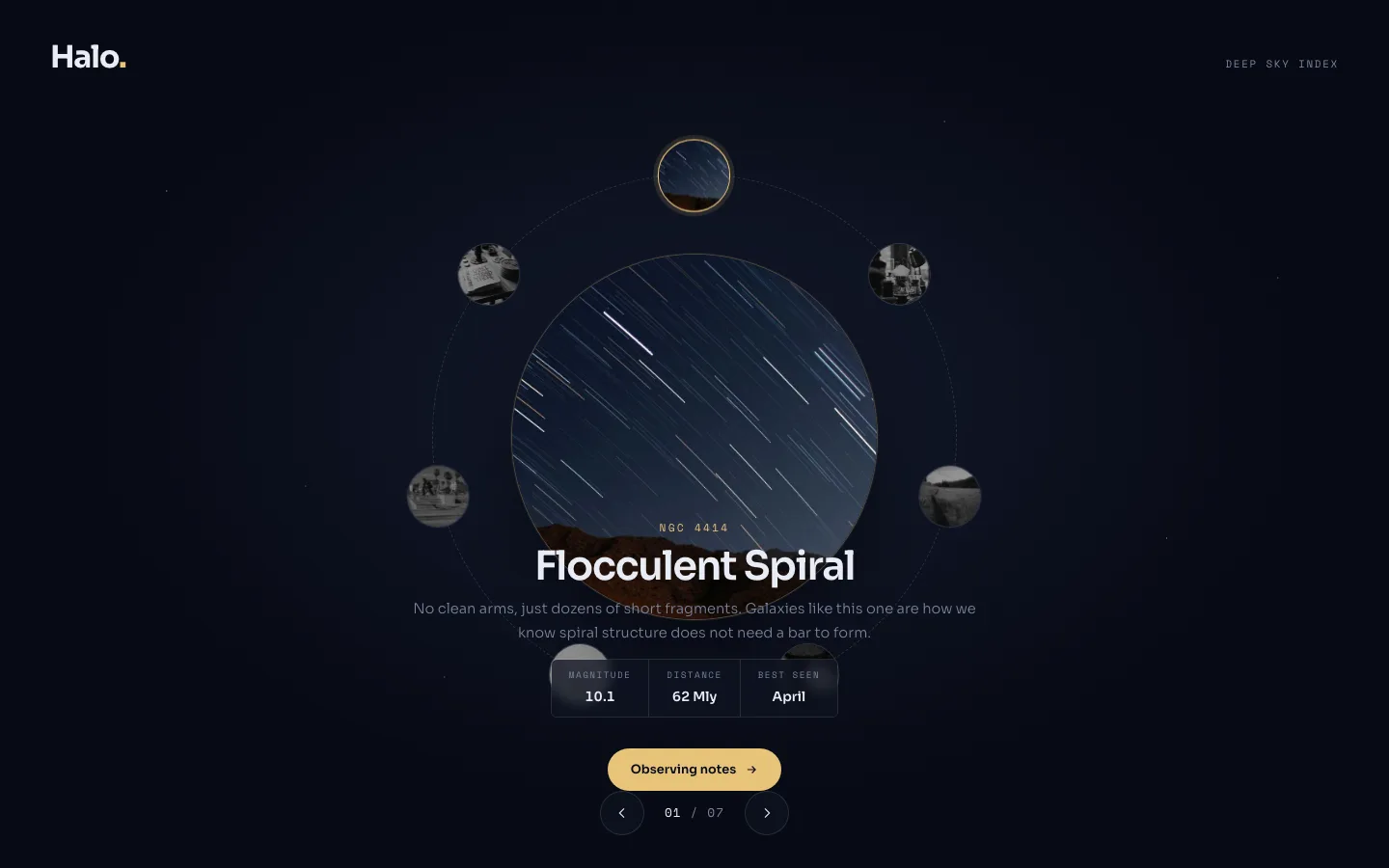
Elementer kredser om et fast midtpunkt. Den øverst er aktiv og i fuld størrelse; resten krymper, når de rejser rundt om ryggen.
Cirkulære layout passer til indhold, der virkelig loops. En fire-trins proces, et økosystemdiagram, et servicehjul. Sæt en lineær liste i det, og du vil forvirre folk, fordi en cirkel indebærer “vender tilbage til starten,”og en fem-trins onboarding flow gør ikke.
Brug den til: procesdiagrammer, økosystemkort, kapacitetshjul.
13. Sloft Hero Slider (gratis)
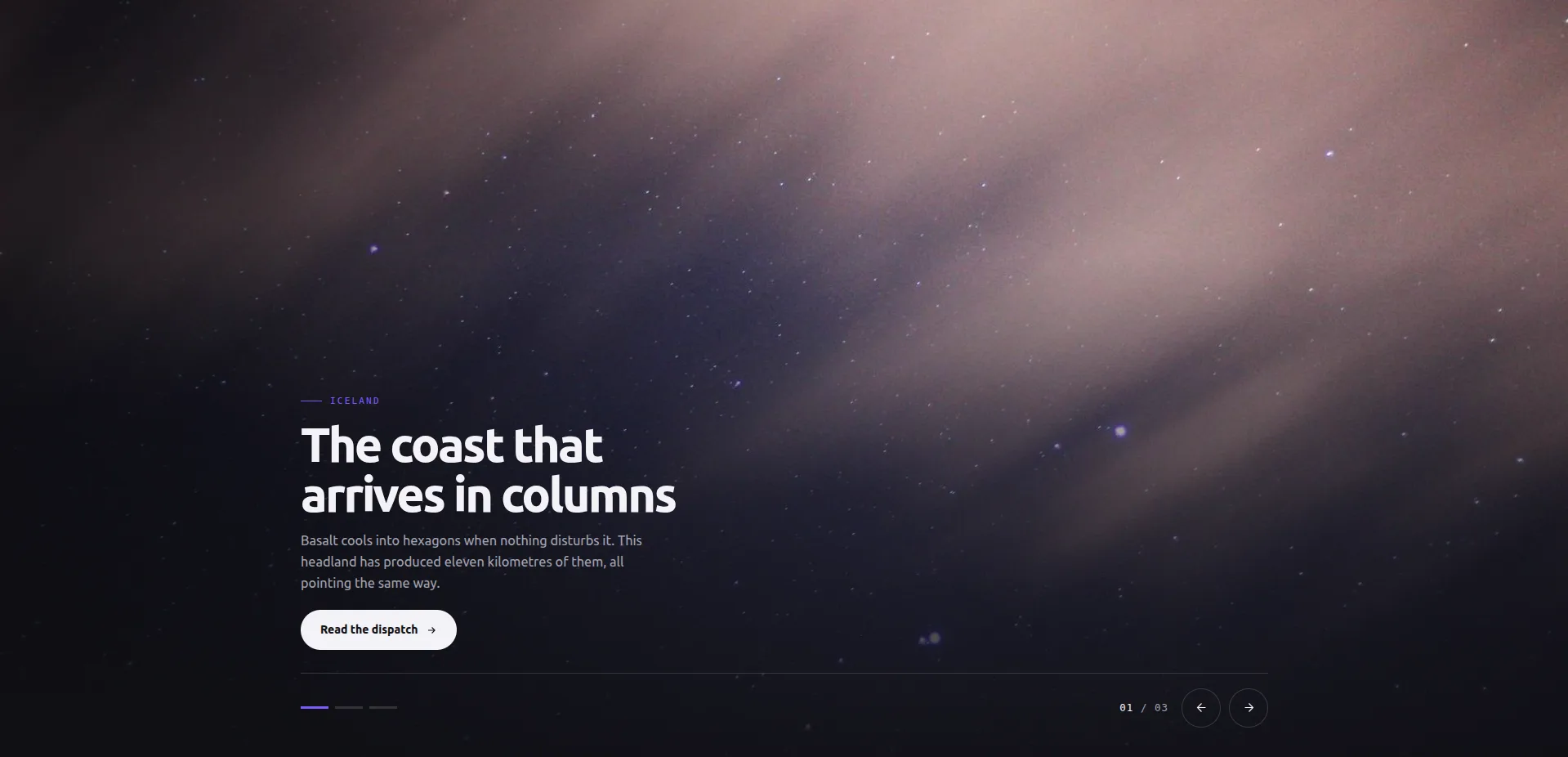
Et billede fylder scenen. En billedtekst sokkel sidder lavere-venstre, kontrollinjen (prikker, pile, tæller) lavere-højre. Slides swap øjeblikkeligt: ingen fade, ingen slide-in, intet at gå ud af synkronisering eller stamme på en langsom telefon.
Den øjeblikkelige swap lyder som en begrænsning, indtil du time en fade mod det. En helt overgang spiser opmærksomhed to gange: én gang forlader, én gang ankommer. Dette design bruger det budget på fotografiet i stedet. Det er også det eneste design i sættet med en per-slide link kontrol, plus en CTA etiket deles på tværs af alle dias, som er præcis den form, en hjemmeside helt har brug for.
Brug den til: hjemmeside helte, landing page toppe, hvor som helst billedet er argumentet.
Brug den ikke til: indhold, der skal til bevægelse for at forklare sig. Der er ingen, med vilje.
14. Ledger Index skyder (gratis)
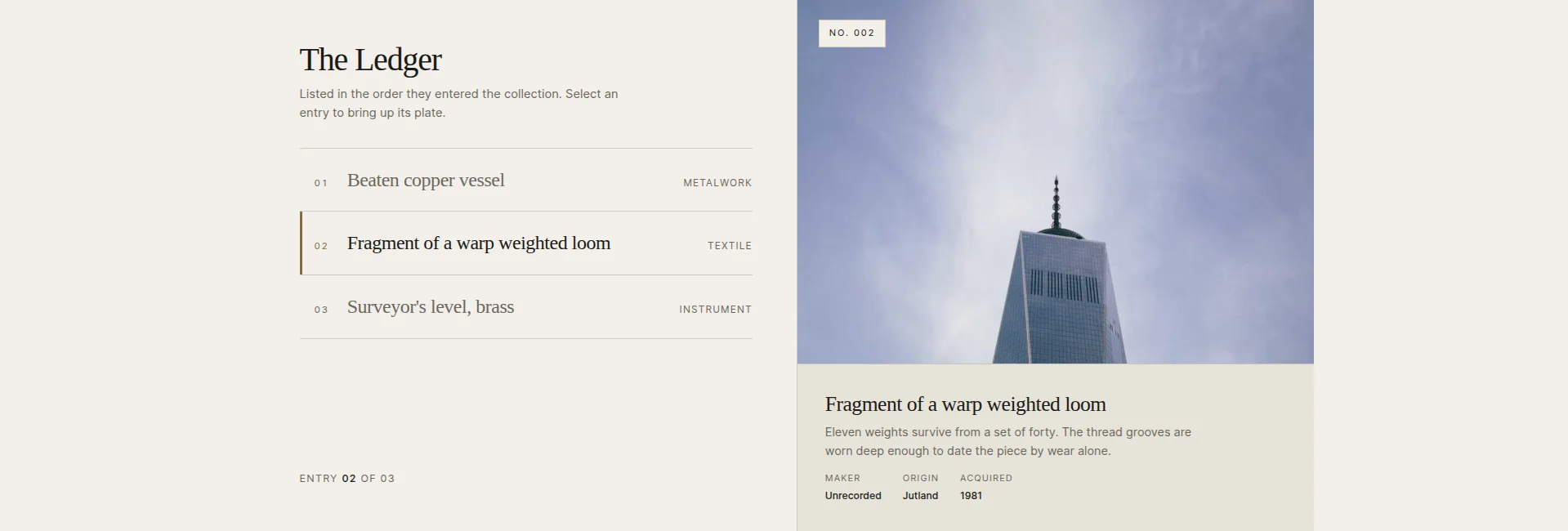
En kolonne med indgangsrækker ved siden af en stor plade. Vælg en række, og pladen, dens stempel og dens billedtekst skifter til at matche. Listen er navigationen, uden at der kræves pile, selvom de er der.
Dette inverterer det sædvanlige karruselproblem. En normal skyder skjuler alt undtagen det aktuelle dias; her er hele indholdsfortegnelsen synlig hele tiden, og billedet er detaljevisningen. Der er en vælg-på-svæve-skift, hvis du vil have rækkerne til at svare før klikket.
Brug den til: samlinger, arkiver, lister over værker: hvor som helst bærer titlerne reel information.
Pas på: rækkerne sælger klikket. “Punkt 1, Punkt 2, Punkt 3” spilder hele designet; skriv rækketitler som overskrifter.
15. Vitrine Plade Galleri (gratis)
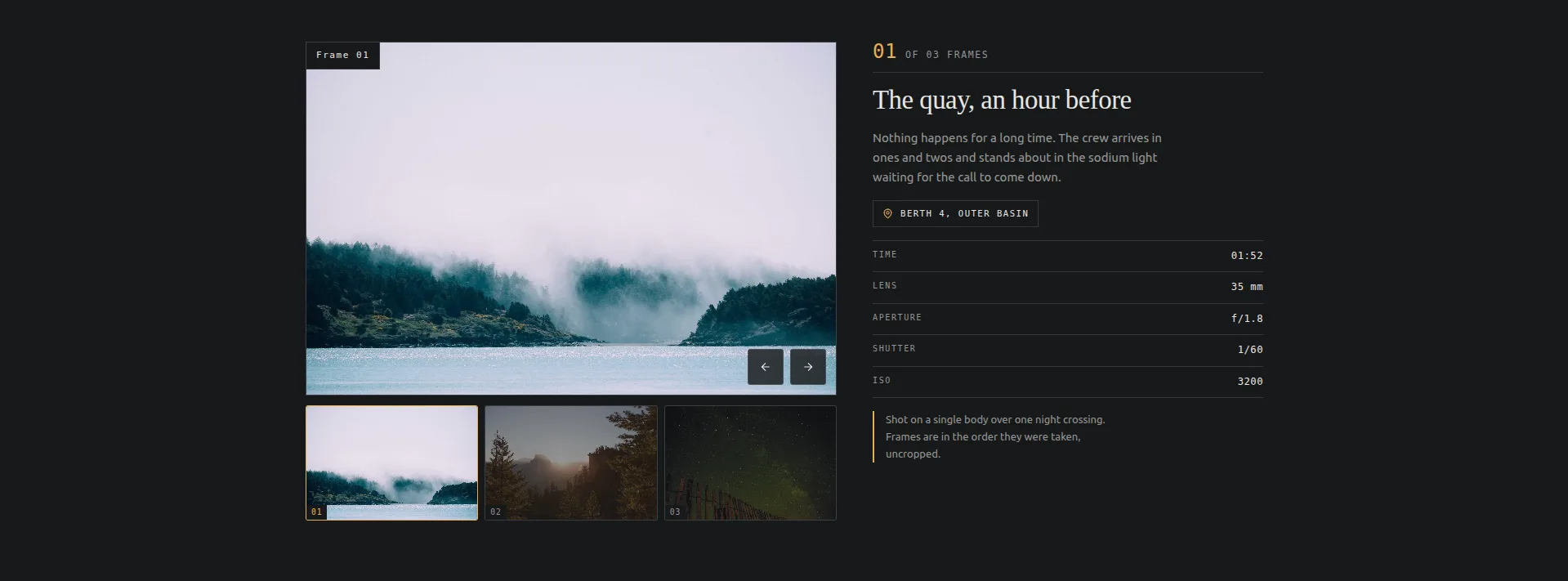
En enkelt plade under en strimmel af miniaturebilleder, med et klæbrigt panel ved siden af, der holder billedteksten og en rammedatatabel: sted, tid, linse, blænde, lukker, ISO. Rammer erstatter direkte; intet glider.
Hvis du søgte “elementor billedskyder med miniaturebilleder,” dette er, at, bygget til fotografer. De datatabel etiketter er alle redigerbare, så et trykkeri kan gøre linse / blænde til papir / udgave, og et museum kan gøre dem til medium / dato / proveniens.
Brug den til: fotograferingsporteføljer, objektfotografering, produktdetaljegallerier. For samme plade-og-miniatureform med video i, se galleri skyder guide.
Brug den ikke til: billeder, der ikke fortjener metadata. Et tomt datapanel læses som en ufærdig side.
16. Kvadrant Paged Katalog (gratis)
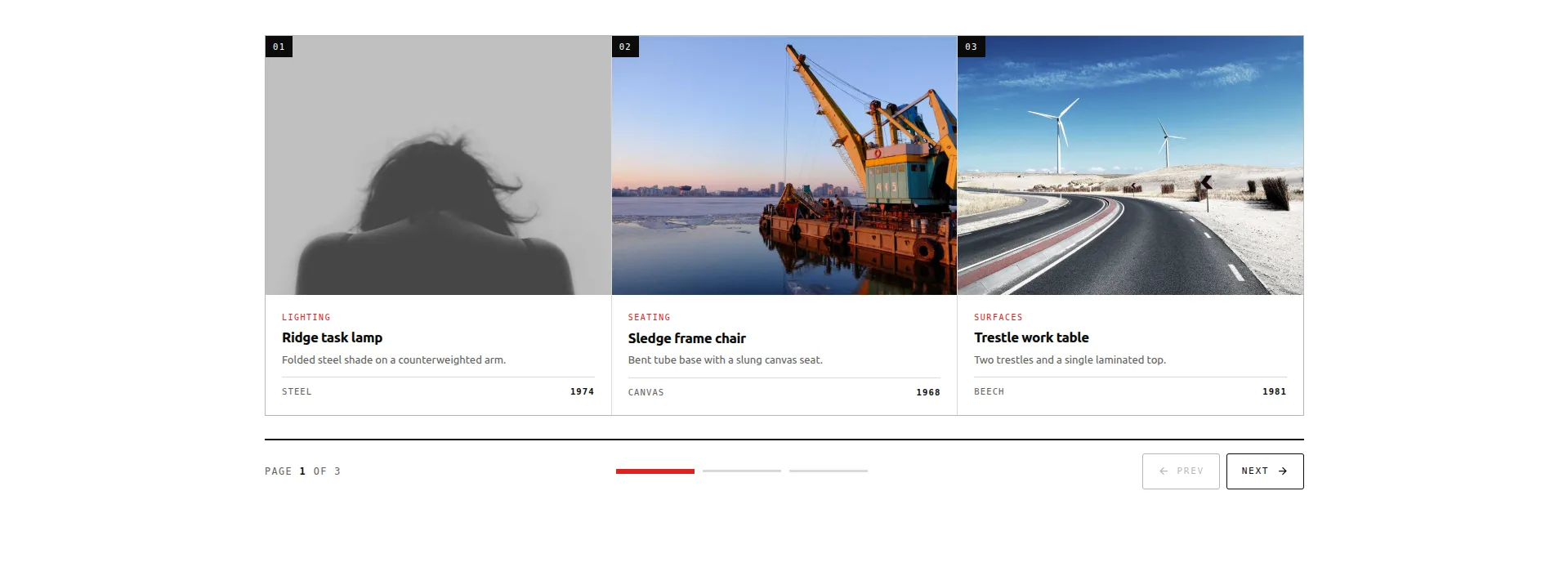
Et gitter af varebokse, der er sideordnet tre ad gangen: ni elementer på tværs af tre sider. En skinne af segmenter viser, hvor du er i løbet og fordobles som springkontrollen; trinknapper fører den fremad og tilbage.
Dette er designet til det job, de fleste karruseller er forkert givet: viser mange sammenlignelige ting. Hver boks bærer et billede, kategori, titel, kopi og en stat, og fordi en hel side på tre er synlig på én gang, kan en besøgende faktisk sammenligne, hvilket er hvad coverflow og dets fætre bevidst forhindrer.
Brug den til: kataloger i produktstil, feature-gitre, servicemenuer. Det er også den gratis rute i WooCommerce produkt karrusel guide.
Pas på: det rummer præcis ni elementer i tre sider. Hvis dit katalog er tredive elementer dyb, du ønsker en reel produkt gitter med filtre, ikke nogen karrusel.
17. Bulletin Tabbed Paneler (gratis)
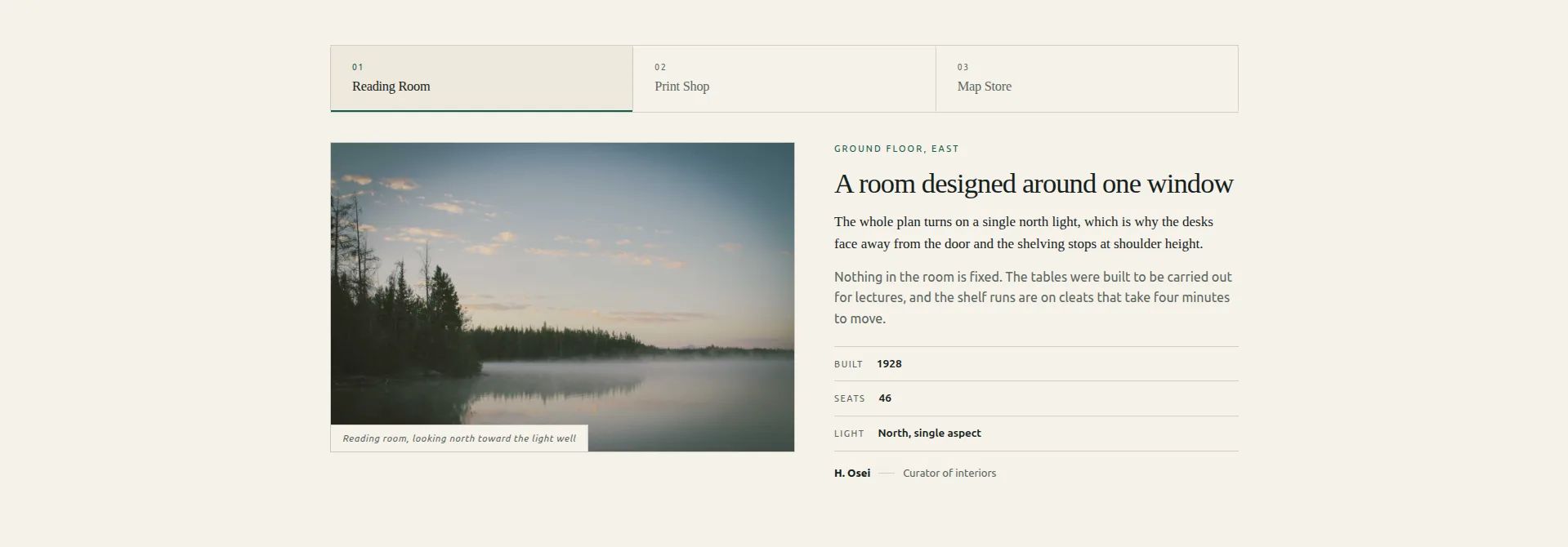
En fanestribe over stablede paneler. Hvert panel er et lille redaktionelt layout: en figur med dens billedtekst, en kicker, en titel, en lede, kropskopi, en faktatabel med tre rækker og en byline.
Strengt, dette er faner, ikke en skyder, og det er derfor, det er her. Halvdelen af hvad folk forsøger at tvinge ind i karruseller (sammenlign tre planer, tre steder, tre casestudier) er tabbed indhold iført et kostume. Denne gør også tilgængeligheden korrekt: ægte ARIA tablist semantik med roving tabindex, som de fleste tab widgets falske.
Når det er det, du bygger, er Faner widget er den kortere rute: en fane stribe, paneler, og ingen skyder timing til at tune.
Brug den til: planlæg sammenligninger, placeringssider, casestudiepaneler: alle tre ting, en besøgende vælger imellem i stedet for at gennemse.
18. Rostrum Citat Slider (gratis)

Et citatpanel ved siden af et portræt, trådte igennem med to chevrons. En statuslinje og et tally-spor, hvor du er, og trinknapperne kan navngive den stemme, de vil flytte til, som “Næste: Amara Okafor” i stedet for en anonym pil.
Det navngivne trin er den detalje, der er værd at stjæle. Testimonial karruseller mister læsere ved overgangen, fordi en pil lover intet. Et navn er en grund til at klikke. Citatet mærket er en redigerbar tekst kontrol også, så det kan indstilles til den rigtige glyf for webstedets sprog, eller fjernes.
Brug den til: udtalelser, anmeldelser, kundecitater. Der er en fuld vidnesbyrd karrusel gennemgang, og du kan se rigtige kundetilbud på vores eget site.
Pas på: den rummer tre stemmer, og hver får scenen alene. Vælg dine tre bedste citater, og hold dem korte nok til at læse i ét åndedrag.
19. Almanak tidslinje skyder (gratis)
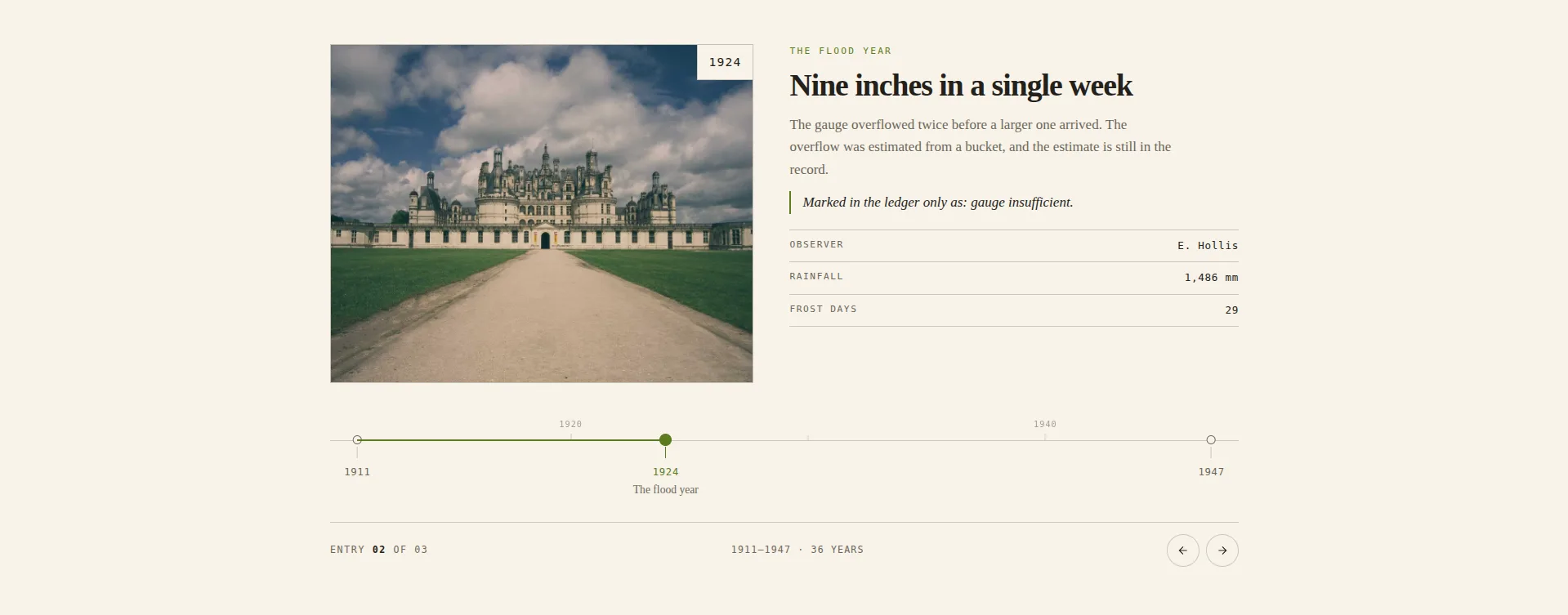
Indgange fastgjort til en dateret akse. Flåtpositionerne beregnes ud fra de år, du skriver, så afstanden er reel snarere end lige. 1994 og 1996 sidder tæt sammen, 1996 og 2011 sidder langt fra hinanden, og kløften fortæller sin egen historie. En årti kam over reglen giver afstanden en skala at læse imod.
Hver anden tidslinje widget placerer sine poster jævnt, hvilket stille og roligt lyver om historien. Denne gør ikke, og det gør det til det mest meningsfulde design i sættet. Det er også det dybeste panel her, med 143 kontroller, fordi aksen, kammen og flåten stater stil adskilt fra posterne.
Brug den til: virksomhedshistorier, projektmilepæle, ændringslogs, poster med meningsfulde huller. For en statisk version er der en tidslinje tutorial brug af bestanden Tidslinje widget.
Brug den ikke til: udateret indhold. Aksen er designet; uden rigtige år er der intet for den at tegne.
20. Keystone funktion skyder (gratis)
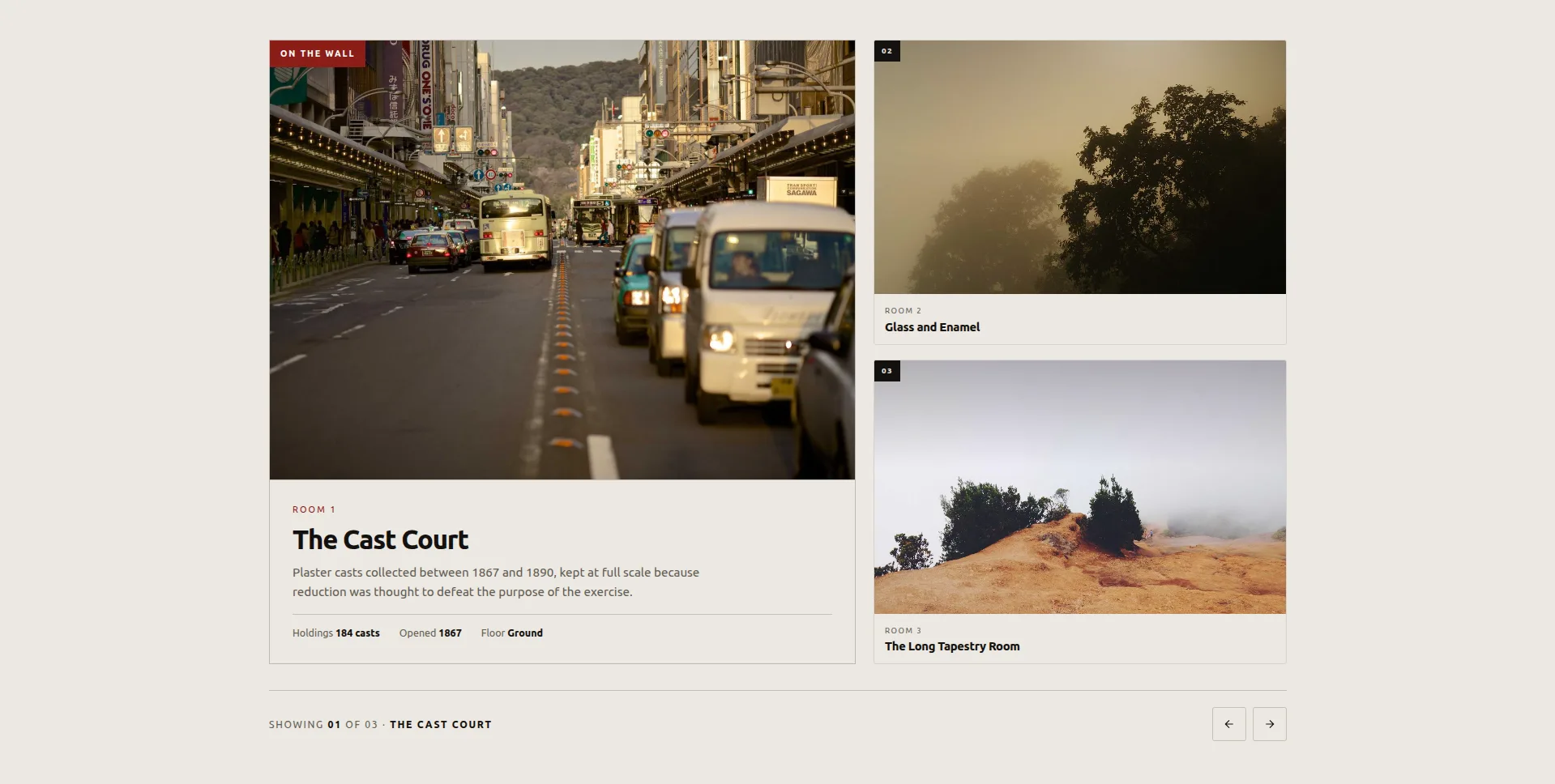
Et element indeholdt store; resten venter på en væg ved siden af, hver bærer kun sit nummer og navn. Klik på en satellit, og den er forfremmet til funktionen, og boksene FLIP ind på deres nye steder i stedet for at teleportere, så dit øje følger byttet i stedet for at miste det.
Funktionen bærer en plakette med tre fakta. Den blev bygget til rum, rum og roterende udstillinger, og det er det ærlige omfang: den præsenterer et lille sæt forskellige ting en ad gangen, med de andre synligt i kø.
Brug den til: spillestedslokaler, studierum, udstillinger, en portefølje i tre til fem dele.
Pas på: satellitterne viser kun nummer og navn, så funktionen skal gøre det overbevisende. Led med din stærkeste genstand, fordi de fleste besøgende aldrig klikker forbi den.
Sådan importeres en skyderskabelon til Elementor
Fire trin, omkring halvfems sekunder. Samme flow gratis og Pro designs, og forskellig fra import af en Elementor-skabelon, fordi et design registrerer sig som en widget snarere end et sidelayout.
- Download designets JSON-fil fra sin demo-side. En fil pr. design.
- Gå til Master Addons → Widget Builder i din WordPress admin og klik på Importer Widget.
- Drop JSON på dropzonen. Designet registrerer sig som en widget med egne kontroller: indhold, farver, typografi, breakpoints. De otte gratis designs importerer på det gratis plugin; de tolv Pro-design beder om en Pro-licens her.
- Træk det over på en side fra panelet Elementor, hvor det vises under Favoritter, og byt pladsholderindholdet ud med dit.
Importen rører ikke dit tema, sætter ikke noget i kø globalt og opretter ikke en shortcode. Det bliver en widget i panelet som alle andre.
Virker disse skydere på mobilen?
Alle tyve er berøringsaktiverede og responsive. Fire ændrer adfærd frem for blot skalering:
- concertina harmonika skifter fra hover-to-expand til tap-to-expand.
- Ascent Mousewheel dropper hjuloptagelsen og bruger swipe.
- Slynge Træk holder træk, men forkorter momentum, så et svirp ikke overskrider hele sporet.
- Ledger Index skyder stabler indekset over pladen, og vælg-på-svæve falder tilbage for at trykke.
De gratis otte holder også tastaturnavigation på som standard, og Plinth Hero og Rostrum Quote reagerer på swipe-bevægelser ud af boksen. Test mosaikken på en rigtig telefon i stedet for i browserens enhedsemulator, fordi emulerede viewports ikke gengiver mellemklasse Android-layoutomkostninger, og mosaikken er der, hvor det dukker op først.
Hvilken skal du egentlig vælge?
Hvis du sidder fast, dækker disse de fleste websteder:
- Portefølje eller agentur: Meridian Coverflow, eller Meander Drag, hvis du har mere end et dusin stykker. På en gratis licens, Keystone Feature Slider.
- Servicevirksomhed: Concertina Accordion. På gratis, Bulletin Tabbed Panels, hvis fakta tabel tjener sin holde på plan sammenligninger.
- Butik: Quadrant Paged Catalogue for en kurateret ni. Der er ingen gratis widget, der glider et live produktfeed; det jobbehov Elementor Pro's Loop Carousel. Spring over 3D-designerne på begge måder: shoppere vil sammenligne, og coverflow er bygget til at stoppe dem.
- Udtalelser: Rostrum Quote Slider. Det er gratis, og de navngivne trinknapper er den bedste overgangsprompt i sættet.
- Hjemmeside helt: Plinth Hero Slider, hvis fotograferingen er stærk, og den heltesektion skabeloner hvis du vil have hele blokken i stedet for skyderen; Bisect Split eller Slate Curtain, hvis du vil have bevægelsen til at være øjeblikket, og kun én af dem én gang.
- Om side eller historie: Almanac Timeline Slider. Intet andet her gør dateret indhold ærligt.
Uanset hvad du vælger, skal du køre det forbi den ene test, der betyder noget: indlæs siden på din egen telefon, på mobil, og se, om skyderen er den første ting, der gengives eller den sidste. Et design, der ankommer, efter at teksten allerede er blevet læst, er ikke en skyder, det er en dekoration.
Ofte stillede spørgsmål
Er disse Elementor skyderskabeloner gratis?
Otte af de tyve er: Plinth Hero, Ledger Index, Vitrine Plate Gallery, Quadrant Paged Catalogue, Bulletin Tabbed Panels, Rostrum Quote, Almanac Timeline og Keystone Feature alle importerer på det gratis Master Addons plugin. De andre tolv er bygget på den fulde Widget Builder, som er en Pro-funktion. Live demoer er åbne for alle tyve.
Har Elementor en gratis skyder-widget?
Elementor gratis skibe en Image Carousel og en Basic Gallery. Medier Karrusel, Testimonial Karrusel og Loop Karrusel er alle Elementor Pro. Master Addons tilføjer Image Karrusel, Logo Slider, Team Slider og en Blog widget med en karrusel tilstand til den frie tier, plus de otte gratis designs ovenfor. Se den fulde karrusel widget liste.
Hvad er forskellen mellem en skyder og en karrusel i Elementor?
En skyder viser et dias ad gangen og udfylder normalt bredden. En karrusel viser flere på én gang og ruller sidelæns gennem et længere sæt. I praksis bruger folk ordene i flæng, og de fleste widgets mærket “karrusel” kan konfigureres til at opføre sig som en skyder ved at indstille dias-per-view til én. Karrusel versus skyder arbejder igennem, hvor skelnen stadig betyder noget.
Kan jeg tilføje tekst på en Elementor-billedskyder?
Ja. Hvert design her er en billedboks, med billede, øjenbryn, titel, beskrivelse, og i Plinth Heros tilfælde en knap, så tekst er en del af diaset snarere end en overlejring, du placerer i hånden. Umbra Overlay og Plinth Hero Slider er de to bygget specielt omkring tekst, der sidder på billedet.
Hvordan laver jeg en Elementor skyder autoplay og loop kontinuerligt?
Slå Automatisk afspilning og Uendelig sløjfe til i widgettens karruselindstillinger, og indstil derefter forsinkelsen. To ting, der fanger folk ud: pause-på-svæve er en separat skifte, og en sløjfe skal bruge mindst det dobbelte af dias-per-view-antallet for at køre uden et synligt hop. Fire dias ved to-per-view vil stamme; seks vil ikke. Indstil autoplay-forsinkelsen til nul i stedet, og det bliver en kontinuerlig markeringsramme.
Hvorfor virker min Elementor karrusel ikke efter import?
Ni gange ud af ti er det JavaScript-optimering. Caching-plugins, der udskyder eller kombinerer JS, vil bryde skyderens initialisering. Udeluk karruselscriptet i dit cache-plugins JS-indstillinger, og det kommer tilbage. Hvis du er på LiteSpeed, skal udelukkelsen også gå i feltet Gæstetilstand, ikke kun den vigtigste. Vejledningen til fejlfinding af Swiper viser de nøjagtige håndtag, der skal udelukkes.
Hvor skal man gå næste
Åbn to eller tre demoer og giv dem et rigtigt kig på din telefon, før du vælger. Derefter:
Tolv af de tyve har brug for en licens for at importere, så prissætning side er stedet at kontrollere, hvilket niveau der dækker det design, du har valgt.
- Gennemse alt på ét sted på Elementor karrusel widgets side, med alle tyve designs plus plugin'ets egne karruselwidgets.
- Holder du dig til det gratis niveau? Den gratis karrusel widgets indlæg går gennem alt, hvad der ikke koster noget, disse otte inkluderet.
- Går du efter dybde over bevægelse? 3D-karruseldesignerne (coverflow, flip, arc og orbit) få et nærmere kig på deres egne.
- Vil du have en hel side frem for et afsnit? Den Elementor skabelonsæt skib komplette layouts med karruseller allerede placeret. Enkelte sider er i Elementor sideskabeloner library.
- Opbygning af hele siden, ikke kun skyderen? Den gratis Elementor sektion skabeloner biblioteket dækker funktioner, priser, udtalelser, team-, FAQ- og CTA-blokke, der hver kan importeres som én redigerbar widget.
