

El carrusel Loop es el carrusel dinámico de Elementor Pro. En lugar de agregar diapositivas a mano, crea una diapositiva como plantilla y apunta el widget a una consulta (publicaciones, productos o cualquier tipo de publicación personalizada) y se llena sola. Agregue una publicación, el carrusel se actualiza. No se requiere edición.
Llegó en Elementor 3.11 y es el Widget de carrusel de Elementor la mayoría de las personas realmente buscan cuando buscan un carrusel de publicaciones o un control deslizante de producto. También es solo Pro, sin equivalente gratuito en el núcleo Elementor, por lo que la segunda mitad de esta publicación cubre el widgets de carrusel gratuitos eso te acerca si no tienes licencia.
Lo que cubre esta guía
- Carrusel Loop vs Loop Grid: cuál usar
- Lo que necesitas antes de empezar
- Cómo crear un carrusel circular en Elementor
- Los entornos que hacen tropezar a la gente
- Carrusel circular para productos WooCommerce
- ¿sin Elementor Pro? El camino libre
- Cuando un carrusel circular es la elección equivocada
- Preguntas frecuentes
Carrusel de bucle vs cuadrícula de bucle: cuál
Mismo motor, misma plantilla de Loop Item, presentación diferente. La cuadrícula apila filas verticalmente. El carrusel coloca los mismos elementos en una pista horizontal.
Elija el carrusel cuando los artículos sean opcionales: una tira de “también te puede gustar”, publicaciones relacionadas, productos destacados. Nadie tiene que ver el artículo siete de la página para que tenga sentido.
Elija la cuadrícula cuando los elementos sean la página. Un archivo, una categoría de tienda, un índice de blog. Ocultar dos tercios de una lista de categorías detrás de una flecha le cuesta conversiones, porque un comprador que tiene que hacer clic para ver más productos generalmente no lo hace.
La regla que le daría a un cliente: si la sección tiene un título como “Más del blog” carrusel. Si el título es el título de la página, cuadrícula.
Lo que necesitas antes de empezar
- Elemento Pro. Loop Carousel no está en el complemento gratuito y no hay una versión parcial del mismo.
- Una plantilla de elemento de bucle. Este es el diseño de diapositiva única: imagen destacada, título, extracto, botón. Construido una vez en Theme Builder, reutilizado en todas partes.
- Contenido para consultar. Publicaciones, productos o un tipo de publicación personalizada registrada.
En instalaciones anteriores, es posible que también necesites habilitarlo en Elementor → Configuración → Funciones. Se envió detrás de un indicador de experimento y permaneció allí durante un par de versiones antes de estabilizarse.
Cómo crear un carrusel circular en Elementor
Primero construye la diapositiva y luego el carrusel. Hacerlo al revés significa diseñar dentro de una vista previa estrecha.
- Cree la plantilla de elemento de bucle. Plantillas → Creador de temas → Elemento de bucle → Agregar nuevo. Elige el tipo de publicación que representará. Estás diseñando una tarjeta, no una lista, y Elementor muestra un solo elemento y lo repite más tarde.
- Construye la tarjeta con etiquetas dinámicas. Agregue un widget de imagen y configure su fuente en Dinámico → Imagen destacada. Widget de encabezado → Dinámico → Título de la publicación. Editor de texto → Extracto de publicación. Botón → Dinámico → URL de publicación. Aquí no hay nada codificado; cada campo se extrae de cualquier publicación que llegue a esa ranura.
- Publica la plantilla y omita el mensaje de condiciones de visualización. Los elementos de bucle no necesitan condiciones porque un widget los llama en lugar de asignarlos a una ubicación.
- Suelta el widget Loop Carousel en su página y elija la plantilla que acaba de crear en Elegir una plantilla.
- Establezca la consulta. Fuente (Publicaciones, Productos o su CPT), luego limítelo: incluya por taxonomía, excluya la publicación actual, establezca publicaciones por página. Active “Evitar duplicados” si hay otro bucle en la misma página; de lo contrario, su tira de publicaciones relacionadas repetirá lo que ya está en la barra lateral.
- Configura el carrusel. Diapositivas por vista, diapositivas para desplazarse, reproducción automática, bucle infinito, velocidad, pausa al pasar el cursor. Configure diapositivas por vista por separado para escritorio, tableta y dispositivos móviles usando los íconos del dispositivo en la parte superior del panel.
- Estila la navegación. Flechas, puntos o fracción. El tamaño, el color, la posición y el estado de vuelo estacionario se encuentran en la pestaña Estilo.
Los entornos que hacen tropezar a la gente
El bucle infinito necesita suficientes elementos. Elementor clona diapositivas para falsificar el ajuste y necesita al menos el doble de diapositivas por vista para hacerlo de forma invisible. Cuatro publicaciones a tres por vista saltarán visiblemente cuando se ajuste. O levante publicaciones por página o desactive el bucle.
Publicaciones por página es un límite de consulta, no un límite de visualización. Configure en 6 y el carrusel contiene seis elementos en total, sin embargo, muchos son visibles. La gente lo establece en 3 para que coincida con diapositivas por vista y luego se preguntan por qué no hay nada a qué desplazarse.
La brecha en el borde cambia la pista. Un carrusel que termina al ras del borde del contenedor parece terminado. Agregue un pequeño espacio en el borde para que la siguiente diapositiva se asome y la gente sepa deslizar el dedo. Son unos pocos píxeles y cambia de manera mensurable la tasa de interacción.
La reproducción automática más enlaces es un mal par. Si se puede hacer clic en sus diapositivas y el carrusel se mueve en un temporizador, alguien buscará una tarjeta y hará clic en la que la reemplazó. Pausa al pasar el cursor arregla la carcasa del escritorio. Al tocarlo no hay desplazamiento, así que para tarjetas en las que se puede hacer clic Desactivaría la reproducción automática por completo.
Carrusel circular para productos WooCommerce
Mismo proceso, una diferencia: establezca la fuente en Productos y obtendrá controles de consulta específicos de WooCommerce. Filtrar por categoría, etiqueta o atributo, ordenar por precio, popularidad o fecha y excluir artículos agotados.
La plantilla Loop Item para productos debe tener precio y un botón para agregar al carrito como elementos dinámicos, no como texto estático. Si lo omites, todas las tarjetas del carrusel mostrarán el mismo precio, que es exactamente el tipo de error que sobrevive hasta la producción porque se ve bien en la vista previa del editor.
Los productos relacionados, vistos recientemente y las tiras de “completar el look” son todos el mismo widget con una consulta diferente. Y si solo necesita un producto llamado en lugar de una tira, el Widget de producto destacado lo hace sin ninguna consulta. Es un widget Pro y es el único widget de producto de WooCommerce que incluye Master Addons.
¿sin Elementor Pro? Aquí está el camino libre
Loop Carousel es profesional. Si está en Elementor gratuito, no lo obtendrá y ningún complemento gratuito reimplementa el sistema de plantilla Loop Item.
Lo que puedes conseguir gratis es el resultado: un carrusel dinámico que extrae publicaciones o productos y se actualiza solo. Complementos maestros' Widget de blog tiene un modo carrusel en el complemento gratuito. Consulta por tipo de publicación, categoría, etiqueta o autor, elige un diseño, cambia la pantalla a carrusel y configura las mismas flechas, puntos, reproducción automática y controles por punto de interrupción.
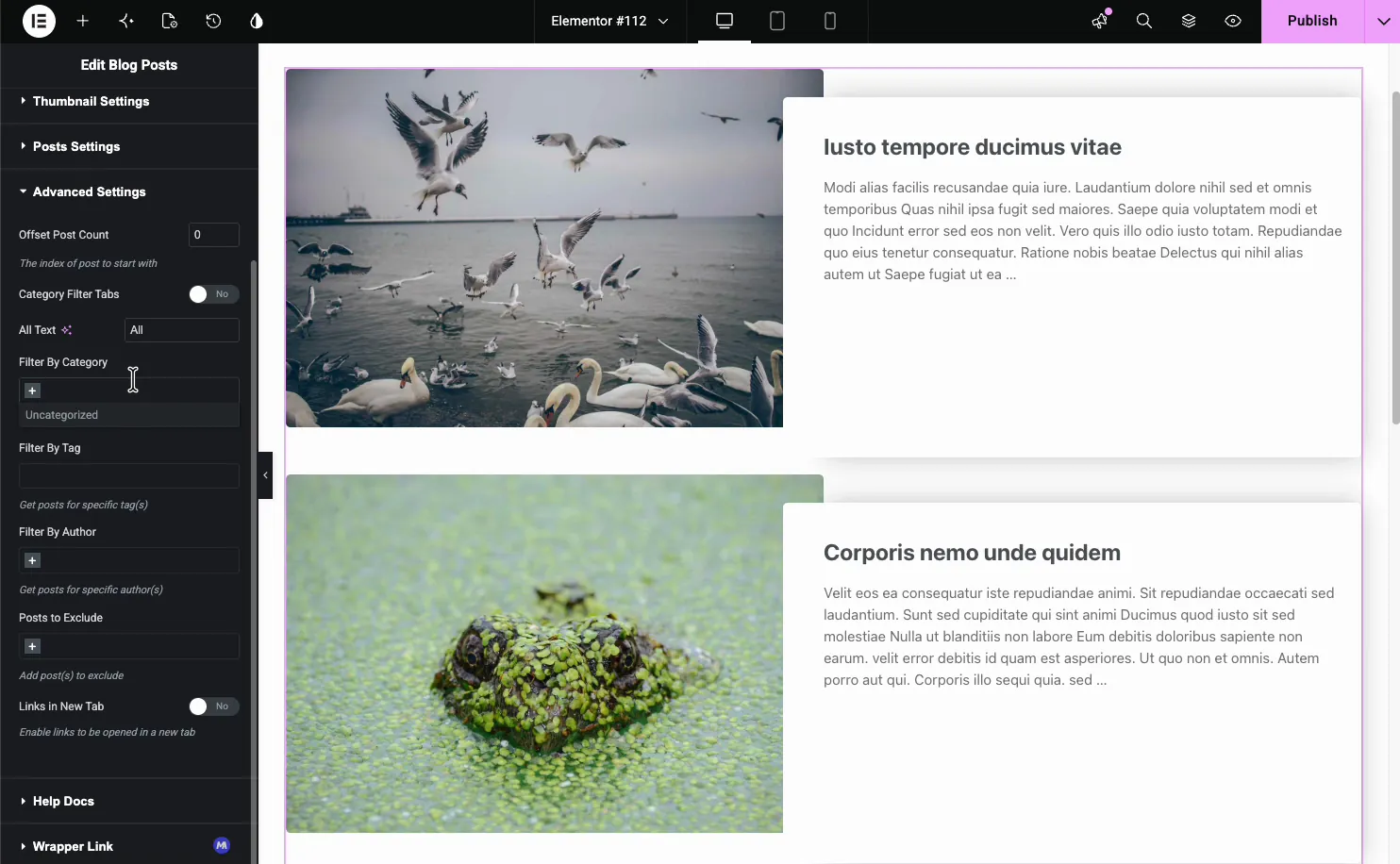
La compensación es honesta: no diseñas la tarjeta. El widget Blog le ofrece ajustes preestablecidos de diseño y una pestaña Estilo en lugar de un lienzo de elemento de bucle en blanco. Si necesita control de píxeles sobre la diapositiva, el enfoque de Elementor Pro es mejor. Si necesita “las últimas seis publicaciones en un control deslizante que se ve decente”, el widget gratuito llegará más rápido.
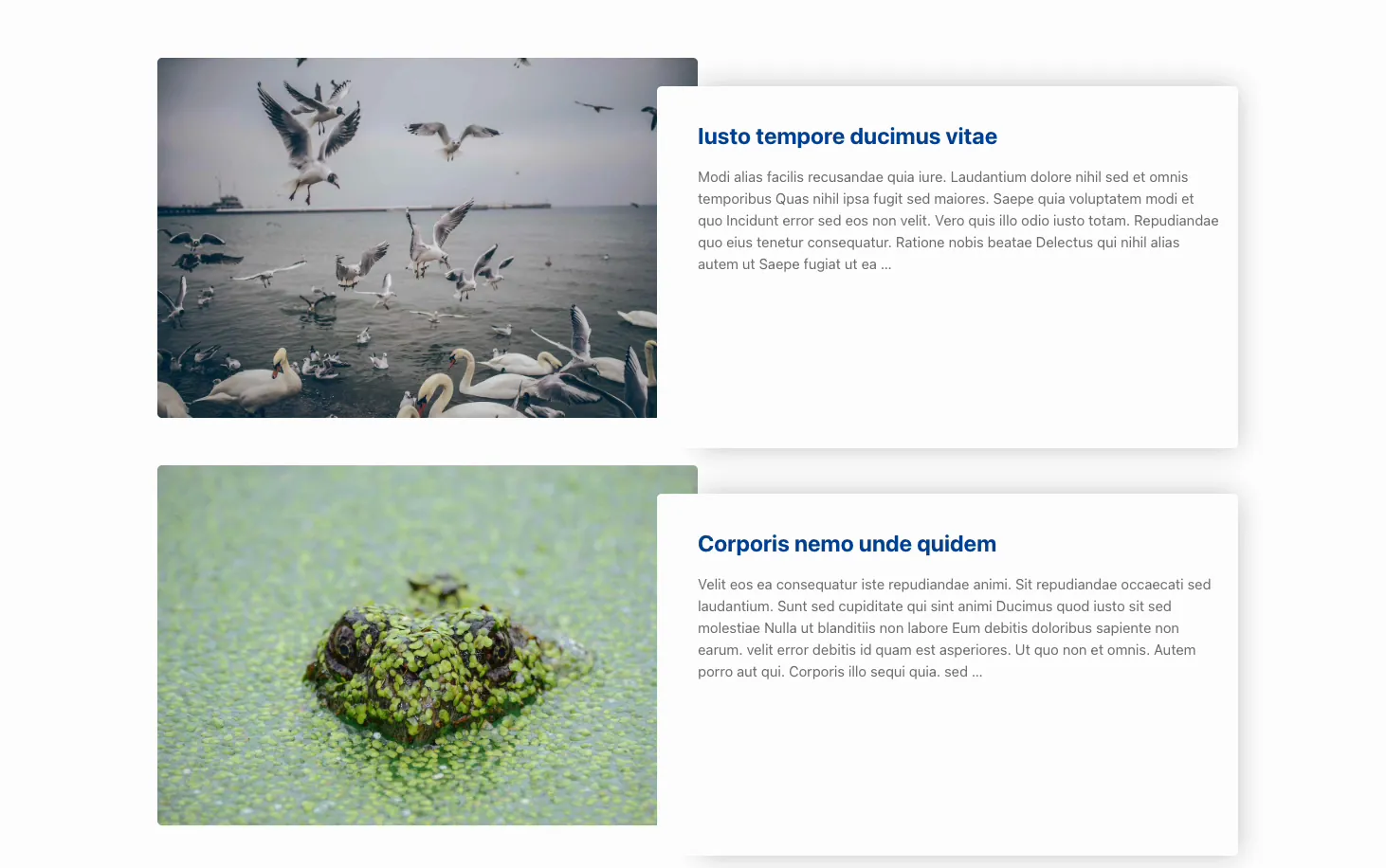
Los productos son más delgados y vale la pena decirlo claramente: no existe un widget de carrusel de productos gratuito. Una tira de producto deslizante y autoactualizable necesita el carrusel Loop de Elementor Pro o un diseño lleno a mano como el que aparece a continuación. El guía del carrusel de productos funciona a través de ambos. Y si sus diapositivas son imágenes fijas en lugar de una consulta, la gratuita Widget de carrusel de imágenes es la ruta más corta, aunque en ese punto estás construyendo un control deslizante, no un bucle.
Hay una tercera opción gratuita que vale la pena conocer. Se envían complementos maestros 20 diseños de carrusel y controles deslizantes con nombre como importable Creador de widgets archivos, y 8 de ellos se importan gratis. No se basan en consultas, por lo que completas los elementos a mano, pero dos se ubican cerca de lo que produce un Loop Carousel. Catálogo de páginas de cuadrante presenta una cuadrícula de nueve cuadros de elementos, tres a la vez, cada uno con una imagen, categoría, título y copia, que es la opción gratuita más cercana a un bucle de producto paginado. Control deslizante del índice del libro mayor coloca un índice de entradas en el que se puede hacer clic junto a una placa de visualización, creada para archivos y listas de obras. Los 20 están recopilados en el centro de widgets del carrusel.
Cuando un carrusel circular es la elección equivocada
Tres casos, y he visto cómo los tres salen mal en los sitios de los clientes.
Tu página de archivo. Una lista de categorías en un carrusel significa que el rastreador de Google ve seis productos en los que tienes sesenta. El resto está en el DOM, pero la señal para un usuario y para cualquiera que juzgue la profundidad de la página es que esta categoría es delgada.
Encima del pliegue en el móvil. Un carrusel dinámico es una consulta, un renderizado de plantilla y un inicialización del control deslizante antes de que nada pinte. Ponlo en la parte superior de la página de un teléfono y tu pintura más contenta es una ruleta.
Menos de cinco artículos. Un carrusel con tres diapositivas es una cuadrícula que hace que la gente trabaje. Simplemente muestra los tres.
Preguntas frecuentes
¿el carrusel Elementor Loop es gratuito?
No. Loop Carousel requiere Elementor Pro y no hay una versión gratuita reducida. La alternativa gratuita es un widget de carrusel basado en consultas de un complemento, y el widget de blog de Master Addons tiene un modo carrusel en su nivel gratuito que extrae publicaciones dinámicamente. Para diseños llenos a mano, 8 de los 20 diseños de carrusel importables de Master Addons también son gratuitos.
¿cuál es la diferencia entre Loop Grid y Loop Carousel?
Comparten la misma plantilla de elemento de bucle y controles de consulta. Loop Grid organiza los resultados en filas y columnas; el carrusel de bucles los coloca en una pista deslizante horizontal con flechas y puntos. Utilice la cuadrícula para archivos y listados, el carrusel para tiras opcionales “relacionadas” o “destacadas”.
¿cómo agrego un carrusel circular en Elementor?
Primero cree una plantilla de elemento de bucle en Theme Builder, utilizando etiquetas dinámicas para la imagen, el título y el extracto. Publíquelo, luego arrastre el widget Loop Carousel a su página, seleccione esa plantilla, configure la fuente de consulta y los filtros, y configure diapositivas por vista y reproduzca automáticamente en la configuración de Carrusel.
¿por qué mi Loop Carousel no muestra publicaciones?
Generalmente la consulta. Verifique que el tipo de publicación de la plantilla Loop Item coincida con la fuente de consulta del widget, porque una plantilla creada para Publicaciones no representará Productos. La segunda causa más común es un filtro de taxonomía sin contenido coincidente. En tercer lugar, las publicaciones por página están configuradas por debajo de lo que cree.
¿puede Loop Carousel mostrar tipos de publicaciones personalizadas?
Sí. Cualquier tipo de publicación pública registrada aparece en el menú desplegable de fuente de consulta y sus campos personalizados están disponibles como etiquetas dinámicas si estás usando ACF, Meta Box o Pods. Cree la plantilla Loop Item con ese tipo de publicación y el carrusel se encargará del resto.
¿cómo hago que un carrusel circular responda?
Configure diapositivas por vista por separado en cada punto de interrupción usando los íconos del dispositivo en la parte superior de la configuración. Tres en el escritorio, dos en la tableta y uno en el móvil son los valores predeterminados seguros. También verifique el tamaño de la flecha en el móvil, porque el valor predeterminado del escritorio suele ser demasiado pequeño para ser un objetivo cómodo.
Dónde ir desde aquí
Si tiene Pro, primero cree la plantilla Loop Item y trátela como un activo de diseño que reutilizará en cuadrículas y carruseles para el resto del sitio. Es la pieza que devuelve el dinero.
Si prefieres crear la tarjeta como un widget reutilizable que como una plantilla, eso es lo que crear tu propio widget es para y el página de precios cubre el nivel en el que se encuentra.
Si no lo hace, comience con los widgets gratuitos basados en consultas y vea si los ajustes preestablecidos de diseño lo acercan lo suficiente. Ambas rutas están cubiertas en el Widgets del carrusel Elementor página, junto con el resto de opciones del carrusel. ¿Aún estás decidiendo el formato? Carrusel versus control deslizante establece qué forma realmente necesita su sección y el resumen del complemento deslizante cubre los complementos que lo construyen.
