

Principais conclusões
- O melhor plugin de construtor de popups para WordPress depende do seu editor: Master Addons projeta popups dentro do Elementor, ConvertForce usa blocos Gutenberg e Popup Builder da Sygnoos, Popup Maker e Depicter enviam seus próprios editores.
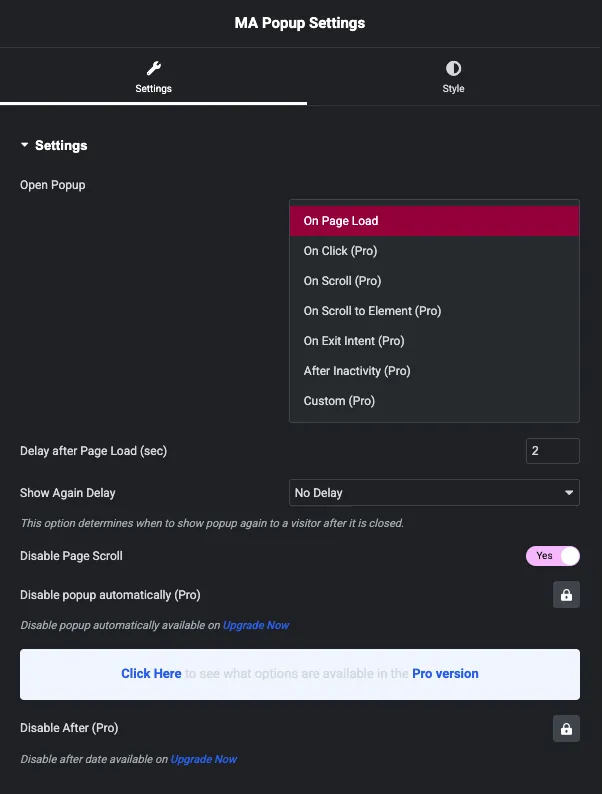
- O Master Addons Popup Builder possui sete tipos de gatilho (carga de página, clique, role, role para elemento, intenção de saída, inatividade e personalizado) e 25 modelos pop-up prontos que importam dentro do editor Elementor.
- O Popup Builder by Sygnoos tem mais de 200.000 instalações ativas e uma classificação de 4,7 estrelas em 2.216 avaliações no WordPress.org, e seu pacote Pro de 28 extensões começa em US$ 49,95 por ano para dois sites.
- OptinMonster lista mais de 700 modelos e OptiMonk lista mais de 952 exemplos de pop-up, enquanto Popup Maker, usado em mais de 780.000 sites, não possui biblioteca de modelos e depende do conteúdo que você mesmo adiciona.
- A regra intersticial intrusiva do Google se aplica a pop-ups móveis de todos os plug-ins desta lista, portanto, um tamanho sensato, um botão de fechamento visível e um limite de frequência protegem as classificações de qualquer ferramenta que você escolher.
O melhor plugin de construtor de popups para WordPress é aquele que se encaixa no editor que você já usa Os sites Elementor podem projetar popups na tela Elementor com Adições Mestres, sites de editor de blocos têm ConvertForce, e todos os outros escolhem entre plugins autônomos, como Popup Builder by Sygnoos, Popup Maker e Depicter, ou serviços hospedados, como OptinMonster, OptiMonk e Poptin.
Esta comparação abrange 10 construtores pop-up, com contagens de instalação, listas de gatilho, contagens de modelos e preços verificados em outubro de 2026 Uma seção explica a diferença entre um plugin pop-up e um construtor pop-up, uma vez que as pesquisas misturam os dois, e outra conta os modelos que cada ferramenta envia Se você preferir começar a construir, o guia sobre como adicionar um pop-up no Elementor caminha pelos Master Addons passos uma tela de cada vez.
Índice
O que é um plug-in do Popup Builder?
Um plugin de construtor de popups é uma ferramenta WordPress que cria sobreposições, deslizamentos e barras de notificação, depois decide quem os vê e quando Um painel de deslizamento que abre a partir de um botão é uma ferramenta diferente, um widget fora da tela, que abre com um clique em vez de um temporizador ou um movimento de saída Em vez de codificar manualmente um modal, você projeta a campanha em um editor visual e define regras de exibição: intenção de saída, profundidade de rolagem, tempo na página ou uma URL específica A mensagem chega ao visitante certo no momento certo.
A maioria dos construtores também se conecta a um serviço de e-mail, e é por isso que os pop-ups se tornaram a maneira padrão de aumentar uma lista, recuperar carrinhos abandonados ou anunciar uma venda Nos sites Elementor, o mesmo trabalho é tratado dentro do construtor de páginas pelo Master Addons Popup Builder, coberto no configurações pop-up e documentação de opções e enviado junto com o resto do Widgets e extensões Master Addons.
Resposta curta: escolha complementos mestres se você criar com o Elementor e quiser pop-ups dentro do editor, Popup Builder da Sygnoos ou Popup Maker para um plugin independente com um longo histórico, Depicter para edição visual de design, OptiMonk ou Poptin para segmentação baseada em comportamento e Teste A/B, Sumo (BDOW!) quando você deseja marketing por e-mail integrado, ConvertForce se você trabalha no editor de blocos e Hello Bar para barras de notificação.
Plugin Popup vs Construtor Popup: Qual é a diferença?
Um plugin popup e um construtor popup são geralmente o mesmo software descrito de dois ângulos. “Popup plugin” é a categoria WordPress.org: qualquer coisa que abra uma sobreposição, barra ou slide-in em seu site “Popup builder” descreve o editor dentro desse plugin, a tela onde você projeta como é o popup Alguns plugins pop-up envolvem apenas um shortcode ou um formulário e não têm nenhum construtor visual, que é a lacuna que esta lista filtra.
A frase também é um nome de produto Popup Builder by Sygnoos é um plugin específico do WordPress.org com mais de 200.000 instalações ativas, revisado no número 5 abaixo Se você pesquisou por “popup builder” procurando por esse plugin, essa seção tem sua contagem de instalações, seus tipos de popups gratuitos e seus preços de 2026 Se você quis dizer a categoria, a tabela de comparação cobre todas as dez ferramentas.
Dentro da categoria existem três grupos difíceis, e escolher o grupo errado é o que faz os pop-ups parecerem caros:
- Popups do construtor de páginas: o popup é projetado dentro do Elementor ou Divi, por isso usa as fontes e cores do seu site desde o início Master Addons e Elementor Pro funcionam dessa maneira.
- Plug-ins independentes: o plugin envia seu próprio editor e armazena pop-ups em seu servidor Popup Builder by Sygnoos, Popup Maker, Depicter e ConvertForce ficam aqui.
- Serviços hospedados: o plugin WordPress é um conector e o popup é executado a partir dos servidores do fornecedor, com segmentação mais pesada e relatórios cobrados mensalmente OptinMonster, OptiMonk, Poptin, Hello Bar e BDOW! estão hospedados.
Construindo o site em Elementor? O Construtor de pop-ups Master Addons adiciona um tipo de postagem Popups ao editor que você já usa, com sete gatilhos, condições de exibição e 25 modelos.
Comparação rápida: Melhores plug-ins WordPress Popup Builder
Dez ferramentas, o editor que cada uma usa e os dois recursos pelos quais as pessoas pagam mais frequentemente: intenção de saída e testes A/B. Os preços e as contagens de instalação foram verificados em 26 de outubro de 2026.
| Construtor Popup | Melhor Para | Preços | Sair Intenção | Teste A/B | Destaque |
|---|---|---|---|---|---|
| Adições Mestres | Sítios elementadores | Parte de Master Addons para Elementor | Sim | Não | Popups desenhados em Elementor, 7 gatilhos, 25 modelos |
| Depicador | Design visual sem código | Planos gratuitos e profissionais | Sim | Não | Editor de arrastar e soltar semelhante ao Canva |
| optinmonster | Geração séria de leads | Conta gratuita (3 campanhas), planos pagos | Planos pagos | Sim | Exit-Intent mais Retargeting OnSite para visitantes que retornam |
| Criador de pop-ups | Popups independentes confiáveis | Complementos gratuitos e pagos | Complemento pago | Complemento pago | Opções de disparo profundo mais integrações de formulários |
| Construtor de pop-ups (Sygnoos) | Popups de imagem, HTML e assinatura | Grátis, Pro a partir de $ 49,95/ano (2 sites) | pró | Não listado | 28 extensões Pro: contagem regressiva, portão de idade, gamificação, segmentação geográfica |
| optimonk | Direcionamento baseado em comportamento | Liberte até 15.000 visualizações de página/mo | Sim | Sim | Personalização e segmentação inteligente |
| pop-tin | Otimização conversão | Plano gratuito, níveis pagos | Sim | Sim | Regras avançadas de segmentação |
| Sumô (BDOW!) | Listas de e-mail para pequenas empresas | Plano para sempre gratuito, níveis pagos | Sim | Pago | Marketing por e-mail integrado ao plugin |
| Olá Bar | Barras notificação | Plano gratuito, níveis pagos | Sim | Sim | Teste A/B com painel analítico |
| força de conversão | Usuários gutenberg | Preço de lançamento gratuito, Pro $ 24,50 | pró | Não | Campanhas construídas a partir de blocos nativos do WordPress |
1. Master Addons Construtor de Popup (Melhor para Elementor)
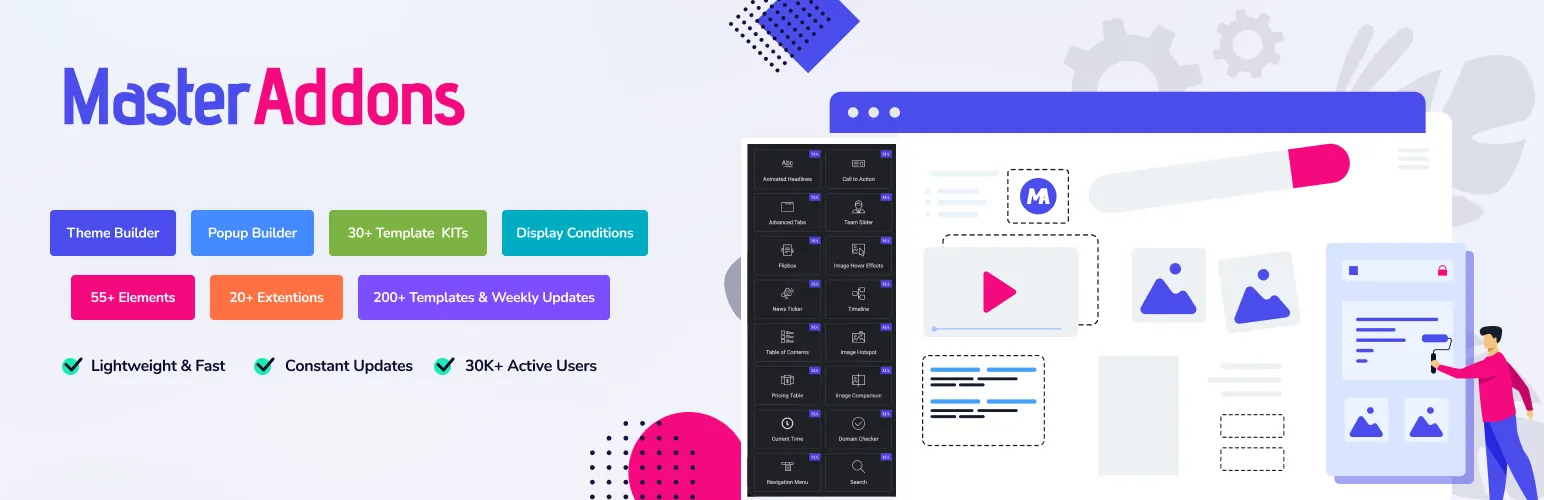
Se o seu site for executado no Elementor, você não precisará de um plugin pop-up separado. Adições Mestres inclui um construtor de popup ao lado de seus widgets e extensões 80 +, e você projeta cada pop-up com o mesmo editor Elementor que você usa para páginas Nenhuma segunda interface para aprender, nenhum segundo sistema de design lutando contra seus estilos de tema.
Mais de 30.000 sites executam complementos mestres. Os pop-ups obtêm seu próprio tipo de postagem em complementos mestres no menu de administração, e cada pop-up carrega uma alternância de ativação, condições de exibição e um código curto que você pode inserir em qualquer página ou área de widget.
Principais características
- Sete tipos de gatilho: No carregamento da página, clique (pelo seletor CSS), role, role para o elemento, ligue Sair Intenção, Após Inatividade e personalizado. Cada gatilho tem suas próprias configurações e seu próprio documento.
- Projeto com Elementor: construa o layout pop-up com qualquer widget Elementor, incluindo formulários contagens regressivas e botões O pop-up combina com sua marca porque usa seus estilos de site existentes.
- 25 modelos pop-up prontos: o biblioteca de modelos popup abre dentro do editor com newsletter, venda, Halloween, produto e em breve desenhos Importar um, trocar o texto, publicar.
- Controles de layout e exibição: mostre o pop-up como um modal, uma barra de notificação ou uma sobreposição em tela cheia, escolha entre nove posições e cerca de 70 animações de entrada, escolha quais páginas o mostram e defina um atraso de exibição novamente para que os visitantes que retornam não fiquem incomodados.
- Leve por design: Master Addons v3 carrega ativos apenas onde eles são usados, então um pop-up em uma landing page não adiciona nada ao resto do site Isso importa se você estiver lendo sobre como acelerar os sites da Elementor.
Preços: o construtor de popups faz parte do plugin Master Addons, portanto, não há assinatura de popup separada para rastrear Veja Preços Master Addons para os planos atuais, todos apoiados por uma garantia de devolução do dinheiro em 14 dias.
Melhor para: qualquer pessoa que já esteja construindo com o Elementor e que queira popups sem adicionar outro plugin, outro editor e outra conta mensal.
2. Descritor
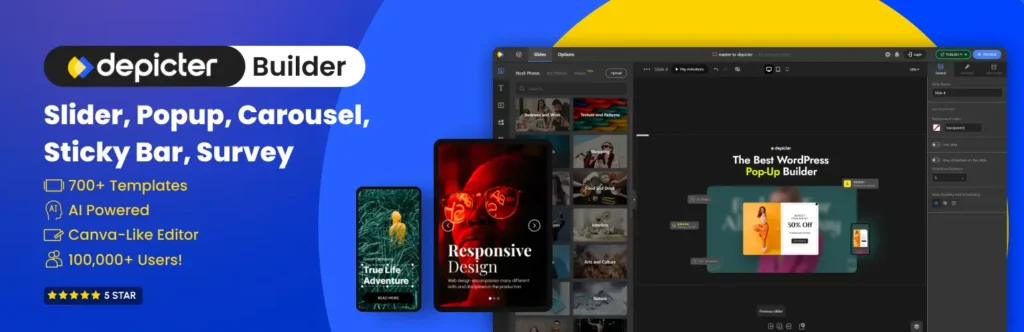
Depicador é um construtor de pop-ups WordPress para pessoas que se preocupam com design, mas não escrevem código O editor funciona como Canva: arraste elementos para uma tela, estilize-os, pronto. Designers e iniciantes pegam em minutos.
Principais características
- Projete pop-ups em um editor de arrastar e soltar sem código A tela parece mais próxima de uma ferramenta de design do que uma página de configurações típica do WordPress.
- Construa sobreposições em tela cheia, slide-ins, banners e barras de notificação, cada uma estilizada para combinar com sua marca.
- Adicione formulários de inscrição ou contato diretamente dentro dos pop-ups para coletar leads e aumentar sua lista de e-mail.
- Comece na biblioteca de modelos. O Depicter anuncia mais de 500 modelos em todo o plugin, embora não publique uma contagem somente pop-up.
- Acione pop-ups na intenção de saída, posição de rolagem ou hora na página.
- Alvo por página, tipo de dispositivo ou comportamento do visitante para que cada mensagem chegue ao segmento certo.
Melhor para: usuários que mais se importam com a aparência do pop-up e desejam um editor que priorize o design e com um ponto de partida gratuito.
3. Optinmonster
optinmonster é o plugin popup em que a maioria dos usuários do WordPress já esbarrou, com mais de um milhão de instalações ativas e cerca de 800 avaliações cinco estrelas no WordPress.org. Vale a pena saber antes de instalá-lo: o plugin é um conector e o construtor vive nos servidores do OptinMonster, então você entra em uma conta para criar qualquer coisa. Isso também é o que compra o mecanismo de segmentação, que chega mais longe do que um plugin auto-hospedado pode por conta própria.
Principais características
- Cada formato de campanha em um só lugar: pop-ups Lightbox, barras flutuantes, slide-ins, tapetes de boas-vindas em tela cheia, formulários em linha e barra lateral, armários de conteúdo, campanhas de cupons spin-a-wheel e pop-ups somente para dispositivos móveis.
- Retargeting de intenção de saída e on-site: pegue um visitante enquanto o cursor se dirige para a barra de guias e mostre aos visitantes que retornam algo diferente do que os iniciantes veem. A intenção de saída está no plano pago, então orce para isso se for esse o motivo pelo qual você veio.
- Campanhas sim/não e em várias etapas: faça uma pergunta primeiro e, em seguida, envie cada resposta para sua própria oferta ou lista É uma maneira simples de segmentar uma lista sem trabalho extra de automação.
- Integrações com a maioria das ferramentas de e-mail: Mailchimp, HubSpot, ConvertKit, Klaviyo, ActiveCampaign, WooCommerce, Easy Digital Downloads e MemberPress conectam-se nativamente Se o seu estiver faltando, incorpore um formulário WPForms ou Contact Form 7 dentro da campanha ou empurre leads através de webhooks e Zapier.
- Mais de 700 modelos e testes A/B: comece na galeria de modelos, execute variantes e leia os resultados no painel do OptinMonster em vez de adivinhar qual manchete foi melhor.
A conta gratuita cobre 3 campanhas e 500 créditos de impressão de campanha, o que é bom para testar um único formulário de inscrição, mas acaba rapidamente em um blog ocupado Mais uma coisa que faz as pessoas tropeçarem: OptinMonster e OptiMonk mais abaixo nesta lista são duas empresas diferentes, apesar dos nomes.
Melhor para: sites onde a lista de e-mail é o negócio, e onde pagar mensalmente para a intenção de saída, segmentação e relatórios é mais fácil de justificar do que construir a mesma coisa a partir de plugins gratuitos.
Criador de pop-ups 4
Criador de pop-ups é o plugin pop-up mais instalado no WordPress.org. Seu site conta com mais de 780.000 sites WordPress e mais de 4.280 avaliações. É uma escolha confiável para construir uma lista de e-mail, executar promoções ou levar os visitantes a uma chamada à ação, tudo sem profundo conhecimento técnico.
Principais características
- Popups totalmente personalizáveis: controle o tamanho, animação, colocação e design para que os pop-ups se misturem ao seu site Não há biblioteca de modelos; você adiciona seu próprio conteúdo ou insere um modelo de construtor de páginas por meio de seu shortcode.
- Vários gatilhos e segmentação: mostrar um pop-up depois que um visitante passa um tempo definido no site ou clica em um elemento específico A intenção de saída e os gatilhos de rolagem são complementos pagos.
- E-mail e integrações de formulários: conecta-se com as principais ferramentas de marketing por e-mail e criadores de formulários, como Fluent Forms e Contact Form 7, portanto, os leads capturados fluem diretamente para sua lista.
Melhor para: proprietários de sites que desejam um plugin pop-up comprovado e simples e não se importam em pagar por gatilhos avançados como complementos.
Construtor de pop-ups 5. por Sygnoos
Construtor Popup por Sygnoos é o plugin que a maioria das pessoas quer dizer quando digitam “popup builder” no Google por conta própria Ele tem 200.000+ instalações ativas e uma classificação de 4,7 estrelas de 2.216 avaliações no WordPress.org, e versão 4.4.6 enviada em outubro de 2026, por isso ainda é mantido Tudo é armazenado em seu próprio servidor, sem conta para entrar.
Principais características
- Quatro tipos de pop-up no plugin base: Popups de imagem, HTML, Facebook e assinatura, sem limite de quantos popups você cria.
- Gatilhos básicos: no carregamento da página, no clique ou no hover, além de um atraso de abertura em segundos A intenção de saída é uma extensão Pro.
- 28 extensões Pro: pop-ups de vídeo, iframe e shortcode, temporizadores de contagem regressiva, restrição de idade, gamificação, inscrições Mailchimp e Aweber, segmentação WooCommerce e Easy Digital Downloads, segmentação geográfica por país, navegador e sistema operacional, notificações push da web, pop-ups de login e análises.
- Controles de projeto: layouts responsivos, um botão flutuante rolável, botões sociais de curtir e compartilhar e suporte multisite.
Preços: Starter custa US$ 49,95 por ano para 2 sites, Business custa US$ 89,95 para 10 e Agency custa US$ 145,95 para sites ilimitados. Cada plano agrupa todas as 28 extensões com um ano de atualizações e suporte.
Melhor para: sites que desejam um plugin pop-up independente com um longo histórico gratuito e podem pagar anualmente pela intenção de saída e regras de segmentação.
6. OptiMonk
optimonk é uma plataforma pop-up construída em torno de uma ideia: mostrar a cada visitante uma mensagem que corresponda ao que ele está fazendo em seu site Suas opções de segmentação e personalização são mais profundas do que a maioria dos plug-ins nativos do WordPress, e o editor permanece fácil apesar disso.
Principais características
- Editor de arrastar e soltar: construa pop-ups sem tocar no código, começando em uma galeria de 952 exemplos de pop-up classificados por objetivo, indústria e temporada.
- Direcionamento baseado em comportamento: mostrar mensagens com base no que o visitante faz, desde o conteúdo do carrinho até o histórico de navegação.
- Agendamento de campanhas: automatize exibições pop-up em torno de seu calendário de marketing.
- Plano gratuito: até 15.000 visualizações de página por mês, o suficiente para muitos sites de pequenas empresas.
- Testes e análises A/B: teste variantes e acompanhe as taxas de conversão de um painel.
Melhor para: lojas de comércio eletrônico e profissionais de marketing que desejam segmentação e testes sérios sem uma etiqueta de preço empresarial.
7. Poptin

pop-tin é um software de conversão para construir popups e formulários que capturam leads e reduzem a taxa de rejeição. Ele se situa na mesma categoria do OptiMonk: uma ferramenta hospedada com um plugin de conector WordPress, voltado para pessoas que medem seus popups em vez de adivinhar.
Principais características
- Segmentação avançada: controle sobre quando e onde os popups são exibidos, com base nas ações do usuário ou em dados demográficos.
- Modelos personalizáveis: uma biblioteca de modelos que Poptin descreve como cada vez maior, adaptável à sua marca e aos objetivos da campanha Ele não publica uma contagem.
- Teste A/B: teste diferentes estilos de pop-up e mensagens para continuar melhorando o desempenho.
Melhor para: campanhas de geração de leads onde você planeja testar e iterar em vez de definir um pop-up e esquecê-lo.
8. Sumô (BDOW!)

Sumo, agora rebatizado como BDOW!, visa pequenas empresas que querem principalmente uma coisa: uma lista de e-mail maior A configuração é rápida, e você pode ter um formulário de captura ao vivo na mesma tarde em que o instala Há um plano gratuito para sempre sem cartão de crédito, e os planos pagos carregam uma garantia de devolução do dinheiro de 14 dias.
Principais características
- Marketing por e-mail integrado: envie e-mails e newsletters de boas-vindas para novos assinantes diretamente da ferramenta. Para uma equipe pequena, isso pode substituir um serviço de e-mail separado.
- Editor de arrastar e soltar: projete barras inteligentes, slide-ins e sobreposições em tela cheia rapidamente, sem necessidade de codificação.
Melhor para: pequenas empresas que desejam popups e marketing por e-mail em uma ferramenta, em vez de costurar dois produtos.
9. Olá Bar
Olá Bar fez seu nome com a barra de notificação de topo de página e cresceu em uma ferramenta pop-up completa para captura de leads, promoções e envolvimento do visitante.
Principais características
- Construtor pop-up simples: a construção de arrastar e soltar faz uma campanha ao vivo em minutos.
- Teste A/B: teste versões pop-up umas contra as outras para encontrar o melhor desempenho.
- Painel analítico: mostra visualizações, cliques e taxa de conversão por campanha para que você saiba qual pop-up ganha seu lugar.
- Mensagens direcionadas: mostrar mensagens diferentes com base no comportamento do visitante.
Melhor para: barras de anúncio e captura de leads leves, onde uma plataforma pop-up completa seria um exagero.
10. ConvertForce
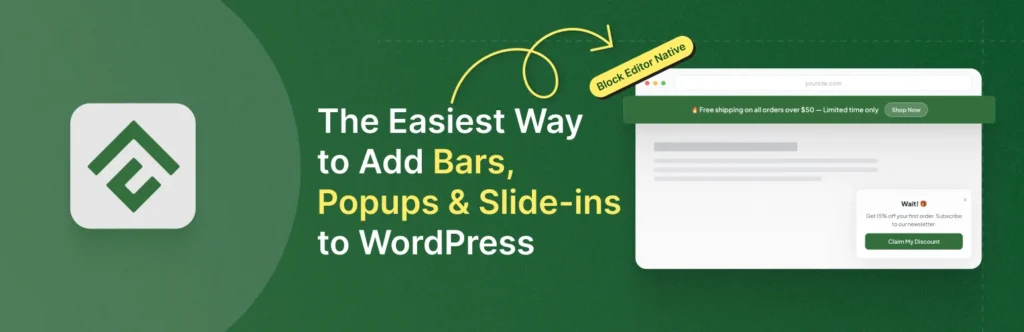
força de conversão é um plugin pop-up nativo de Gutenberg Você constrói barras de notificação, pop-ups lightbox e slide-ins com os mesmos blocos principais que você já usa para postagens e páginas, portanto, não há dependência separada do canvas ou do construtor de páginas Pro é de $ 24,50 no momento da escrita, listado como 50% de desconto no preço de lançamento.
Principais características
- Experiência nativa do editor de blocos: as campanhas usam blocos Gutenberg padrão, sem nova interface para aprender.
- Vários tipos de campanha: popups Lightbox, barras de notificação e slide-ins de um único plugin, com padrões iniciais, como uma barra de cookies, um aviso de venda e uma barra de frete grátis.
- Regras de exibição: controle onde as campanhas aparecem por página, tipo de postagem ou URL.
- Gatilhos avançados (Pro): a intenção de saída, a profundidade de rolagem e os gatilhos de inatividade do usuário.
- Controle de frequência (Pro): os limites baseados em cookies impedem que o mesmo visitante veja uma campanha com muita frequência.
- Consciente do desempenho: carrega ativos apenas quando necessário, mantendo o peso da página baixo.
Melhor para: puristas de editores de blocos que desejam pop-ups sem Elementor, Divi ou qualquer tela de design externa.
Qual Construtor de Popups Tem os Melhores Modelos?
OptinMonster tem a maior biblioteca publicada em 700 + modelos, OptiMonk lista 952 exemplos de pop-up, e Master Addons envia 25 modelos de pop-up que importam diretamente para o editor Elementor A contagem é apenas metade da pergunta Um modelo hospedado ainda tem que ser reestilizado para corresponder ao seu tema, enquanto um modelo que abre no seu construtor de páginas já usa fontes, cores e widgets do seu site.
| Ferramenta | Modelos | Onde você os edita |
|---|---|---|
| Adições Mestres | 25 modelos pop-up | Editor de elementor, importado da biblioteca do editor |
| Depicador | Mais de 500 no plugin, contagem de pop-ups não publicada | Tela depicter |
| optinmonster | 700+ | Aplicativo web OptinMonster |
| Criador de pop-ups | Nenhuma biblioteca de modelos | Seu próprio conteúdo no editor pop-up |
| Construtor de pop-ups (Sygnoos) | Contagem não publicada | Editor próprio do plugin |
| optimonk | 952 exemplos pop-up | Aplicativo web OptiMonk |
| pop-tin | Contagem não publicada | Aplicativo da web Poptin |
| Sumô (BDOW!) | Contagem não publicada | BDOW! editor |
| Olá Bar | Contagem não publicada | Olá, editor de Bar |
| força de conversão | Padrões iniciais, modelos extras no Pro | Editor bloco |
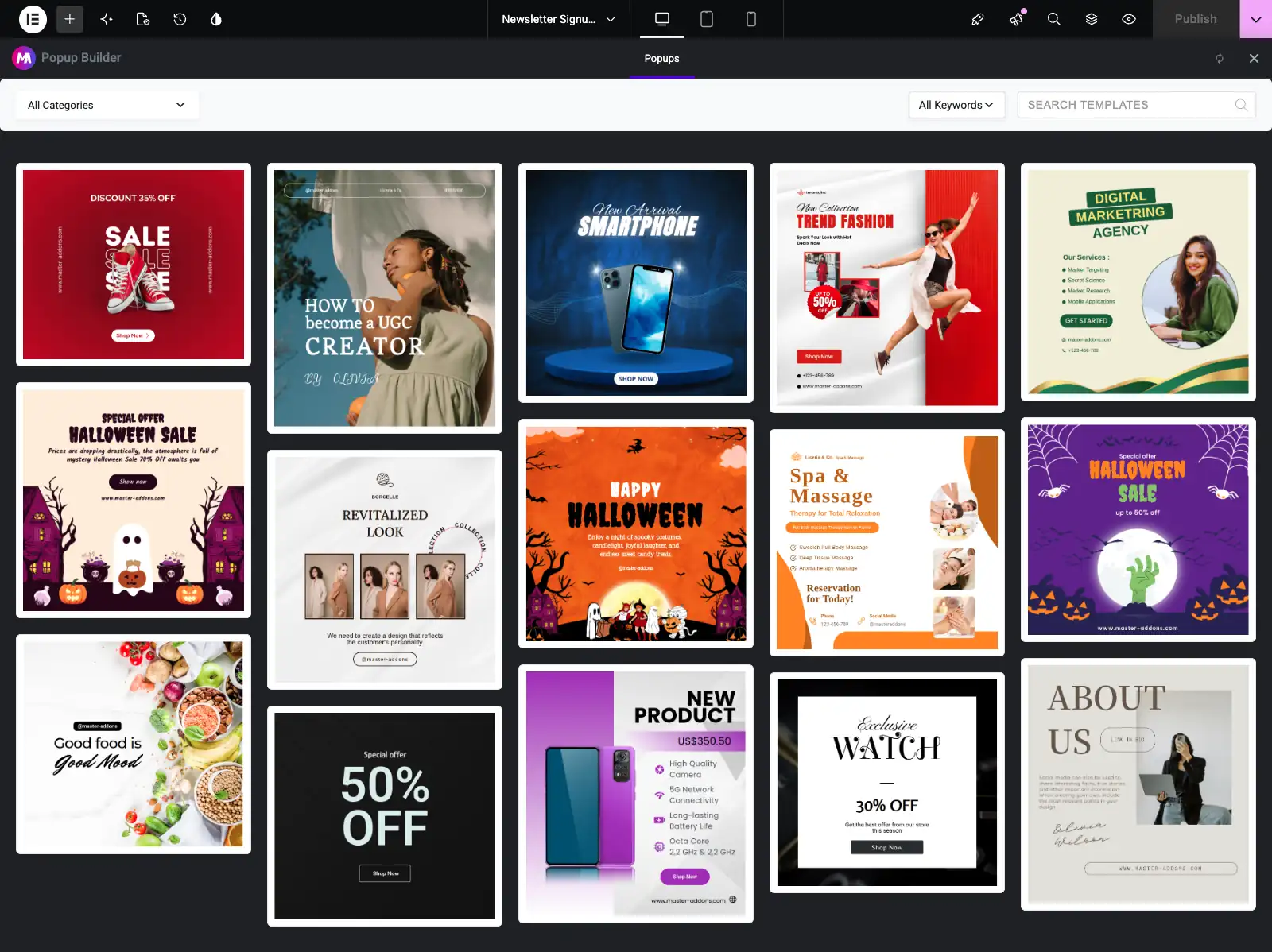
Para uma análise mais detalhada dos designs Master Addons, o Modelos pop-up do elementor a página visualiza cada modelo e o resumo de Exemplos de pop-ups de elementadores mostra 25 pop-ups acabados construídos com eles, desde ofertas de intenção de saída até portões de idade.
Como escolher o Construtor de Popups certo
Combine a ferramenta com sua configuração e objetivo:
- Você constrói com Elementor: use o Construtor de pop-ups Master Addons. Um plugin a menos, um editor para tudo e todos os sete gatilhos ficam no mesmo painel de configurações.
- Você procurou o Popup Builder, o plugin: O Popup Builder da Sygnoos é revisado no número 5. sua versão base cobre pop-ups de imagem, HTML e assinatura; o pacote Pro anual adiciona intenção de saída e segmentação.
- Você usa o editor de blocos: ConvertForce mantém tudo nativo de Gutenberg.
- Você precisa de um plugin independente sem conta: Popup Maker ou Depicter cobrem o básico.
- Você administra uma loja online: OptiMonk ou Poptin para segmentação baseada em comportamento e testes A/B.
- Você deseja a segmentação e relatórios mais profundos: OptinMonster, desde que uma conta mensal esteja bem.
- Você quer marketing por e-mail incluído: Sumo (BDOW!) agrupa ambos.
- Você só precisa de uma barra de anúncio: Olá Bar faz bem esse trabalho.
Seja qual for a sua escolha, fique de olho na velocidade da página e na experiência móvel A orientação do Google sobre intersticiais intrusivos penaliza pop-ups que bloqueiam conteúdo em dispositivos móveis, portanto, use tamanhos razoáveis, botões de fechamento claros e regras de frequência sensatas.
Perguntas frequentes
Qual é o melhor plugin de construtor de pop-up para WordPress em 2026?
Não existe um único melhor construtor de popups para cada site Master Addons é a melhor escolha para sites Elementor porque os popups são projetados dentro do editor Elementor Popup Builder da Sygnoos e Popup Maker são os plugins autônomos estabelecidos, Depicter se adequa à edição de design, OptiMonk e Poptin lideram a segmentação e testes A/B, e Sumo (BDOW!) agrupa marketing por e-mail.
Existem plugins de criação de popups gratuitos para WordPress?
Sim. Popup Maker, Popup Builder by Sygnoos, Depicter e ConvertForce todos têm versões gratuitas no WordPress.org, e o nível gratuito do OptiMonk permite 15.000 visualizações de página por mês A intenção de saída, os gatilhos de rolagem e a segmentação avançada são pagos na maioria deles, então verifique qual gatilho você precisa antes de se comprometer.
Os pop-ups do WordPress prejudicam a velocidade do SEO ou da página?
Os popups só prejudicam o SEO quando bloqueiam o conteúdo de forma intrusiva no celular, o que o Google desencoraja Popups bem construídos que carregam ativos apenas onde necessário têm impacto mínimo Escolha um plugin leve e mantenha seu site rápido, já que a velocidade da página é um fator de classificação.
Quais gatilhos pop-up convertem melhor?
A intenção de saída, a profundidade de rolagem e os gatilhos de tempo na página geralmente convertem melhor porque chegam aos visitantes no momento certo A maioria das ferramentas aqui suporta esses tipos de gatilho, e o limite de frequência ajuda a evitar a fadiga do pop-up.
Posso construir popups WordPress sem o Elementor Pro?
Sim. O próprio construtor de popups do Elementor é um recurso Pro, mas o Master Addons adiciona um Construtor de Popups ao editor Elementor com 25 modelos e sete tipos de gatilho, e qualquer plugin independente nesta lista funciona ao lado do Elementor também.
Qual construtor de pop-up tem os melhores modelos?
OptinMonster publica a maior biblioteca em 700+ templates e OptiMonk lista 952 exemplos de popups Master Addons envia 25 modelos de popup que importam dentro do editor Elementor e já usam os estilos do seu site Popup Maker não tem biblioteca de templates, e Depicter, Poptin e Popup Builder da Sygnoos não publicam uma contagem somente de popup.
O Popup Builder by Sygnoos é a mesma coisa que um plugin de construtor pop-up?
Construtor de popup é tanto uma categoria e um nome de produto Popup Builder por Sygnoos é um plugin específico WordPress.org com 200.000 + instala, quatro tipos de popup base e um pacote Pro de 28 extensões de US $ 49,95 por ano A categoria abrange todos os plugins nesta lista, de Master Addons para Popup Maker.
Que tipo de plugin pop-up você realmente precisa?
Três grupos ásperos Um construtor de páginas popup designs de plugins dentro Elementor ou Divi, que combina com você quando o popup tem que combinar o resto do site exatamente Um plugin autônomo envia seu próprio editor e armazena popups em seu servidor Um serviço hospedado executa o popup dos servidores do fornecedor com segmentação e relatórios mais pesados, cobrados mensalmente Se tudo que você precisa é de um formulário de inscrição em um site Elementor, o primeiro grupo geralmente cobre.
Preciso de um plugin pop-up separado se já usar o Elementor?
Somente se o Elementor por conta própria deixar você sem o construtor de popups do Elementor fica no Pro, então sem o Pro você atualiza ou adiciona um plugin que traz popups para o editor você já usa O Master Addons Popup Builder faz o segundo, e é por isso que abre esta lista Se você já paga pelo Elementor Pro, seus popups integrados podem cobrir você sem adicionar mais nada.
Pensamentos Finais
O melhor plugin de construtor de popup para WordPress depende de onde você constrói e o que o popup tem que fazer Os usuários do Elementor aproveitam ao máximo os Master Addons, com sete gatilhos e 25 modelos dentro do editor que já conhecem Qualquer pessoa que queira um plugin independente tem Popup Maker em mais de 780.000 sites e Popup Builder by Sygnoos em mais de 200.000, os proprietários de lojas que buscam conversões devem olhar para OptiMonk ou Poptin, pequenas empresas que desejam que o e-mail seja integrado têm BDOW! e os fãs do editor de blocos têm ConvertForce.
Pense no seu objetivo, no seu público e no seu orçamento antes de se comprometer Um pop-up mostrado no momento certo aumenta sua lista; o mesmo pop-up mostrado para todos em cada página apenas irrita as pessoas Se você quiser ver como a opção Elementor funciona na prática, comece com o guia passo a passo em adicionando um pop-up no Elementor.
Leitura Relacionada
