


Out of the box, WooCommerce shows product variations as plain dropdown menus. Pick a size, pick a color, all from a grey select box that hides what the options actually look like. A WooCommerce variation swatches plugin fixes that. It swaps those dropdowns for clickable color circles, image thumbnails, and labeled buttons, so a shopper sees the red shirt or the XL at a glance instead of decoding a text menu.
That small change moves the needle, because people buy what they can see. This guide compares 8 of the best swatches plugins, and every one is free to install from the official WordPress.org directory, so you can try them on your own store before you commit. First, though, one plugin that belongs on every Elementor store before you even think about swatches: Master Addons for Elementor. It is not a swatches plugin, but it builds the product page your swatches will live on, so it earns the top spot.
What Are WooCommerce Variation Swatches?
Variation swatches replace the attribute dropdowns on a variable product with visual selectors. Instead of a “Color” dropdown, you get a row of color squares. Instead of a “Size” dropdown, you get clickable buttons: S, M, L, XL.
You will usually see four swatch types:
- Color swatches for attributes like red, navy, or olive
- Image swatches that show a small photo of each variation, whether that is a pattern, a texture, or the product in that color
- Button or label swatches for sizes, materials, or any text attribute
- Radio swatches for a tidier version of the standard select
The better plugins also push swatches onto the shop and category pages, not just the single product page, so shoppers spot their options while they are still browsing.
How to Add Color Swatches in WooCommerce
The setup is close to identical across every plugin here:
- Install and activate WooCommerce and your chosen swatches plugin.
- Go to Products > Attributes and create an attribute like Color, then add its terms (Red, Blue, Green).
- Set each term’s swatch type. For color, pick the hex value; for image, upload a thumbnail.
- Open a variable product, add the attribute under the Attributes tab, and generate variations.
- Save and preview. The dropdown is now a row of swatches.
No code anywhere in that list. If your variable products are not set up yet, sort that first with the official WooCommerce variable product documentation, which walks through attributes and variations. For the page design around the swatches, our roundup of the best Elementor addons for WooCommerce shows how to build a custom single product template.
Quick Comparison: Best WooCommerce Swatches Plugins
| Plugin | Active Installs | Rating | Shop Page Swatches (Free) | Best For |
|---|---|---|---|---|
| Master Addons for Elementor | 30,000+ | 4.5 ★ | n/a (toolkit) | Building the product page itself |
| Variation Swatches for WooCommerce (Emran Ahmed) | 300,000+ | 4.8 ★ | Pro | The safe default pick |
| Variation Swatches for WooCommerce (CartFlows) | 200,000+ | 4.6 ★ | Pro | Astra / CartFlows stores |
| WCBoost Variation Swatches | 50,000+ | 4.8 ★ | Yes | Fast, no-nag option |
| Product Variations Swatches (VillaTheme) | 10,000+ | 4.7 ★ | Yes | Swatches + gallery image swap |
| Variation Swatches (RadiusTheme) | 10,000+ | 4.7 ★ | Yes | All-round with catalog swatches |
| WPC Variation Swatches | 7,000+ | 4.3 ★ | Yes | WPClever ecosystem users |
| Smart Variations Images & Swatches | 1,000+ | 4.7 ★ | Partial | Variation image swapping |
| Variation Swatches for WooCommerce (Woosuite) | 50,000+ | 3.7 ★ | Yes | Long-running free catalog swatches |
1. Master Addons for Elementor (the foundation)

Let me be upfront: Master Addons for Elementor is not a variation swatches plugin, and it still sits at number one. Here is the logic. Swatches only earn their keep on a product page that is actually built to sell, and that page is where Master Addons comes in. It is the lightweight Elementor toolkit that designs the template, then any swatch plugin below drops its color and image selectors into it.
Used on 30,000+ sites and rebuilt to run about 3x faster in version 3, Master Addons gives you a full Theme Builder for custom single product, shop, and archive templates. So instead of accepting whatever layout your theme ships, you design the product page, add the swatches, and control exactly where they land.
Why it goes first for an Elementor store:
- Theme Builder to build the single product and shop templates your swatches display on
- Featured Product widget to drop any product, price, and add-to-cart button onto a landing page
- Popup Builder for sale, coupon, and exit-intent offers that lift cart value
- Mega Menu for shoppable navigation with product categories
- 80+ widgets and extensions in one light package, so you are not stacking five plugins to build one page
Install this first to build the store, then pick one of the swatches plugins below to handle the variation display. Browse the full widgets and extensions list or check the pricing, and grab the free version from the WordPress.org plugin page.
2. Variation Swatches for WooCommerce (by Emran Ahmed)

This is the most-installed swatches plugin on WordPress.org, sitting at 300,000+ active installs and a 4.8 rating from more than 900 reviews. Want the option most stores already trust? Start here.
Best features:
- Color, image, and button/label swatch types
- Attribute tooltips on hover
- Per-attribute and per-product swatch overrides
- Control over how out-of-stock variations behave, clickable or blurred
- Wide theme compatibility, so it works on most WooCommerce themes without fuss
The free version handles the single product page well. Catalog and shop-page swatches, plus variation image galleries, are part of the Pro upgrade. Grab it from the WordPress.org plugin page.
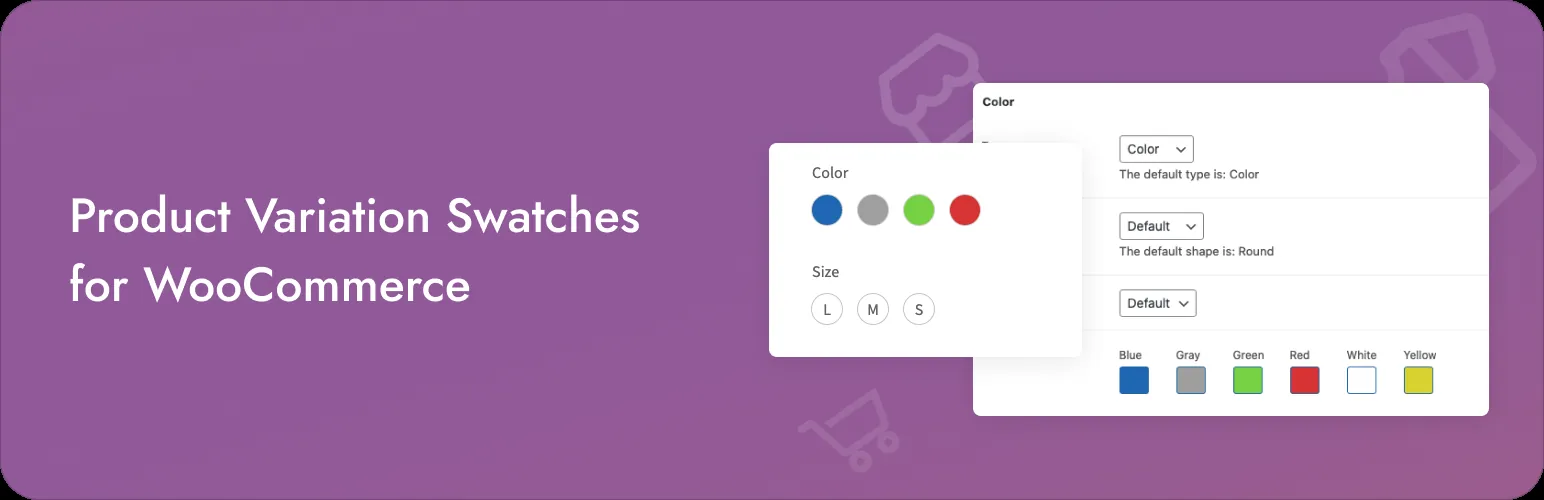
3. Variation Swatches for WooCommerce (by CartFlows)
This one comes from the team behind Astra and CartFlows, and it has picked up 200,000+ installs at a 4.6 rating. It is light, clean, and an easy call if you already run other Brainstorm Force products.
Best features:
- Color, image, button/label, and radio swatch types
- Tooltips for attributes
- Global styling with per-attribute overrides
- Lightweight code that stays out of your theme’s way
- Backed by a well-known WordPress vendor
If your store runs on Astra or you build funnels with CartFlows, this keeps everything in one house. Install it from the WordPress.org plugin page.
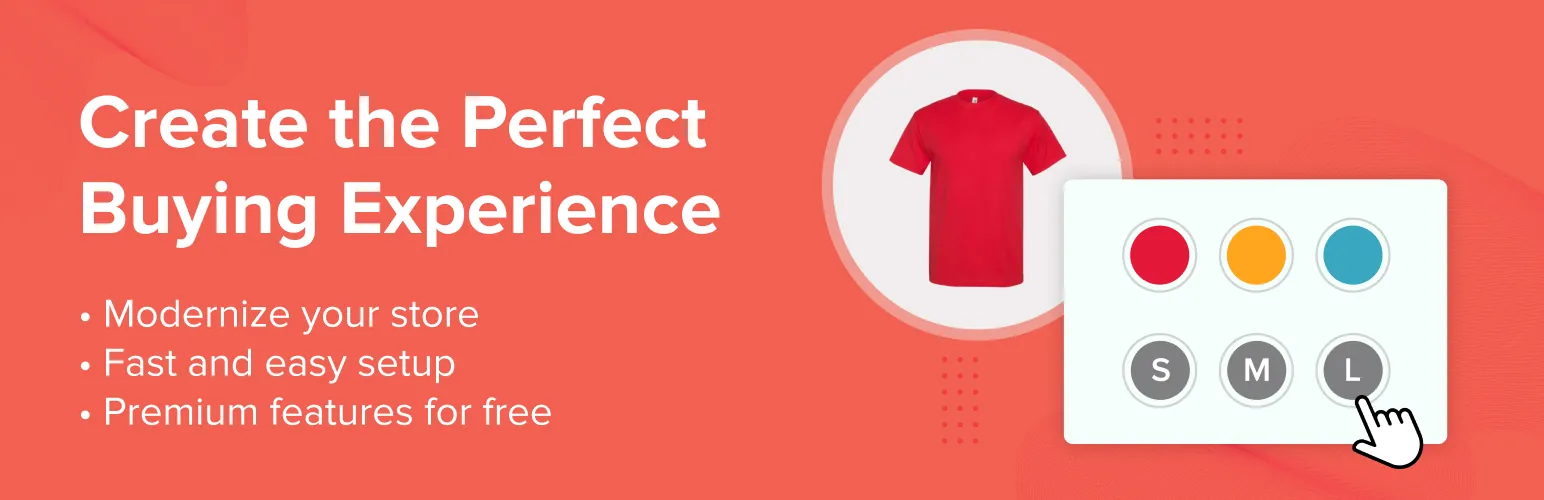
4. WCBoost Variation Swatches
WCBoost is the no-nonsense pick, and it does something the two bigger plugins make you pay for: it shows swatches on shop and archive pages in the free version. Add a 4.8 rating and 50,000+ installs and it earns its spot.
Best features:
- Color, image, button, and radio swatches
- Tooltips on attribute hover
- Adjustable swatch shape (rounded or square) and size
- Shop and archive page display, free
- No constant upsell nags in the admin
For a fast, clean plugin that hands you catalog swatches without a paywall, WCBoost is one of the best-value picks on this list. Download it from the WordPress.org plugin page.
5. Product Variations Swatches for WooCommerce (by VillaTheme)

VillaTheme has been in the WooCommerce space a long time, and its swatches plugin pairs visual selectors with variation image swapping. Click a color and the main gallery flips to that variation’s photos.
Best features:
- Color, image, button, radio, and dropdown swatch types
- Tooltips for each attribute
- Catalog and shop-page swatches
- Variation image swapping in the product gallery
- Per-attribute styling controls
If you sell things where the gallery photos matter as much as the swatch (fashion, furniture, art prints), that image swapping is the reason to pick it. Get it from the WordPress.org plugin page.
6. Variation Swatches for WooCommerce (by RadiusTheme)
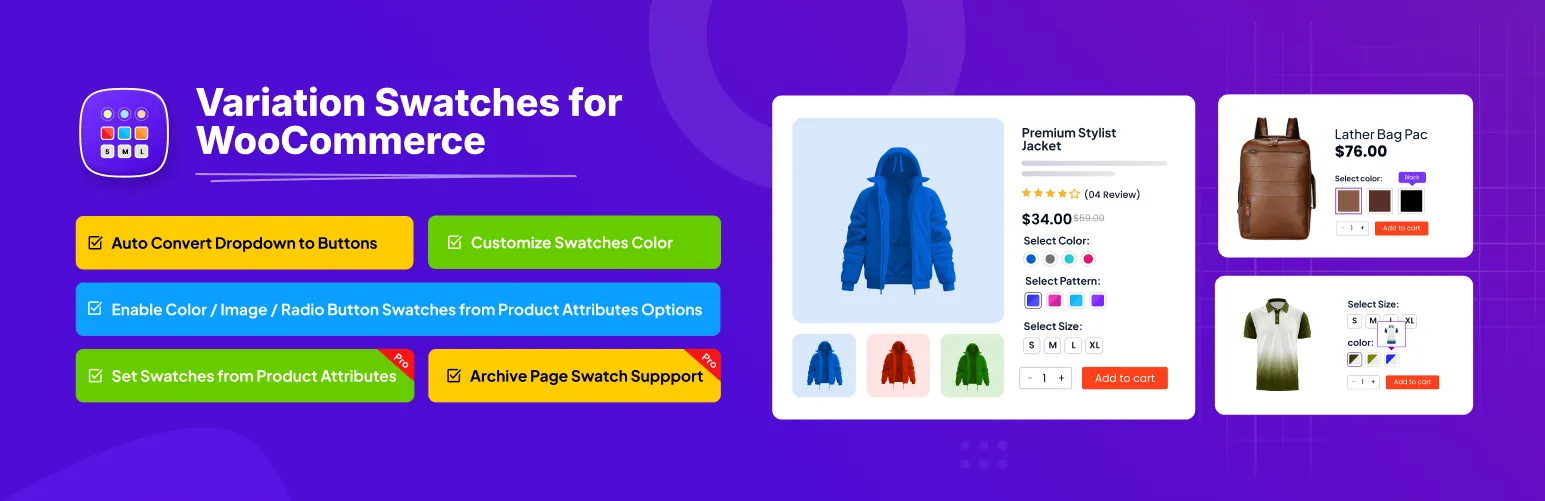
From RadiusTheme, the folks behind The Post Grid and ShopBuilder, this is a steady all-rounder with 10,000+ installs and a 4.7 rating. It covers the core swatch types and pushes them out to catalog pages too.
Best features:
- Color, image, button, and radio swatches
- Attribute tooltips
- Shop and archive page swatches
- Per-attribute and per-product settings
- Backed by an active WooCommerce plugin vendor
It is a dependable middle-ground choice, and those per-product settings earn their keep when a handful of products need swatches styled differently from the rest. Install it from the WordPress.org plugin page.
7. WPC Variation Swatches for WooCommerce

WPClever runs a big family of WooCommerce plugins, and this swatches plugin snaps right into it. If you already use WPC products like Smart Compare or Linked Variation, it will feel like home.
Best features:
- Color, image, button, and label swatch types
- Tooltip support
- Term-level swatch assignment
- Small footprint
- Works with the wider WPClever suite
The rating is a shade lower and the review count is thin, so test it on staging before you ship it. For WPClever users, though, it is the obvious fit. Download it from the WordPress.org plugin page.
8. Smart Variations Images & Swatches for WooCommerce

This one leans hard into images. It automatically shows, hides, and swaps product-gallery photos based on the variation a shopper picks, which is ideal when the visual difference between variations is the whole pitch.
Best features:
- Image swatches tied to variation photos
- Automatic gallery show, hide, and swap per variation
- Smart image linking to attributes
- Plays nicely alongside another swatch plugin if you already run one
- 142 reviews at a 4.7 rating, heavy engagement for its size
It is less about button styling and more about the gallery reacting to the click. If image swapping is your priority, this is the specialist. Get it from the WordPress.org plugin page.
9. Variation Swatches for WooCommerce (by Woosuite)
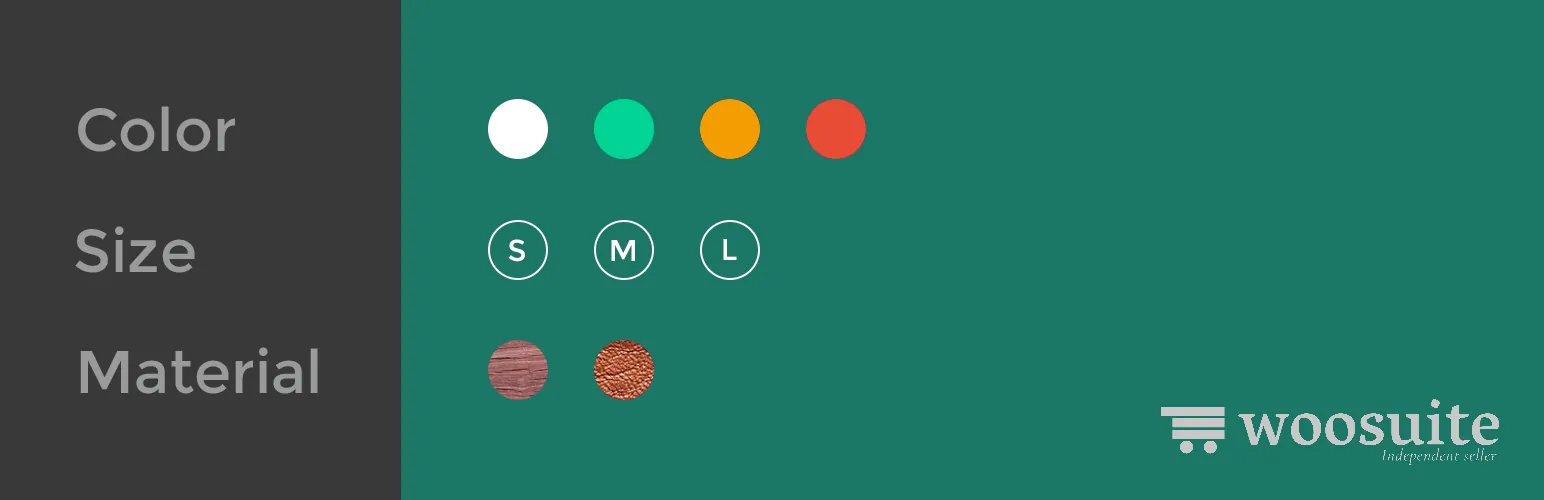
This is one of the oldest swatches plugins on the repository, listed back in 2017, and it still runs on 50,000+ stores. The draw is free catalog-page swatches and a full set of swatch types with no upsell wall.
Best features:
- Color, image, label/text, and radio swatches
- Tooltips for attributes
- Archive and catalog page swatches in the free version
- Per-attribute configuration
- A long track record on WooCommerce stores
One honest caveat: its 3.7 rating is the weakest here, so skim the recent reviews and test it against your theme before you lean on it. Install it from the WordPress.org plugin page.
Also Worth a Look
A couple more are on WordPress.org and might suit a specific setup, even though they did not crack the main list. YITH Color and Label Variations gives you color and label swatches for free and holds image swatches back for Pro. QODE Variation Swatches is a newer, lighter option that is still building up reviews.
How to Choose the Right Swatches Plugin
Match the plugin to what your store actually needs:
- You want the safest, most-tested option: Variation Swatches for WooCommerce by Emran Ahmed.
- You want shop-page swatches without paying: WCBoost or the Woosuite plugin.
- Your gallery images change a lot between variations: VillaTheme or Smart Variations Images.
- You live in the Astra/CartFlows or WPClever ecosystem: pick the matching plugin (CartFlows or WPC).
Whatever you land on, keep an eye on performance. Swatch scripts add weight to your product pages, so pair them with the tips in our guide on how to speed up Elementor websites. And if your products need more than swatches, think custom fields, add-ons, or engraving, look at extra product options for WooCommerce to capture those at checkout.
Building the store around these swatches? Master Addons stays light with 80+ widgets and extensions, and its Theme Builder lets you design the single product template your swatches sit on. Check the pricing if you want the whole toolkit.
Frequently Asked Questions
What is the best free WooCommerce variation swatches plugin?
Variation Swatches for WooCommerce by Emran Ahmed is the safest free pick, with 300,000+ installs and a 4.8 rating. If you need shop-page swatches for free, WCBoost Variation Swatches is a strong alternative that does not gate catalog swatches behind Pro.
How do I add color swatches in WooCommerce?
Install a swatches plugin, go to Products > Attributes, create a Color attribute, and set a hex value for each term. Then add the attribute to a variable product and generate variations. The dropdown turns into a row of clickable color swatches, no code needed.
Can I add variation swatches without a plugin?
Not easily. WooCommerce has no built-in swatch option, so you would need custom code and CSS to convert the dropdowns yourself. A dedicated swatches plugin does it in a few clicks and stays compatible through WooCommerce updates, which is why nearly every store uses one.
Do variation swatches show on shop and category pages?
It depends on the plugin. Many show swatches only on the single product page in their free version. WCBoost, VillaTheme, RadiusTheme, and the Woosuite plugin display them on shop and archive pages for free, while others save that for Pro.
Will a swatches plugin slow down my store?
A well-built one adds only a little CSS and JavaScript. Lightweight options like WCBoost keep the impact low. Do not run two swatch plugins at once, and check your page speed before and after installing so you know where you stand.
Wrap Up
The best WooCommerce variation swatches plugin for your store really comes down to two questions: do you need shop-page swatches for free, and how much do your gallery images change between variations? For most stores, Variation Swatches for WooCommerce by Emran Ahmed is the safe start, WCBoost is the best free route to catalog swatches, and VillaTheme or Smart Variations Images win when the photos do the selling.
Install a couple of the free versions, test them against your theme, and keep the one that looks right. Then build the store around them: explore the full Master Addons widgets and extensions or start faster with ready-made template kits.
Related reading: Best Elementor Addons for WooCommerce, Extra Product Options for WooCommerce, and 100 Best Elementor Addons.
